Access your Back Office at your fingertips.
Download the app now on Google Play Store.
Scan the QR code
You can also scan QR code with your phone to download the app.
Understanding savings and transactions reports
Updated
On this page
Introduction
Savings transactions play a critical role in modern lending operations because they help lenders track repayment behavior, monitor customer financial activity, and improve loan recovery processes. Many financial institutions and digital lenders rely on savings transaction records to support repayment collections, assess borrower consistency, and maintain accurate financial reporting. When borrowers maintain active savings accounts, lenders can use those accounts as part of repayment arrangements, automated debit collections, and financial monitoring workflows.
The savings and transaction reports available on the Lendsqr admin console provide lenders and platform administrators with a centralized view of customer savings activities and financial transactions across the platform. These reports are designed to help teams monitor financial operations in real time, investigate transaction disputes, reconcile balances, and maintain accurate records of user activity.
With organized reporting categories, searchable records, and detailed transaction data, administrators can easily review how funds move within the platform. Whether you are tracking customer savings contributions, monitoring loan repayment deductions, reviewing settlement transactions, or auditing wallet activity, these reports provide the operational visibility needed to manage financial workflows effectively.
The reporting system also supports customer support and dispute resolution processes. If a borrower raises concerns about a missing transfer, duplicate deduction, failed repayment, or incorrect wallet balance, support teams can quickly retrieve the relevant records and investigate the issue using the available reports.
This guide explains why savings and transaction reports matter, and provides a step-by-step guide on accessing them for your organization.
Financial reporting plays a critical role in lending operations. Every transaction that occurs on your platform contributes to operational records, repayment tracking, customer account balances, and regulatory compliance processes.
Savings and transaction reports help your team:
Monitor customer financial activity
Verify savings contributions and withdrawals
Investigate transaction disputes
Reconcile internal balances
Track repayment collections
Review settlement records
Audit wallet movements
Improve operational transparency
Support compliance and reporting requirements
Without centralized reporting, it becomes difficult to investigate issues quickly or maintain accurate transaction histories.
How these reports support operational efficiency
The reports available within the admin console simplify financial oversight by organizing transaction data into dedicated reporting categories.
Instead of manually searching through individual customer records, administrators can use filters and report views to retrieve specific information quickly.
For example, if a borrower claims that their loan repayment was deducted twice, a support agent can:
Search for the borrower’s profile
Filter transactions for the relevant date
Review all debit entries
Verify whether duplicate deductions occurred
Escalate or resolve the issue accordingly
This reduces investigation time and improves the customer experience.
Similarly, finance and operations teams can use settlement reports to verify lender payouts, while product and growth teams may analyze savings behavior trends to improve financial products.
Relevant permissions
Before accessing savings and transaction reports, ensure that your account has the appropriate permissions within the admin console.
Depending on your organization’s configuration, users may require:
Access to reporting modules
Permission to view financial transactions
Access to savings account data
Authorization to review settlements and reconciliations
Super admin access for organization-wide reporting visibility
Some organizations may restrict access to sensitive transaction data for compliance or security reasons.
If you cannot access a report category, contact your internal administrator for the required permissions.
Step-by-step guide to accessing savings and transaction reports
To access savings and transaction reports:
1. Log in to your lender admin console
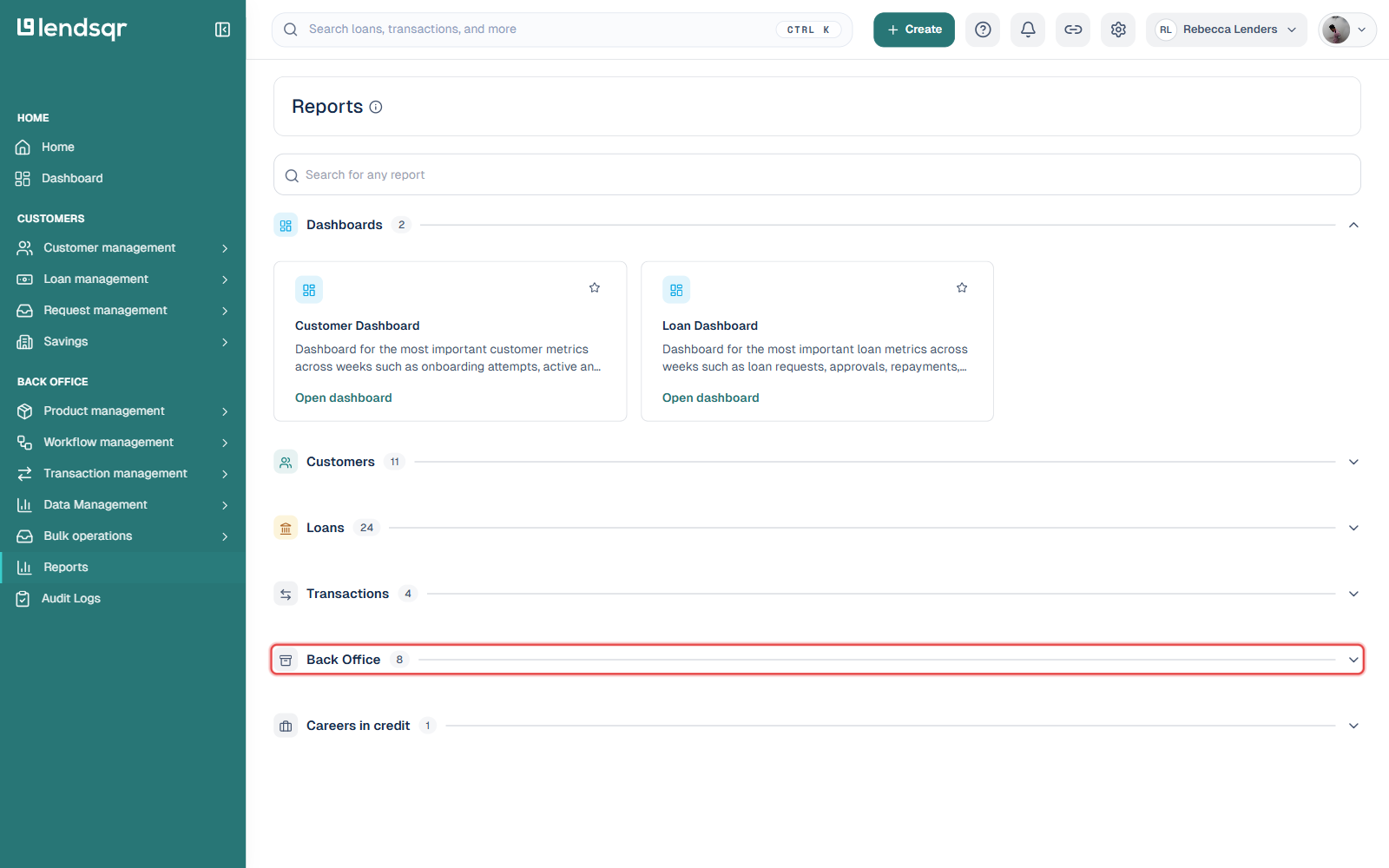
2. Navigate to the Reports section on the side menu
3. Select the report category you want to review
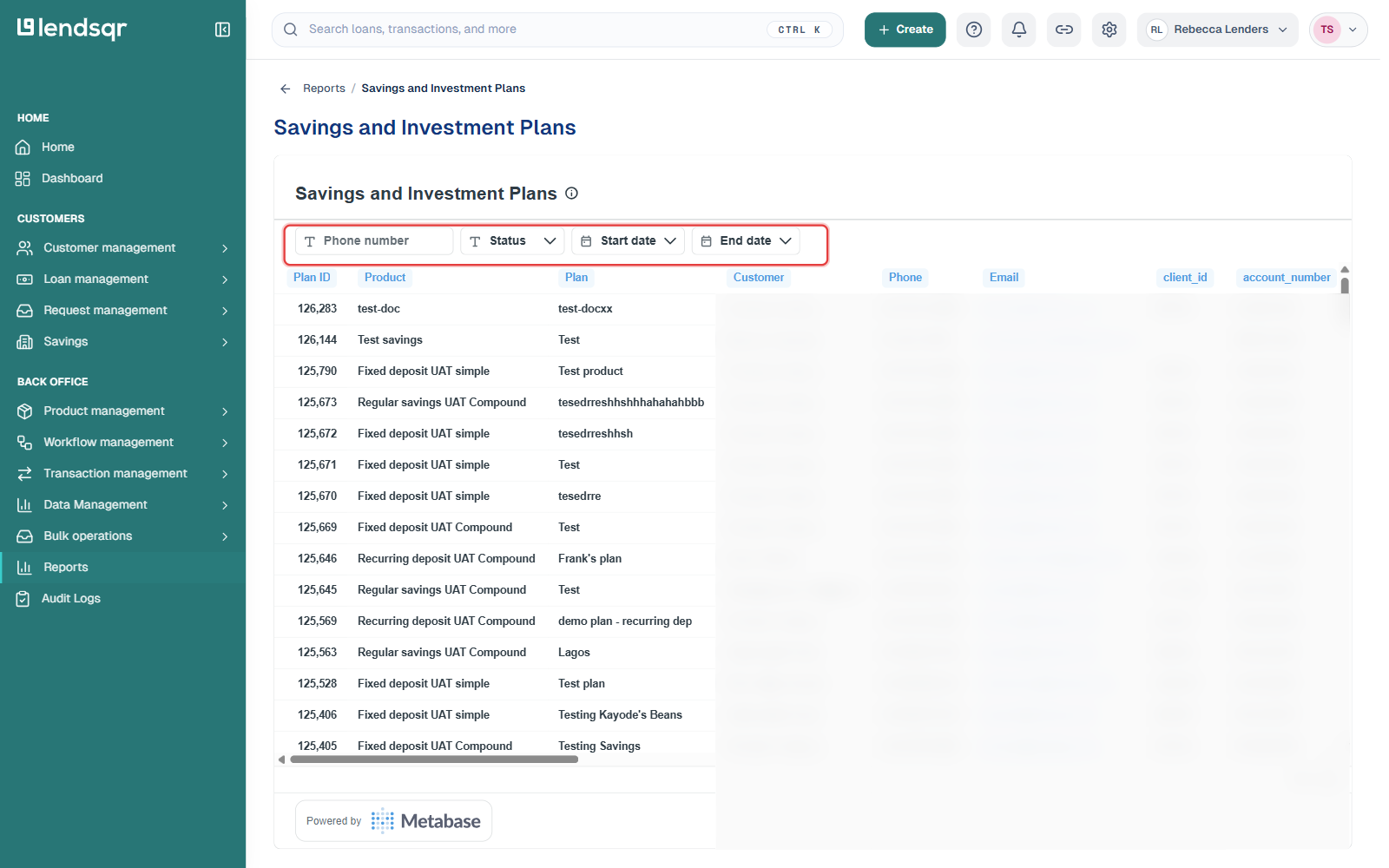
4. Apply available filters where necessary
Depending on your setup, reports may include date filters, transaction status filters, user filters, payment channel filters, and account-based search functionality.
Step-by-step guide on how to export reports on the admin console.
To export report data on the Lendsqr admin console, follow these steps:
Log in to the Lendsqr admin console with your admin access.
On the side menu, scroll down and click on the “Reports” tab in the back office section.
Click on the desired report you want to export (such as user reports, loan reports, or transaction reports).
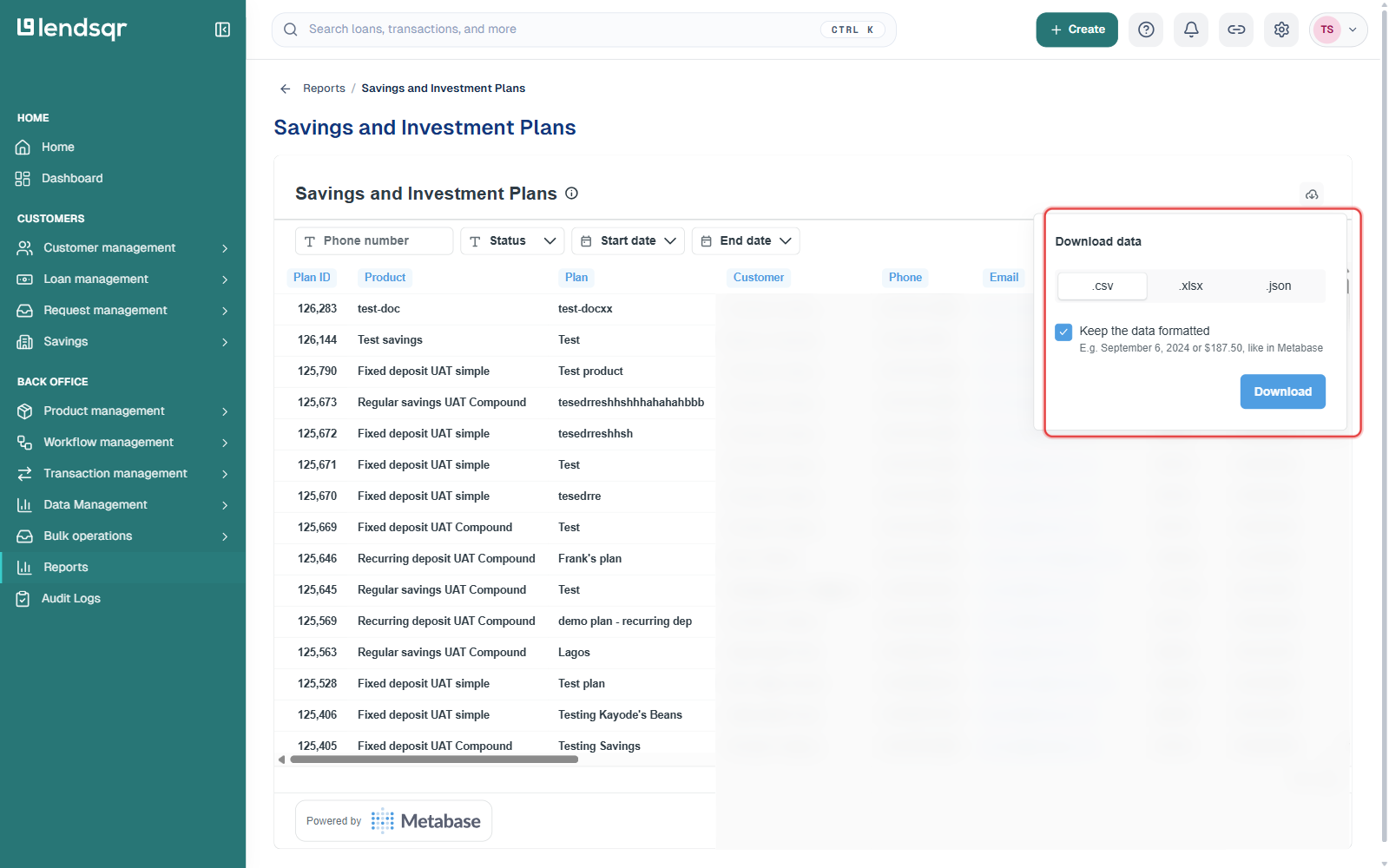
You can then view and download the report data in the formats available, such as .csv, .xlsx, or .json.
This allows you to work with the data externally or share it with stakeholders easily. You can also filter reports by parameters like email, date, or status to focus on specific data before exporting.
Savings reports
Savings reports are generated from savings-related activities carried out by users on your platform.
These reports help administrators monitor how customers save funds, manage savings plans, and interact with savings products available within the system.
Savings reports are especially useful for:
Monitoring savings growth
Reviewing active savings plans
Investigating savings disputes
Tracking savings contributions
Analyzing customer financial behavior
Savings and investment plans
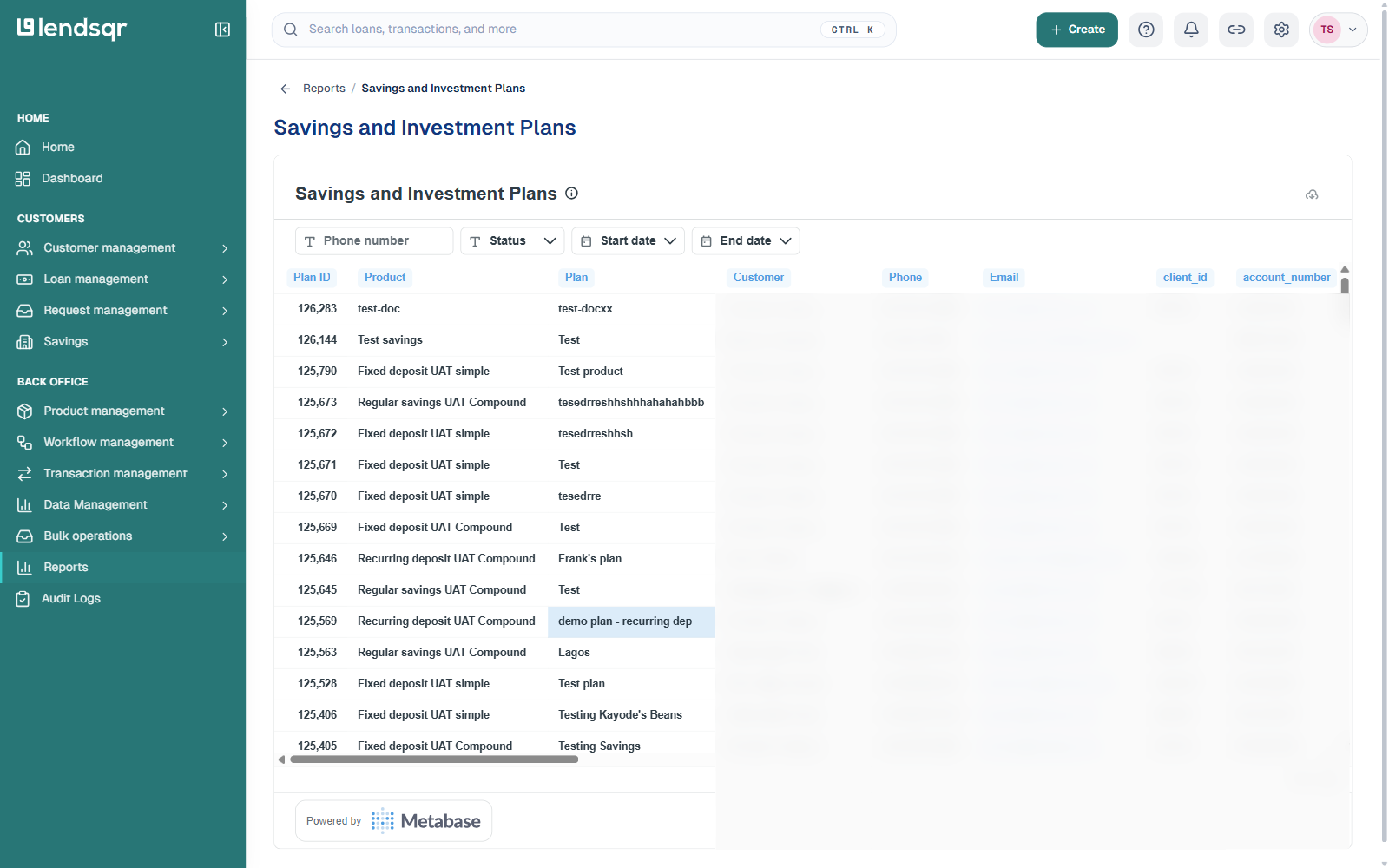
The Savings and Investment Plans report contains details of all savings plans created by users on your platform.
This report typically includes:
Savings plan details
Customer information
Plan status
Savings balances
Contribution schedules
Plan creation dates
Investment categories where applicable
Administrators can use this report to monitor the performance and adoption of savings products across the platform.
For example, if a customer claims they created a savings plan that is no longer visible in the app, support teams can retrieve the savings plan details from this report to investigate the issue.
This report also helps operations teams identify inactive savings plans, monitor plan maturity timelines, and review customer engagement with savings products.
Transaction reports
Transaction reports are curated from all transaction activities occurring on the platform.
These reports provide detailed records of inflows, outflows, debits, credits, settlements, transfers, and payment activities carried out by users or system services.
Transaction reports help teams maintain transparency across all financial operations.
Transactions report
The Transactions report contains all transactions carried out by users on the platform.
This report generally includes:
User details
Transaction amount
Transaction type
Transaction channel
Transaction status
Transaction date
Transaction references
Payment descriptions
This is one of the most frequently used reports because it provides a broad overview of user transaction activity.
Support and operations teams often rely on this report to:
Verify repayment deductions
Confirm wallet funding
Investigate failed transactions
Review successful payments
Audit customer account activity
For example, if a borrower disputes a repayment debit, administrators can use this report to verify whether the transaction was successfully processed and determine the exact transaction timestamp.
Bank transfers report
The Bank Transfers report contains all transactions completed through bank transfer channels.
This report usually includes:
User details
Transaction details
Bank transfer narration
Transaction amount
Transfer status
Transfer date
Reference information
This report is particularly useful for monitoring inbound and outbound bank transfer activities.
Operations teams may use this report to:
Confirm customer transfers
Investigate delayed transfers
Verify transfer references
Reconcile external bank movements
Monitor transfer failures
For example, if a customer claims they transferred funds into their wallet but their balance was not updated, administrators can use this report to verify whether the transfer was received successfully.
Disbursement transactions report
The Disbursement Transactions report lets you view and download your disbursement account transactions, separate from the general transactions and bank transfer reports.
It can be filtered by start date, end date, and branch name, which makes it useful for reviewing disbursement activity for a specific period or a specific branch.
Operations teams may use this report to:
Track disbursement account activity over a date range
Review disbursement volumes by branch
Reconcile disbursement account balances
Support audits of loan disbursement activity
Settlement reports
Lendsqr provides two settlement reports: Settlement Summary, which shows settlement summary data for specific days, and Settlement Transactions, which shows the individual transactions that make up each day’s settlement.
This report may include:
User details
Settlement amounts
Settlement fees
Transaction descriptions
Settlement references
Processing status
Settlement reports are important for finance and reconciliation teams because they provide visibility into payout obligations and settlement activities.
Finance teams may use this report to:
Verify lender settlements
Monitor pending payouts
Reconcile daily collections
Investigate settlement discrepancies
Review processing fees
Accurate settlement monitoring helps maintain financial accountability and operational transparency.
Prepayment service transactions report
The Prepayment Service Transactions report contains all inflow and outflow transactions related to your prepayment service account.
This report generally includes:
Transaction details
Charge information
Transaction status
Debit and credit records
Transaction dates
Service descriptions
This report is useful for monitoring how funds move through prepayment service accounts and for reviewing service-related charges.
Operations teams may use this report to:
Track account activity
Monitor service charges
Investigate failed debits
Verify inflows and outflows
Reconcile service balances
Real-world example
Imagine a borrower contacts your support team claiming that their loan repayment was deducted twice in a single day.
Without centralized transaction reporting, resolving the issue could take significant time and manual investigation.
Using the transaction reports available on the admin console, a support representative can:
Search for the borrower’s account
Filter transactions for the disputed date
Review all debit activities
Verify the repayment entries
Identify whether duplicate deductions occurred
Escalate the issue if necessary
If the duplicate transaction exists, the issue can be flagged for reversal or adjustment. If no duplicate debit occurred, the report provides clear evidence that can be shared with the customer.
This helps support teams resolve disputes quickly while maintaining transparency and trust.
Best practices for using savings and transaction reports
Following reporting best practices can improve operational accuracy and reduce reconciliation issues.
Use filters to narrow results
Applying filters such as date ranges, transaction status, or user identifiers helps reduce search time and improves investigation efficiency.
Review reports regularly
Operations and finance teams should review transaction reports consistently to identify anomalies early.
Restrict sensitive report access
Financial reports often contain sensitive customer information. Access should be limited to authorized personnel only.
Reconcile balances frequently
Regular reconciliation helps identify settlement discrepancies, duplicate transactions, or missing records before they escalate.
Document dispute investigations
Whenever transaction disputes are investigated, maintain proper documentation of findings and resolutions.