Access your Back Office at your fingertips.
Download the app now on Google Play Store.
Scan the QR code
You can also scan QR code with your phone to download the app.
How loan activities history works
Updated
On this page
Loan activities history is a chronological log of every status change and update that occurs on a loan from the moment a borrower applies to the point the loan is settled or closed. Each entry in the log is timestamped, recording exactly when a change happened, what the new status was, and whether any adjustments were made to the principal or interest amount.
Introduction
Picture this: A borrower contacts your support team claiming their loan was approved weeks ago but they never received the funds. Rather than spending time making calls or checking multiple screens, the support agent opens the loan activities history and sees that the loan moved to “pending activation” but never progressed to “running.” The mandate setup was incomplete. The issue is identified and resolved in minutes all because the history was there.
This is what loan activities history is built for: giving lenders the visibility to manage, investigate, and resolve loan issues with confidence.
It is essentially an audit trail for a single loan one that lets lenders, administrators, and support teams trace exactly what happened at every stage without having to rely on memory or manual records.
What loan activities history tracks
Every significant change to a loan is recorded automatically. This includes the initial loan request, approval or decline, disbursement, schedule adjustments, repayments, and the final settlement or closure of the loan.
Each entry in the history shows the status at that point in time, the exact timestamp of when the change occurred, and whether the principal or interest was adjusted. This makes it straightforward to trace exactly how a loan evolved over its lifetime.
Loans can pass through several statuses, and the activities history reflects each transition, These statuses include:
Draft: The borrower has started an application but not yet submitted it
Pending: The application has been submitted and is awaiting an action, such as lender approval, mandate activation, guarantor confirmation, or equity contribution
Active/Running: The loan has been approved and disbursed but has not yet been fully repaid
Settled: The borrower has fully repaid the loan
Past due: The loan has passed its repayment date without being paid
Cancelled: The borrower cancelled a pending loan before it was processed
Declined: The lender declined the loan request
Terminated: The loan was closed by the lender or the system before natural completion
How to view loan activities history on the admin console
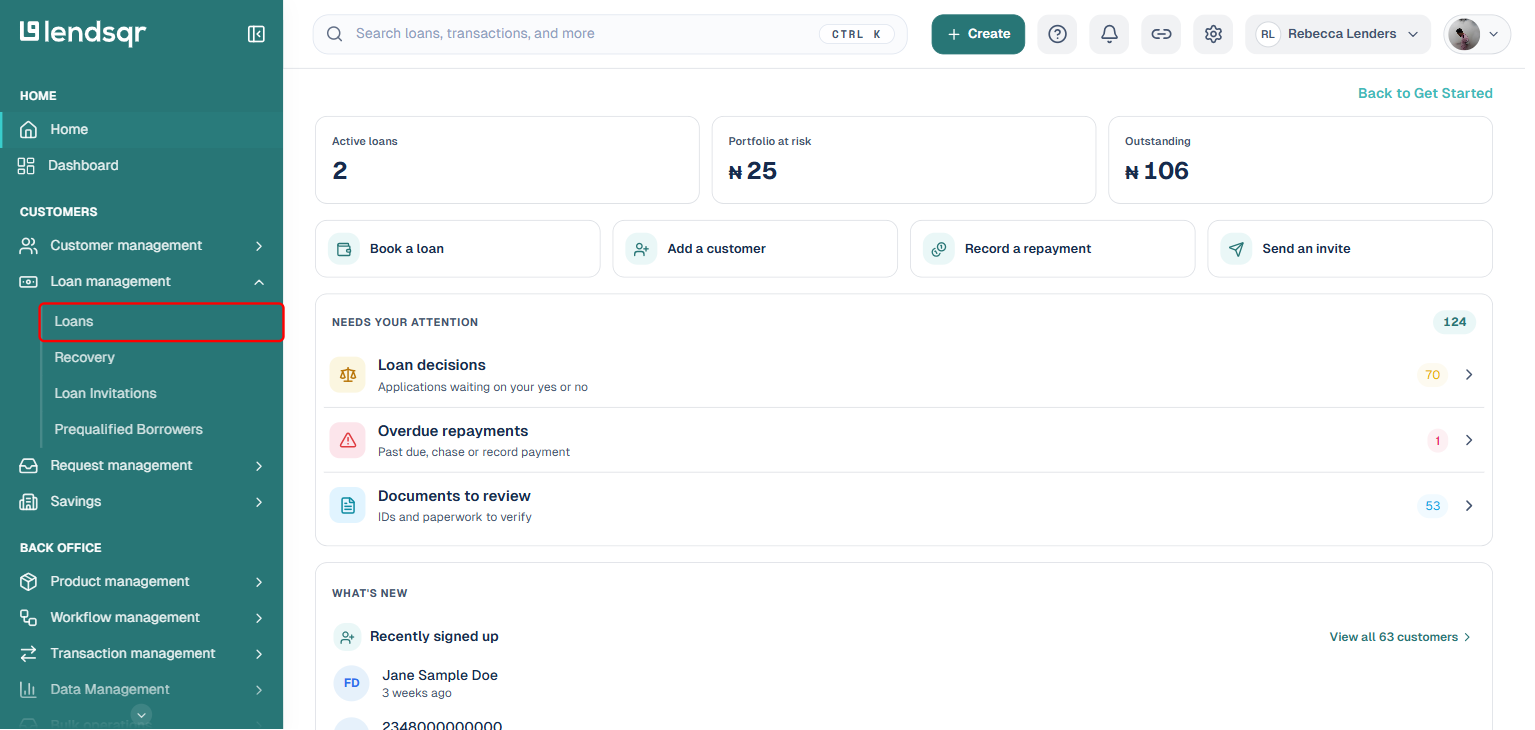
On the admin console, expand Loan management in the left navigation and select Loans.
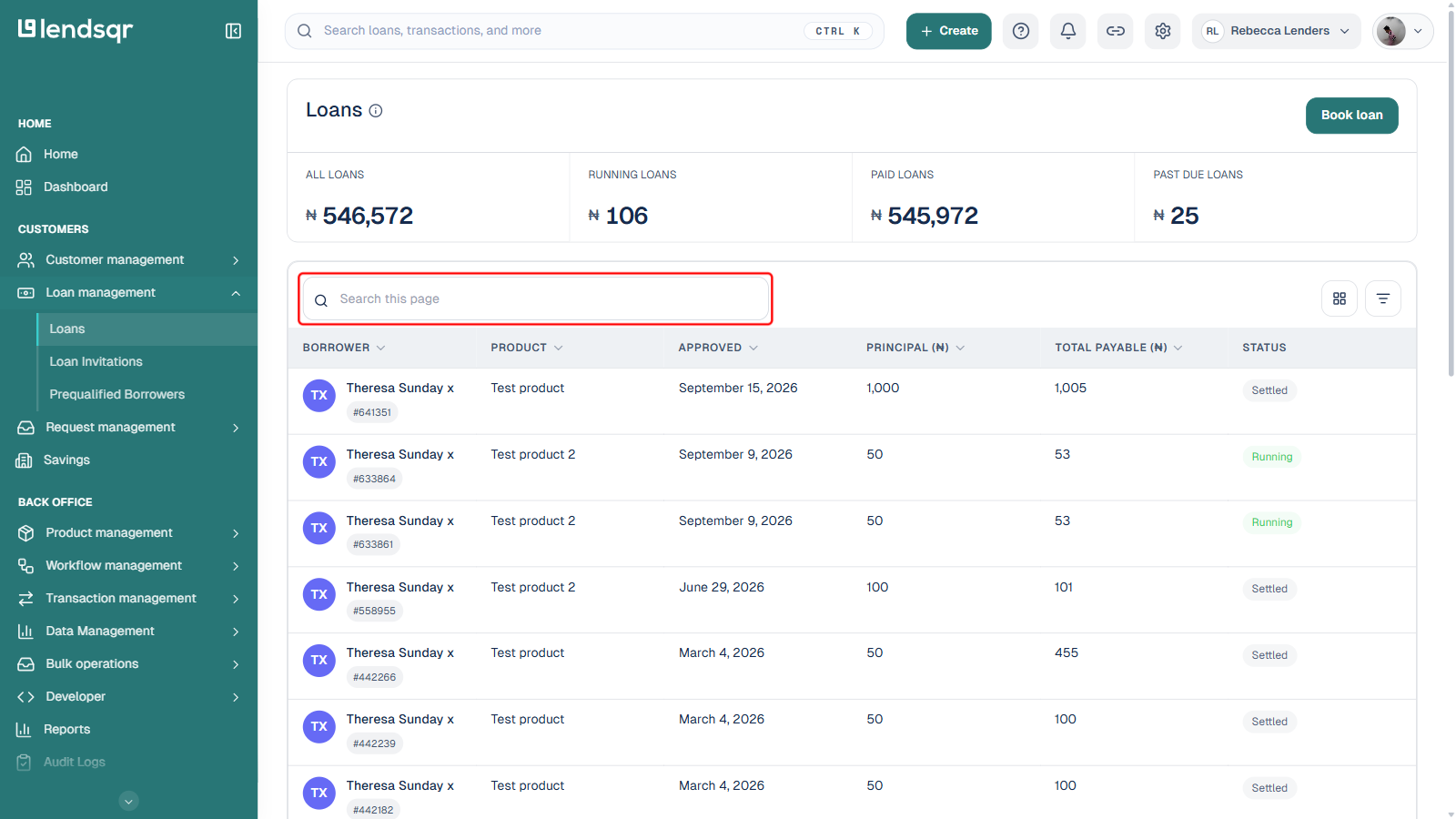
Use the search box above the loans table to locate the specific loan record, by borrower name, loan ID, or other matching details.
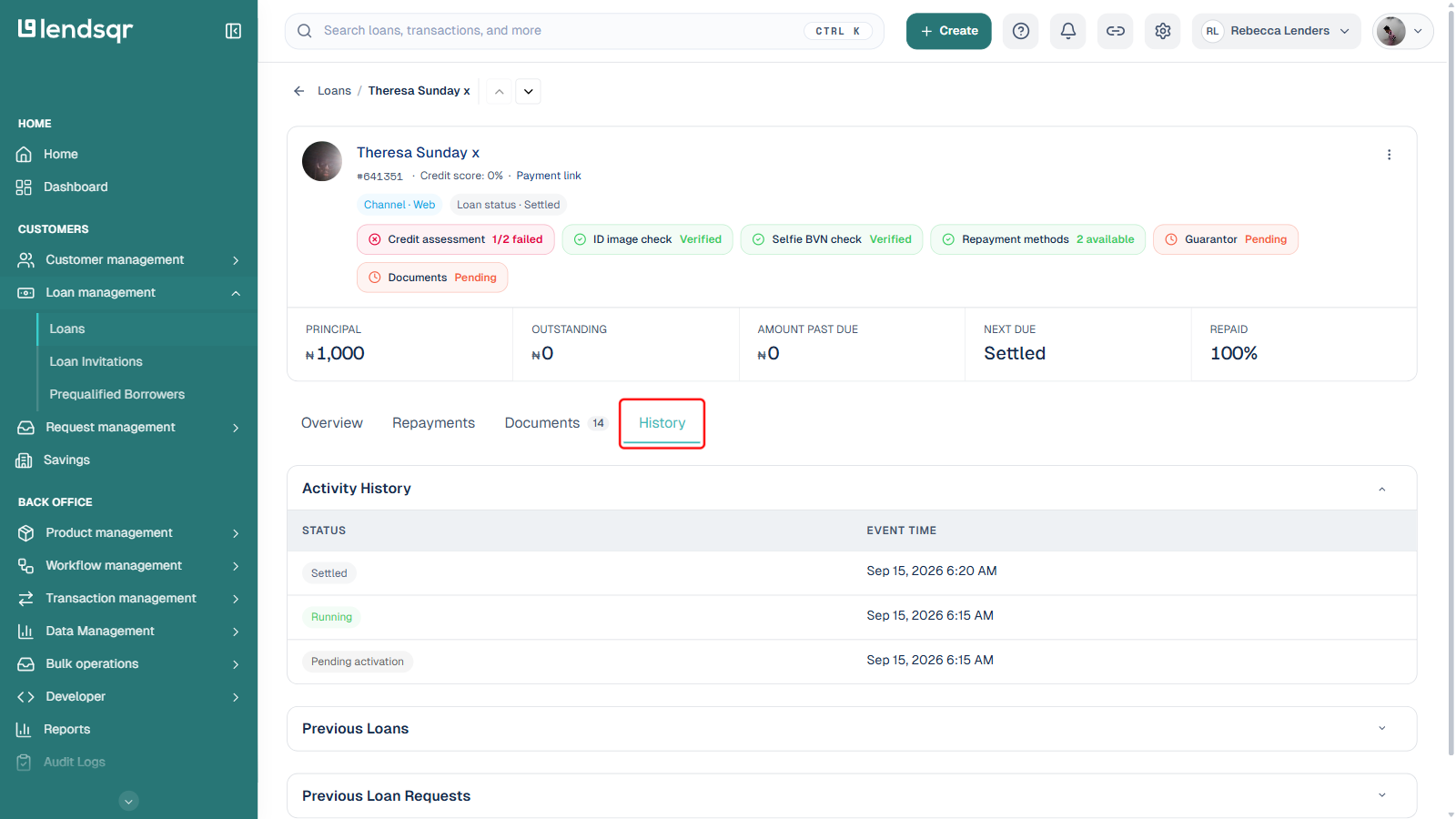
Open the matching loan record and select the “History” tab. The Activity History table shows every change in loan status, including transitions like “pending activation,” “running,” “past due,” or “settled,” each with:
The status at that point in the loan’s lifecycle
The event time showing exactly when the change occurred
Below the Activity History table, the same tab also has collapsible “Previous Loans” and “Previous Loan Requests” sections, showing the borrower’s earlier loan history. This makes it easy for admins to audit activity, verify actions, and track how a loan has evolved over time.
How it works on the lender web app
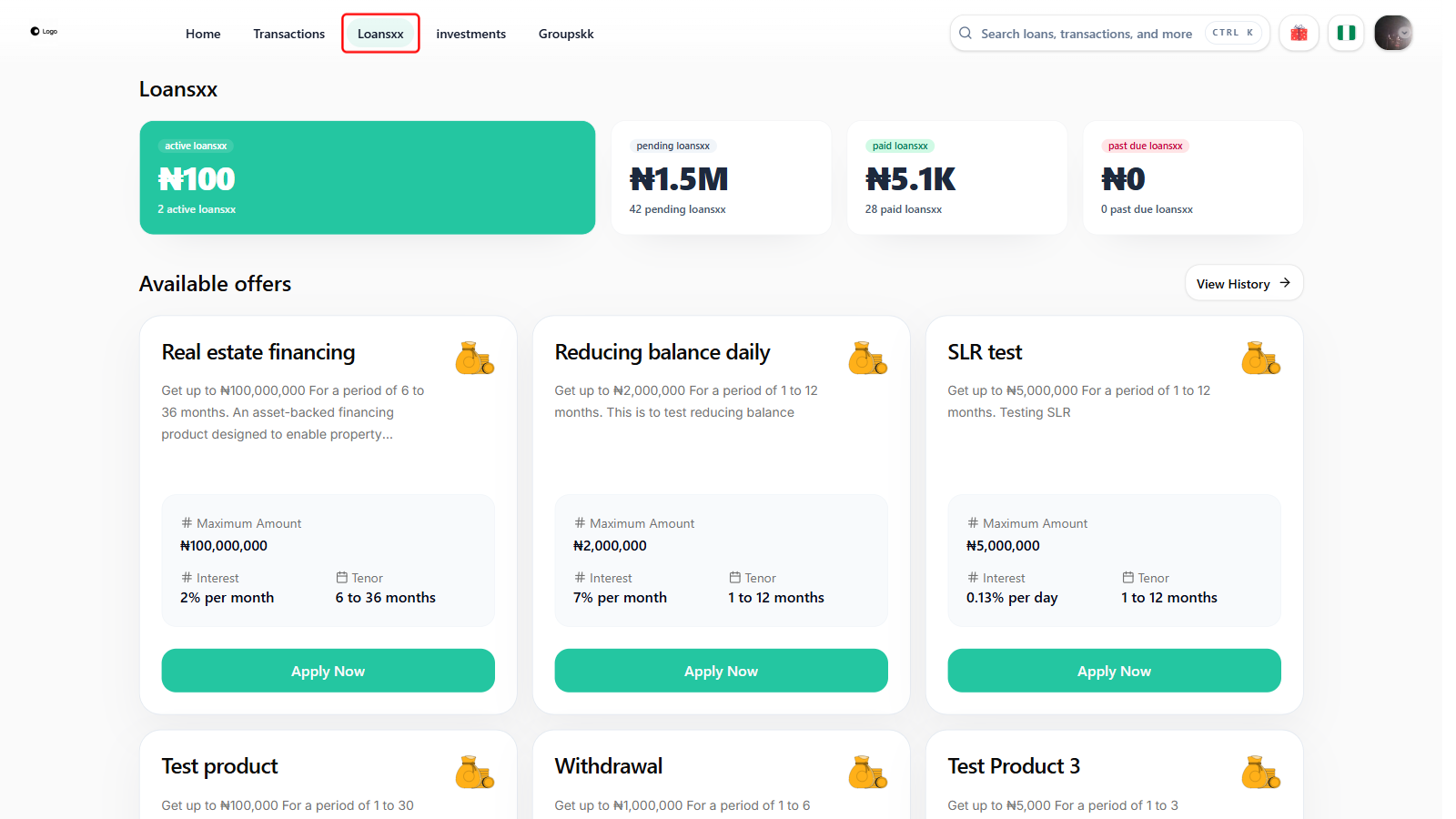
To view a borrower’s loan activity history on the lender web app, navigate to the Loans page from the top navigation bar.
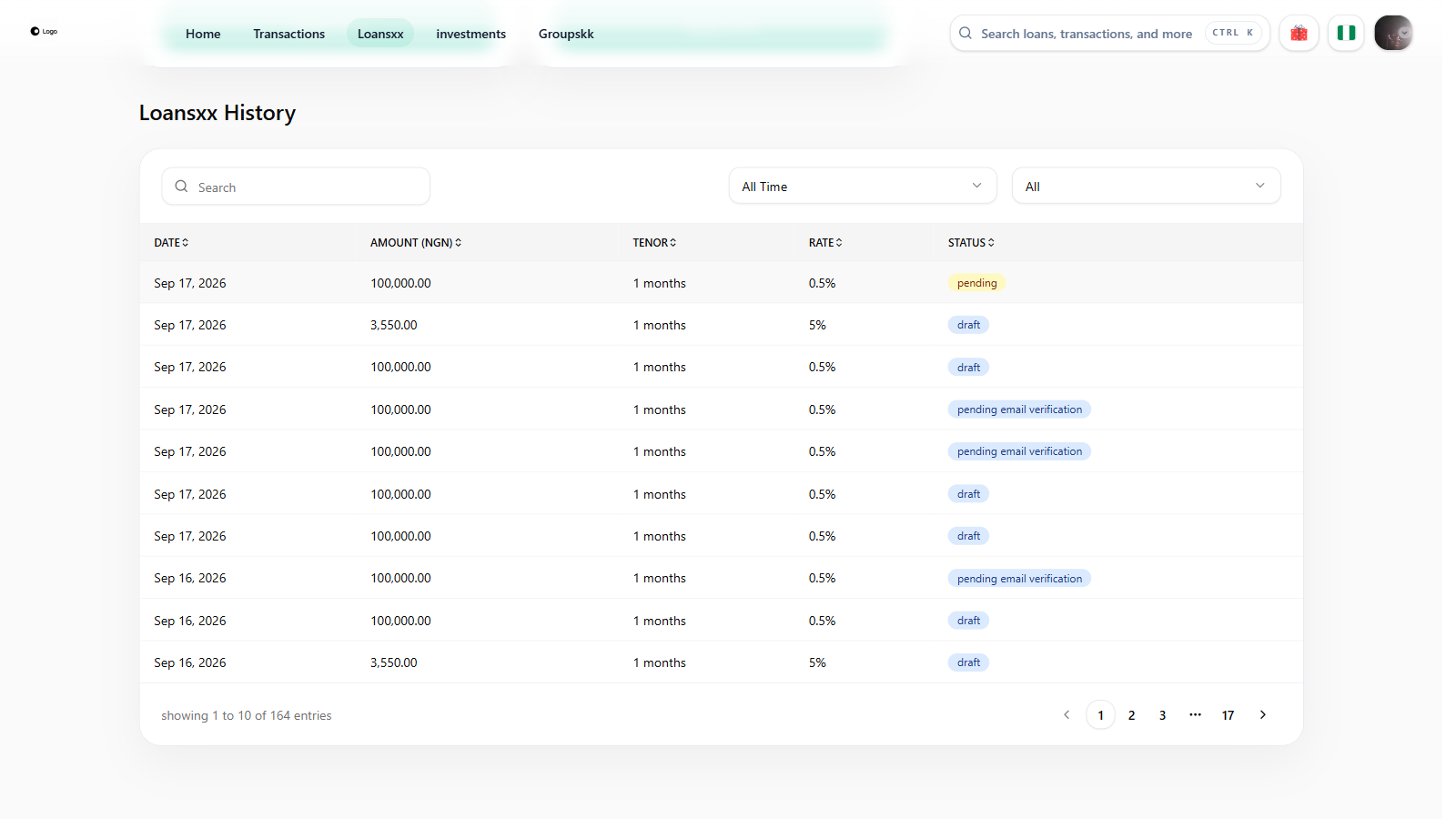
Scroll down to the Loans History table, which lists every loan request with its date, amount, tenor, rate, and status. Use the search box or the status and date filters above the table to narrow it down, then click on the relevant loan entry.
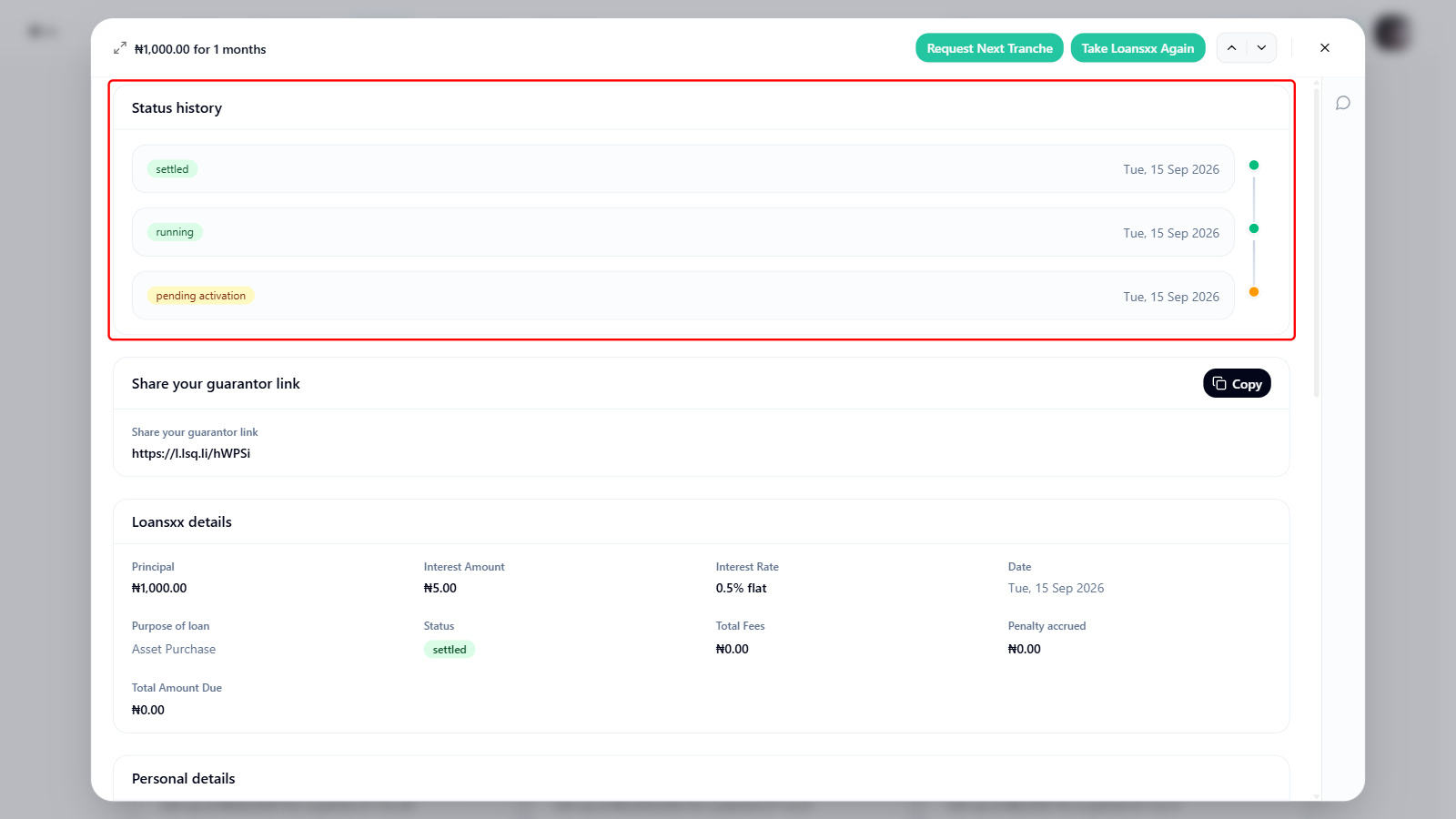
Clicking a loan entry opens a detailed loan panel. The Status history card sits right at the top of this panel, not at the bottom, showing every status the loan has moved through in sequence (for example “pending activation” to “running” to “settled”) each with its own timestamp.
Below Status history, the same panel has Loans details and Personal details sections, plus navigation for Repayment schedules and Transactions, which let you review the repayment plan and all financial transactions associated with that loan.
The activities history is most useful when something needs to be investigated or verified.
If a borrower claims their loan was approved but never disbursed, check whether the status moved from “pending” to “running.” If it remains at “pending activation,” the mandate or equity contribution step may not have been completed.
If a loan is showing as past due but the borrower says they repaid, cross-reference the activities history with the transactions tab to see whether a payment was recorded and whether it updated the loan status.
If a loan was declined and the borrower wants to understand why, the activities history shows the exact point at which the status changed to “declined,” which can be paired with the decision data to explain the outcome clearly.
Best practices for using loan activities history
Making loan activities a routine part of your loan review process helps you manage your portfolio more confidently. A few practices worth adopting:
Check the history before making any manual changes to a loan, so you have full context on what has already happened
Use the timestamps to verify whether actions were taken within the expected timeframe, especially for time-sensitive loans
When a borrower contacts you about a loan issue, open the activities history first. It often answers the question before you need to dig further
For past due loans, review the history to determine whether the loan became past due gradually or abruptly, which can indicate different underlying causes