Access your Back Office at your fingertips.
Download the app now on Google Play Store.
Scan the QR code
You can also scan QR code with your phone to download the app.
How to turn off payment methods for guarantor verification
Updated
On this page
What is guarantor verification on Lendsqr?
In some lending workflows, requiring guarantors to provide a payment method (such as a debit card or direct debit mandate) adds an extra layer of security. However, this requirement may introduce friction in the loan application process and reduce completion rates.
If your lending strategy prioritizes faster onboarding or lower guarantor friction, you can disable this requirement directly from your loan product settings in the Lendsqr admin console.
This guide explains how to turn off payment method collection for guarantor verification, along with key considerations, prerequisites, and common issues.
Overview
By default, lenders may require guarantors to provide a valid payment method during verification. This ensures that:
Guarantors can be debited if the borrower defaults
There is an additional layer of financial accountability
However, disabling this requirement means:
Guarantors will no longer be required to link a payment method
Verification becomes simpler and faster
Recovery options may be reduced in case of default
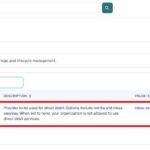
When this setting is on, the specific payment methods a guarantor can be asked for are not chosen separately for guarantors, they are drawn from whichever repayment methods are already enabled on the loan product itself. So if a product accepts card and direct debit as repayment methods, a guarantor asked to provide a payment method can offer either of those.
When Should You Turn This Off?
You may consider disabling guarantor payment methods if:
You want to reduce friction in the loan application flow
Your target users struggle with completing payment setup
You rely on alternative risk controls (e.g., credit scoring, salary checks)
You are offering low-value or short-term loans
Note: Turning this off reduces your ability to automatically recover funds from guarantors.
Prerequisites
Before making this change, ensure:
1. Admin Permissions
You have access to loan product configuration in the admin console. Without this access, you will not be able to modify guarantor settings.
2. Existing Loan Product
This configuration is applied at the loan product level, not globally. Ensure the loan product already exists.
How to turn off payment methods for guarantor verification
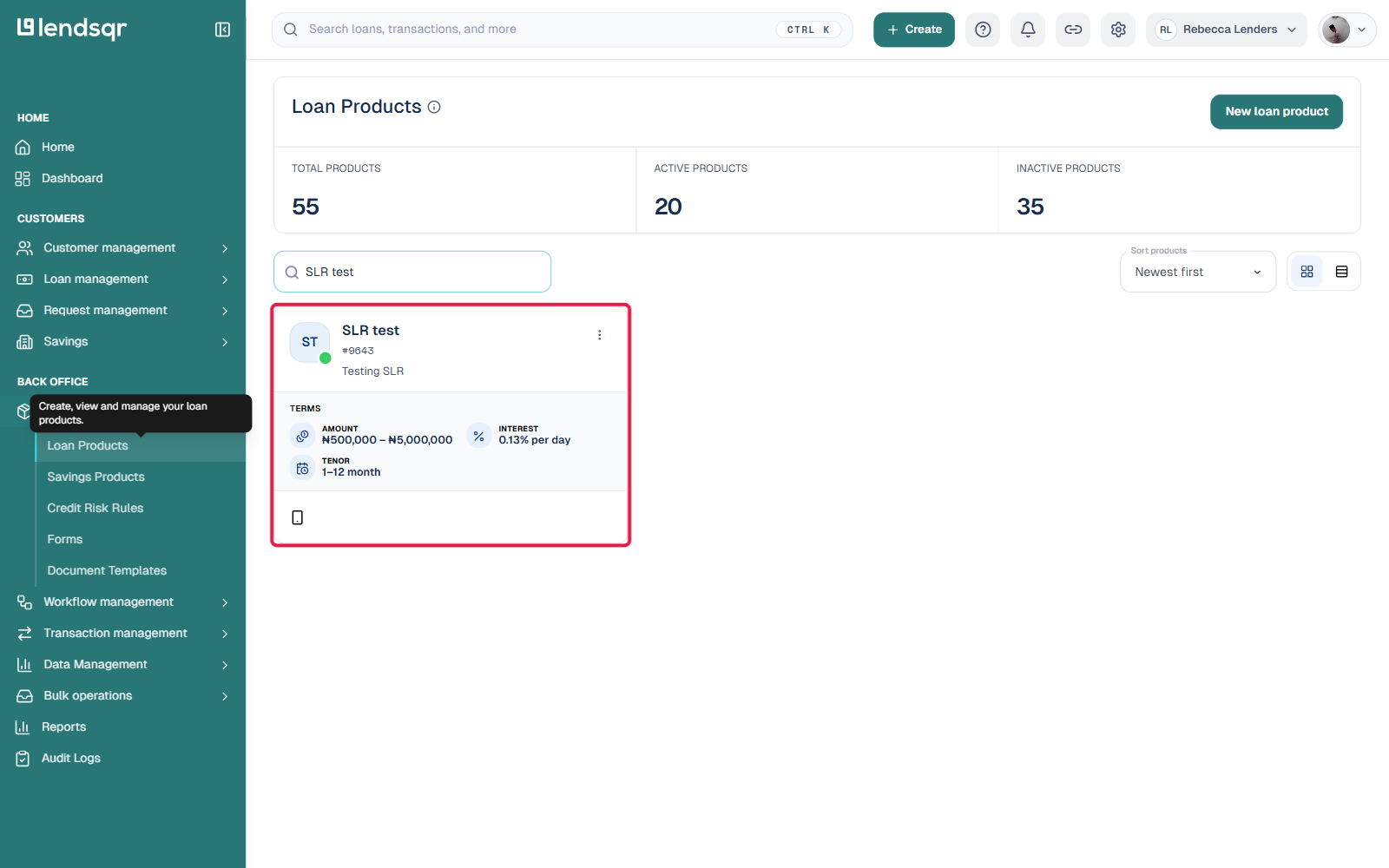
Log in to your Lendsqr admin console. From the side navigation, click Product Management, then select Loan Products, and open the product you want to change.
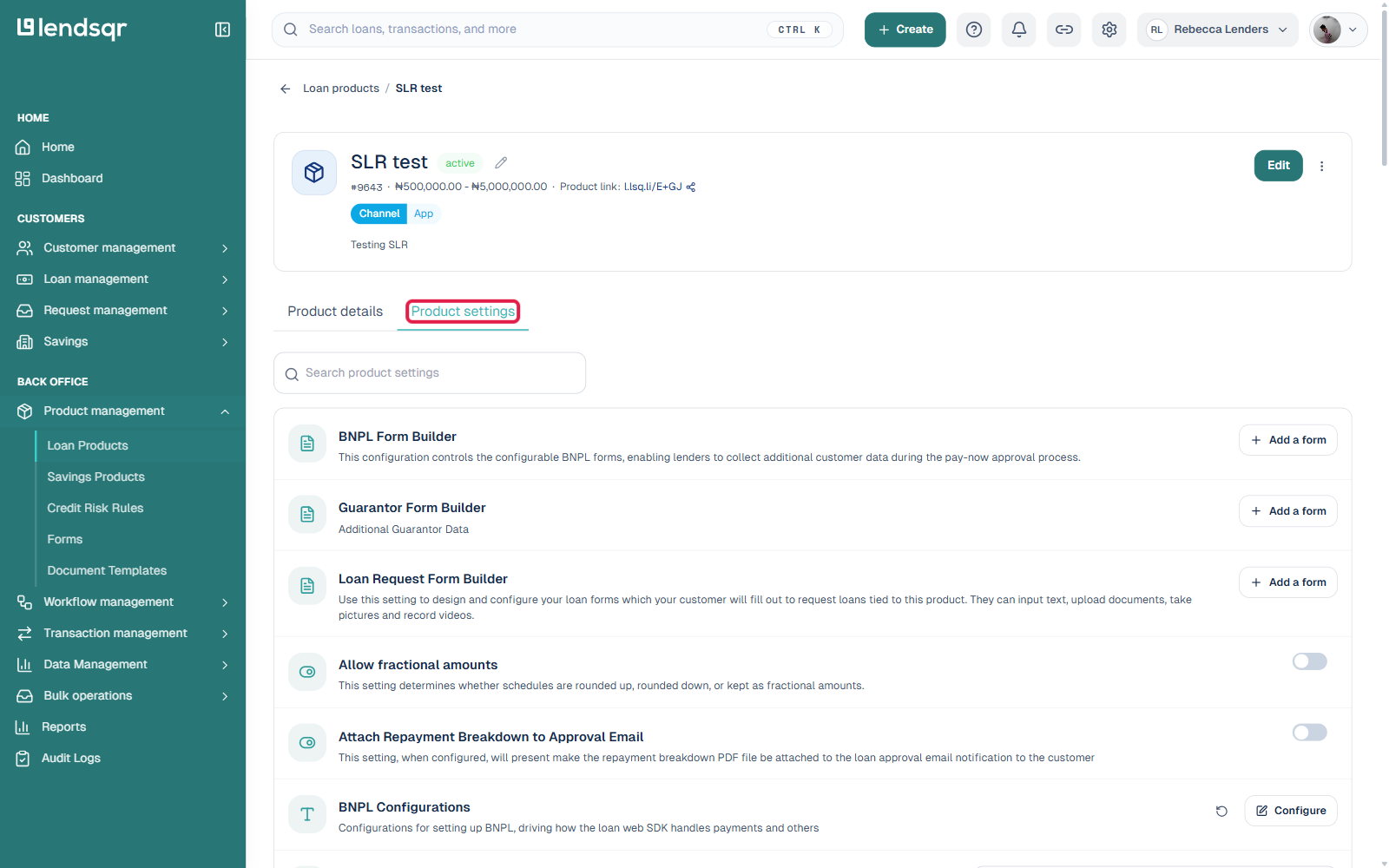
Click the Product settings tab. This opens a searchable list of individual settings for the product rather than one long form, so use the search box to filter down to Guarantor instead of scrolling through everything.
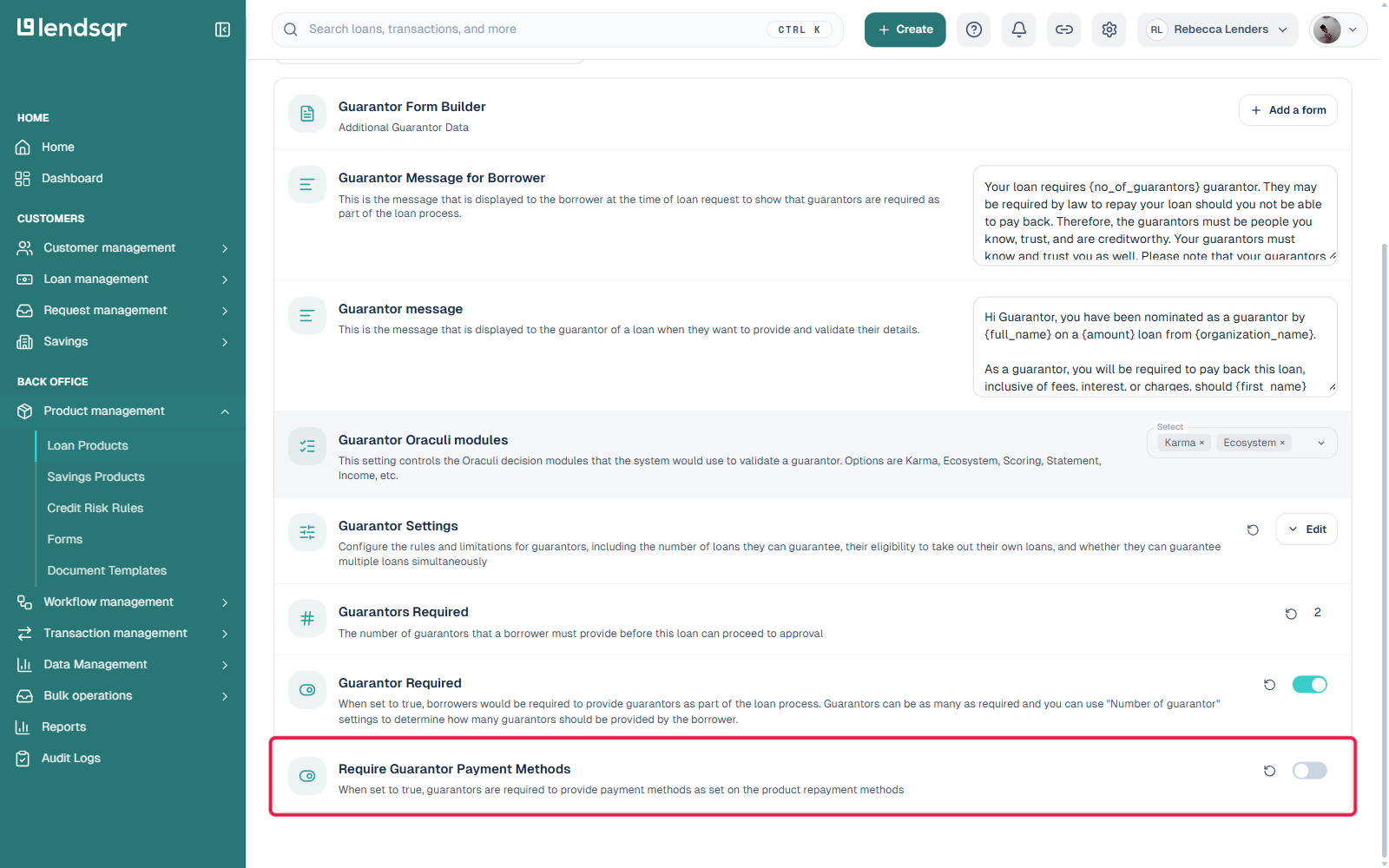
Find “Require Guarantor Payment Methods” in the filtered list and switch its toggle off. There is no separate Edit modal or Submit/Confirm/Finish sequence, the setting applies as soon as you switch it, and a small revert icon appears next to it so you can undo the change if needed.
Once completed, guarantors will no longer be required to provide payment methods during verification.
How This Affects Your Loan Flow
Disabling this setting changes the guarantor experience:
Before (Enabled)
Guarantor must:
Provide personal details
Link a payment method
Enables automated recovery from guarantors
After (Disabled)
Guarantor only provides:
Identity and contact details
No payment authorization required
Faster verification process
Collecting other guarantor data instead
If you turn payment methods off but still want to collect something extra from guarantors, for identity or accountability purposes short of a payment method, you can attach a custom form to the product using the “Guarantor Form Builder” setting, found in the same filtered Guarantor list. It lets you build or attach a form that guarantors fill in during their verification step, independent of whether payment methods are required. See Activating a guarantor requirement for your loan product for details.
Edge Cases
1. Existing Loan Applications
Changes apply only to new loan applications
Existing applications may retain previous requirements
2. Mixed Product Configurations
If you have multiple loan products:
Some may require guarantor payment methods
Others may not
Ensure your team understands these differences.
3. Guarantor Already Added Payment Method
Disabling the setting does not remove previously added methods
It only stops making it mandatory going forward
Frequently asked questions
Will existing loans be affected when I change this setting?
Changes to payment method settings apply to new loan applications only. Any loan already in a pending guarantor verification state will continue using the methods that were active when the application was submitted.
Can I turn the payment method back on later?
Yes. Return to the same filtered Guarantor view under Product settings and switch “Require Guarantor Payment Methods” back on at any time. The change takes effect for all new loan applications from that point forward.