Access your Back Office at your fingertips.
Download the app now on Google Play Store.
Scan the QR code
You can also scan QR code with your phone to download the app.
Managing beneficiaries details on the Lendsqr admin console
Updated
On this page
Managing beneficiaries effectively is a critical part of any lending operation, especially when loans are disbursed directly to third parties such as vendors, institutions, or service providers. On the Lendsqr Admin Console, this process is designed to be simple, auditable, and tightly controlled to ensure both operational efficiency and compliance.
What is a beneficiary?
A beneficiary is a third party designated to receive a loan disbursement on behalf of a borrower. Instead of funds going to the borrower’s own account, they’re routed to a vendor, institution, or service provider. For example, a lender runs a school fees loan product. When a borrower applies, the loan should go directly to the school, not the borrower. The school is added as a beneficiary, with their bank details verified upfront. Later, if the school closes its account, the lender deletes that beneficiary and creates a new one with the updated details. This is the workflow you’re managing here.
Managing beneficiary details
To view and manage beneficiary’s details on the Lendsqr Admin console, follow the steps below:
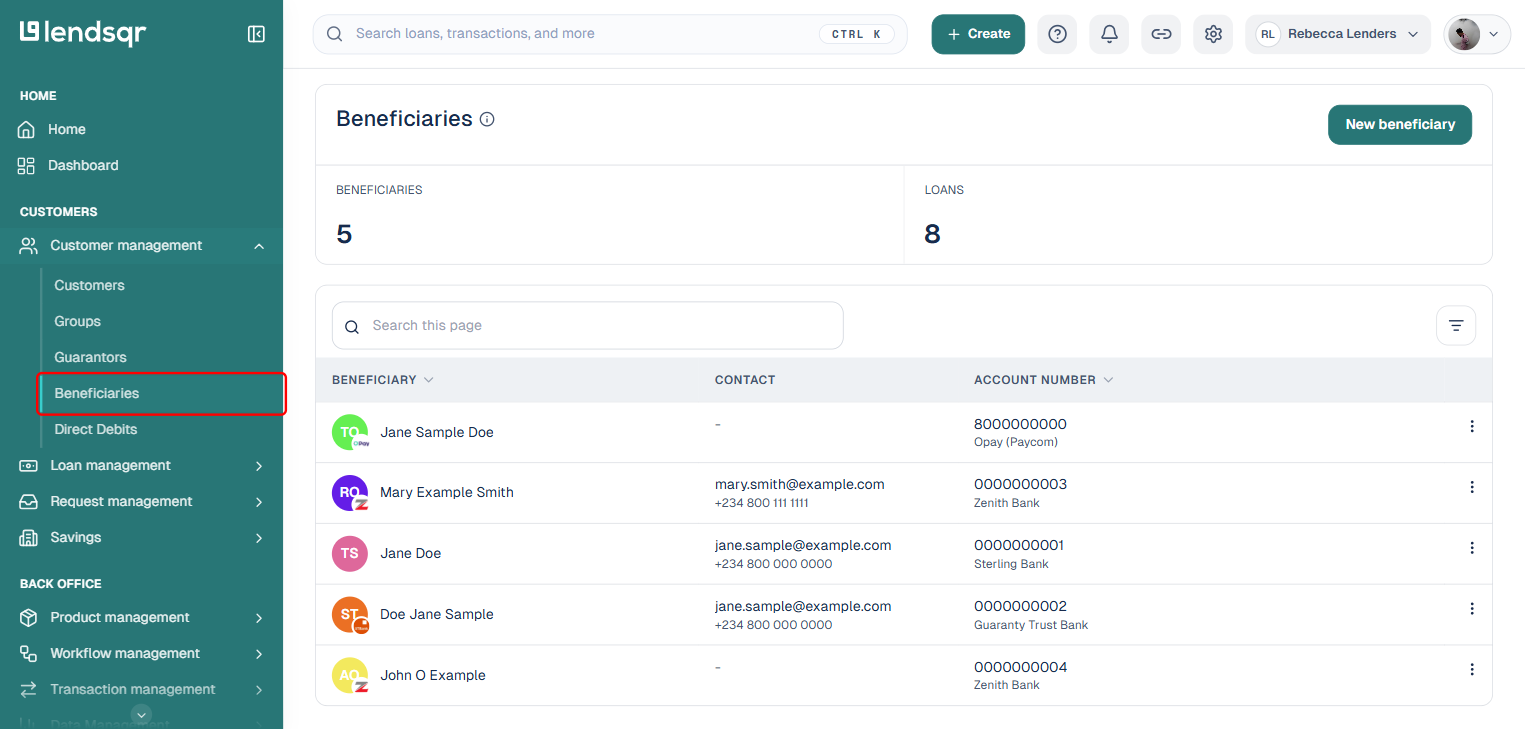
1. Navigate to beneficiaries On the Lendsqr admin console, navigate to “Beneficiaries” to see the full list.
Log into the admin console
Use the side navigation panel
Under “Customer management“, click “Beneficiaries”
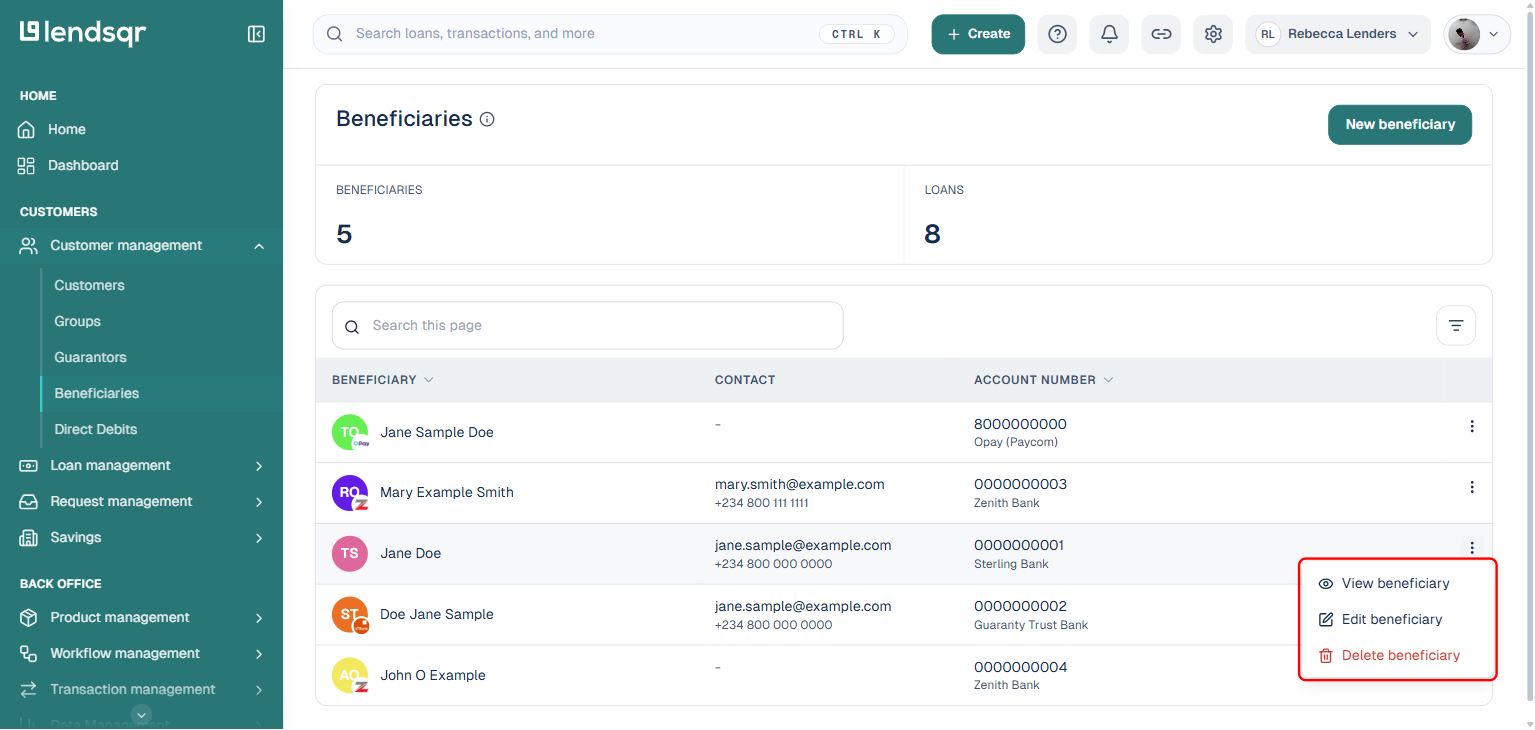
The list shows each beneficiary’s name, contact (email and phone, where available), and account number. Next to any beneficiary, click the three-dot menu to View, Edit, or Delete that beneficiary. Viewing a beneficiary shows their:
account name,
bank,
account number,
email address, and,
phone number of the beneficiary.
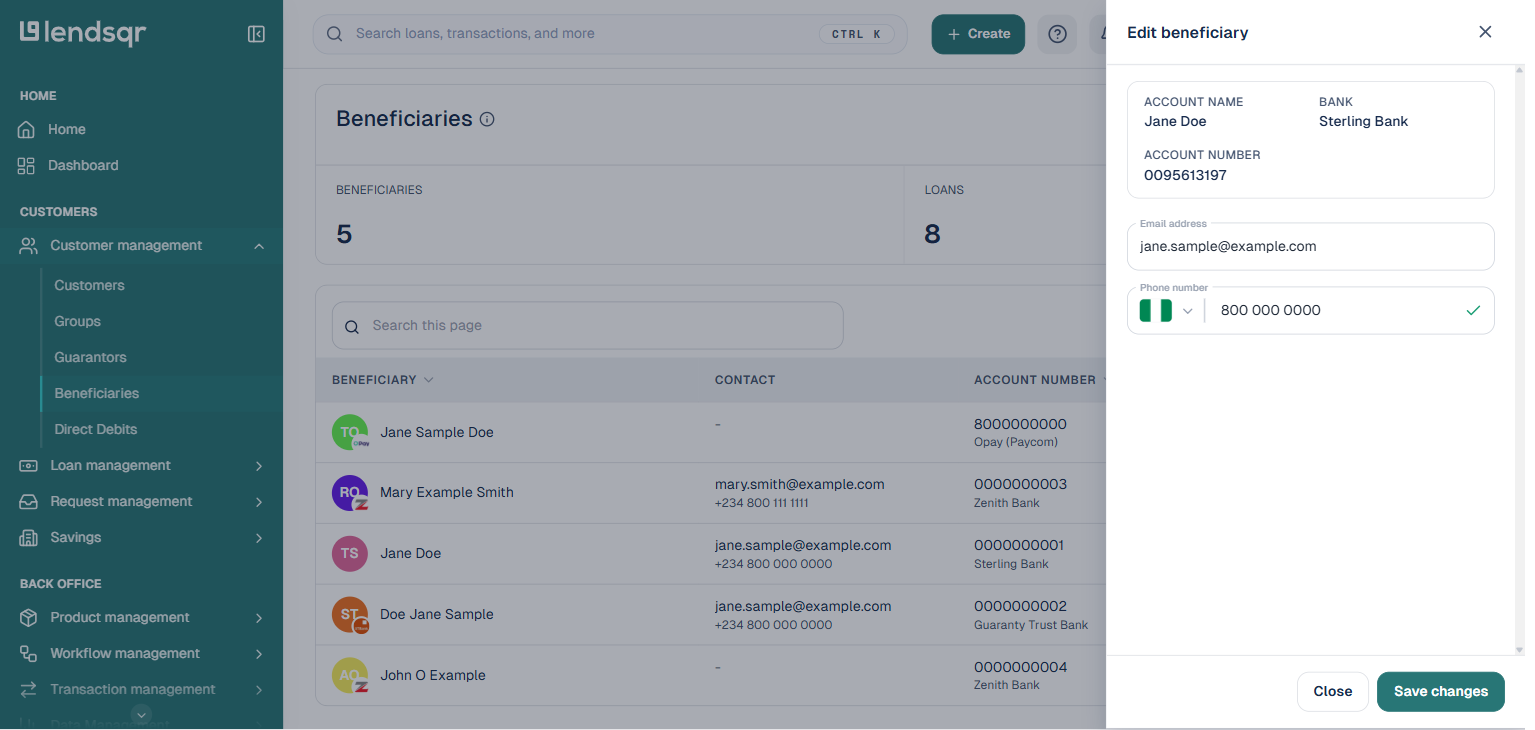
2. Editing a beneficiary Click “Edit beneficiary” from the three-dot menu. The account name, bank, and account number are read-only here, since those come from the verified payout details. You can edit the beneficiary’s email address and phone number, then click “Save changes”.
Note:Only users with the appropriate admin role can add, edit, or delete beneficiaries. If you don’t see the ‘Edit beneficiary’ or ‘Delete beneficiary’ options in the menu, check your role permissions with your organization admin.
3. Deleting a beneficiary: There are scenarios where a beneficiary is no longer relevant, such as:
A vendor relationship has ended
A one-time beneficiary is no longer needed
Duplicate records were created
In such cases, the platform allows you to remove the beneficiary entirely. To delete a beneficiary:
Click the three-dot menu next to the beneficiary
Click on “Delete beneficiary”
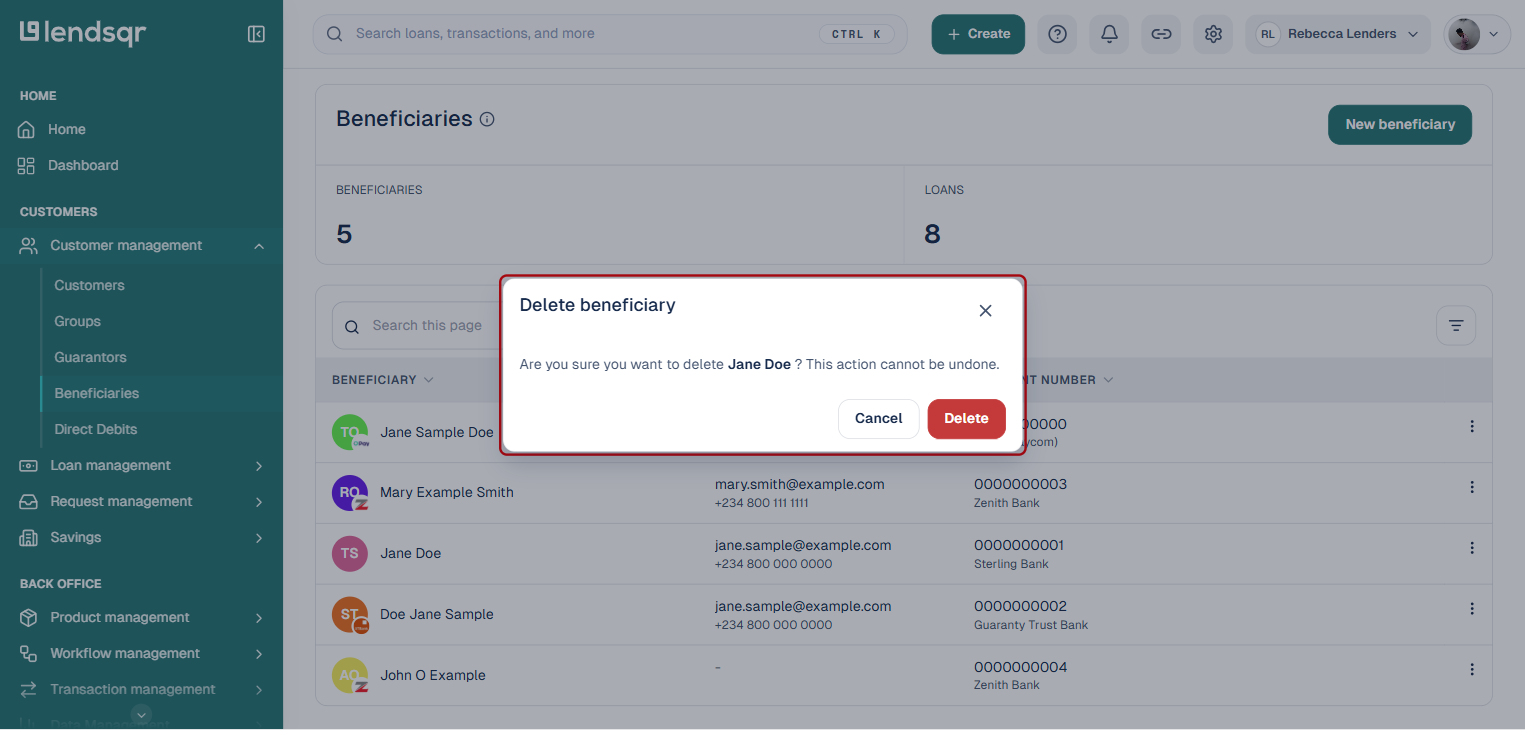
In the confirmation dialog, click “Delete” to confirm
Deleting a beneficiary is permanent and cannot be undone. Ensure no pending or active loans are tied to the beneficiary before removing them.
Note:All changes to beneficiary records, edits and deletions, are logged in the audit trail. You can review them under Back Office → Audit Logs.