Access your Back Office at your fingertips.
Download the app now on Google Play Store.
Scan the QR code
You can also scan QR code with your phone to download the app.
How to add approval workflows to direct debit mandate cancellations
Updated
On this page
Introduction
Approval workflows help ensure that sensitive actions such as canceling a customer’s direct debit mandate are properly reviewed before they are executed. By adding an approval workflow to mandate cancellations, your organization can maintain better internal control, prevent unauthorized actions, and keep a clear audit trail of all mandate-related decisions.
This guide explains how direct debit cancellation approvals work and what happens when users attempt to cancel a mandate.
How approval workflows for mandate cancellations work
1. Create an approval workflow for mandate cancellation
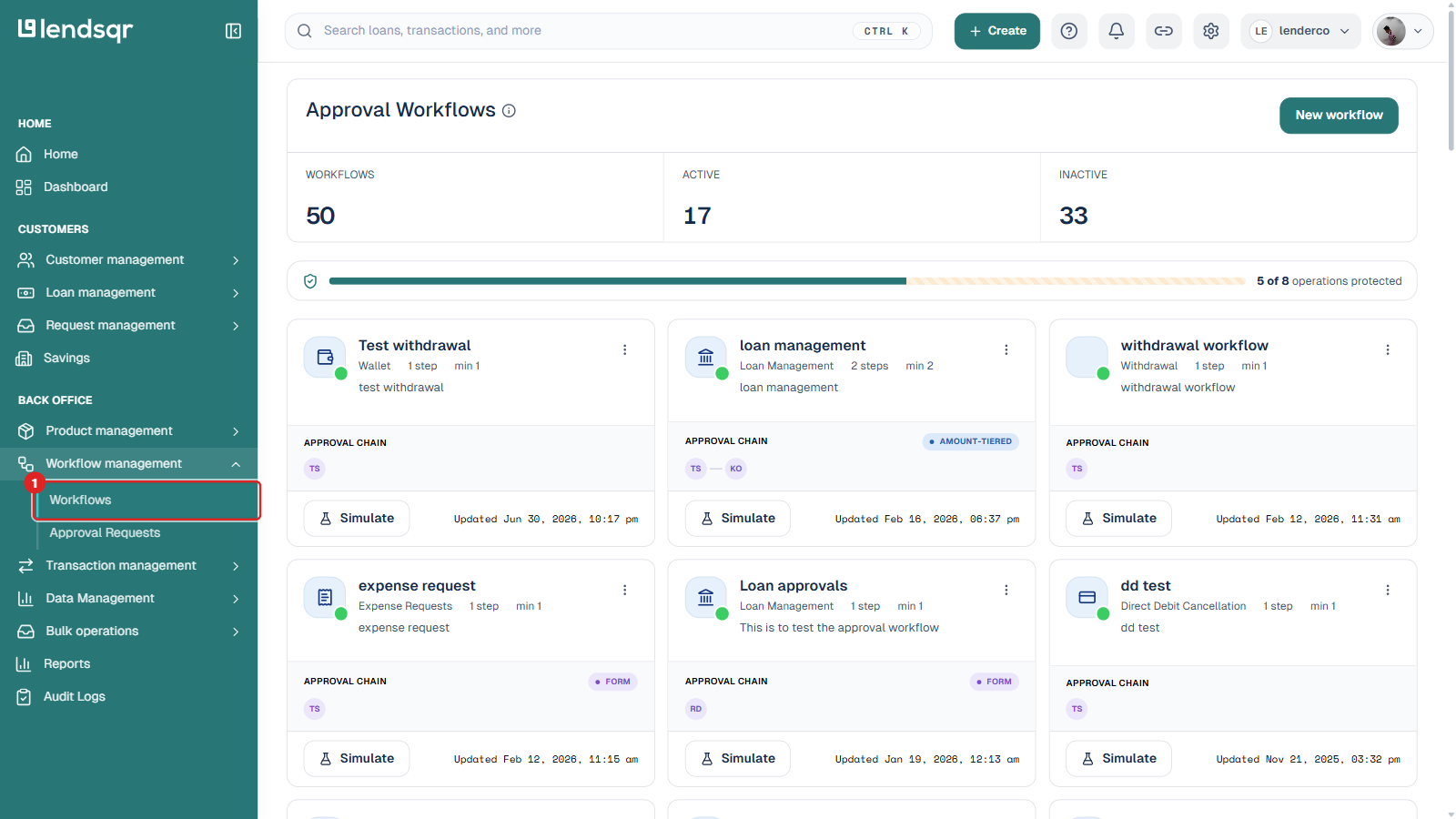
An admin must first set up an approval workflow for the Direct debit cancellation operation. In the left navigation, go to Workflow management and open Workflows. The Approval Workflows page lists every workflow you have created and, at the bottom, the operations that still have no workflow attached.
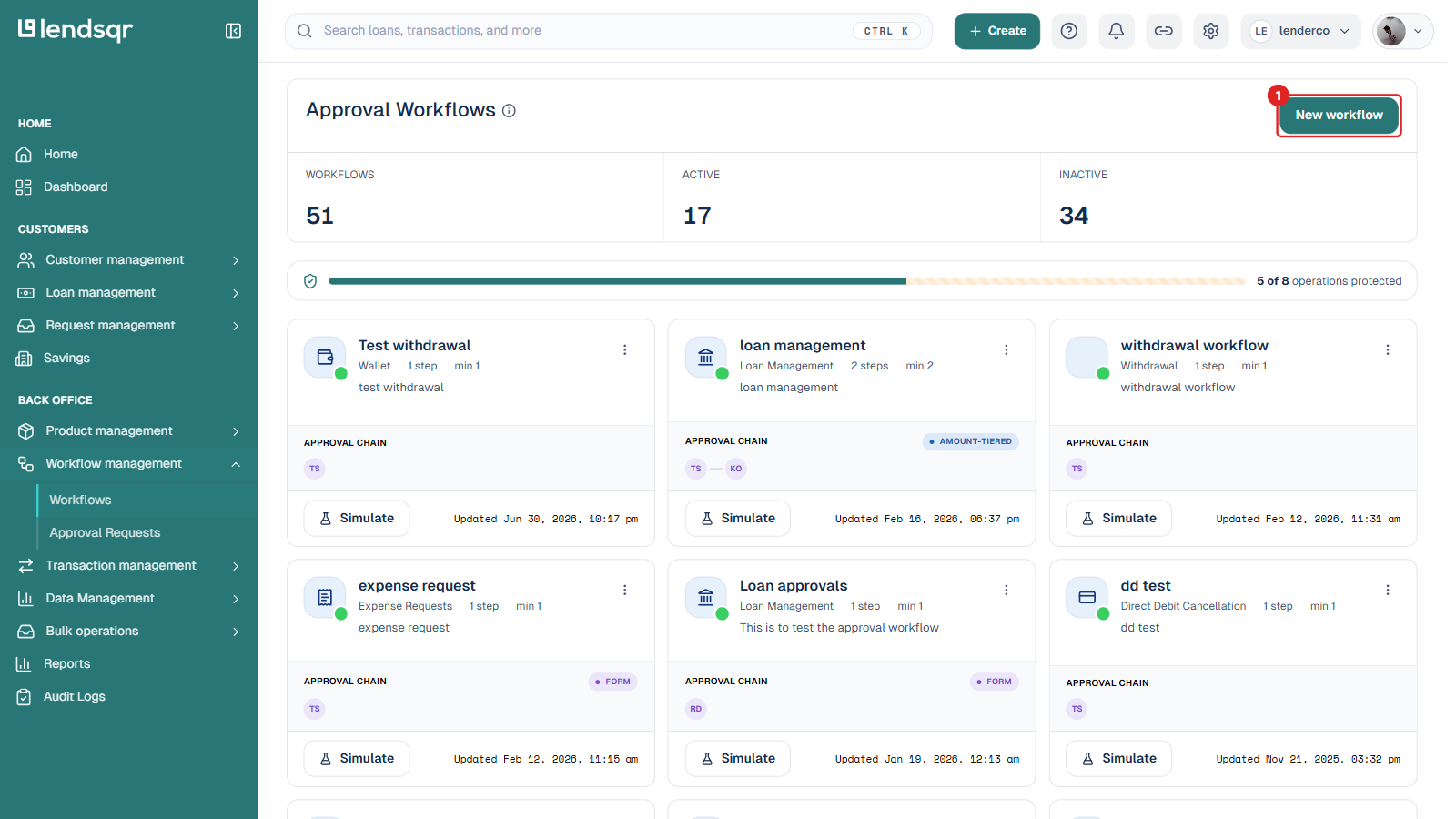
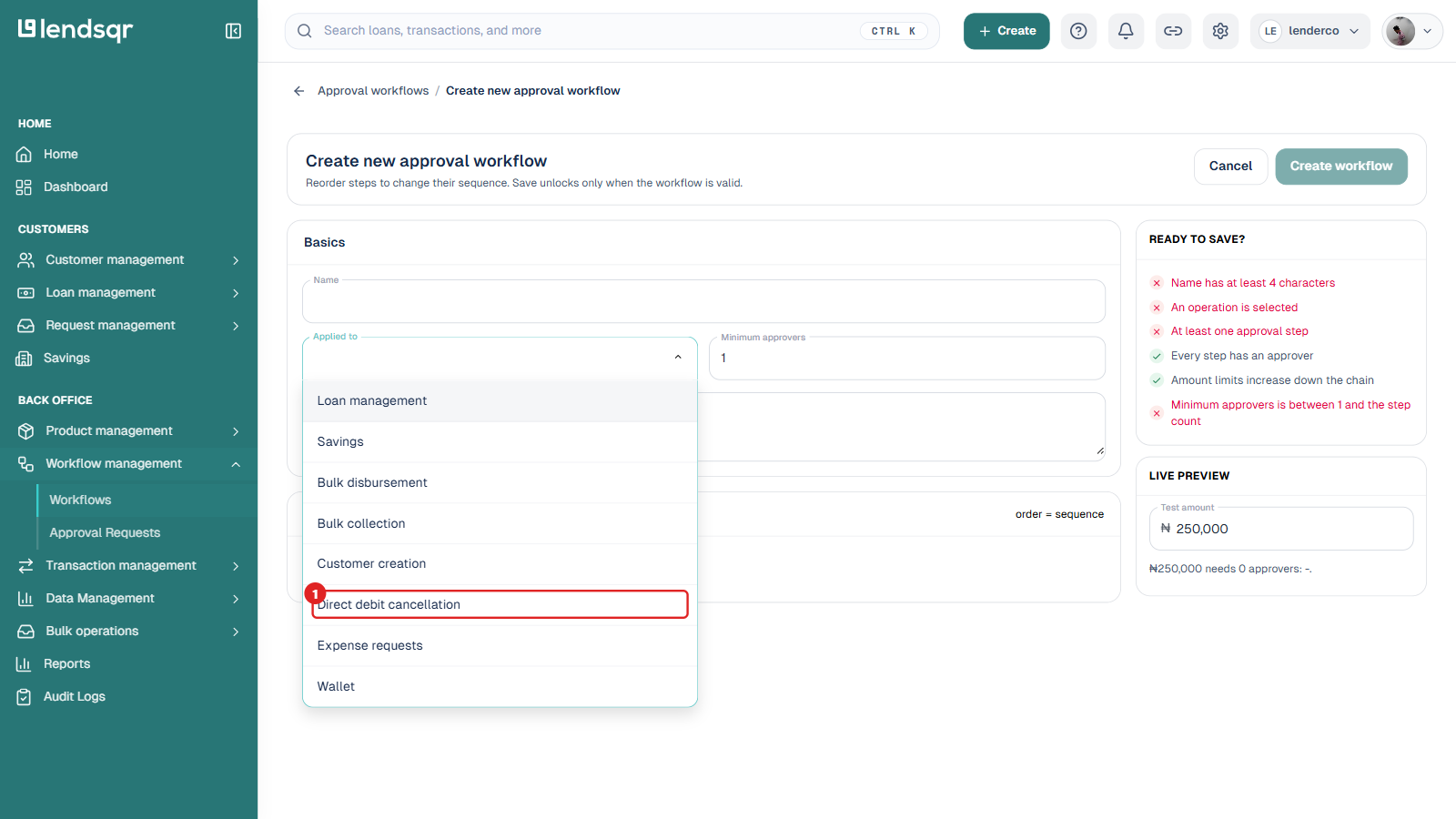
Click New workflow. On the Create new approval workflow page, open the Applied to dropdown and select Direct debit cancellation.
Then give the workflow a name, set the minimum number of approvers, and add one or more approval steps with the approvers who should sign off. The workflow defines:
who receives the approval request
the number of approval steps
the order in which approvers act
any amount limits that apply down the approval chain
For the full walkthrough of building and activating a workflow, see how to create an approval workflow. Once an active workflow exists for Direct debit cancellation, all mandate cancellation requests follow the process you defined.
2. Attempt to cancel a mandate
When a team member attempts to cancel a direct debit mandate:
The system detects that an active approval workflow is tied to Direct debit cancellation.
The cancellation is not executed immediately.
Instead, the system automatically generates an approval request and routes it to the approver(s) defined in the workflow.
The team member sees a message confirming that the cancellation request has been submitted for approval, and the mandate stays active in the meantime.
3. Approver reviews the request
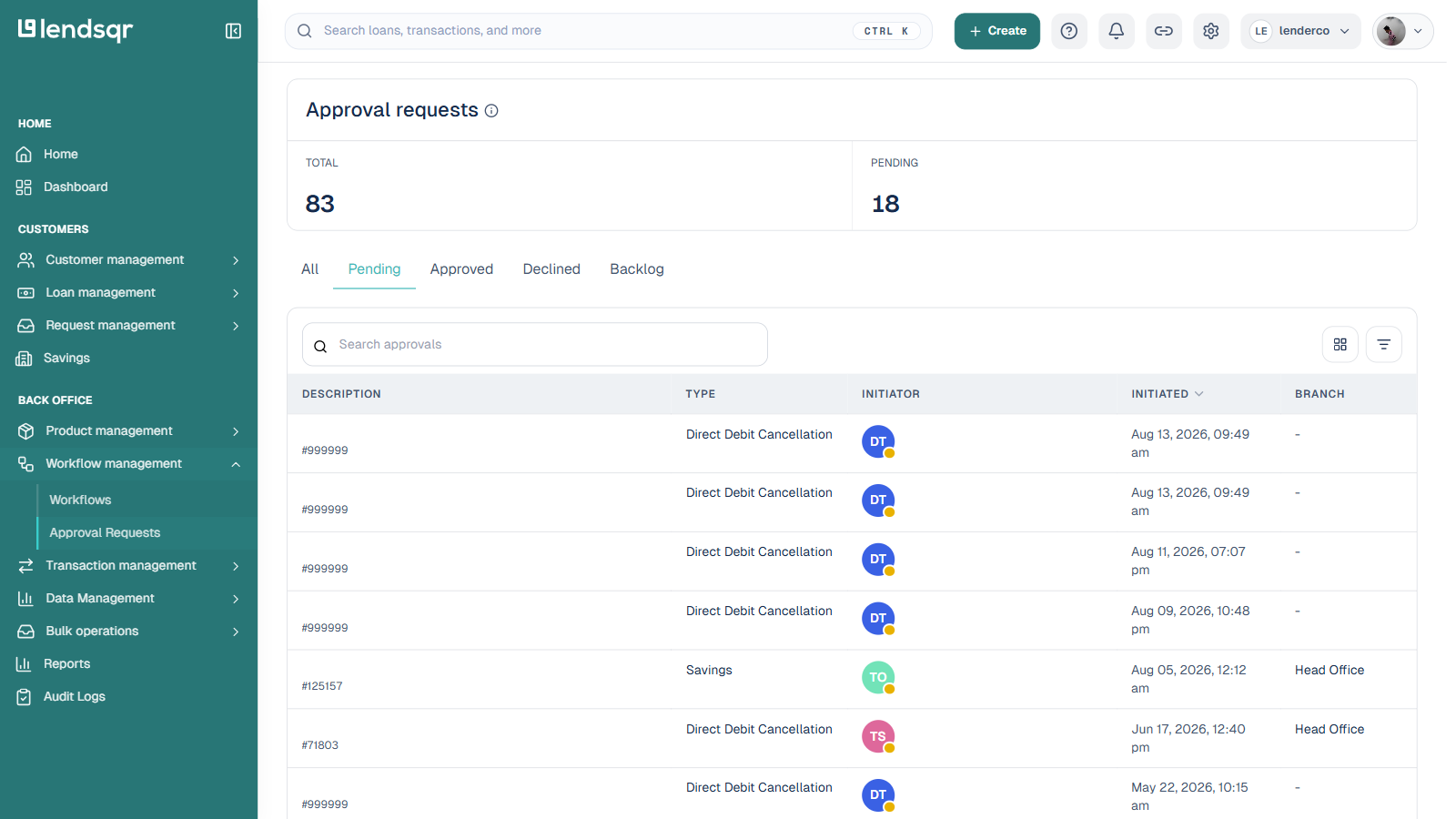
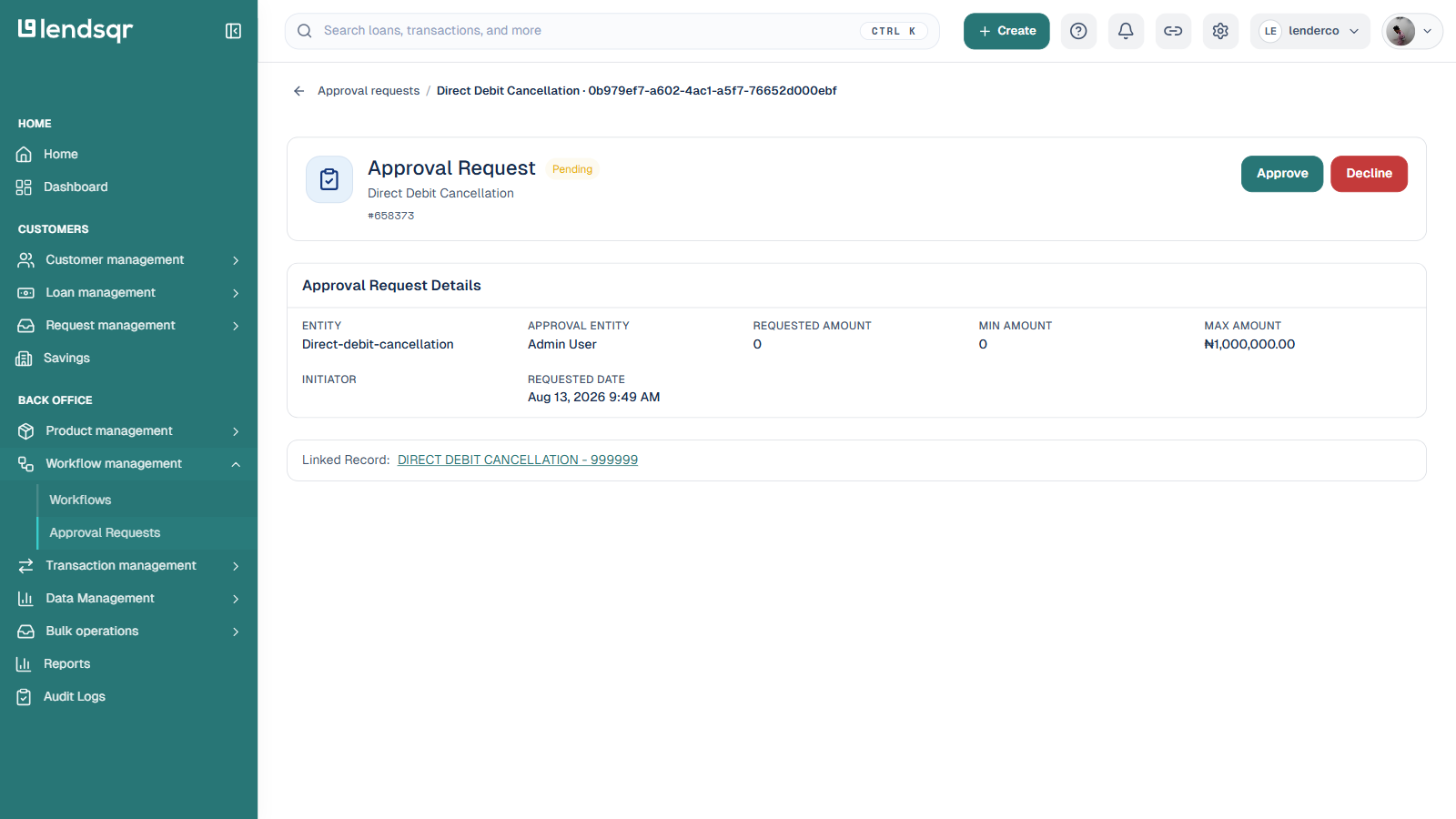
The approver logs in and, in the left navigation, goes to Workflow management and opens Approval Requests. The list can be filtered by All, Pending, Approved, Declined, or Backlog, and each row shows the request description, type, initiator, date, and branch.
The approver opens the request to see its details, then chooses Approve or Decline.
If approved: the system proceeds to cancel the mandate.
If declined: the mandate remains active, and the requesting user is notified.
A full audit trail of who approved or declined the request is captured for compliance and record-keeping.