Access your Back Office at your fingertips.
Download the app now on Google Play Store.
Scan the QR code
You can also scan QR code with your phone to download the app.
Why was my user banned or blacklisted?
Updated
On this page
Users are sometimes banned for fraud, but once cleared of all claims, users can be removed from the blacklist.
You can blacklist your users mainly for fraudulent activities to protect your platform. However, if investigations clear the user of wrongdoing, you can then proceed to remove them from the blacklist, restoring their ability to apply for loans.
To remove a customer from blacklist, follow these steps:
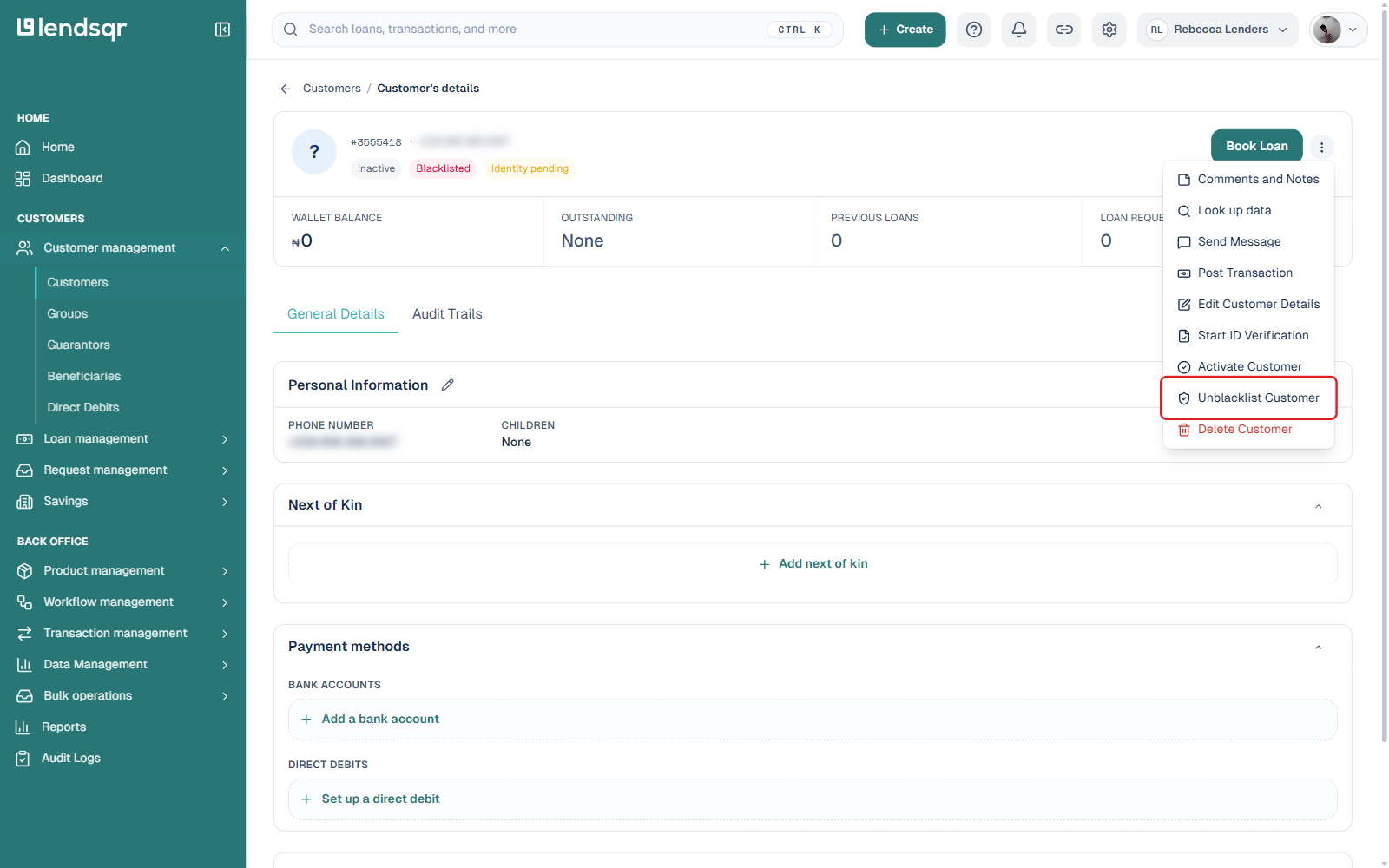
1. Navigate to “Customers” under the “Customer Management” tab. Click on the customer who was banned. After that, proceed to click “More actions” (the three-dot icon) at the top right of the customer’s profile.
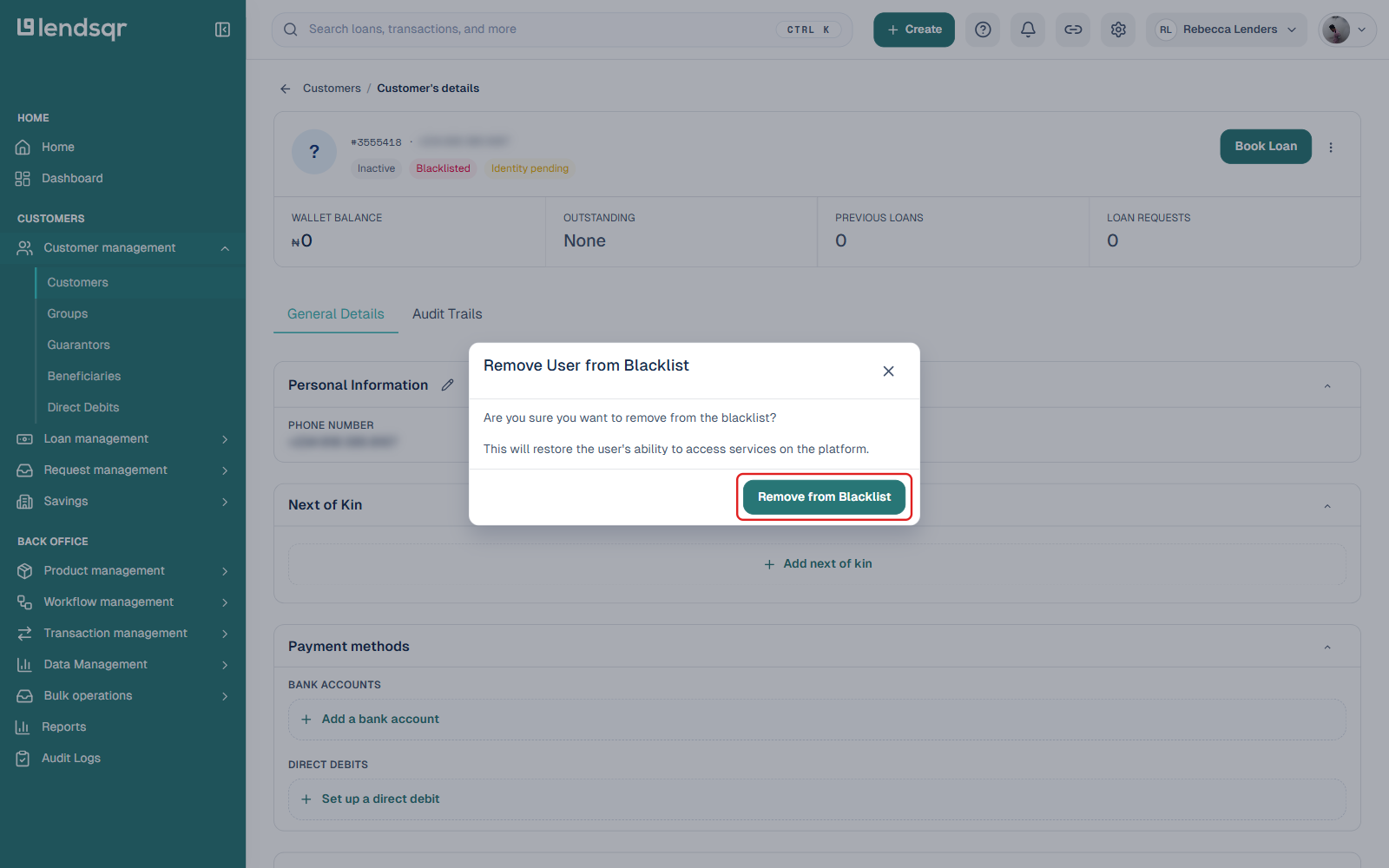
2. Click on “Unblacklist Customer“, then confirm in the “Remove User from Blacklist” dialog. The customer will be successfully prequalified.