Access your Back Office at your fingertips.
Download the app now on Google Play Store.
Scan the QR code
You can also scan QR code with your phone to download the app.
How to create a direct debit mandate
Updated
On this page
In lending, repayment consistency is essential for maintaining portfolio health and reducing default risks. While many borrowers repay loans successfully using cards, transfers, or wallet-based methods, repayment interruptions can occur when cards expire, payment methods fail, or borrowers intentionally disable repayment channels. To reduce these challenges, lenders often rely on Direct Debit as a more structured repayment mechanism.
A Direct Debit is a payment method where a customer’s account is authorized through a mandate. This authorization allows lenders to debit repayments directly from the borrower’s bank account according to agreed repayment schedules. Because repayments are linked directly to a customer’s bank account, Direct Debit can improve repayment reliability and help lenders recover funds even in situations where borrowers block cards or stop using linked payment methods.
Within Lendsqr, lenders are also able to create Direct Debit mandates to collect funds for loans booked outside the Lendsqr ecosystem. This means organizations can centralize repayment management through the Lendsqr admin console, even when loans originated elsewhere.
Understanding Direct Debit mandates
A Direct Debit mandate is an authorization granted by a borrower that permits a lender to debit repayments directly from the customer’s bank account. The mandate serves as formal approval for recurring deductions according to agreed loan terms.
Unlike card-based repayment methods, which may fail due to expired cards, insufficient balances, or blocked payment channels, Direct Debit offers greater repayment continuity because deductions happen directly from the borrower’s bank account.
Mandate activation types
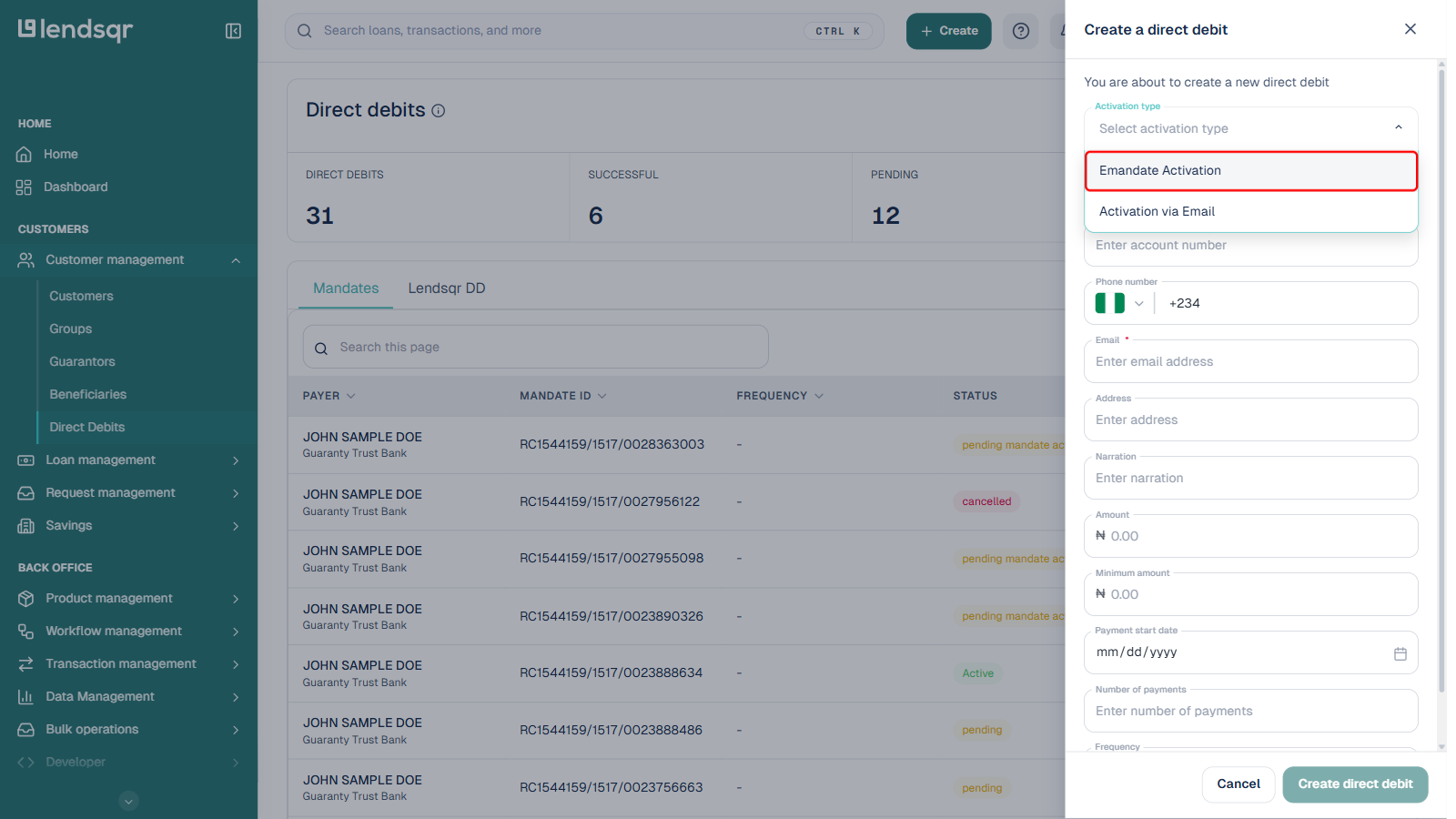
When you create a mandate manually from the admin console, you choose an activation type. The admin console currently offers two:
Activation via Email: the borrower’s authorization is confirmed through email.
Selecting the correct option is important because repayment processing depends on successful authorization.
Things to confirm before creating a mandate
Before setting up a Direct Debit mandate, review the borrower’s bank details carefully. Since deductions will occur from this account, accurate account details are essential for successful mandate setup. Also confirm the borrower understands repayment expectations and mandate authorization, and that the chosen activation type matches your operational process.
How to create a Direct Debit mandate in Lendsqr
Step 1: Navigate to Direct Debits
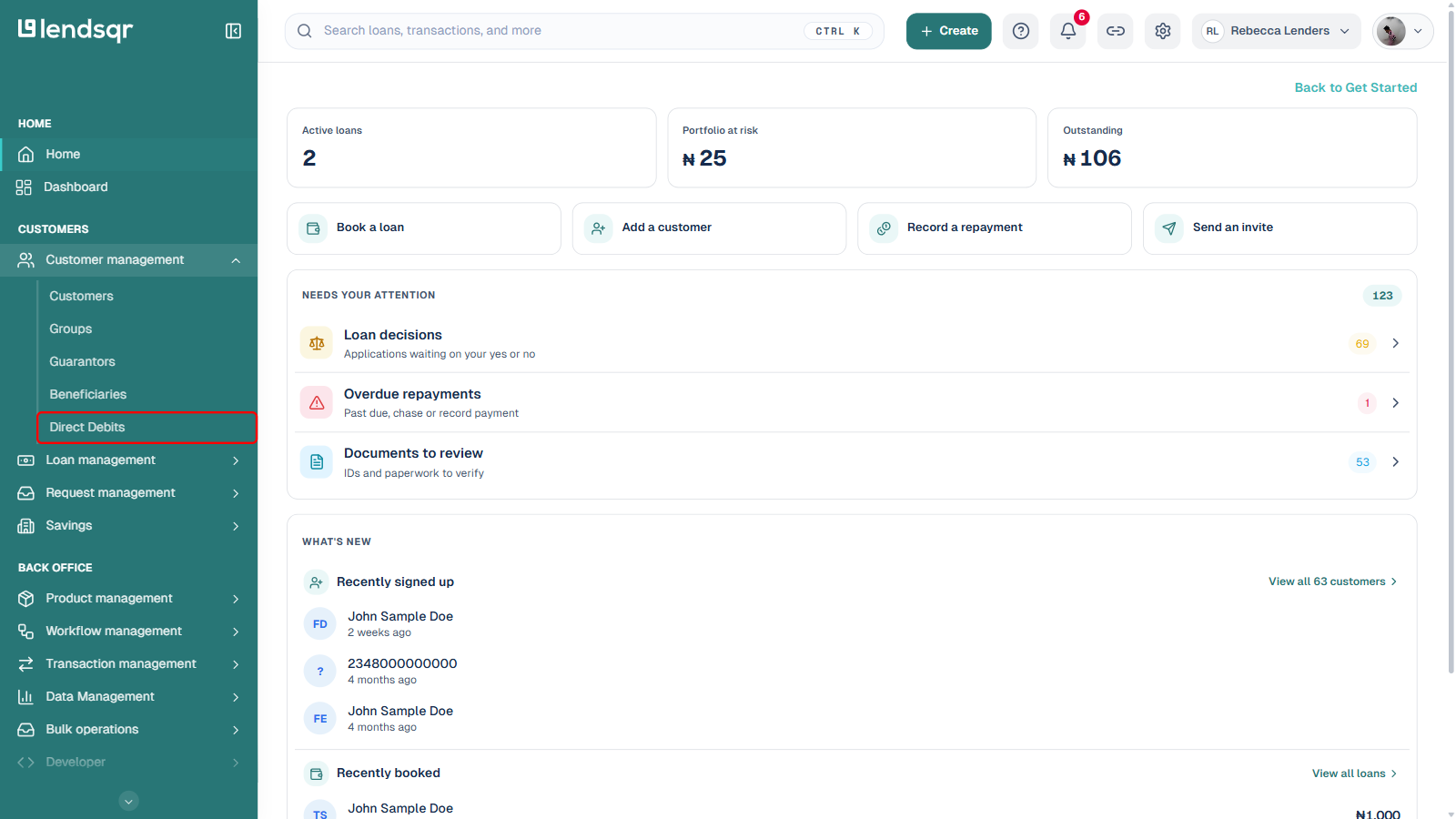
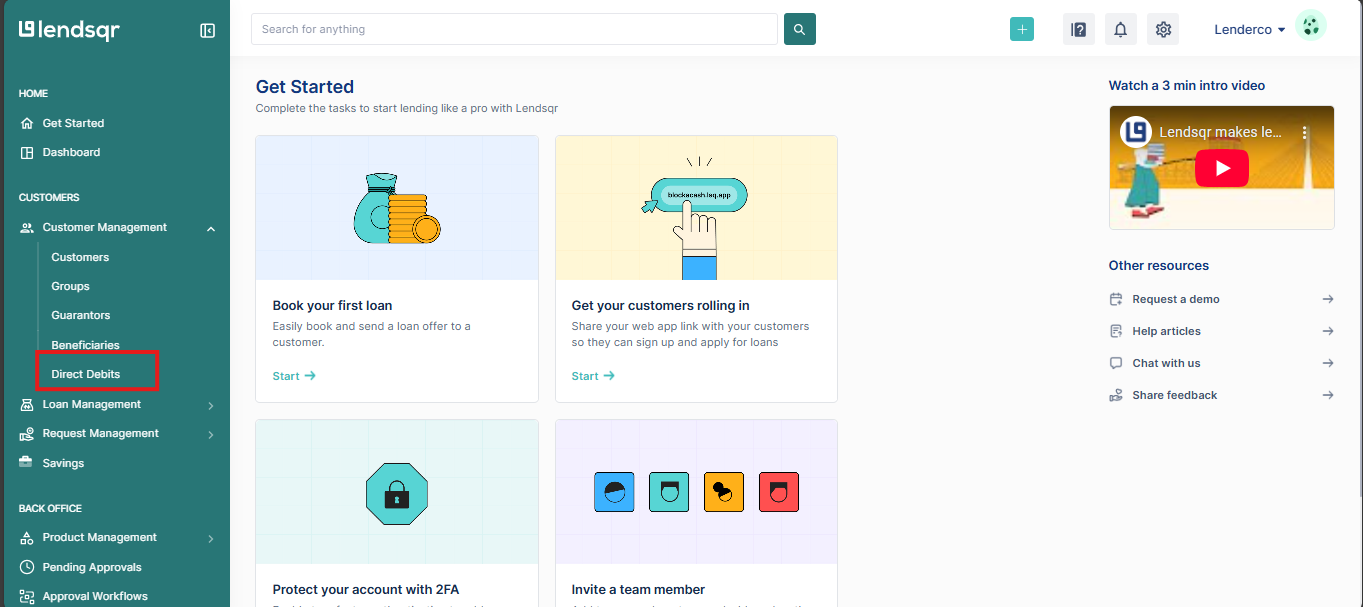
Log in to your Lendsqr admin console. In the left navigation, under Customers, expand Customer management and select Direct Debits. This page is the central location for managing mandates and reviewing repayment authorization activity.
Step 2: Click New direct debit
At the top right of the Direct Debits page, click New direct debit. A side panel opens titled “Create a direct debit.”
Step 3: Select the activation type and enter the borrower’s details
Open the Activation type dropdown and choose Emandate Activation or Activation via Email. Then fill in the rest of the form:
Bank: the borrower’s bank, chosen from a searchable list
Account number
Phone number
Email (required)
Address and Narration
Amount and Minimum amount to be collected
Payment start date, Number of payments, and Frequency
Carefully review all information before submission to reduce errors.
Step 4: Create the direct debit
Once every field is filled in, click Create direct debit. The mandate is created and appears on the Direct Debits page. A newly created mandate does not become usable for collections immediately: it goes through an activation process before Lendsqr can use it. See Understanding mandate statuses for what happens next and what each status means.
One common issue is entering incorrect borrower or banking information. Even small errors may delay authorization or prevent mandate setup entirely. Another mistake is selecting the wrong activation type, since repayment processing depends on proper authorization. Lenders should also avoid creating mandates without borrower understanding, and should always verify successful mandate creation before relying on Direct Debit for repayment collection.
Best practices for managing Direct Debit mandates
Treat Direct Debit as part of a broader repayment strategy. Maintain clear communication during mandate setup so borrowers understand repayment schedules and authorization terms. Regularly review mandate performance to identify failed authorizations or repayment disruptions early, and keep repayment records organized within the admin console.
By following the correct steps to create mandates in Lendsqr and ensuring borrowers are properly authorized, lenders can strengthen repayment consistency while maintaining greater control over collections management.