Access your Back Office at your fingertips.
Download the app now on Google Play Store.
Scan the QR code
You can also scan QR code with your phone to download the app.
How to configure the repayment method instruction on your loan products
Updated
On this page
When a borrower is ready to complete their loan application, one of the last things they do is set up a payment method, such as a debit card, direct debit, or bank transfer. This is also one of the most common drop-off points in the application journey.
Repayment method instructions solve this problem. They are short, contextual messages that appear to borrowers at exactly the moment they are setting up or selecting a payment method. Instead of leaving borrowers to figure it out alone, you can guide them with a clear label, a helpful description, and even a link to a support page or tutorial.
Use case example: A salary advance lender whose borrowers are unfamiliar with setting up direct debit mandates, or a BNPL platform where borrowers need to link a specific type of card.
On the Lendsqr admin console, you configure repayment method instructions at the loan product level, meaning each loan product can have its own tailored message. This is useful if you run multiple products for different borrower segments; a short-term emergency loan might need different instructions from a payroll-backed product.
Why repayment method instructions matter
Most borrowers are not fintech-savvy. When they reach the payment setup screen mid-application and don’t know what to do, they abandon the form. A well-written instruction message can reduce that abandonment by answering the question before it becomes a frustration. Lenders using this feature on Lendsqr have full control over the message headline, the description, and any call-to-action link, without needing developer support to update it.
How to configure repayment method instructions on the Lendsqr admin console
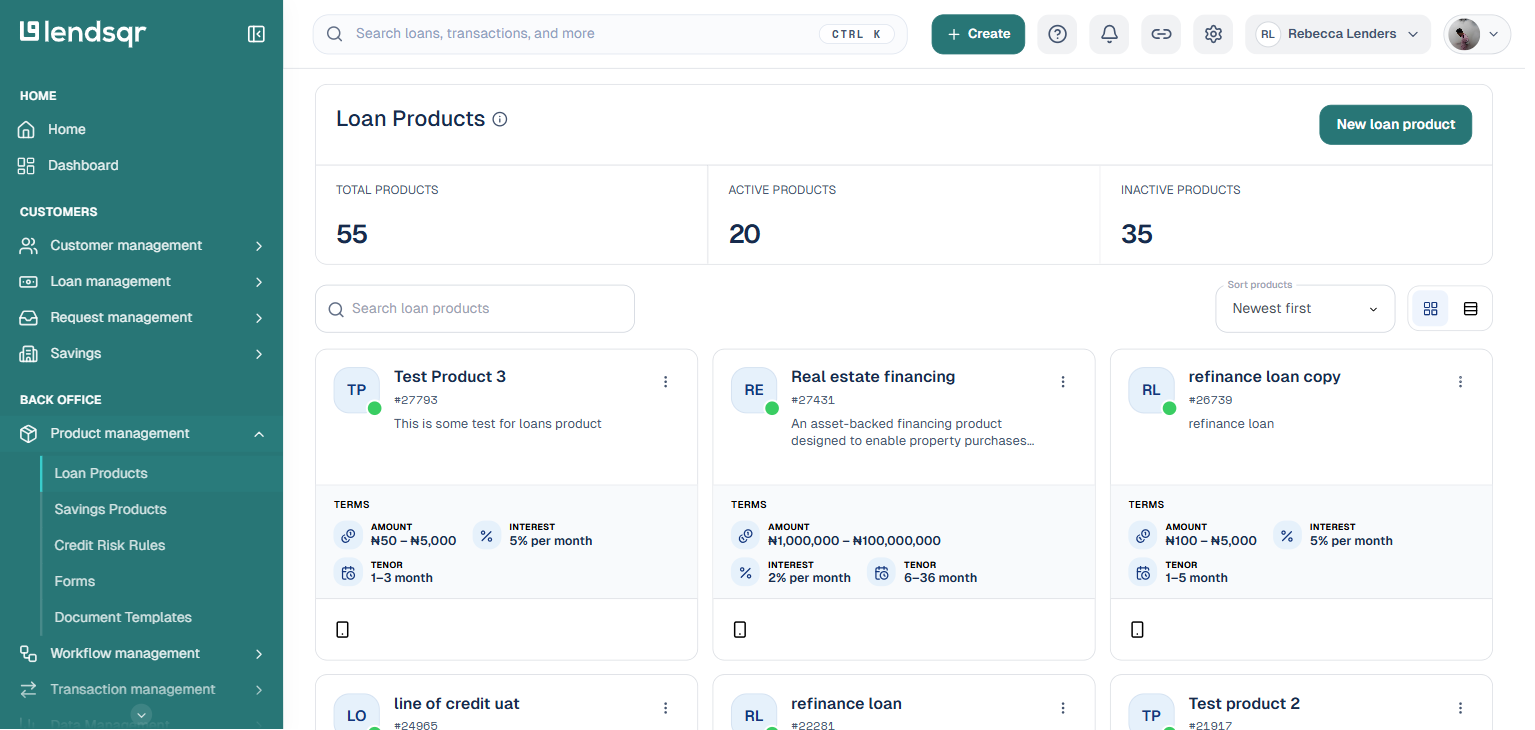
Step 2: Go to Loan Products under Product Management
From the side navigation bar, navigate to “Product management” and select “Loan Products“. This displays a list of all the loan products you have created.
Step 3: Open the relevant loan product Click on the name of the loan product you want to configure. If you are setting up a new product, click “New loan product” first. For more on creating loan products from scratch, see Configuring your loan product.
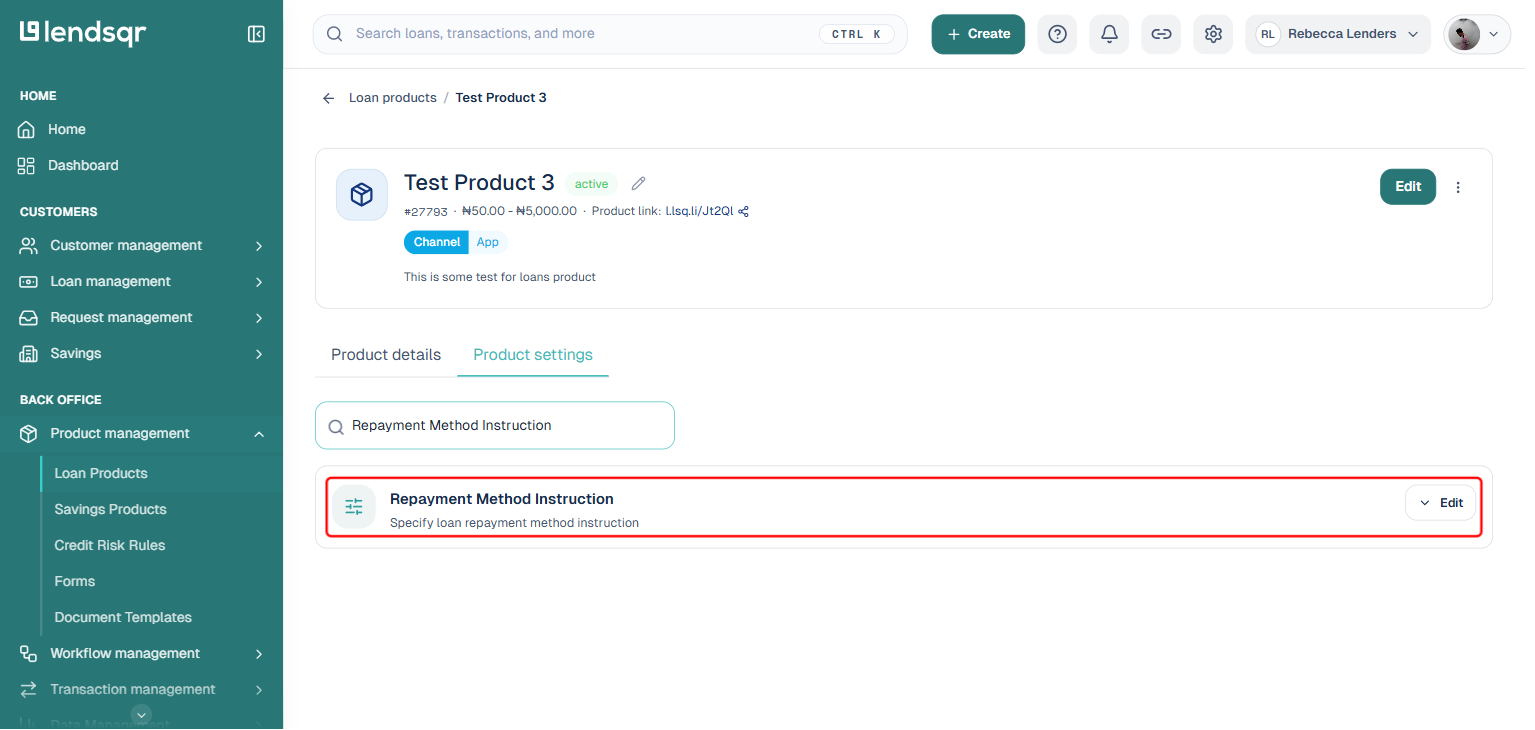
Step 4: Open the Product settings tab and search for the instruction Inside the loan product page, click on the Product settings tab. This tab lists every configurable attribute for the product, each with an inline control, no separate edit page needed. Type “Repayment Method Instruction” into the search box to jump straight to it.
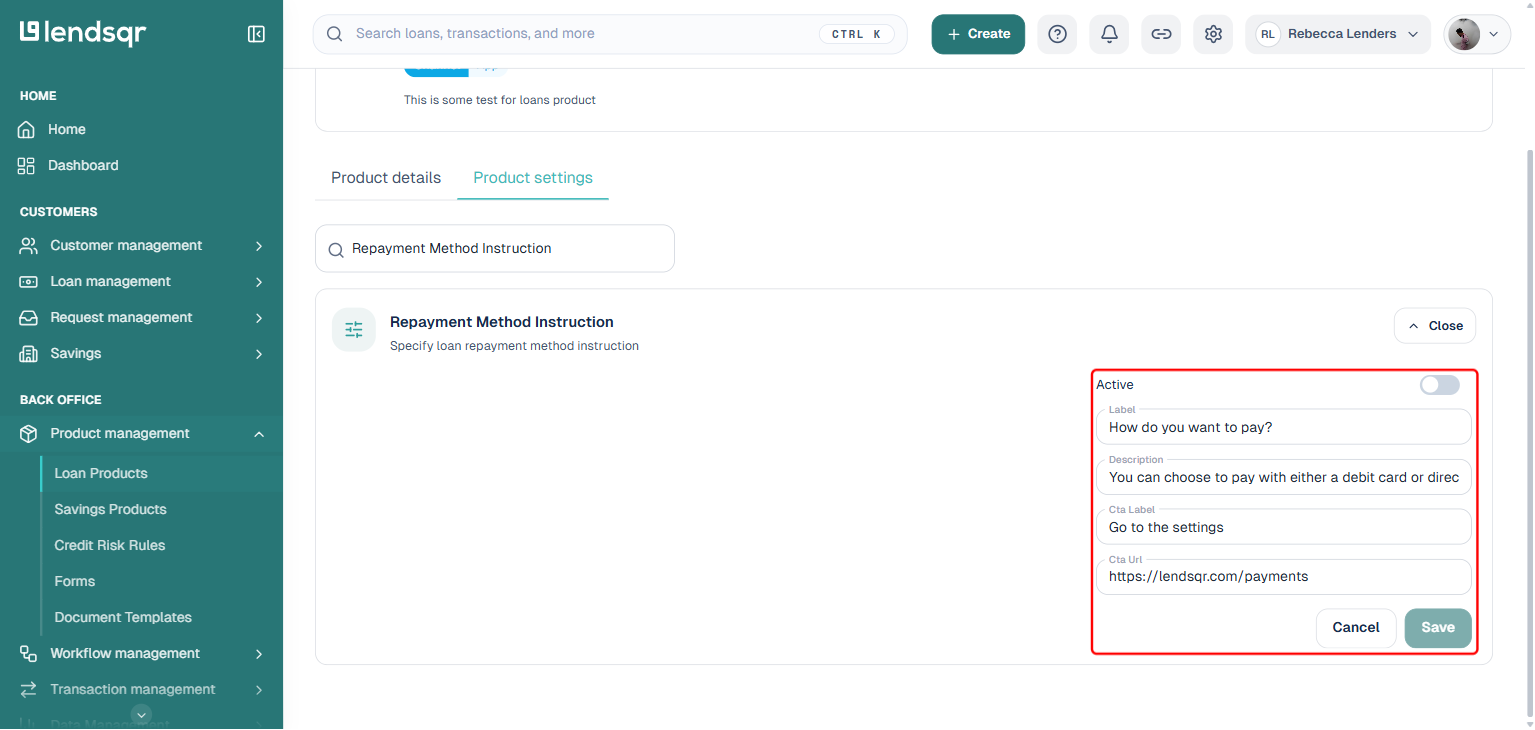
Step 5: Expand the setting and fill in your instruction fields Click on the “Repayment Method Instruction” row to expand it. You have four fields to configure, plus an Active toggle:
Active: Turn this toggle on to switch the feature on. If left off, no instructions will appear to your borrowers.
Label: The headline borrowers see above the instruction. Keep it short and action-oriented. Example: “How do you want to pay?“
Description: The main guidance text. Explain the payment options available and what borrowers should do if they get stuck. Example: “You can choose to pay with either a debit card or direct debit. Please select one of the options below.“
Cta Label: The button text that links to additional help. Example: “Go to the settings“
Cta Url: The URL where borrowers can get more support, such as a help article or video tutorial.
Step 6: Save your changes
Once you have filled in your fields, click “Save” to apply the changes to the loan product.