What are decision models on Lendsqr?

Introduction

A borrower submits a loan application. Before your team reviews it, the platform has already run it through a series of checks. Identity verified. Credit bureau queried. Affordability assessed. Fraud signals evaluated. Each check happens automatically, in a specific order, based on rules you define.

That is what a decision model does. It encapsulates your risk acceptance criteria and applies them consistently to every loan application that comes through your platform. No manual review required at every step. No inconsistency between one officer’s judgment and another’s. Just a structured, repeatable evaluation process that reflects your lending policy.

This guide explains what decision models are, how Oraculi processes them on Lendsqr, and how to set them up for your loan products.

What are decision models?

A decision model is a set of rules that defines how your platform evaluates a loan application. These rules represent your risk acceptance criteria. They tell the system exactly what a borrower must satisfy before a loan can be approved.

In practical terms, a decision model answers questions like: Has this borrower verified their identity? Do they have an acceptable credit history? Can they afford the repayment based on their income? Have they passed your fraud detection checks? Each of these questions becomes a rule within your decision model.

When a borrower applies for a loan, the system runs their application through every rule in the model. The outcome determines whether the application proceeds, gets declined, or gets flagged for manual review.

Decision models give lenders two things. First, they bring consistency. Every borrower goes through the same evaluation process regardless of who is reviewing the application. Second, they bring speed. The system can assess hundreds of applications against your defined criteria without requiring manual input at every stage.

How Oraculi processes decision models

In Lendsqr, decision models are processed by a service called Oraculi. Oraculi is the engine that takes your configured rules and applies them to each loan application in real time.

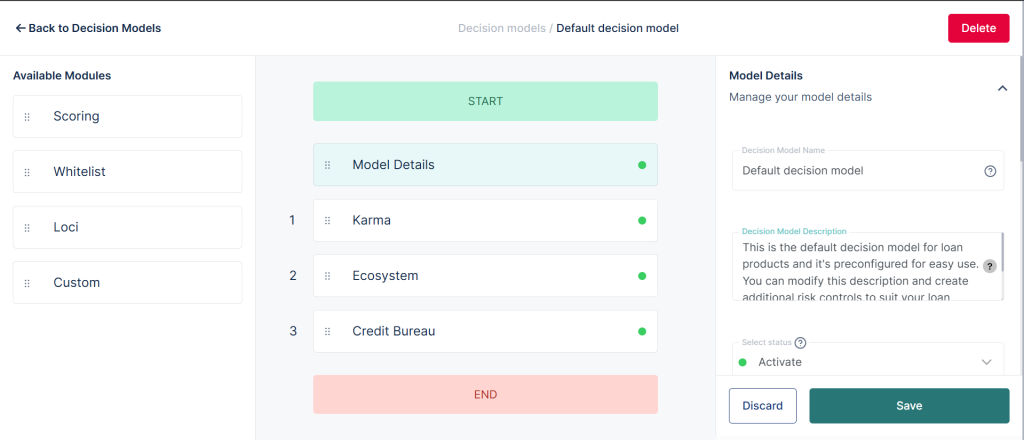
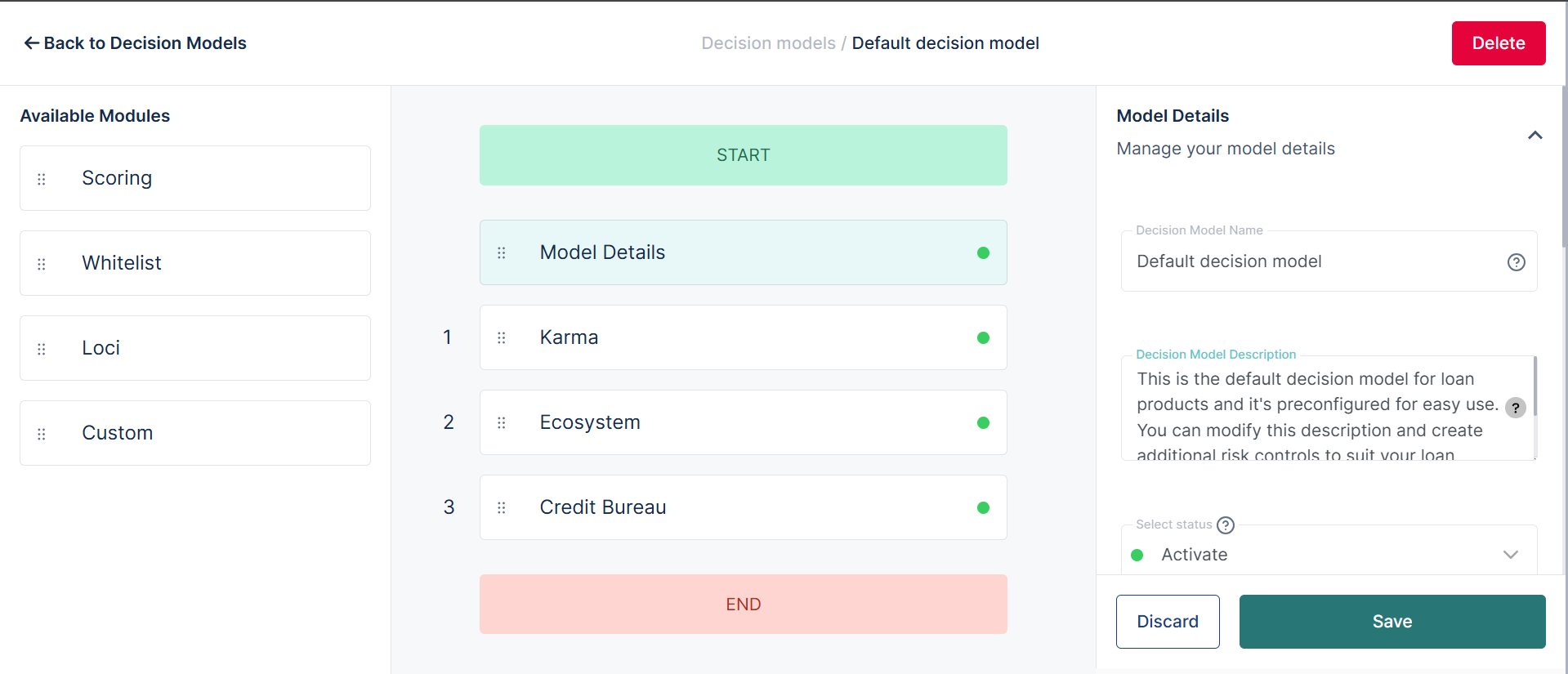
Oraculi works as a modular, sequential service. This means your decision model is broken into individual modules, and each module represents a specific type of check or evaluation. The modules run one after another in a fixed order that you define.

How the sequential process works

When a borrower submits an application, Oraculi starts at the first module and works through each one in sequence. If the borrower passes the first module, the process moves to the second. If they pass the second, it moves to the third, and so on.

If a borrower fails a module, one of two things happens. Either the application is declined immediately, or the system triggers a different path depending on how you have configured the rules. The exact behavior depends on your module configuration.

This sequential structure has a practical benefit. It means that expensive or complex checks, like a credit bureau inquiry, only run after a borrower has already passed simpler checks like identity verification. This saves processing time and reduces unnecessary costs.

What modules can include

Each module in your decision model handles a specific type of evaluation. Common modules include the following.

Identity verification confirms that the borrower is who they claim to be. Fraud detection checks for signals that suggest the application may not be genuine. A credit bureau inquiry pulls the borrower’s credit history from a registered bureau. Affordability analysis assesses whether the borrower’s income can support the loan repayment. Behavioral scoring evaluates the borrower’s history on your platform if they are a returning customer.

You can combine these modules in any order and configure the rules within each module to match your lending policy.

Your default decision model

Every lender on Lendsqr receives a default decision model automatically when they are set up on the admin console. This default model ensures that every loan application goes through a basic level of evaluation from day one, even before you have configured a custom model.

The default model includes a standard set of checks designed to assess the minimum information required to make a responsible lending decision. It reviews key customer details and ensures that the platform has enough information to evaluate the borrower’s risk profile before any loan is approved.

Think of the default model as your starting point. It keeps your operation running safely while you build out more sophisticated decision models tailored to your specific loan products and borrower segments.

To learn more about what customer details the default model evaluates, see: What is KYC for customers?

What are decision models?

Creating additional decision models

The default model covers your basic evaluation needs. However, different loan products often require different risk criteria. A short-term emergency loan carries different risk than a 24-month SME loan. A first-time borrower requires more verification than a returning customer with a clean repayment record.

Lendsqr lets you create multiple decision models and link each one to a specific loan product. This means each product runs borrowers through the rules that are most relevant to that product’s risk profile.

For example, you might create the following models. A lean model for short-term digital loans that runs identity verification, fraud detection, and a basic affordability check. A more comprehensive model for salary-backed loans that adds a credit bureau inquiry and employment verification. A separate model for SME loans that includes business document checks and cash flow analysis.

Each model operates independently. Changes to one model do not affect another. This gives you the flexibility to refine your credit policy for one product without disrupting the evaluation process for others.

Understanding JSON configuration

Decision models in Lendsqr are configured using JSON. JSON, which stands for JavaScript Object Notation, is a structured format for defining data and rules in software systems.

Within Lendsqr, JSON is the language you use to tell Oraculi exactly how each module should behave. Your JSON configuration specifies which modules to include, what order to run them in, what rules each module applies, and what action to take when a borrower passes or fails each check.

Because decision models rely on JSON, you need a working understanding of the format before you begin configuring your models. JSON uses a structure of key-value pairs to define parameters. Each pair tells the system a specific piece of information about how to evaluate the application.

To get started with JSON for decision models, see: JSON: Understanding the decision model language.

Linking decision models to loan products

A decision model only becomes operational when you link it to a loan product. Until then, it exists as a configuration but does not evaluate any applications.

When you link a model to a product, every application submitted for that product automatically runs through the linked model. The system applies your configured rules to the borrower’s information and returns a decision based on the outcome.

To link a decision model to a loan product, navigate to the relevant product in your admin console and assign the model from the product settings. Each product can only have one active decision model at a time. However, you can update the linked model at any point if your credit policy changes.

Best practices for configuring decision models

A well-configured decision model protects your portfolio and ensures consistent, fair treatment of every borrower. A few principles to keep in mind as you build and maintain your models.

Start with your credit policy. Every rule in your decision model should reflect a documented lending standard. If a rule cannot be traced back to your policy, it does not belong in the model.

Test before going live. Before linking a new model to a live loan product, test it against a range of borrower scenarios to confirm that the rules behave as expected. A misconfigured rule can decline borrowers who should qualify or approve borrowers who should not.

Document your logic. Keep a clear record of what each module does and why it is in the model. This supports internal audit processes and makes it easier to update the model when your policy changes.

Review regularly. Borrower behavior, market conditions, and regulatory requirements change over time. Review your decision models periodically to ensure they still reflect your current lending strategy and risk tolerance.

Watch the video below to learn more about this feature:

Also read: How Lendsqr is using AI to transform its processes

Was this page helpful?