Access your Back Office at your fingertips.
Download the app now on Google Play Store.
Scan the QR code
You can also scan QR code with your phone to download the app.
The Oraculi section of a user’s decision data
Updated
On this page
Modern lending decisions rely heavily on data. Rather than evaluating borrowers manually, lenders increasingly depend on automated systems that review multiple signals before determining eligibility for a loan. These systems help improve consistency, reduce operational effort, and support more informed lending decisions.
Within Lendsqr, Oraculi serves as an important part of this decision-making process. Oraculi is a modular and sequential service displayed in JSON format, allowing lenders to view the underlying checks performed when assessing borrower eligibility. Instead of presenting information as a simple pass-or-fail result, Oraculi organizes decision data into nested modules that lenders can expand and review in detail.
Because lending decisions often involve multiple verification layers, understanding how to navigate Oraculi data can help lenders investigate outcomes more effectively, understand borrower evaluations, and improve operational transparency.
This guide explains what Oraculi is, how to view Oraculi modules within decision data, how module expansion works, and what different modules mean during borrower evaluation.
Understanding Oraculi
Oraculi is a modular and sequential service that contributes to borrower eligibility checks.
Rather than relying on a single verification method, Oraculi organizes multiple checks into structured modules. Each module evaluates specific information that contributes to the final lending decision.
Because Oraculi is displayed in JSON format, information is organized hierarchically.
This means that parent items contain additional nested information within sub-items. As a result, lenders are able to review borrower assessment data progressively by expanding objects and revealing deeper layers of information.
For lenders reviewing decision data, this structure improves visibility into how borrower eligibility is determined.
Instead of only seeing the final decision outcome, lenders can understand which modules were evaluated, how services contributed to eligibility checks, and what additional information exists beneath each object.
This level of transparency can be especially useful when investigating declined applications, reviewing unusual borrower outcomes, or validating the effectiveness of lending rules.
Why understanding Oraculi matters
Automated lending systems work best when lenders understand the logic behind outcomes.
Without visibility into decision processes, teams may struggle to explain approvals, investigate declines, or improve lending strategies.
Oraculi helps solve this challenge by making decision data easier to inspect.
For example, a lender reviewing a rejected loan application may want to understand whether a borrower failed an ecosystem check, triggered a risk signal, or fell below scoring requirements.
Rather than relying on assumptions, lenders can explore module data directly and inspect the services involved.
Operational teams may also benefit from this visibility when troubleshooting borrower complaints or validating loan eligibility outcomes.
Because lending decisions directly affect borrower experiences and portfolio performance, understanding the decision process becomes increasingly important as lending operations scale.
Understanding Oraculi’s JSON structure
One of the first things lenders notice when viewing Oraculi data is that it appears in JSON format.
For non-technical users, JSON may initially seem unfamiliar because information is grouped into nested objects instead of displayed in traditional tables.
However, the structure is designed to improve organization and readability.
In Oraculi, parent items contain additional sub-items, and those sub-items may themselves contain deeper nested data.
This layered approach helps organize large amounts of decision information into expandable sections.
Instead of displaying everything at once, lenders can progressively expand modules to reveal additional context.
For example, an eligibility check may initially appear as a single line item. Expanding it may reveal additional module information, and further expansion may display detailed responses associated with that module.
This sequential structure makes decision data easier to navigate, particularly when multiple checks have contributed to an eligibility outcome.
How to view Oraculi details in decision data
Reviewing Oraculi data involves expanding modules step by step.
Because information is nested, lenders need to progressively open objects to see additional details.
Step 1: Locate Oraculi in decision data
Begin by navigating to the borrower’s loan profile and opening the Decision Data section, at the bottom of the Overview tab.
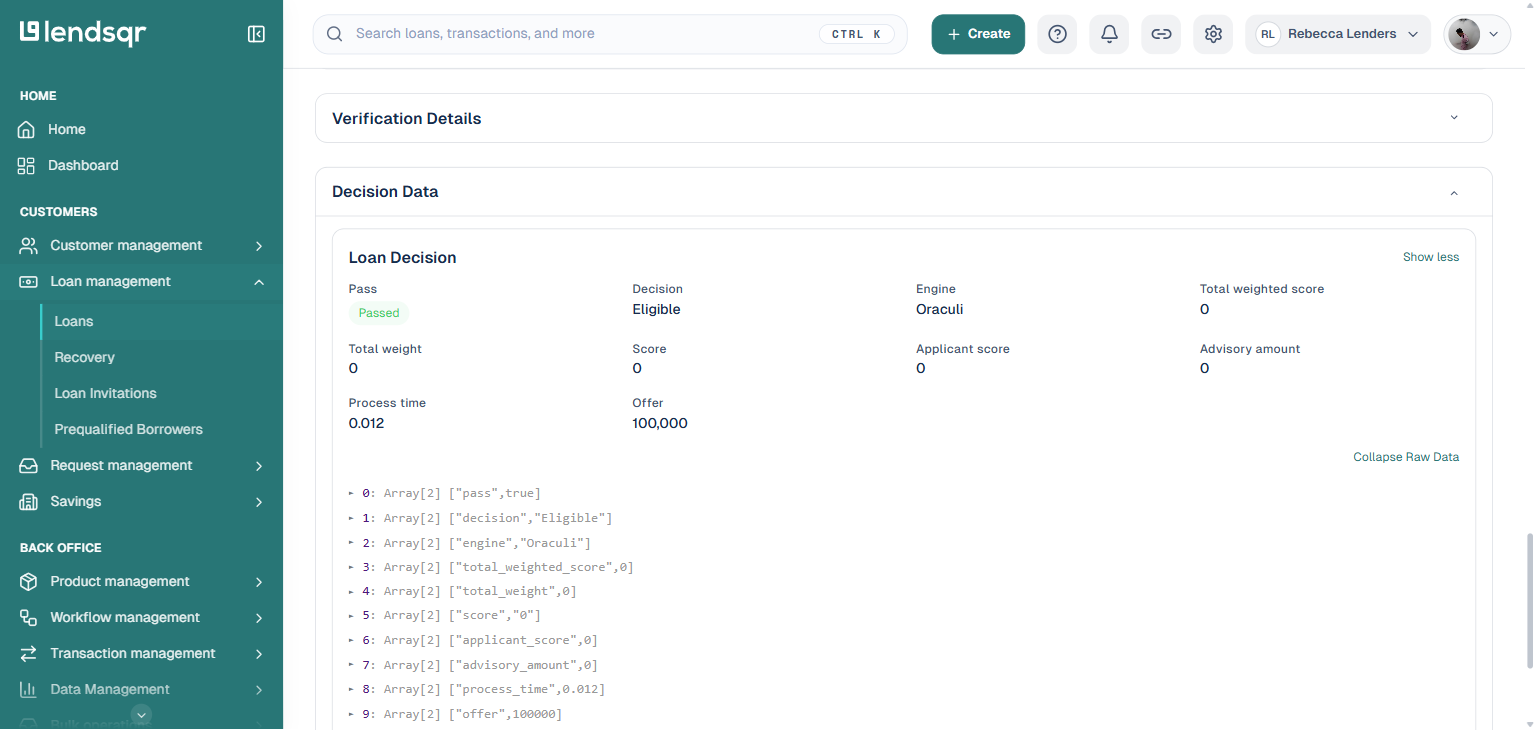
The Loan Decision card shows the “Engine” field with the value “Oraculi,” alongside the pass/fail result, decision, scores, and offer amount. To see the underlying modular breakdown, click “Show Raw Data” at the bottom right of the card.
This displays the modules checked during borrower assessment as a numbered, collapsed list of array items.
Step 2: Expand the modules
Each numbered line (0, 1, 2, and so on) represents a key-value pair from the underlying eligibility check, for example ["engine","Oraculi"] or ["offer",100000]. The number of lines depends on the checks configured for the loan product.
Taking time to review these lines before expansion may help lenders understand the general structure of the borrower evaluation process.
Step 3: Expand individual modules
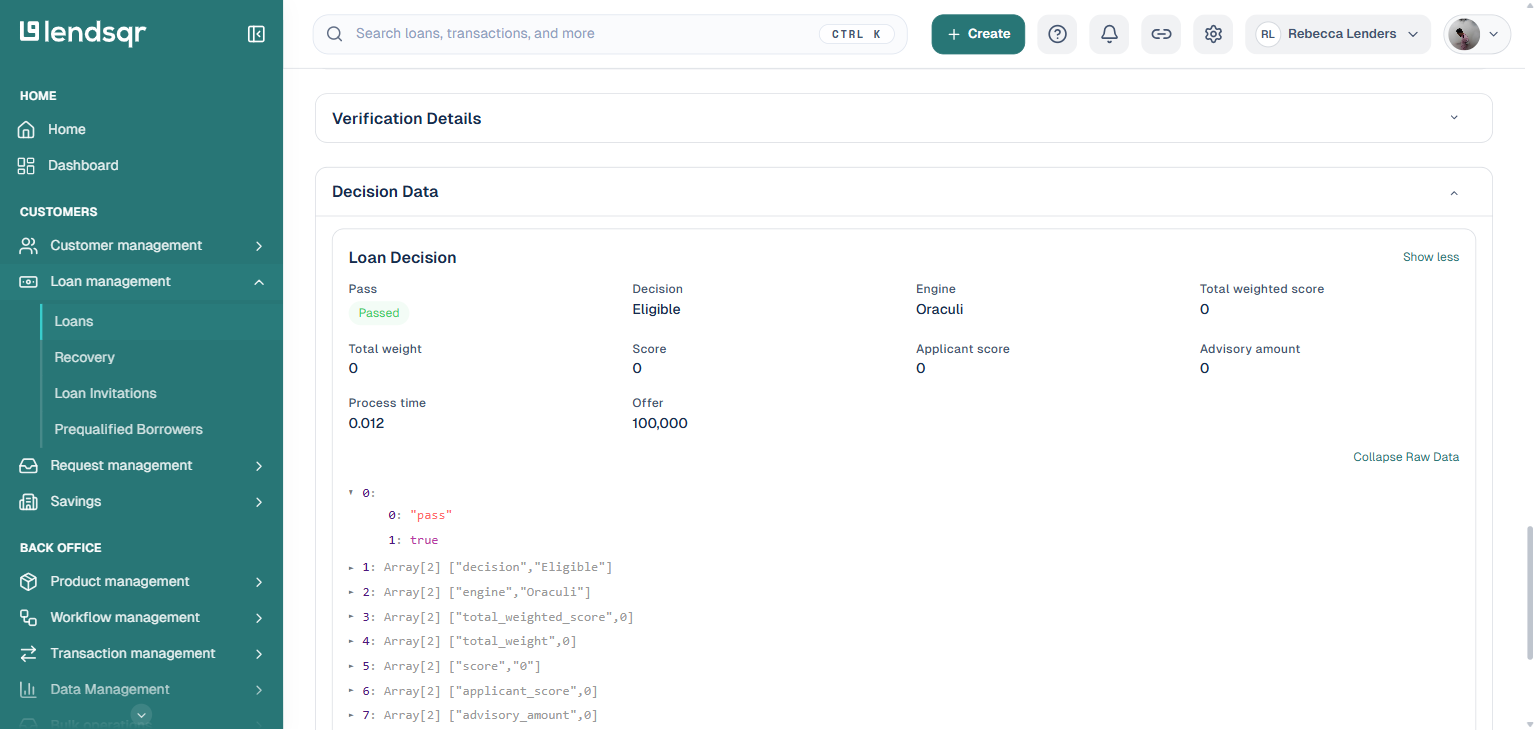
Click the ► triangle beside any line to expand it and reveal its nested key and value.
Because Oraculi uses nested structures, lenders may need to repeat this process for each line of interest. Continue expanding lines until all available information has been reviewed.
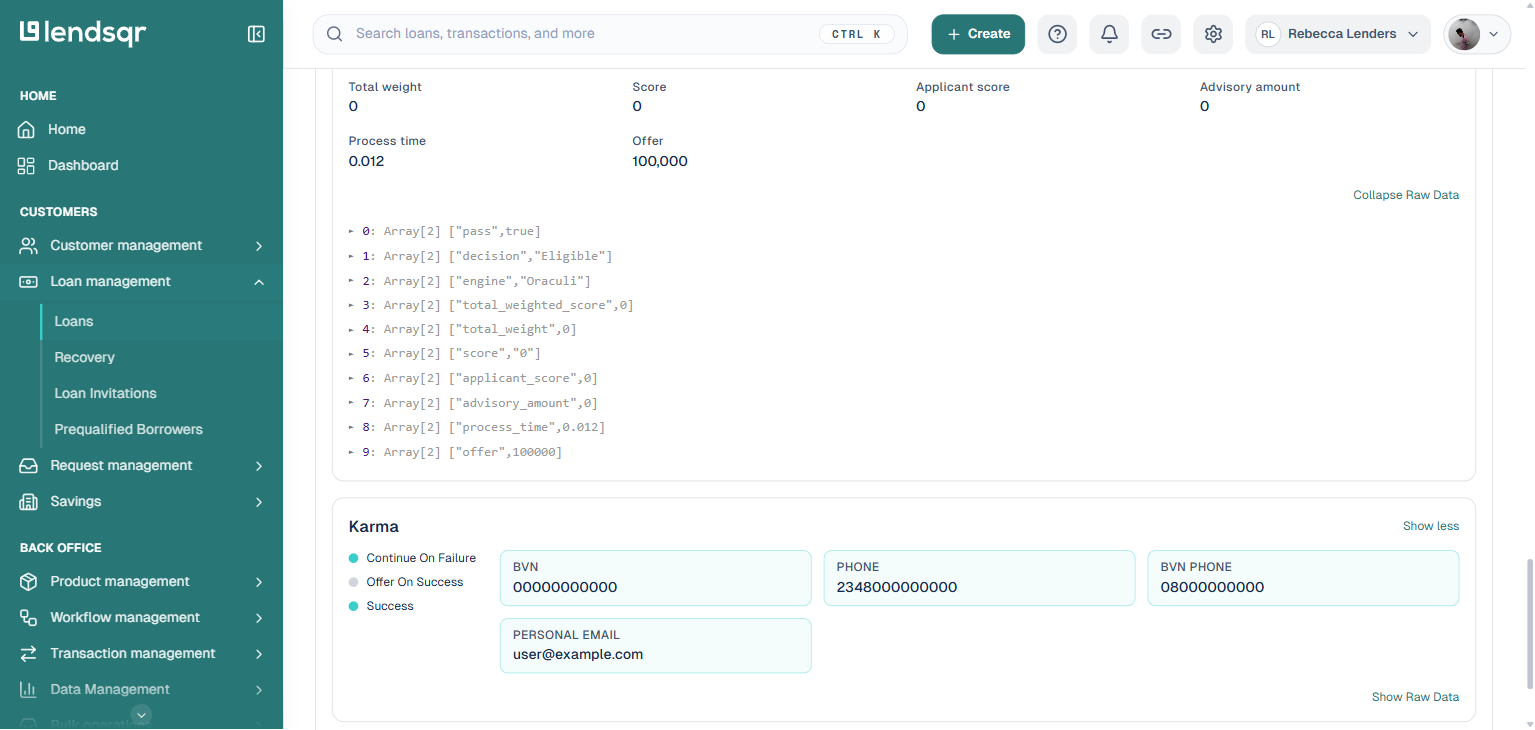
The default modules named earlier, Karma, Whitelist, Ecosystem, ML, and Scoring, don’t all live inside this one raw-data tree. Karma and Whitelist, for instance, appear as their own named cards further down the Decision Data section, each with a “Show more” link that reveals its fields, and its own separate “Show Raw Data” link for that module’s underlying JSON.
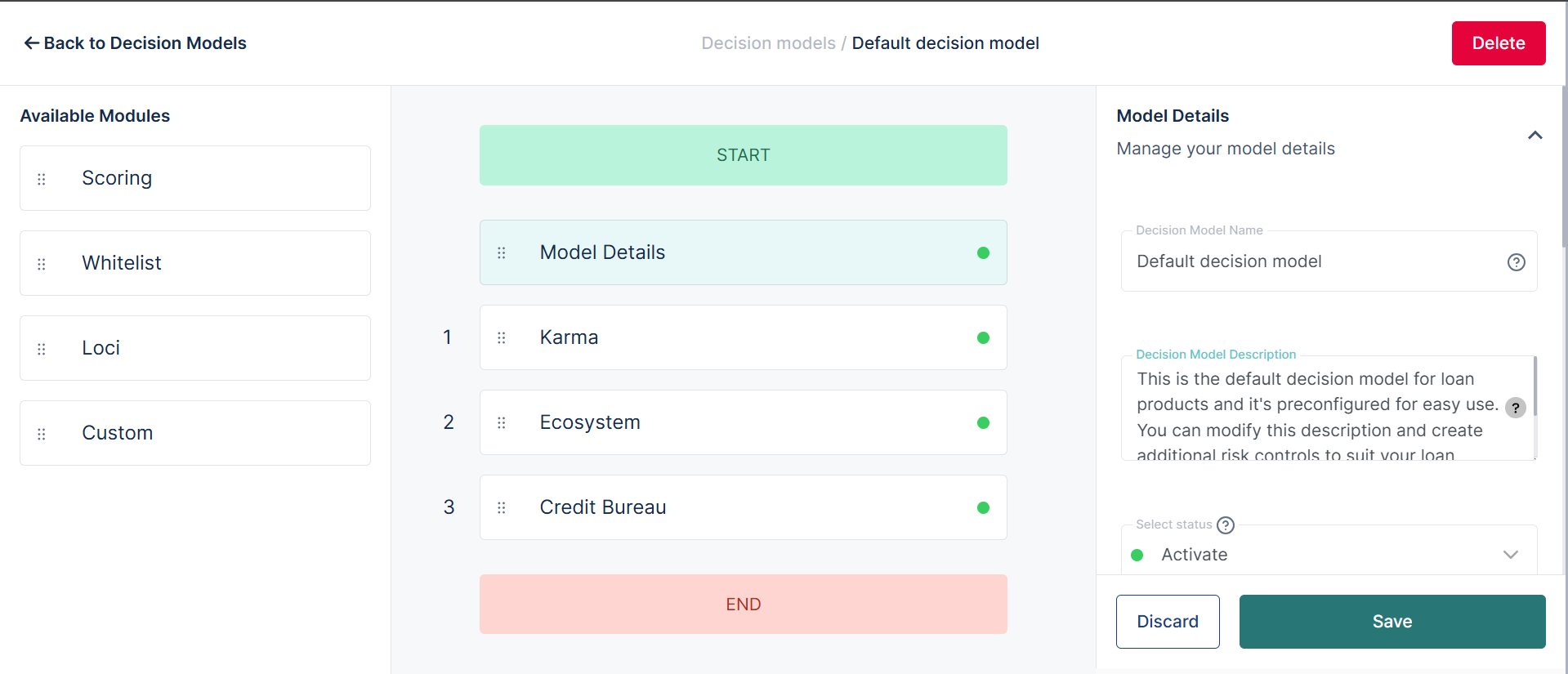
The modules displayed to you are driven by the credit risk rule configured for each loan product. By default, Karma, Whitelist, Ecosystem, ML and Scoring modules will be present in any credit risk rule as these are inhouse Lendsqr services offered to all lenders. Optional modules include Credit Bureau, Balance, Statement and Income modules which are services obtained from external providers. If interested in these modules, kindly contact your Lendsqr support officer for more information.
As lending becomes increasingly automated, understanding decision transparency becomes more important. Oraculi provides lenders with structured visibility into borrower eligibility checks by organizing evaluation services into expandable modules.
By learning how to expand nested objects, interpret modules, and review both default and optional services, lenders can better understand decision outcomes and strengthen operational confidence in automated lending processes.