Access your Back Office at your fingertips.
Download the app now on Google Play Store.
Scan the QR code
You can also scan QR code with your phone to download the app.
Welcome to Lendsqr!
Updated
On this page
Congratulations on taking the first step towards optimizing your lending journey with Lendsqr! This guide walks you through everything you need to complete your account setup, explore the platform, and begin lending, step by step.
Before you start
Before diving into the platform, make sure you have the following ready:
A valid business or personal email address- this is the primary way Lendsqr communicates with you, including account activation, loan alerts, and support responses.
A phone number you can receive SMS on-used for two-factor authentication and to verify your account during sign-up.
Your organization’s name and a short description of your lending business-required to set up your lender profile correctly.
A lending license (optional at signup, but required for certain features)-you can sign up and explore the platform without one, but a valid license is needed before you can go live with loan disbursements. If you are still processing your license, you can use this time to set up your products and decision criteria so you are ready to launch the moment it comes through.
Step 1 — Complete your registration
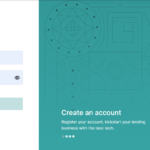
Signing up is simple and takes only a few minutes. Follow the steps below to get your lending business up and running.
When you sign in to the Lendsqr admin console, the Home screen provides a quick view of your organisation’s important metrics, including active loans, portfolio at risk, outstanding balances, and items that need your attention.
Beyond Home and Dashboard, the side navigation pane allows you to explore a wide array of features divided into two main groups, with a third, Settings, reached separately via the gear icon at the top of the page.
Customers This group allows you to access users’ details, manage loan requests, view and manage active loans and savings, review identification documents, manage beneficiaries and guarantors, and manage direct debits. To get here, select “Customer management” (or the related sections beside it) from the left navigation pane on your admin console.
Back office Here you can create and manage loan and savings products, configure credit risk rules, create configurable services, customize offer letters, set up approval workflows, manage disbursement and service transactions, run bulk operations, view reports, and check audit logs.
Settings Click the gear icon at the top of the page to manage your organization profile, branches and offices, team members, roles and permissions, two-factor authentication, pricing and billing, and your web app and support channels.
Your first 30 days on Lendsqr
Here is a simple checklist to help you hit the ground running after signup:
Week 1 — Set up
Activate your email and complete your profile
Upload your business and compliance documents
Create at least one loan product under Back Office
Configure your credit risk rule and eligibility criteria
Week 2 — Test
Add a test borrower under Customers
Run a test loan application end to end
Review the loan application flow and approval workflow
Confirm disbursement settings are correctly configured
Week 3 and 4 — Launch
Invite your team members under Settings
Set up roles and permissions for each team member
Go live with your first real loan product
Monitor your dashboard metrics and review your first loans
Let’s show you how it works with a demo
You don’t need to walk this journey alone, why don’t you just request a demo?. A product specialist would be happy to walk you through the platform based on your specific use case, whether you are a solo lender, a fintech startup, or an established microfinance institution.
Need help? Stuck or have questions?
Our dedicated support team is here to assist you. Raise an issue or query with our support system, and we’ll swiftly address your concerns. You can always reach us at [email protected].
Thank you for choosing Lendsqr! We’re thrilled to have you on board. Use our platform to be the best lender anyone could be.
Frequently asked questions
In which countries does Lendsqr operate?
Lendsqr operates globally, with major customers in countries including Nigeria, Canada, Malawi, Zambia, the US, and Rwanda, and welcomes lenders from any country to reach out at [email protected] to tailor the platform to their needs.
What products does Lendsqr offer?
Lendsqr offers two main products: the Lendsqr Admin Console, an end-to-end platform that automates the entire credit lifecycle from origination to collection, and Adjutor, an API service that extends Lendsqr’s ecosystem to lenders operating outside the platform.
Does Lendsqr issue loans as a lender to customers?
Lendsqr does not issue loans or act as an intermediary, but rather provides technology platforms that help banks, fintechs, microfinance banks, and other financial institutions scale and optimize their lending operations.
Does Lendsqr have a core banking application (CBA)?
Lendsqr has its own core banking application designed to support digital lending at scale, and also allows microfinance banks and other lenders to seamlessly integrate their existing CBA. For more information, contact [email protected].
Does Lendsqr integrate with third party platforms?
Yes, Lendsqr integrates with a wide range of third-party platforms including core banking applications, credit bureaus, payment processors, and more and can also build custom integrations on request, so reach out to [email protected] to explore your options.
What are Lendsqr’s terms of use and privacy policy?
Lendsqr’s Terms of Use outline the legal agreement governing use of its services, while its Privacy Policy explains how your data is collected, stored, and protected. Both can be reviewed on the Lendsqr website.
How do I delete my account?
To delete your Lendsqr account, ensure all loans, repayments, and wallet balances are settled, then follow the step-by-step guide here or contact [email protected] for assistance.
What credit bureaus do you use?
Lendsqr integrates with major credit bureaus across multiple countries such as CRC Credit Bureau, CreditRegistry, and First Central Credit Bureau in Nigeria, and TransUnion and Equifax for international markets, enabling lenders to query multiple bureaus simultaneously for smarter lending decisions.
Can Lendsqr assist in getting a lending license?
Lendsqr does not directly assist with obtaining lending licenses, but can connect you with legal partners who can help. Review our guide here or reach out to the team at [email protected] for guidance.
Can I change my organization name?
Yes, you can change your organization name on Lendsqr by contacting [email protected] with your reason for the change and the new organization name.
Can I edit my organization profile?
Yes, you can easily edit your organization profile directly from the Lendsqr admin console, including your contact information. Read the guide here for more information.
Can my support team get training on managing users?
Yes, Lendsqr offers support training for your team on managing users and resolving customer issues. Contact [email protected] to book a session with a product specialist.
How much does Lendsqr charge for services?
Lendsqr offers four subscription plans: Free, Pro, Business, and Enterprise. To get a clearer understanding of what each plan offers and find the one that best suits your needs, explore the full list of features and corresponding pricing here. Lendsqr also uses your service account to pay for the services provided; you can learn more here.
Do I need to be tech savvy to use Lendsqr?
No technical expertise is required to use Lendsqr. Basic web navigation skills are enough to get started, and if you need guidance, you can book a demo at https://lendsqr.com/contact-us to get a walkthrough from the Lendsqr team.
Can I get a demo of the Lendsqr platform?
Yes, you can request a demo anytime by contacting us directly from https://lendsqr.com/contact-us on the Lendsqr website and filling out your details, or explore recorded feature walkthroughs on the Lendsqr YouTube channel.
What do I need to know to use Lendsqr’s savings feature?
To offer savings, investments, or deposit products on Lendsqr, your institution must hold the appropriate license, such as a commercial bank, microfinance bank, finance house, registered cooperative, or asset management company license, as money lenders are not permitted to accept deposits. Contact us at [email protected] to verify your requirements.