Access your Back Office at your fingertips.
Download the app now on Google Play Store.
Scan the QR code
You can also scan QR code with your phone to download the app.
Understanding how disbursement in tranches works on the admin console
Updated
On this page
Not every loan should be released in full on day one. For certain types of borrowers, particularly those financing construction projects, importing goods, or executing phased business plans, receiving the entire loan amount upfront creates more risk than it solves. The funds may be misapplied, the project may stall, or the borrower may struggle with repayments on money they have not yet put to use.
Tranche disbursement is the practice of releasing a loan in stages rather than all at once. Each stage, called a tranche, is tied to a milestone or a condition the borrower must meet before the next release is approved. As a result, lenders stay in control of how funds are used, and borrowers receive money only when they are ready for it.
Lendsqr supports tranche-based disbursement directly from the admin console. This guide explains how the feature works, what it means for borrowers and repayment schedules, and how to configure and execute it step by step.
When tranche disbursement makes sense
Tranche disbursement is not designed for every loan type. Rather, it is most useful when the purpose of the loan is tied to stages of a larger project or process. Consider the following examples.
A construction lender finances a housing development. Instead of releasing the full loan upfront, the lender disburses a first tranche to cover land preparation and foundation work. Once the borrower demonstrates that stage is complete, the lender releases a second tranche for the structure. A third tranche follows after roofing and finishing. This approach protects the lender from default caused by project abandonment or fund misuse.
Similarly, an importer taking a trade finance loan may need funds released at different points: one tranche to pay the supplier, another to cover shipping costs, and a final tranche for clearing and logistics at the port of entry.
In both cases, tranche disbursement protects the lender while giving the borrower exactly what they need at each stage of their journey. Furthermore, it reduces exposure because the lender never commits the full loan amount before confirming progress.
How repayment schedules adjust after each tranche
One of the most important things to understand about tranche disbursement is how it affects repayment. In Lendsqr, each tranche you disburse updates the borrower’s loan balance, interest calculation, and repayment schedule automatically.
When you approve the first tranche, the system generates a repayment schedule based on that amount, the interest rate you specify, and the tenor you set. When you later disburse a second tranche, the system recalculates the outstanding balance by adding the new principal to what the borrower still owes from the first tranche. The repayment schedule is then updated to reflect the combined obligation.
This means the borrower’s monthly repayment amount increases after each subsequent tranche. It also means lenders must set the interest rate and tenor thoughtfully for each tranche, since these inputs directly shape what the borrower will owe going forward. In addition, it is worth noting that tranche disbursement on Lendsqr works in conjunction with the refinancing feature. Enabling tranche disbursement on a loan product automatically activates refinancing as well, because the system relies on the same underlying mechanism to restructure and update the loan after each release.
What happens if a borrower does not meet a milestone
Tranche disbursement gives lenders control over timing. Because subsequent tranches require manual approval from the lender, you are never forced to release funds automatically. If a borrower fails to meet an agreed condition or milestone, you simply do not disburse the next tranche until they do.
In practice, this means lenders should define clear milestones with borrowers before approving the loan. These milestones become the informal checkpoints that determine when each tranche is triggered. While Lendsqr does not enforce milestone tracking within the system itself, the requirement for manual approval of each tranche means the lender retains full discretion at every stage.
How to set up and use tranche disbursement on Lendsqr
The setup involves two stages: configuring the loan product to allow tranche disbursement, and then executing the tranches when the loan is active.
Configuring the loan product to allow tranche disbursement
Log in to the admin console and navigate to the Loan Products tab under Product Management.
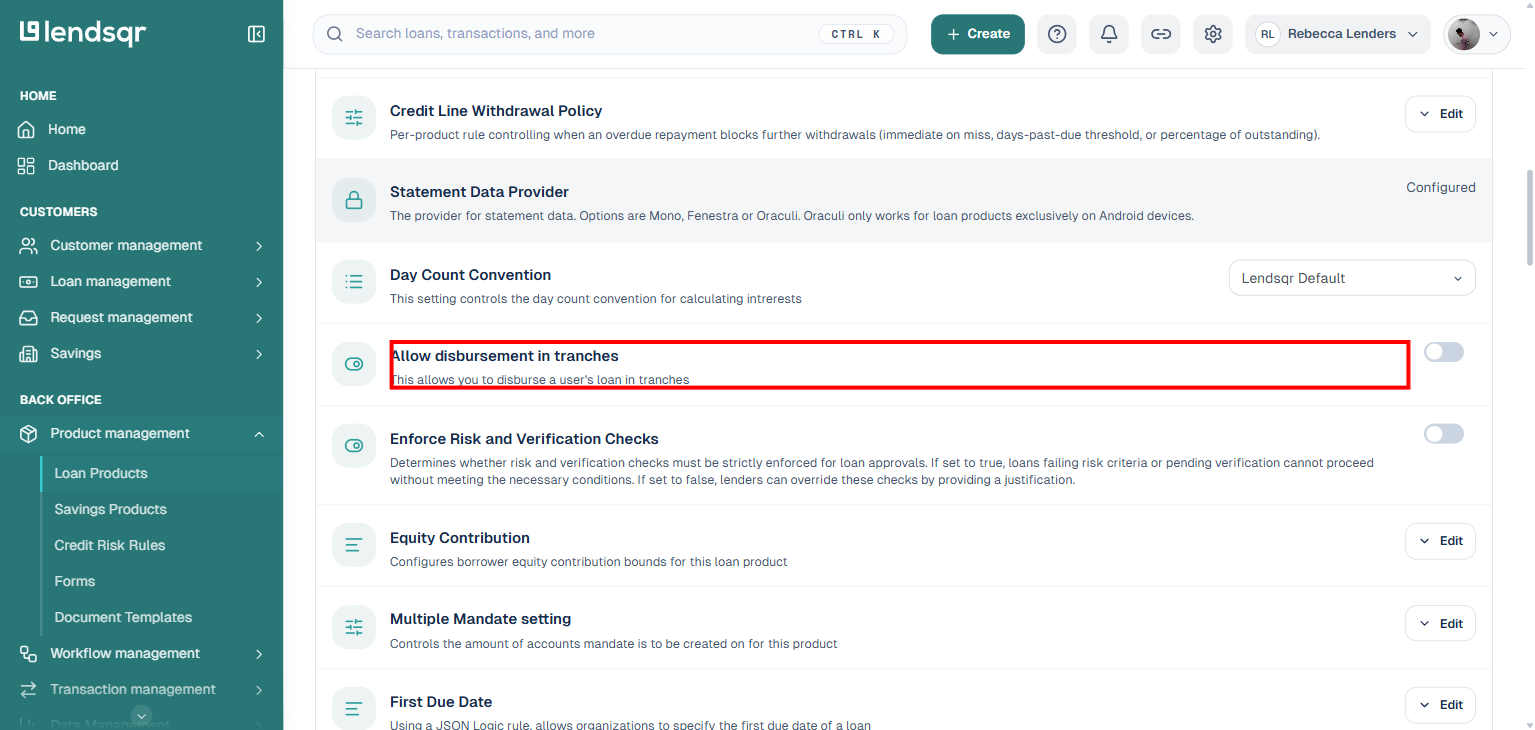
Open the loan product you want to modify and go to Product Settings.
Enable Allow tranche disbursement. The system will automatically enable refinancing, as tranche-based loans depend on that feature.
Save your changes.
Executing tranches when the loan is active
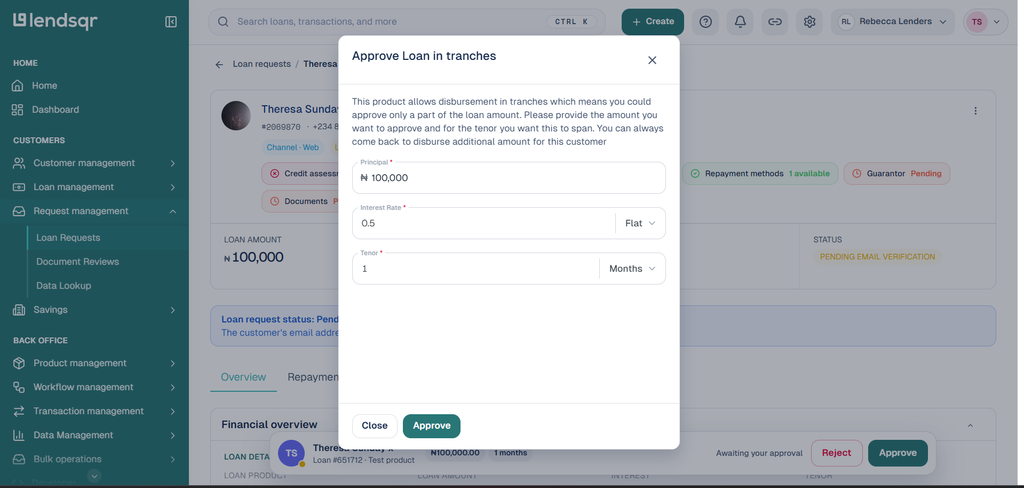
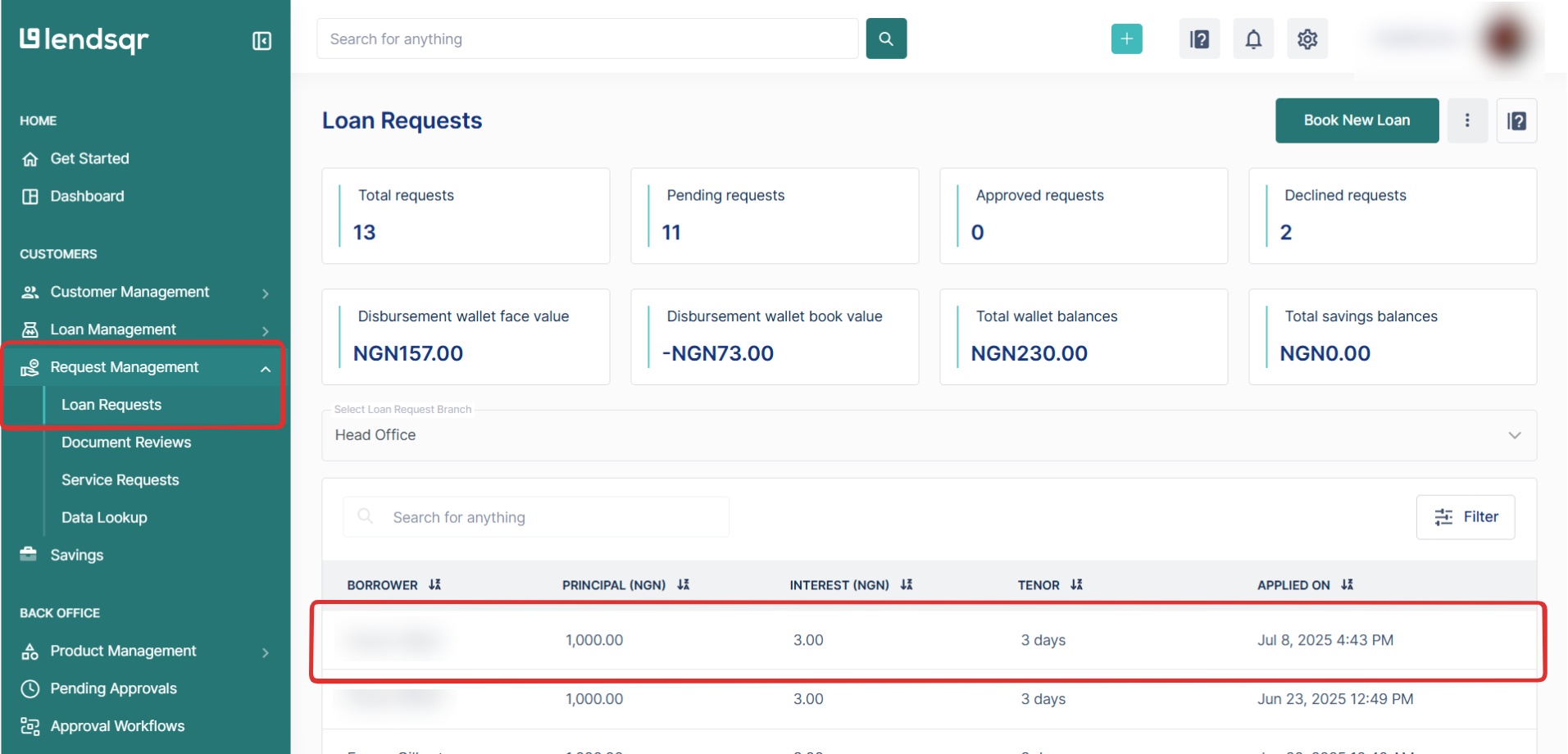
Navigate to Loan Requests under Request Management and approve the concerned loan by clicking the Approve Loan button.
Enter the initial tranche amount, interest rate, and tenor.
Review and confirm to disburse the first tranche.
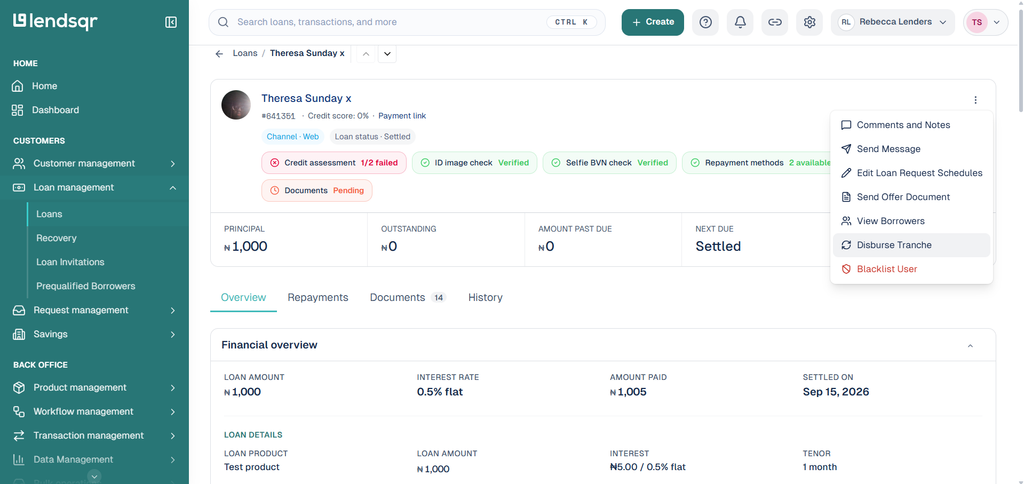
For subsequent tranches, navigate to the Loan on the Loans page under Loans Management. Click the Options (⋮) icon and select Disburse Tranche.
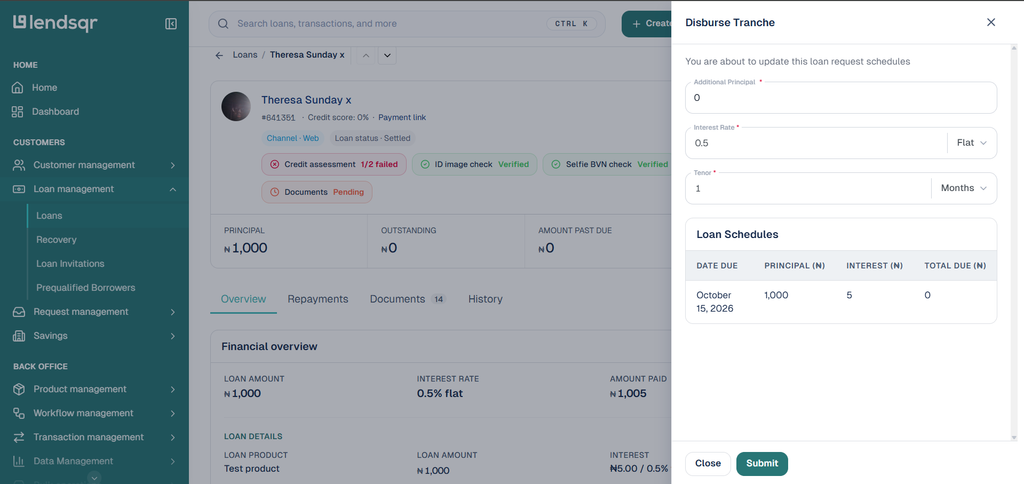
Input the tranche amount, interest rate, and tenor for the next phase. Then, confirm and approve the disbursement.
The system automatically updates the principal, repayment schedule, and loan details to reflect the new disbursement.
You can repeat this process for as many tranches as the loan agreement requires. Each disbursement updates the loan automatically, so there is no need to manually adjust records or schedules on your end.
What lenders should keep in mind
Tranche disbursement is a powerful feature, but it works best when a few practical principles are in place.
Agree on milestones with the borrower before approving the first tranche. Clear expectations make it easier to determine when each release is appropriate and reduce disputes later.
Review the interest rate and tenor carefully for each tranche, since these inputs determine how the repayment schedule changes after every release.
Keep records of what triggered each disbursement, whether that is a site visit, a progress report, or an invoice. These records support your credit risk management and protect you in the event of a dispute.
Remember that tranche disbursement is best suited for project-based or phased-purpose loans. For standard consumer loans or salary-backed credit, a single disbursement is usually more appropriate and simpler to manage for both the lender and the borrower.