Access your Back Office at your fingertips.
Download the app now on Google Play Store.
Scan the QR code
You can also scan QR code with your phone to download the app.
How to deactivate a direct debit mandate
Updated
On this page
When a borrower has an active direct debit mandate on your platform, Lendsqr uses it to pull repayments automatically on scheduled dates. This keeps your collections running without manual effort. But there are situations where you need to pause that automatic collection temporarily, without ending the mandate entirely.
Deactivating a mandate is how you do that. It puts repayment collection on hold. The mandate stays on the borrower’s profile, and you can reactivate it when the pause no longer applies.
This guide explains what mandate deactivation means, when lenders use it, how it differs from cancellation, and how to carry out the deactivation from the Lendsqr admin console.
What does deactivating a mandate mean?
A direct debit mandate is an authorisation a borrower grants, allowing your platform to debit their bank account for loan repayments. Once active, Lendsqr uses this mandate to trigger collections on the dates in the repayment schedule.
Deactivating a mandate suspends that authorisation. Lendsqr stops attempting to debit the borrower’s account through that mandate. The mandate record remains intact, and you can reactivate it later to resume automatic collections.
This is different from cancelling a mandate. Cancellation ends the mandate permanently. The borrower would need to create a new mandate if they want to resume direct debit repayments. Deactivation is a reversible action. Cancellation is not.
Only NIBSS EASYPAY mandates support deactivation on Lendsqr. These are mandates that borrowers create through your web app. Mandates created through other channels do not have this option.
When lenders deactivate a mandate
Mandate deactivation is a practical tool in several lending scenarios.
Loan restructuring: A borrower’s repayment terms change, such as an extended tenure or a revised schedule. You deactivate the existing mandate to stop collections under the old schedule. Once the new schedule takes effect, you reactivate or replace the mandate.
Active dispute or complaint: A borrower raises a dispute about a charge or a loan balance. While your team investigates, you deactivate the mandate to avoid further debits that could escalate the complaint.
Temporary financial hardship: A borrower contacts your team to report a short-term income disruption. You agree to pause repayments for a defined period. Deactivating the mandate gives you operational control over that pause.
Failed or incorrect mandate setup: You discover that a mandate carries an amount that no longer matches the borrower’s current loan obligation. You deactivate it while you sort out the correction, then reactivate once the mandate details are aligned.
In each of these cases, deactivation protects both the borrower’s experience and your relationship with them. It prevents failed debits and the fees that often follow, and it gives your team time to resolve the underlying issue before collections resume.
How to deactivate a direct debit mandate on Lendsqr
Follow these steps to deactivate a NIBSS EASYPAY mandate from the admin console.
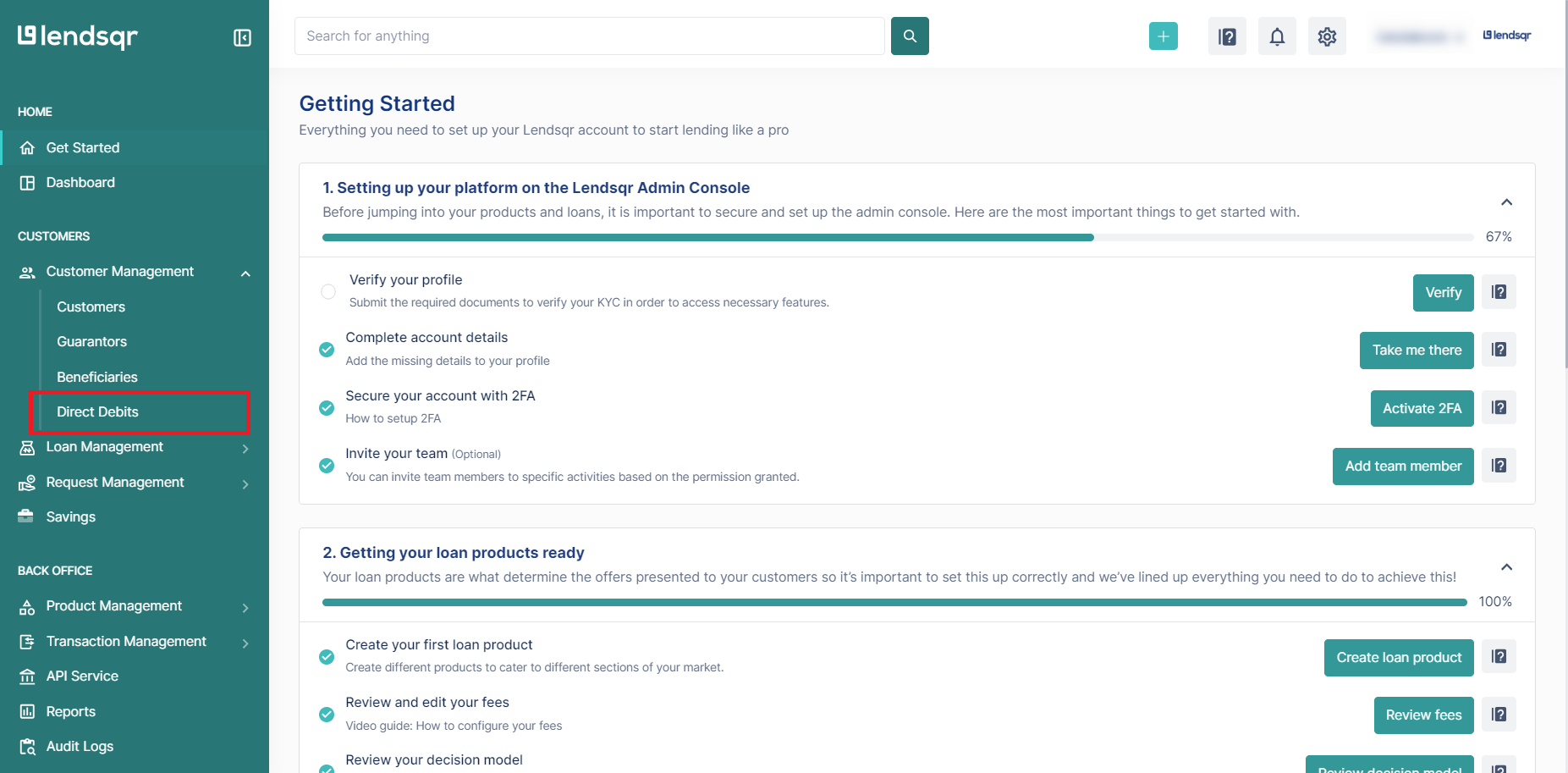
Log in to the Lendsqr admin console and navigate to Customer Management in the side navigation panel.
Click Direct Debits under Customer Management.
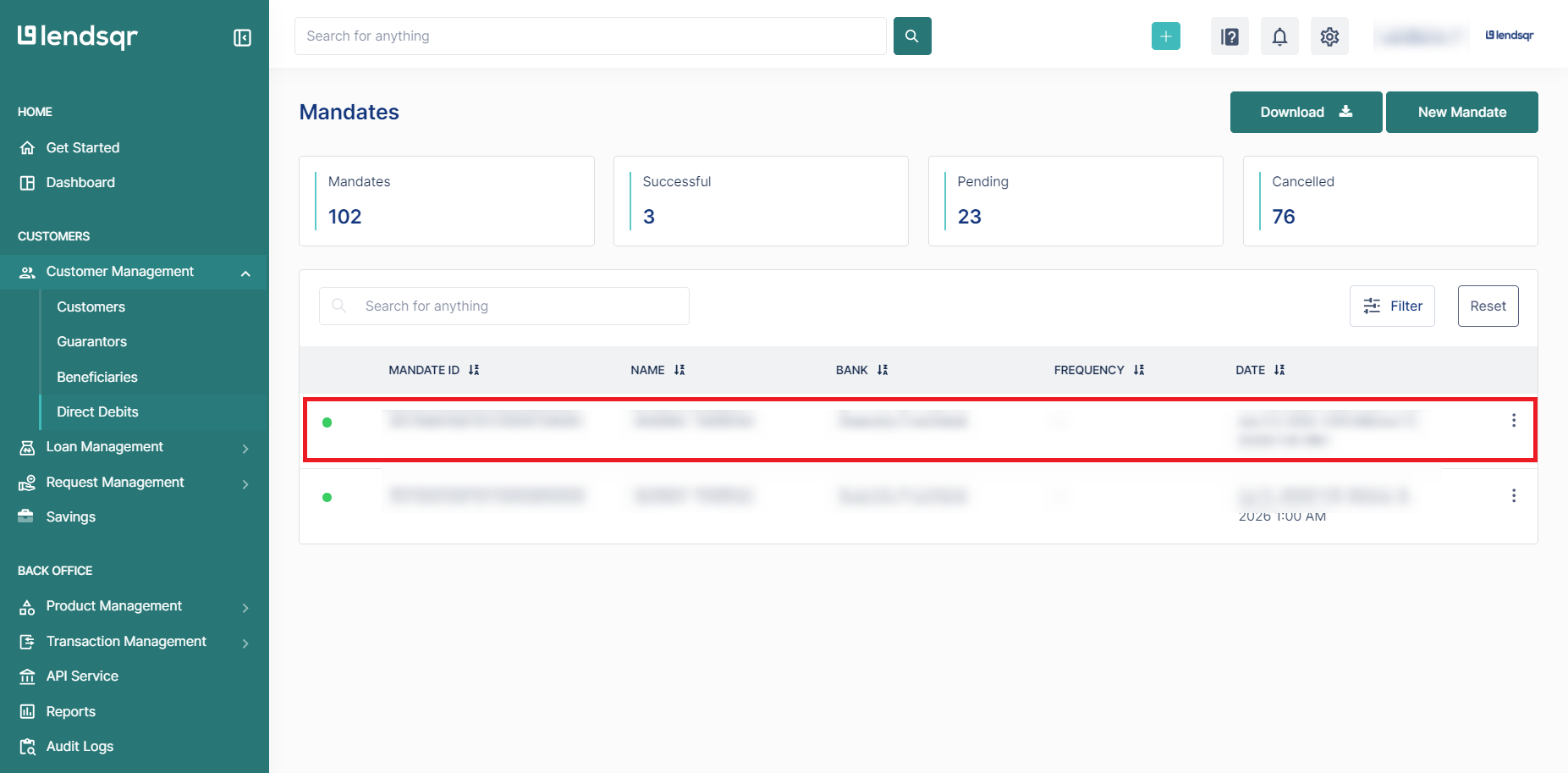
Locate the mandate you want to deactivate from the table and click on it.
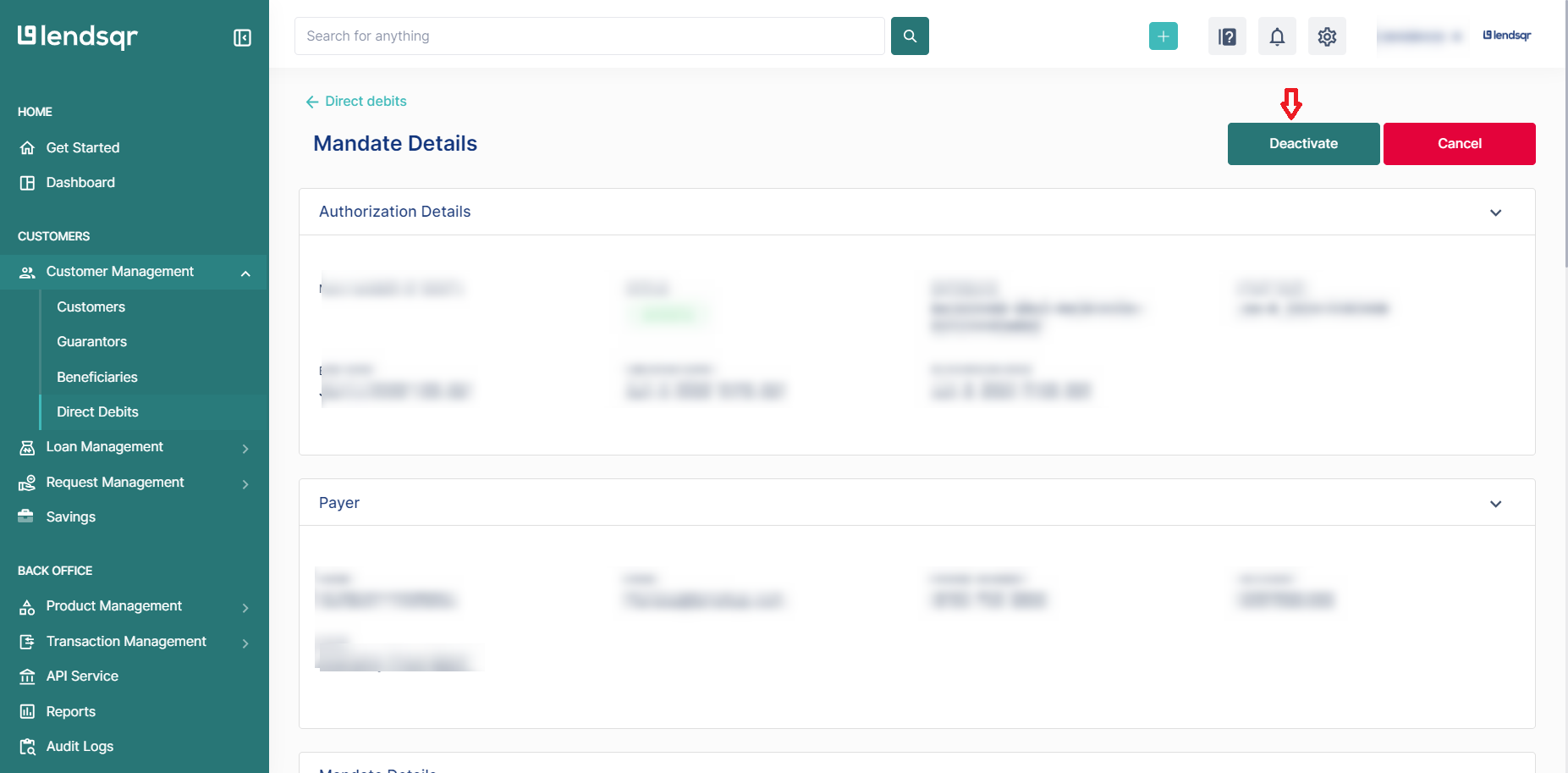
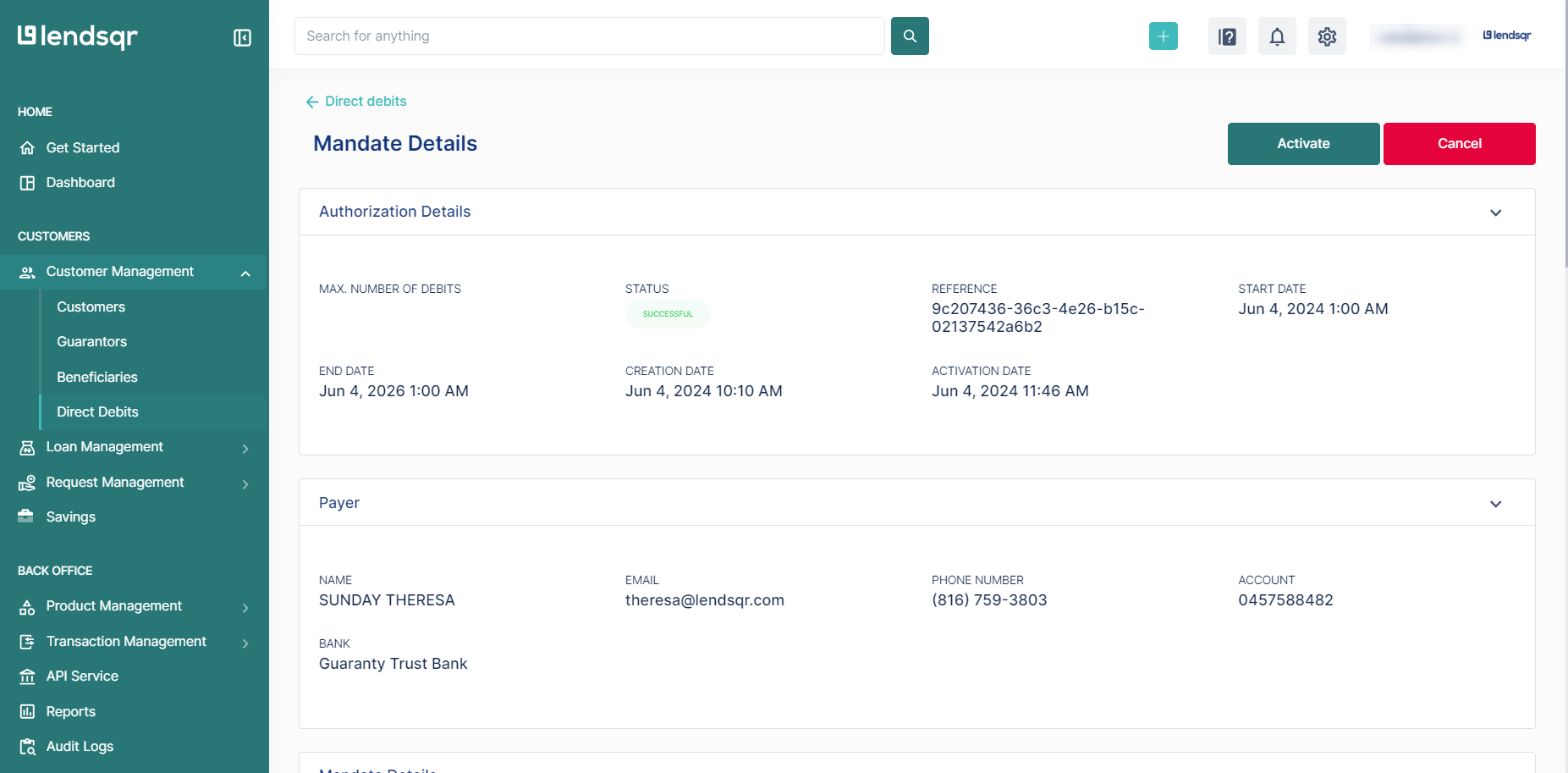
The mandate detail page opens. Review the mandate to confirm it is the correct one.
Click the Deactivate button at the top right corner of the page.
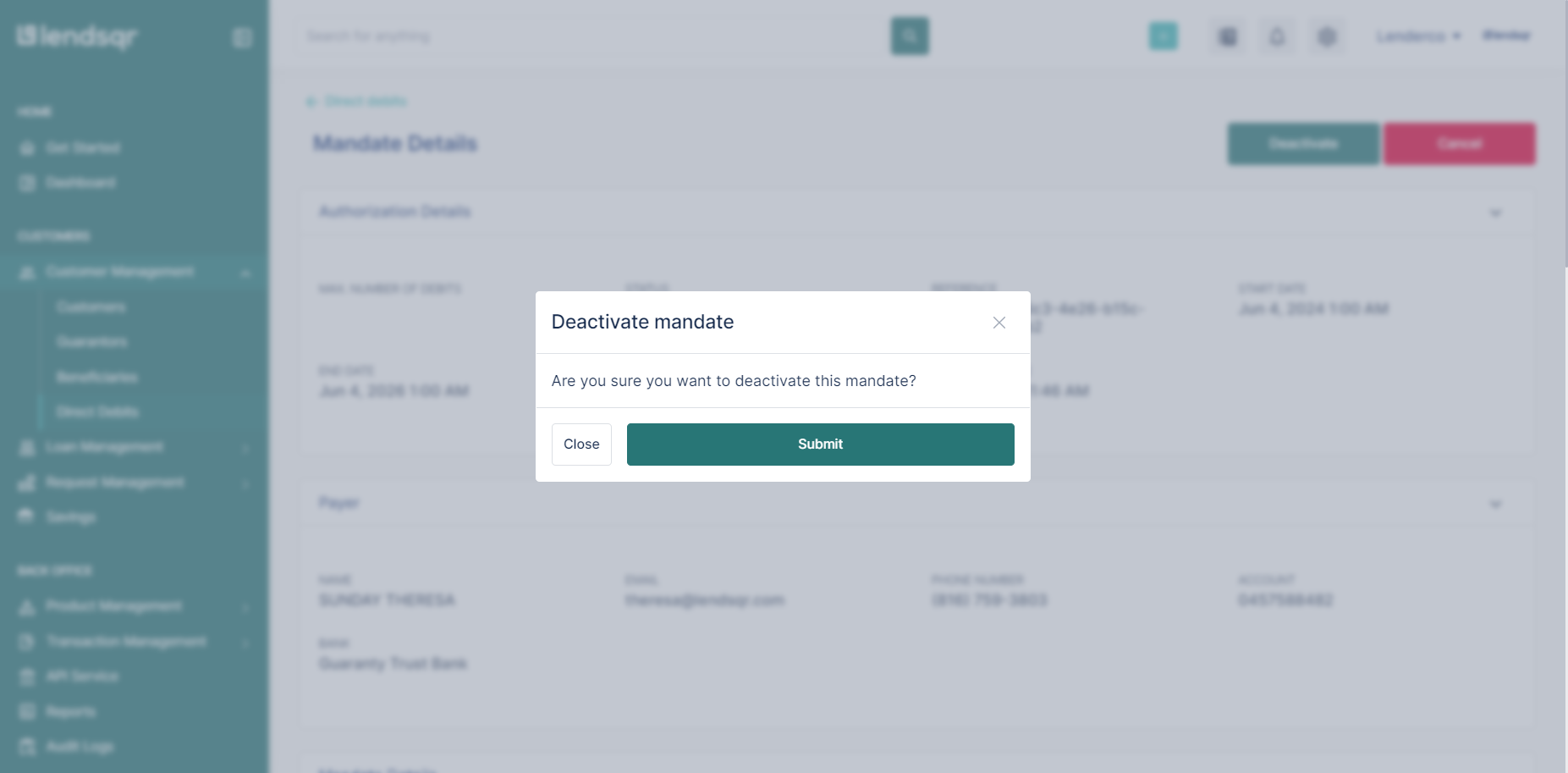
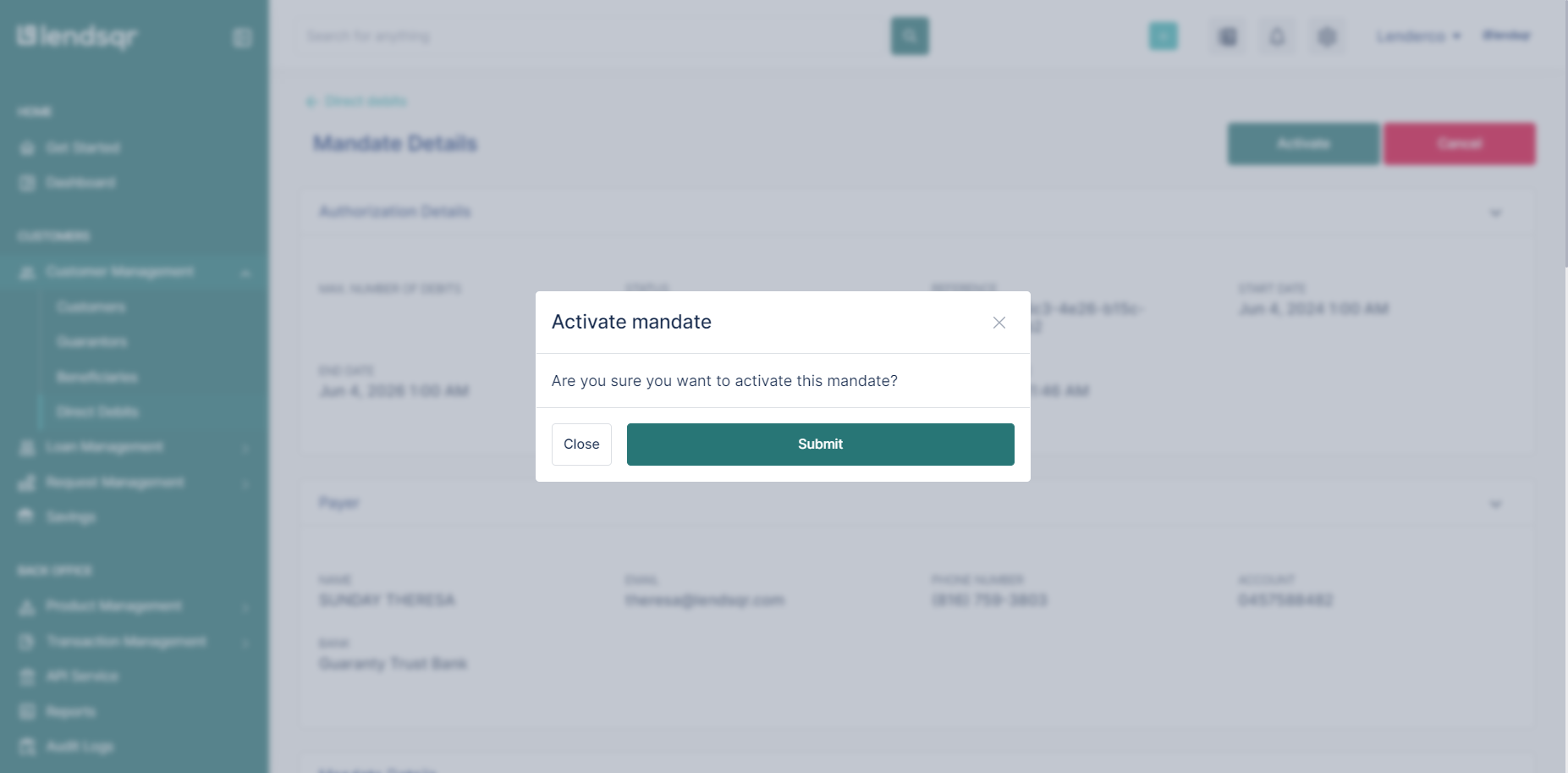
Click Submit to confirm the deactivation.
The mandate status updates immediately. Lendsqr will not attempt any further debits through that mandate until you reactivate it.
How to reactivate a mandate after deactivation
Deactivation does not end the mandate. When you are ready to resume automatic repayment collection, you can reactivate it from the same page.
Open the mandate detail page and click the Activate button. Confirm the action. The mandate returns to active status, and Lendsqr resumes using it for scheduled repayment collections.
What happens to repayments during deactivation
When a mandate is deactivated, Lendsqr does not attempt to collect repayments through it. Any repayment dates that fall during the deactivation period will not trigger a debit.
This means the borrower’s loan balance does not reduce during that time unless you record repayments through another method. If the borrower makes manual payments or pays through a different channel, you can record those separately. See Recording loan repayment from external sources for how to do this.
Deactivating a mandate does not alter the loan schedule itself. The repayment dates stay the same. Only the automatic collection through that mandate stops.