Access your Back Office at your fingertips.
Download the app now on Google Play Store.
Scan the QR code
You can also scan QR code with your phone to download the app.
How to view and manage guarantor details on Lendsqr
Updated
On this page
Introduction
A borrower applies for a loan and lists a guarantor. Six months later, two other borrowers on your platform default. You investigate and realize all three loans have the same guarantor. That pattern is a red flag you cannot afford to miss.
Guarantors are a critical layer of financial security in lending. They back the borrower’s obligation to repay, especially for high-risk profiles or larger loan amounts. But guarantors only reduce risk when lenders actively monitor who is backing which loans and whether those guarantors are still credible.
On the Lendsqr admin console, you can view, filter, and investigate every guarantor on your platform from one centralized location. This guide shows you how to use the Guarantors module effectively to protect your loan portfolio.
What is a guarantor, and why do they matter?
A guarantor is a person who agrees to repay a loan if the borrower fails to do so. They provide the lender with an additional repayment source beyond the borrower’s own capacity. This is particularly important for borrowers with limited credit history, irregular income, or higher loan amounts that require extra security.
When a guarantor is attached to a loan, and their details are verified, the loan status shows as “Guarantor Validated.” This confirmation tells your team that the guarantor agreed to take on the responsibility, meets your eligibility criteria, and has had their identity and details verified. Without this validation, the loan may be delayed or declined.
Guarantors are not a passive safeguard. They are an active risk management tool. A guarantor who has backed multiple defaulting borrowers is a liability, not an asset. Monitoring your guarantor data regularly gives you the visibility to act before problems compound.
The Guarantors module on Lendsqr gives you a consolidated view of every guarantor across your platform. The module itself lists every guarantor with their name, contact details, and relationship to the borrower they back.
Loans guaranteed and total guaranteed. These figures live on each individual guarantor’s own profile rather than as platform-wide summary cards on the list page. Open any guarantor to see how many loans they currently back and the total value of those loans, which is exactly what you need to spot overexposed guarantors.
Status. Each guarantor shows a status such as Active or Blacklisted, so you can immediately see whether a guarantor has already been restricted from backing new loans.
How to view and filter guarantor details
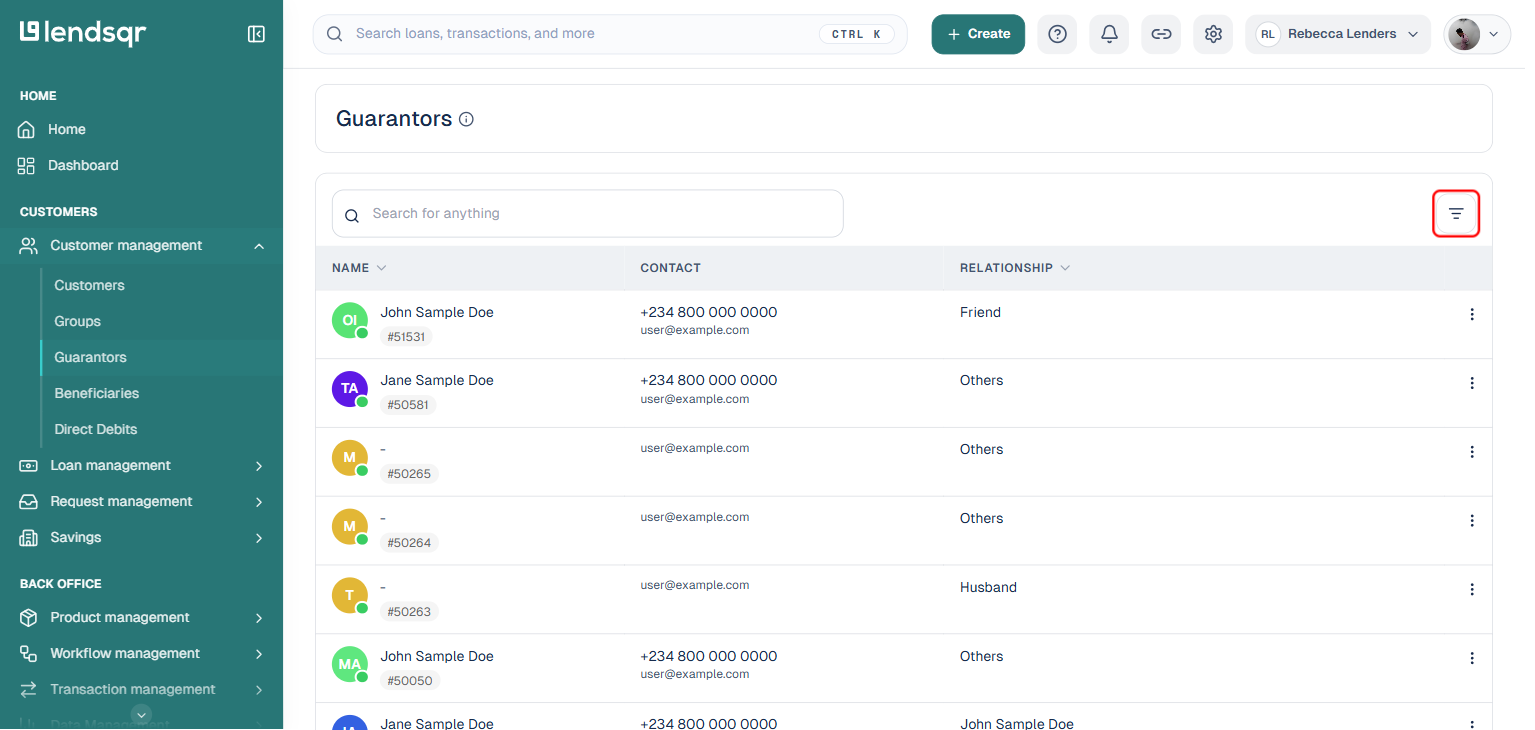
1. Click on the “Customer management” menu and then the “Guarantors” sub-menu from the side navigation.
This shows the full list of guarantors on your platform, with their name, contact details, and relationship to the borrower.
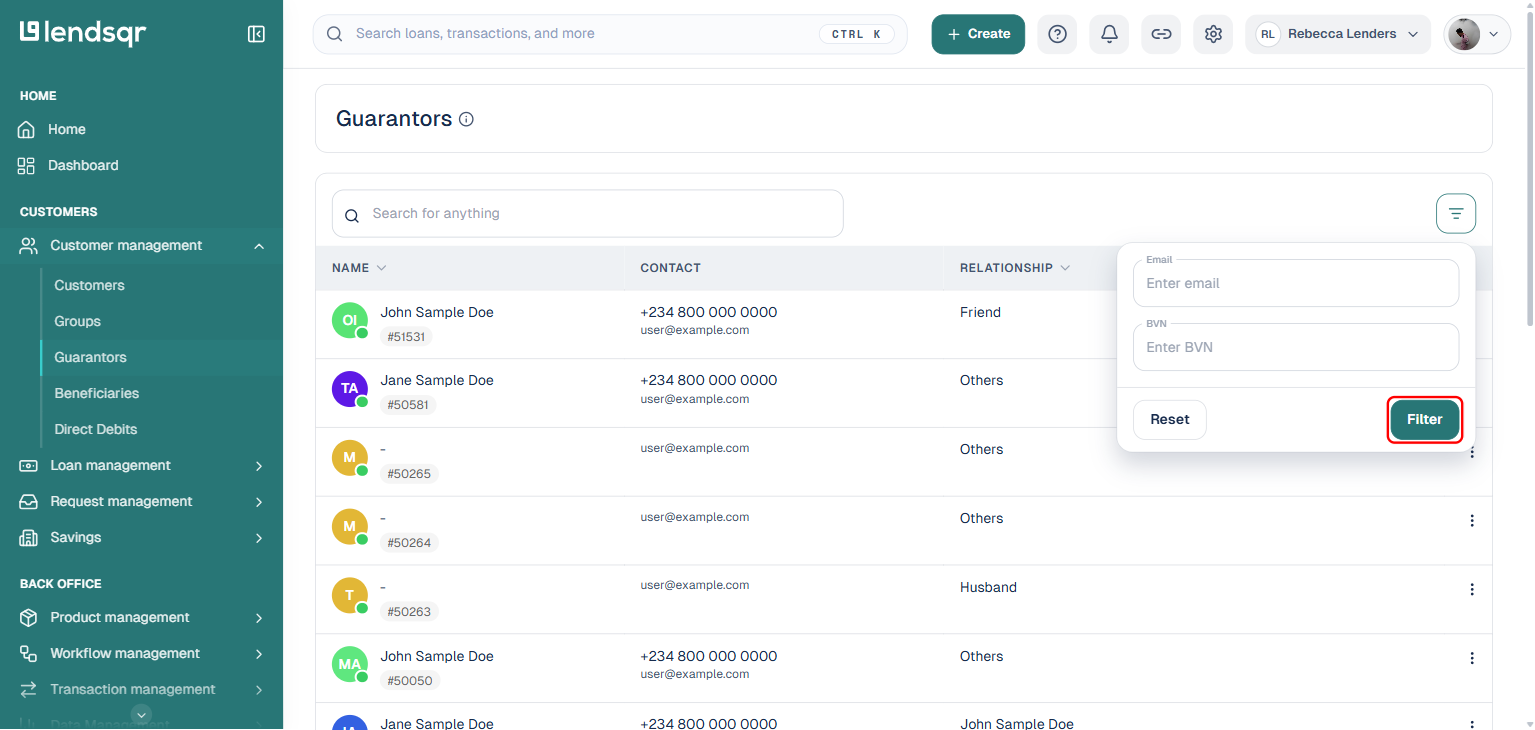
2. Click the filter icon and search by:
Email
BVN
3. Click “Filter.”
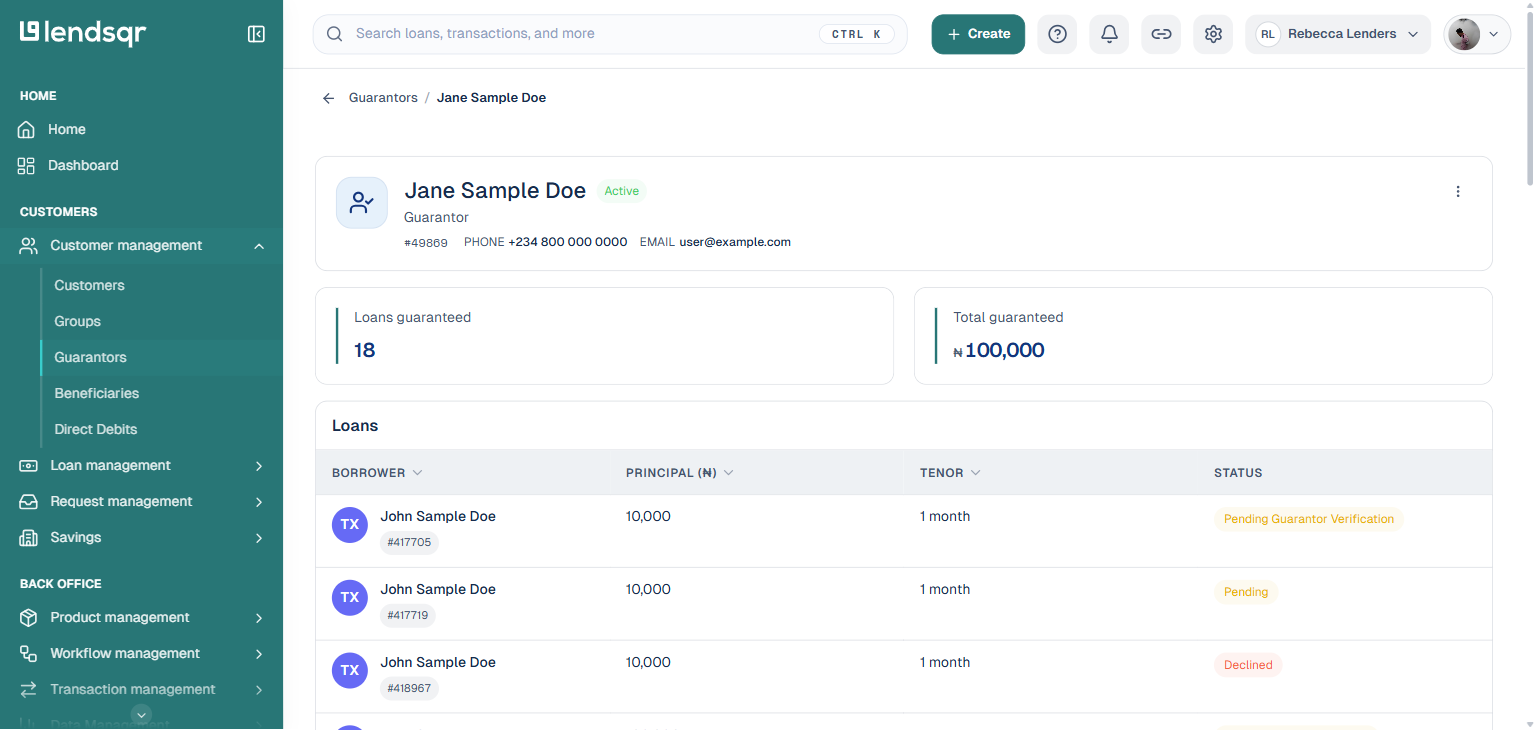
4. After filtering, click on a guarantor to view their full profile, including:
Their contact details and status (Active or Blacklisted).
Loans guaranteed and the total amount guaranteed.
A Loans table listing every borrower they back, with principal, tenor, and status.
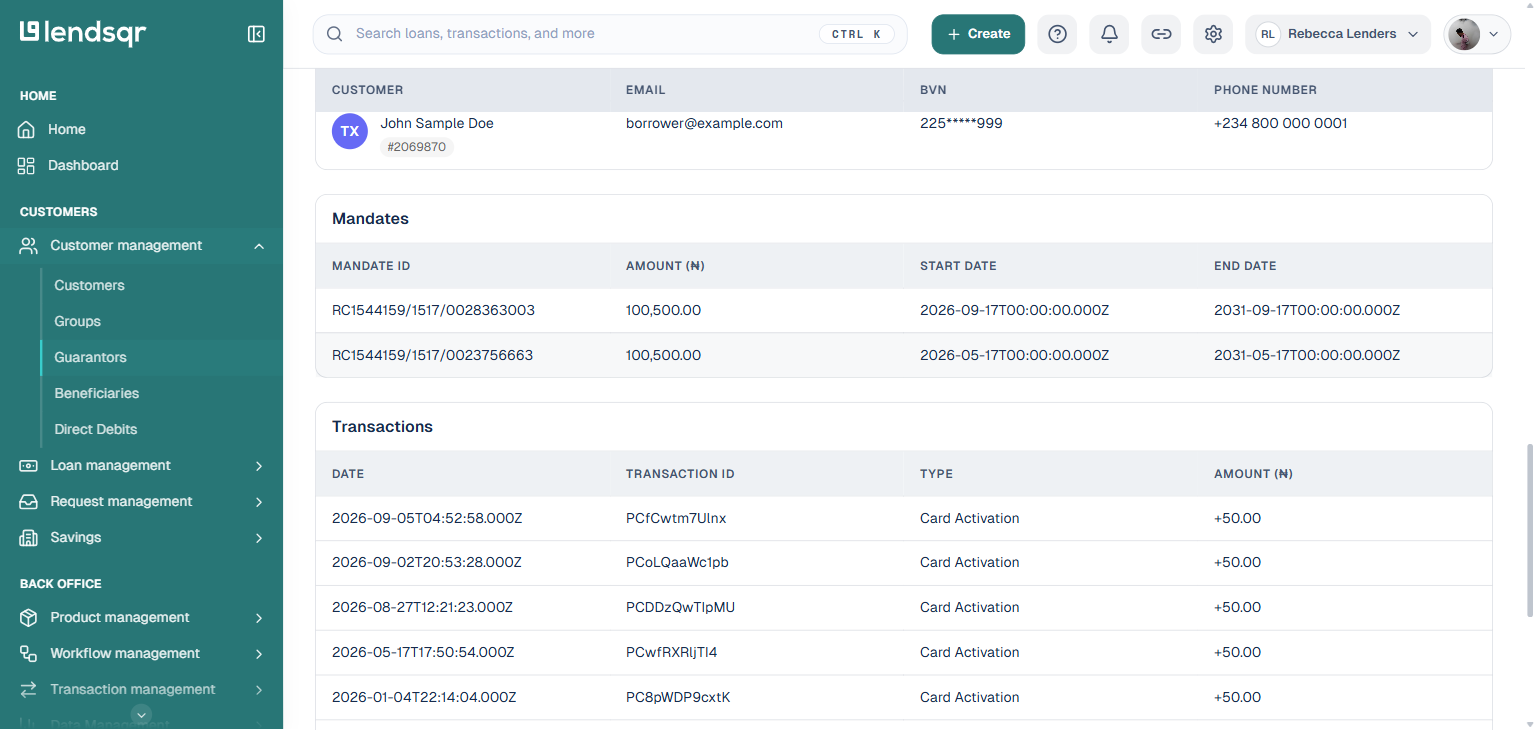
If the guarantor is also a registered customer on your platform, their profile shows additional sections further down the page: a Customers section linking to their own customer account (with email, BVN, and phone number), a Mandates section listing any active Direct Debit mandates tied to them, and a Transactions section showing their payment method and transaction history. These sections only appear when the guarantor has that data attached; a guarantor who is not otherwise a customer will not show them.
How to use guarantor data to manage portfolio risk
The Guarantors module is not just a lookup tool. It is a risk monitoring resource. Here is how to use it actively to protect your portfolio.
Identify overexposed guarantors. Open any guarantor profile and check the Loans table. If a single guarantor is backing five or more loans, assess whether their financial standing supports that level of exposure. A guarantor who cannot realistically cover multiple simultaneous defaults is not providing meaningful security.
Spot default patterns. If multiple loans backed by the same guarantor are underperforming, that pattern deserves investigation. It may indicate that the guarantor is not properly vetting the borrowers they agree to back, or that a network of related borrowers is exploiting the guarantor relationship to access credit.
Act on high pending validation counts. A large number of unvalidated guarantors slows down your loan approval process and reduces the quality of your risk coverage. Review your validation workflow and address any bottlenecks that are preventing timely guarantor verification.
Restrict repeat guarantors on defaulted loans. If a guarantor is consistently linked to defaulted loans, consider restricting them from guaranteeing new loans on your platform. Lendsqr’s admin tools give you the visibility to identify these patterns. Your credit policy should define the threshold at which you act.
Real-world example: Using guarantor data to prevent a cluster default
A microfinance lender notices that loan repayment rates have dropped for a specific branch. They open the Guarantors module and filter by phone number to investigate one flagged borrower. The Users section of the guarantor profile reveals that the same individual is backing seven loans across six different borrowers in the same branch.
Four of those borrowers are already past due. The lender immediately restricts the guarantor from being added to any new loan applications and flags the remaining three active loans for closer monitoring. The early intervention prevents three additional defaults from maturing into losses.
This is exactly the kind of oversight that the Guarantors module on Lendsqr makes possible.
Troubleshooting
The Guarantors sub-menu is not visible in my navigation. Confirm that your role includes access to the Customer Management module. If your role appears correct but the sub-menu is still missing, contact Lendsqr support. Also, confirm the plan you are on.
My filter search is returning no results. Confirm that you are entering the correct email or BVN for the guarantor you are searching for (phone number is not a filter option here). Check for typos or formatting differences, such as country codes in phone numbers.
A guarantor’s profile is showing incorrect details. Contact the borrower to confirm the guarantor information submitted during the loan application. If the details are incorrect, update the information through the relevant customer profile and re-initiate the validation process.