Access your Back Office at your fingertips.
Download the app now on Google Play Store.
Scan the QR code
You can also scan QR code with your phone to download the app.
Transactions and bank details: how to view users’ information
Updated
On this page
A lender’s collections officer gets a call from a borrower who insists their loan repayment was deducted from their account but has not been recorded. The officer needs to pull up the borrower’s profile, check the transaction history for recent activity, and confirm whether the payment came through, all without leaving the admin console.
This is one of the most common tasks on the Lendsqr admin console. Whether you are investigating a payment dispute, confirming that a disbursement reached a borrower’s account, verifying bank details before a manual payout, or simply reviewing a customer’s financial activity on your platform, a user’s profile gives you everything you need. This article explains what the Transactions section contains, where bank details actually live on the profile, and how to navigate to both.
Why lenders use transaction and bank detail views
Having direct access to a borrower’s transaction history and bank account details is essential for day-to-day lending operations. Lenders use these screens for a range of tasks, including:
Confirming loan disbursement: after approving a loan, a lender can verify that the disbursement transaction appears in the user’s history with a successful status before closing the case.
Investigating failed repayments: when a borrower reports a payment that did not reflect, support staff can check the transaction list for the date in question, open the detail view, and confirm whether the transaction failed, is pending, or was processed under a different reference.
Because both transactions and bank details are accessed directly from the user’s profile, lenders can move between a borrower’s personal details, loan history, transactions, and linked accounts without navigating away.
Getting to a user’s profile
On the side navigation, go to Customer management under Customers, then select Customers.
Find the customer using the filter panel or the search box above the table, then click their row to open the profile.
Viewing a user’s transactions
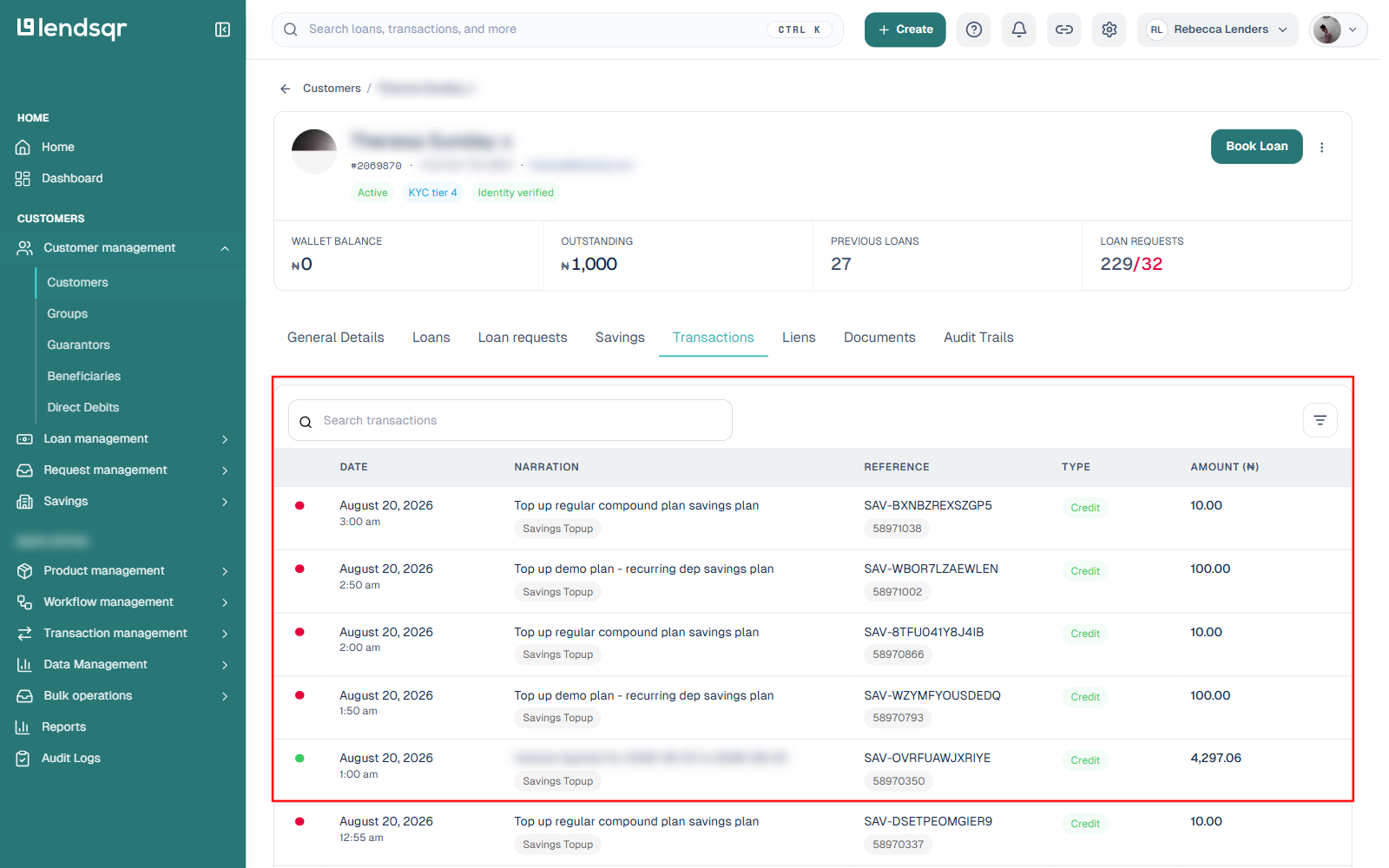
The Transactions tab displays a record of financial activity associated with the user: loan disbursements, repayments, savings top-ups, and other transaction types your platform processes. This tab only appears if the customer has at least one transaction on record.
From the user’s profile, click the Transactions tab.
Each row shows the date, a narration describing the activity, a reference, the type, and the amount.
Click any row to open that transaction’s own detail page.
Transaction information
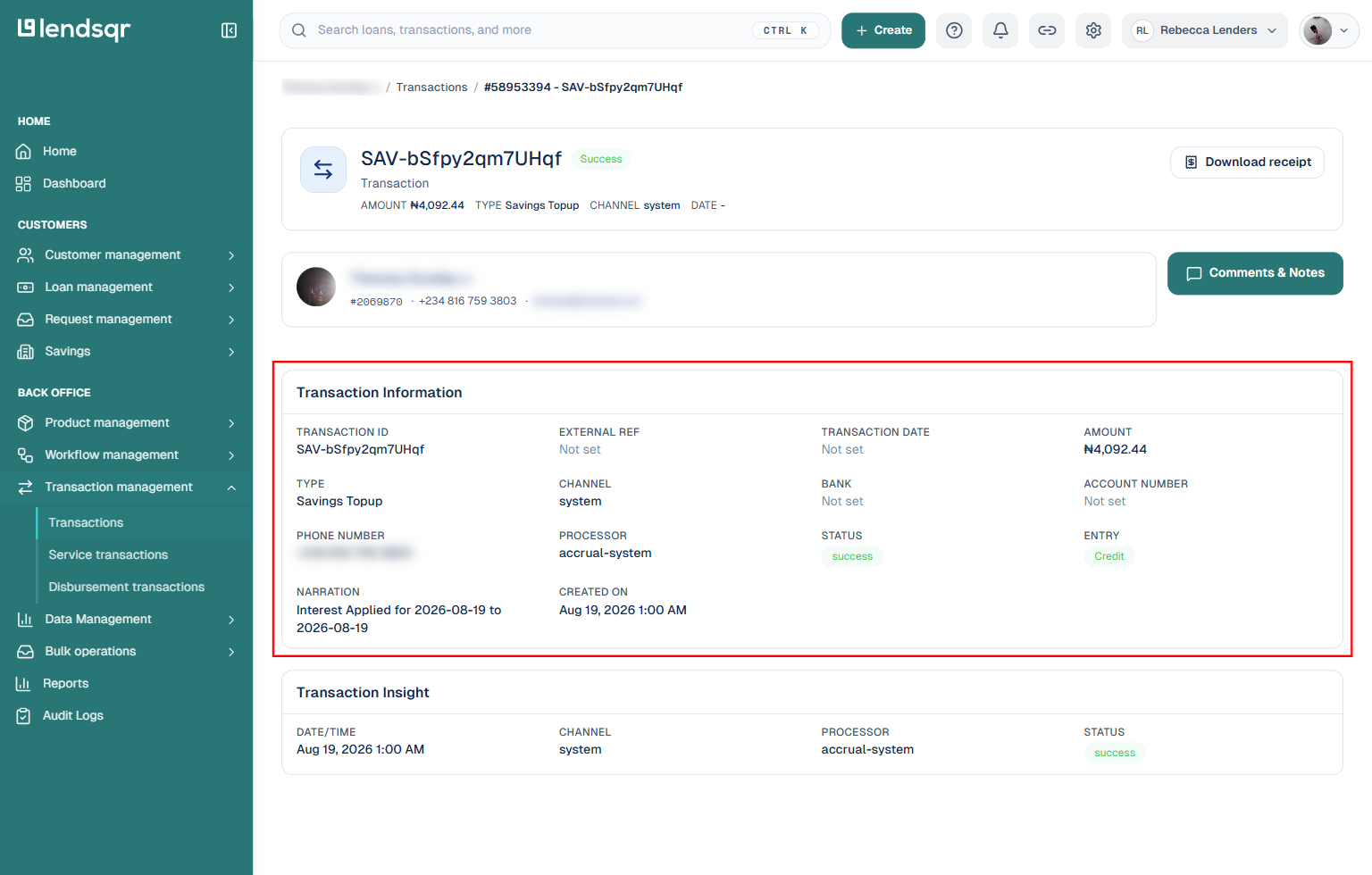
Opening a transaction takes you to its own page. The Transaction Information panel shows:
Transaction ID and External Ref, used when tracing a payment with a processor or bank
Amount and Type (such as Savings Topup, disbursement, or repayment)
Channel, Bank, Account Number, and Phone Number tied to where the money moved
Processor, the underlying system that handled the transaction
Status (such as success), plus a separate Entry field showing whether it was a credit or debit
Narration and Created On timestamp
A separate Transaction Insight panel repeats the date, channel, processor, and status for quick reference. A Download receipt button and a Comments & Notes option are also available from this page.
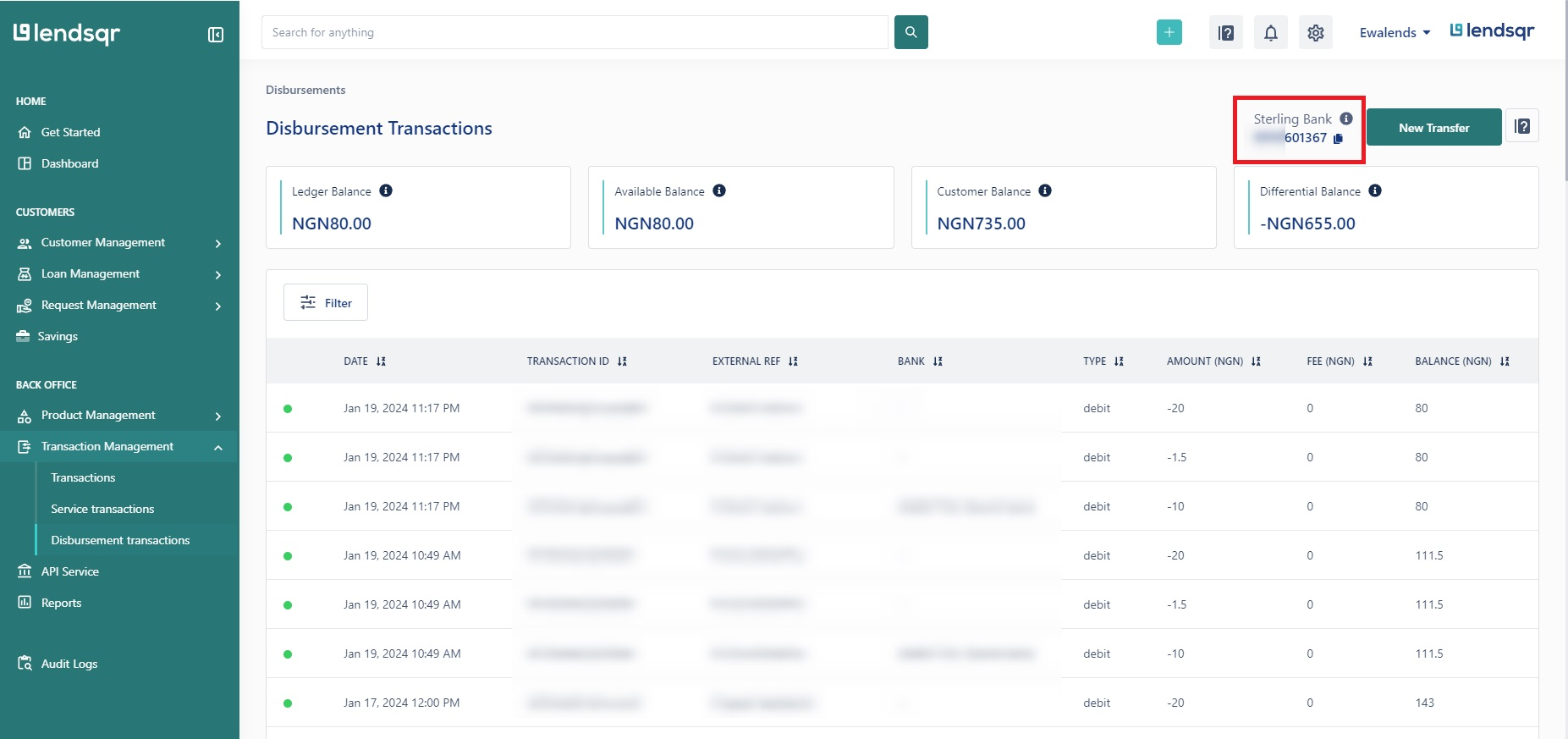
If you need to find a transaction and aren’t sure which customer it belongs to, Transaction management in the side navigation gives you a platform-wide view (Transactions, Service transactions, Disbursement transactions) instead of starting from a specific profile.
Viewing a user’s bank details
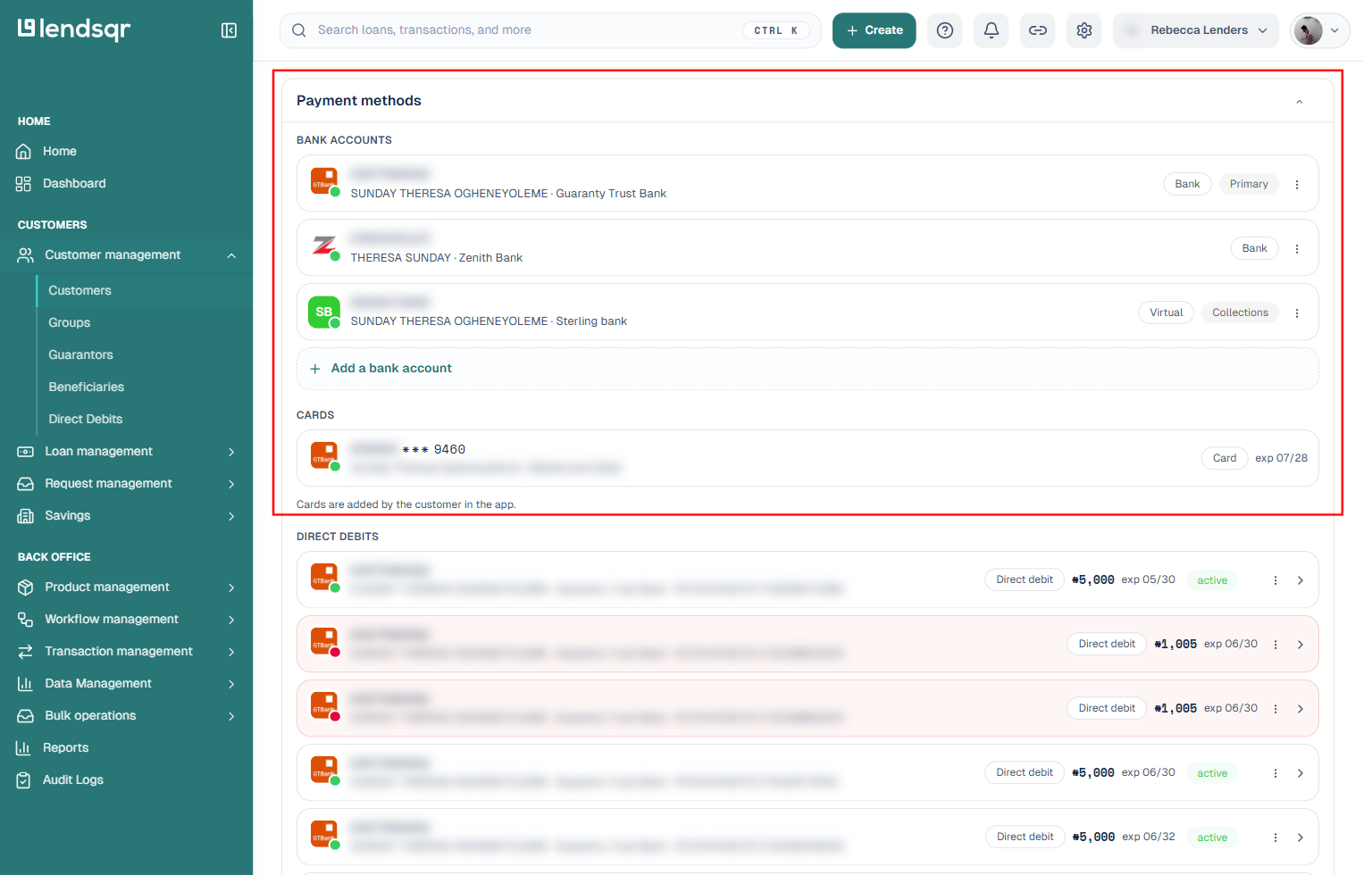
There is no separate “Bank Details” tab on the profile. A customer’s linked bank accounts, cards, and direct debit mandates live inside the General Details tab, under a Payment methods section.
From the user’s profile, open the General Details tab (this is the tab you land on by default).
Scroll to Payment methods.
This section shows, for each linked bank account: the account number, the account name as registered with the bank, and the bank name, along with whether it’s the customer’s primary account or a virtual account used for collections. Cards and any direct debit mandates tied to the customer appear in the same section.
Existing bank account details are read-only. You can’t edit or delete an account a customer has already linked. The only actions available on an existing account are setting up a direct debit against it, and separately, adding a new bank account to the profile. Cards are added by the customer from their own app, not from the admin console.
Availability
The Transactions tab and the Payment methods section are available to all lenders on Lendsqr regardless of the country they operate in.