Access your Back Office at your fingertips.
Download the app now on Google Play Store.
Scan the QR code
You can also scan QR code with your phone to download the app.
How to trigger debits on a mandate
Updated
On this page
Once a mandate is active, you can trigger a direct debit on it manually, outside the regular repayment schedule. This is useful for collecting a missed repayment, a one-off charge, or a manual recovery attempt without waiting for the next scheduled collection date. This guide walks you through the steps to trigger a debit using an existing mandate.
Because this action attempts a real charge against the customer’s account, confirm the amount and the mandate before proceeding. There is no way to reverse a successful debit from within this flow.
How to trigger a debit on a mandate
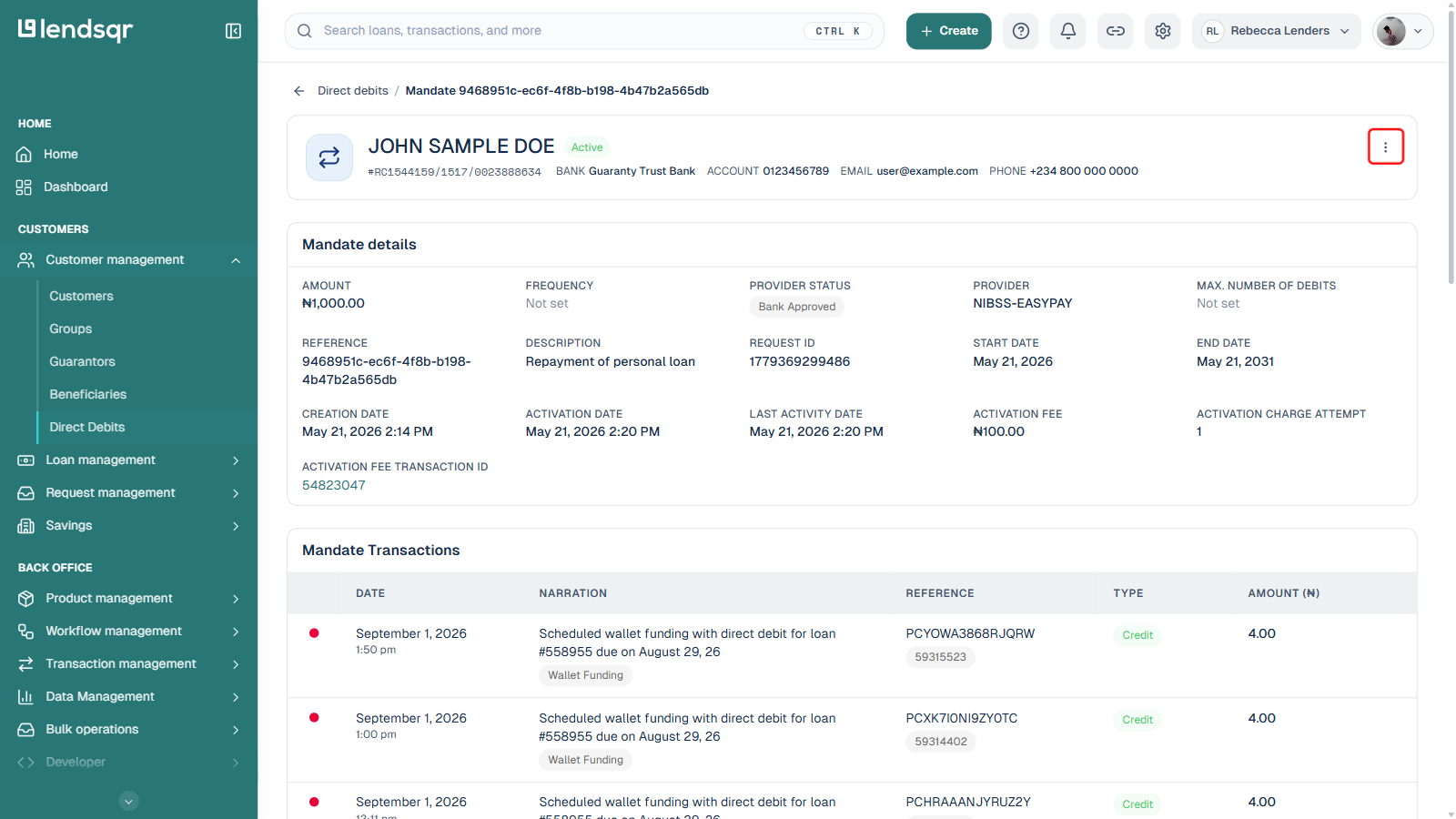
Open the mandate’s detail page. Click the ⋮ (Actions) icon at the top right.
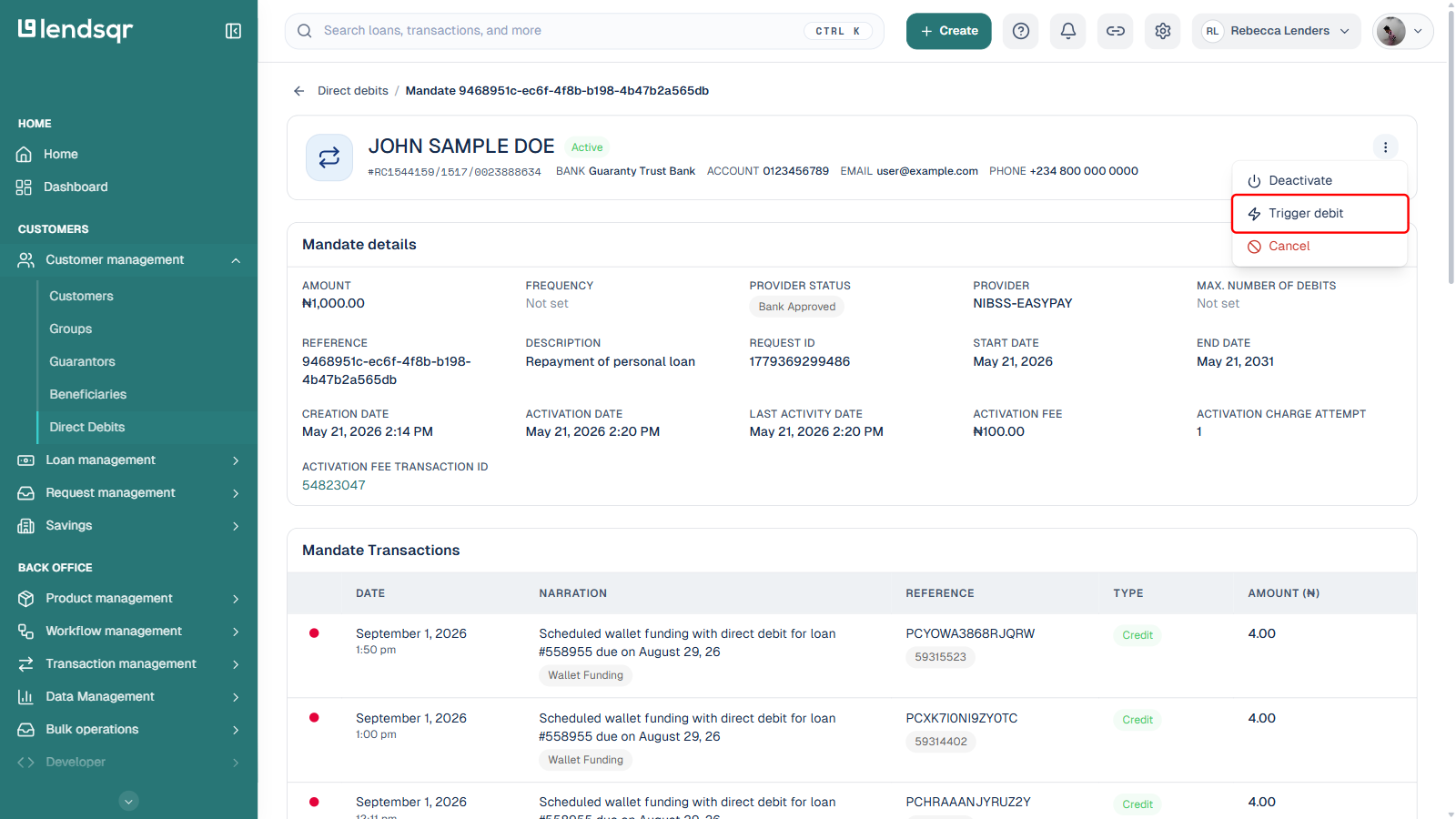
Select Trigger debit from the menu. A side panel titled “Trigger debit” opens.
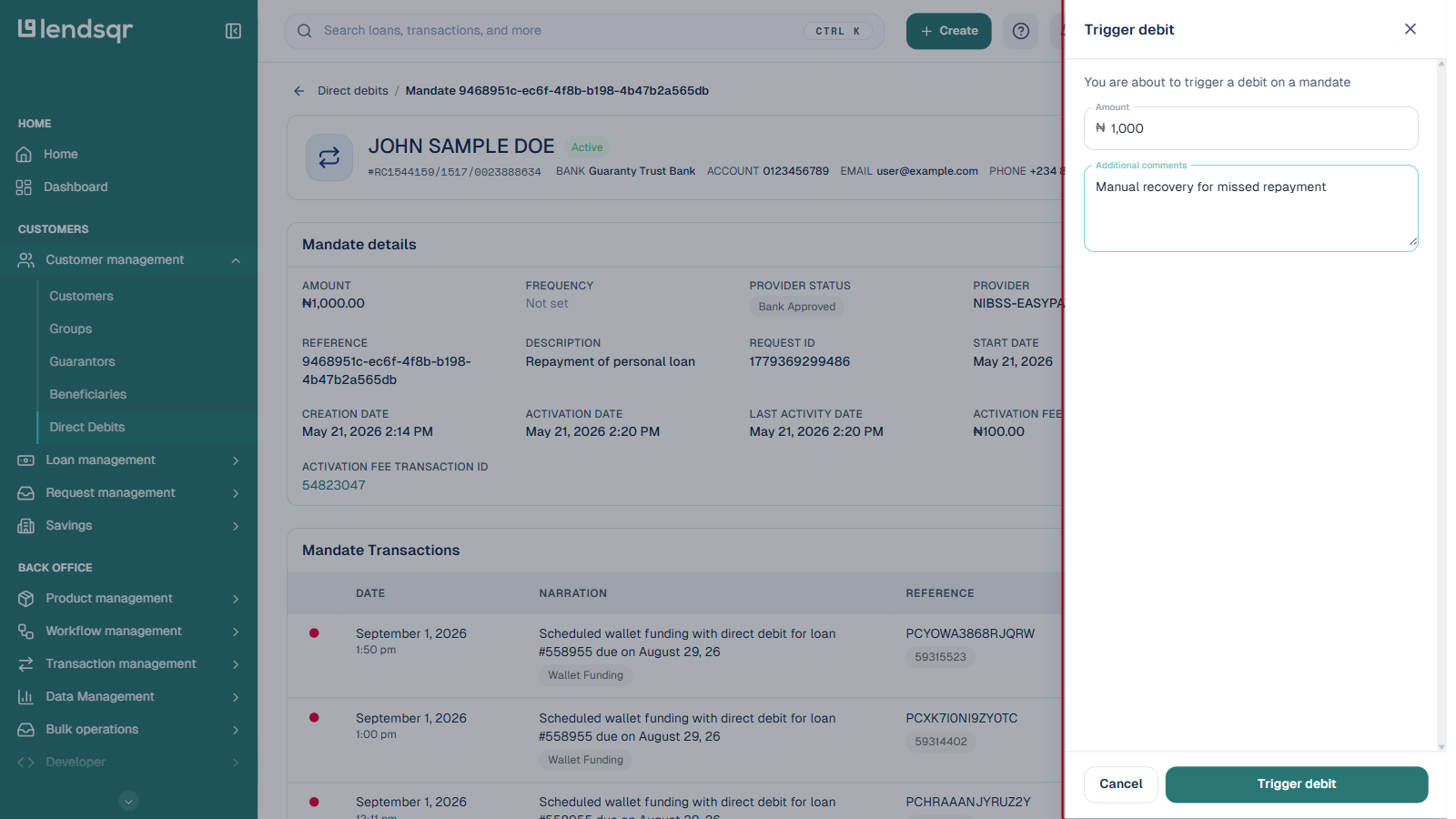
Enter the Amount to collect and, optionally, Additional comments describing why you are triggering this debit.
Review the amount and comments carefully, then click Trigger debit to submit the request.
The mandate’s transaction history updates with the result of the attempt. A successful debit appears as a credit transaction on the mandate; a failed attempt appears with a failure reason you can review.
If the debit fails, check the transaction’s failure reason before retrying. Common causes include insufficient funds in the borrower’s account or the bank declining the transaction. For more on interpreting these outcomes, see Understanding mandate statuses.