Access your Back Office at your fingertips.
Download the app now on Google Play Store.
Scan the QR code
You can also scan QR code with your phone to download the app.
How to configure post-disbursement fees on Lendsqr
Updated
On this page
What are post-disbursement fees?
Post-disbursement fees are charges that are applied to a loan after it has been disbursed, rather than deducted upfront from the loan amount. Instead of reducing what the borrower receives, these fees are added to the repayment schedule and collected over the life of the loan.
Lenders typically use post-disbursement fees in situations such as:
Management or service fees that are billed periodically rather than as a one-time deduction at disbursement. This is common in products where the lender provides ongoing account management or monitoring services and wants to bill for them transparently over time rather than taking a lump sum at the start.
Products where borrowers need to receive the full loan amount without any upfront deductions. In some lending contexts, particularly asset financing or salary advance products, the borrower needs the complete requested amount to fulfill a specific purpose. Deducting a fee at disbursement would leave them short.
Fee transparency requirements where regulators or internal policy requires fees to be visible as line items in the repayment schedule rather than quietly netted off. Post-disbursement fees make every charge visible and attributable, which supports compliance and builds borrower trust.
Example: A borrower takes a ₦500,000 loan with a ₦10,000 management fee configured as a post-disbursement fee. The borrower receives the full ₦500,000. The ₦10,000 fee is added to the repayment schedule as a separate line item, spread across installments or charged at a specific point in the schedule. Here is what a simplified repayment schedule might look like:
Installment
Principal
Interest
Management Fee
Total Due
Month 1
₦45,000
₦5,000
₦2,500
₦52,500
Month 2
₦45,000
₦4,500
₦2,500
₦52,000
Month 3
₦45,000
₦4,000
₦2,500
₦51,500
Month 4
₦45,000
₦3,500
₦2,500
₦51,000
How post-disbursement fees appear to borrowers
Once configured, post-disbursement fees are automatically added to the loan repayment schedule. Borrowers will see the fee as a distinct line item alongside their principal and interest repayments. Every time the fee is collected, a transaction record is created in Lendsqr, giving both the lender and the borrower a clear, auditable trail of all charges.
Prerequisites
Before you begin, note that two things must be in place for post-disbursement fees to work:
A Management Fee must be created and activated on the loan product
The Upfront Fee Payment attribute must be set to true in the Product Attributes tab
Both steps are covered in the configuration guide below.
Step-by-Step configuration
1. Login to the admin console
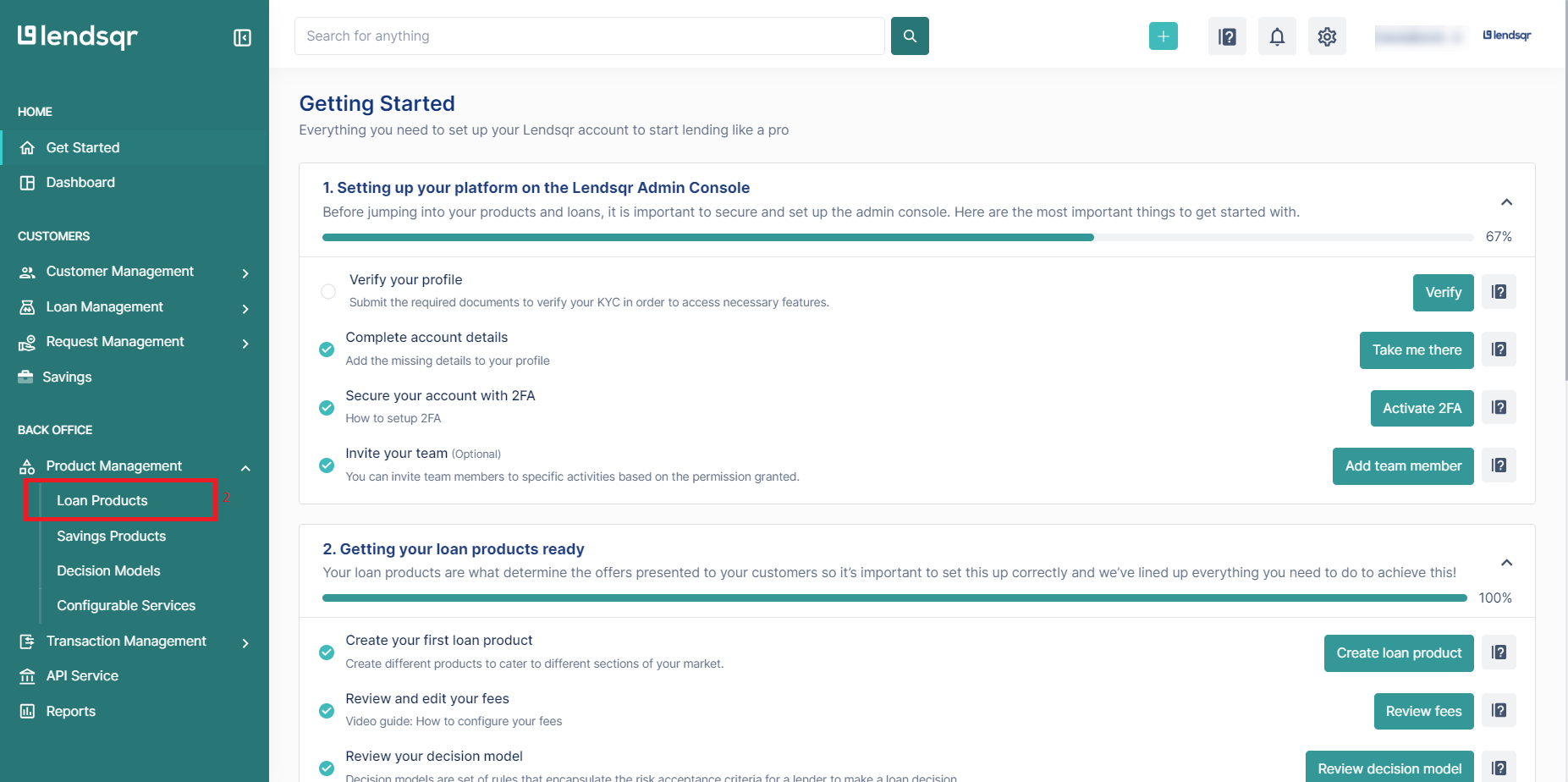
Sign in to your Lendsqr admin console. From the main dashboard, navigate to Product Management and select Loan Products.
2. Create or edit a loan product
To create a new loan product, click Create.
To update an existing product, click the more options button next to the product name and select Edit.
3. Create and activate a management fee
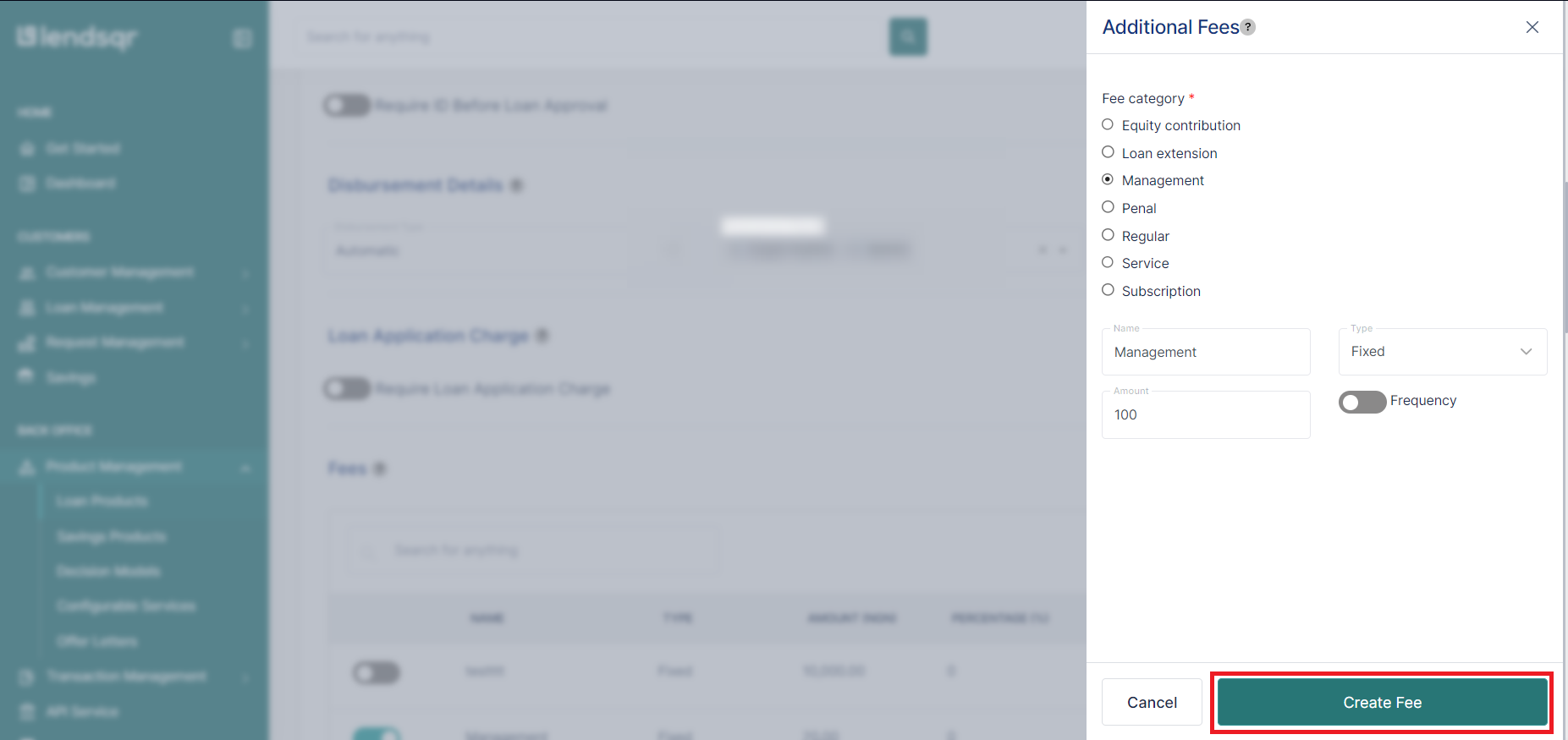
Scroll down to the Fees section of the loan product form and click Create New Fee. In the modal that opens, fill in the following fields:
Field
Description
Fee Type
Select Management from the dropdown. This is the fee type that enables post-disbursement collection.
Name
Enter a clear, descriptive label such as “Management Fee” or “Service Charge.” This name will appear in the borrower’s repayment schedule and transaction records, so keep it professional and self-explanatory.
Charge Type
Choose Percentage if the fee is calculated as a fraction of the loan amount, or Fixed Amount if it is a flat figure regardless of loan size.
Amount
Enter the fee value based on your selected charge type. For percentage, enter the number only (e.g., “2” for 2%). For fixed amount, enter the naira value without symbols or commas (e.g., “10000” for ₦10,000).
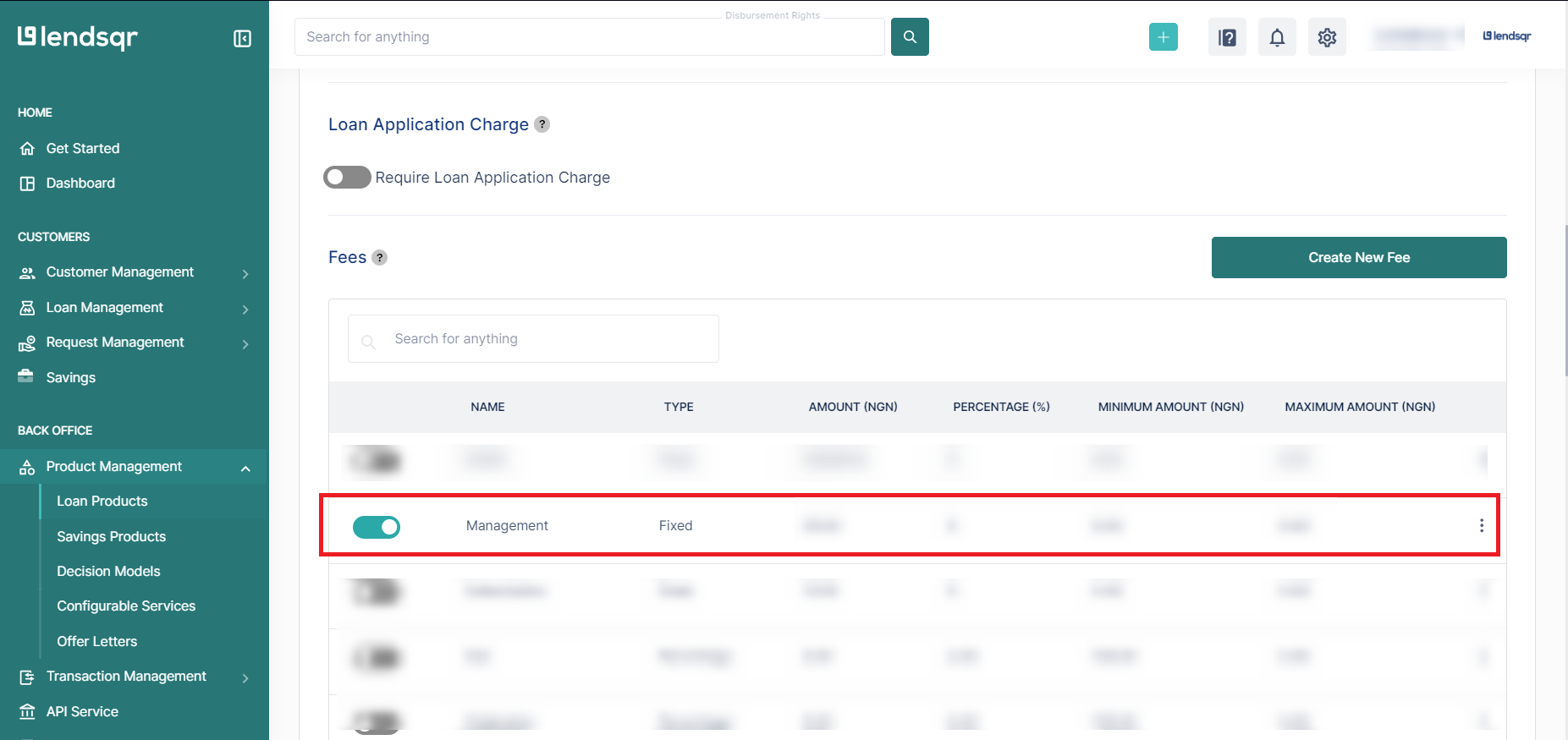
Click Create Fee to save. Once the fee appears in the Fees section, toggle the switch to activate it. A fee that is not activated will not be applied to loan applications.
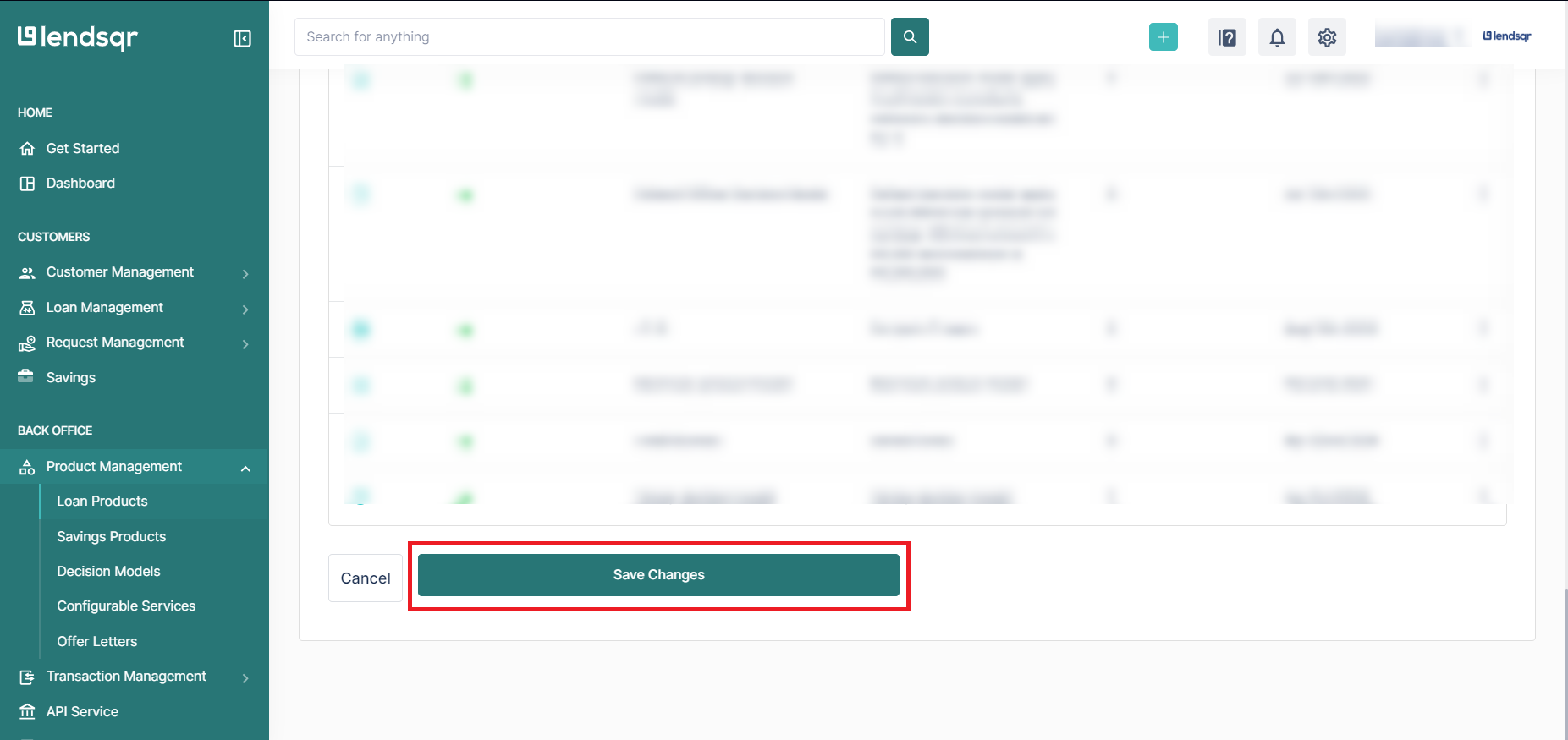
Click Save Changes to save your changes before proceeding.
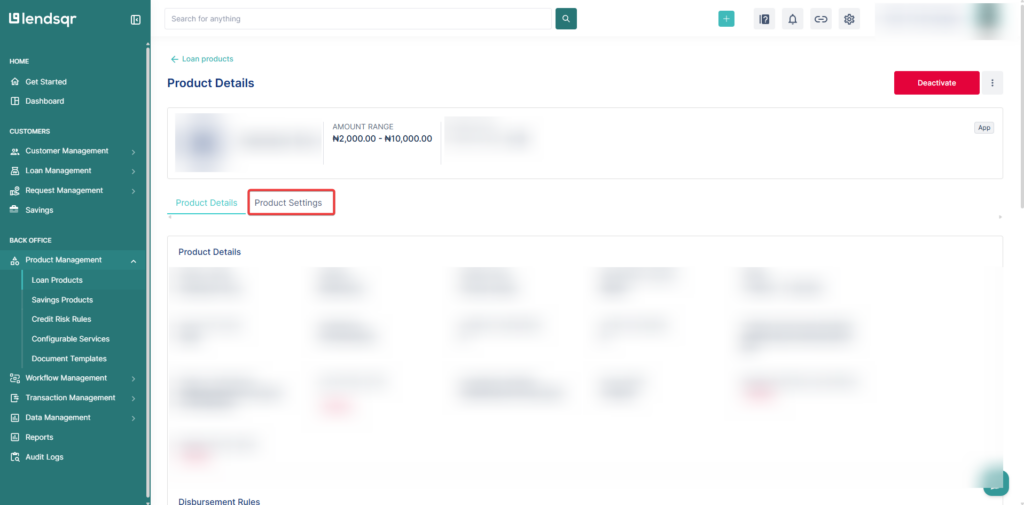
5. Open product settings tab
On the loan product page, click the Product Settings tab to manage the product’s configuration settings.
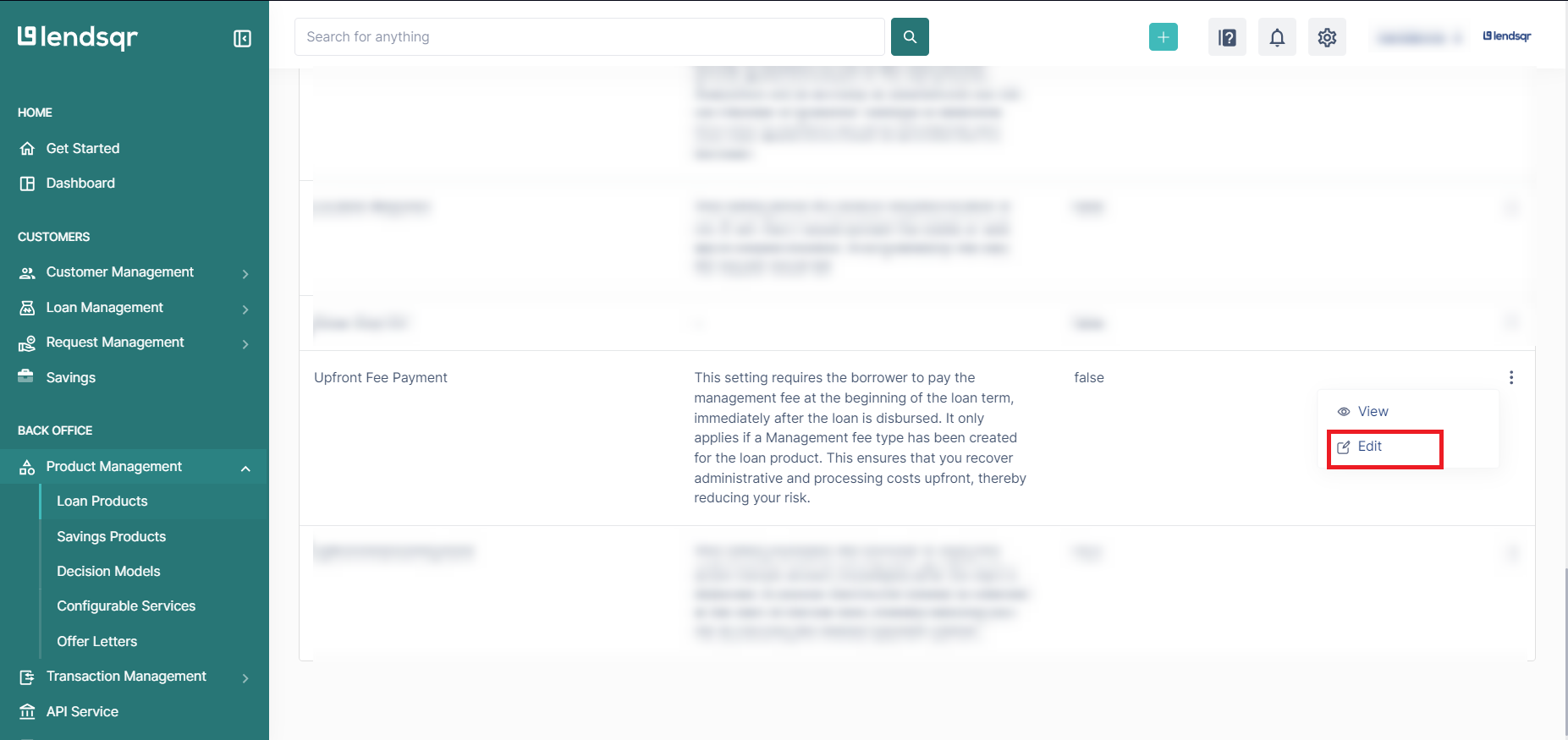
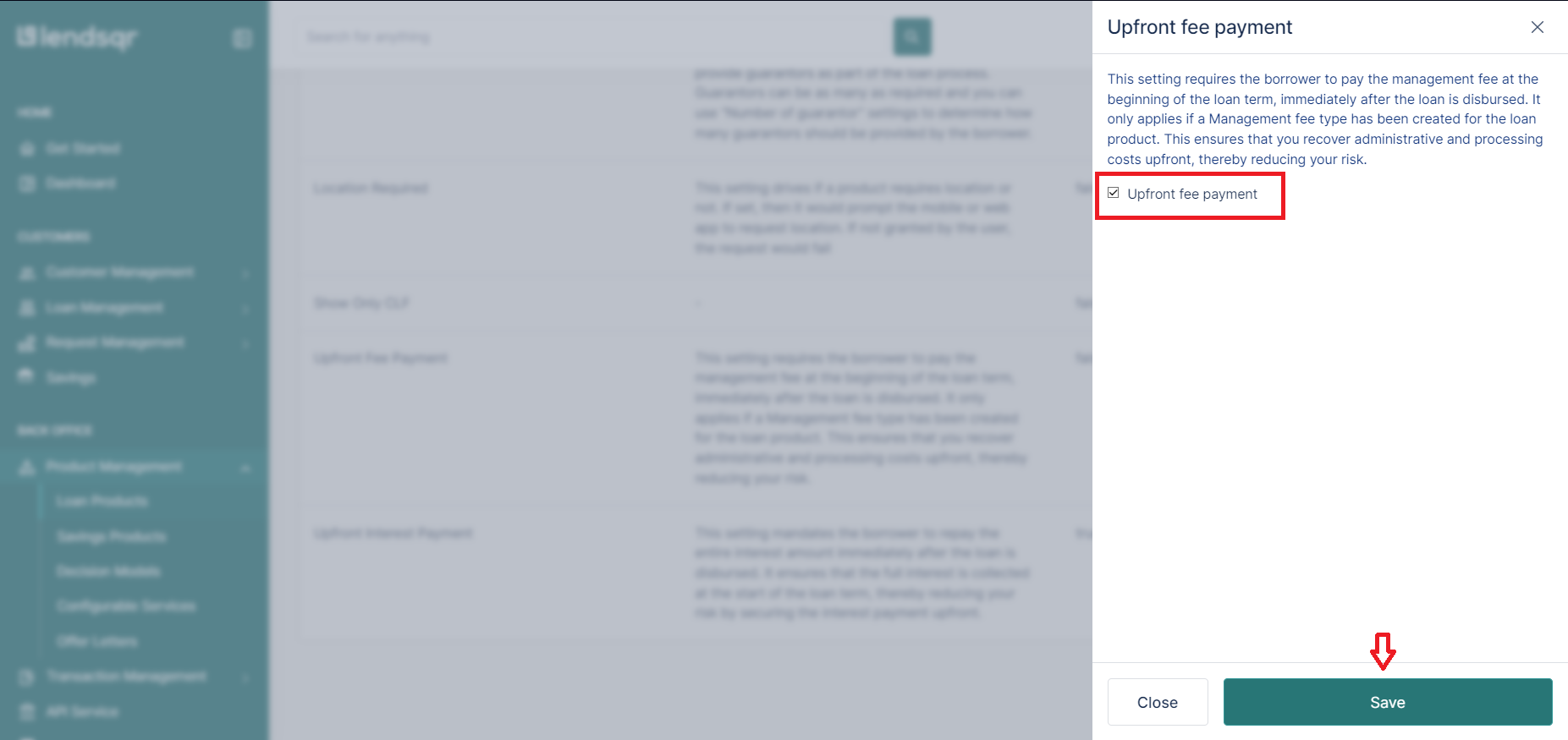
6. Enable the upfront fee payment setting
Locate the Upfront Fee Payment setting in the list. Click the more options button beside it and select Edit. Check the box to set the attribute to true, then click Save.
Note on naming: The setting is labelled “Upfront Fee Payment” in the console, but in the context of post-disbursement fees, enabling it means fees will be collected as part of the repayment schedule rather than deducted at disbursement. The label refers to the fee collection mechanism, not an upfront charge to the borrower.
What happens after configuration
Once the Management Fee is active and the Upfront Fee Payment setting is set to true, the post-disbursement fee will be reflected in the repayment schedule for any new loan applications under that product.
Borrowers will see the fee as a separate line item in their schedule, distinct from principal and interest. Each time the fee is collected, a transaction record is automatically created in Lendsqr. This gives both the lender and the borrower a complete, auditable history of all charges applied to the loan. Lenders can view these records from the loan details page, and borrowers receive visibility through their loan summary and repayment breakdown.
It is worth noting that this configuration only applies to new loan applications created after the changes are saved. Existing active loans will not be retroactively affected.
Watch this video to learn how to set up and manage post-disbursement fees