Access your Back Office at your fingertips.
Download the app now on Google Play Store.
Scan the QR code
You can also scan QR code with your phone to download the app.
How do I download user report or data from Lendsqr?
Updated
On this page
Lendsqr lets you easily download user report. This is ideal when you need to access or analyze your users information offline.
To download these data, kindly follow the steps below:
1. Log in to the “Lendsqr admin console“.
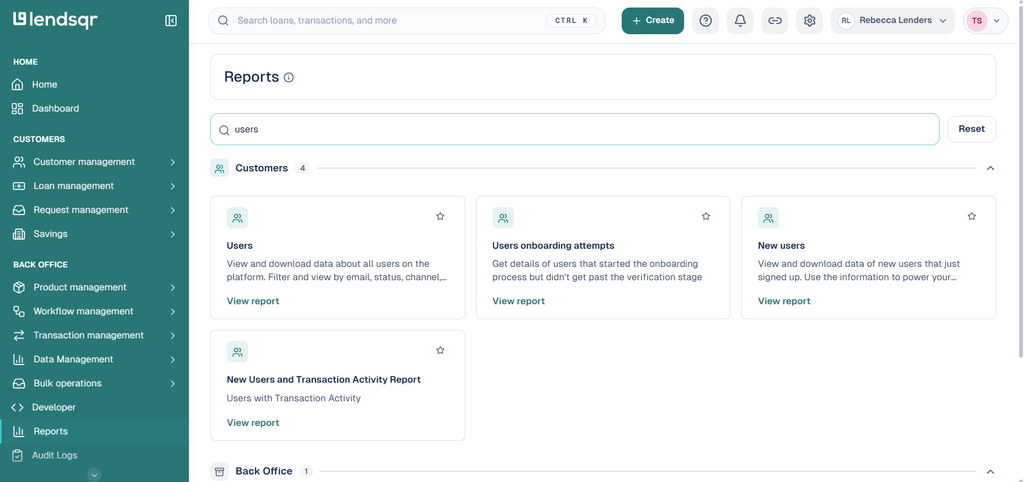
2. Click “Reports” in the left side menu. This opens the Reports hub, organized into categories: Dashboards, Customers, Loans, Transactions, Back Office, and Careers in credit. You can also use the search box at the top to find a report by name.
3. Open the “Customers” category and click “View report” on the “Users” card. This loads the “Platform users” report, which lists every user on your platform with filters for date range, phone number, and email.
4. Click “Download results” at the top right of the report to export the data.
Having gone through the steps above, you will be able to view and download your users’ data.