Access your Back Office at your fingertips.
Download the app now on Google Play Store.
Scan the QR code
You can also scan QR code with your phone to download the app.
How to customize your borrower web app in the Lendsqr admin console
Updated
On this page
Your borrower web app is often the first impression customers have of your lending business. A well-branded experience builds trust, feels professional, and can encourage more people to complete loan applications.
Lendsqr allows you to customize colors, text elements, and branding details directly from the admin console. These changes update the look and feel of the web app your borrowers see, helping you create a cohesive and trustworthy experience that matches your brand.
This guide explains why web app customization matters, when to do it, and how to customize your borrower web app step by step in Lendsqr.
It is important to note that web app customizations are not feasible for accounts on the Free Plan. They are exclusively available to lenders on the Starter plan and above.View our subscription plans
Why customize your borrower web app?
Customizing your web app helps lenders in several important ways:
Build trust by presenting a professional and consistent brand
Improve user experience, so borrowers feel more comfortable applying for loans
Increase conversion rates by making the application process more appealing
Stand out from competitors with a unique look and welcoming messaging
Reinforce your brand identity across every customer touchpoint
A salary advance lender, for example, might use strong corporate colors and clear welcome text to appear reliable and efficient. A microfinance focused on community support could choose warm colors and friendly messaging to feel approachable and trustworthy.
When should you customize your web app?
It is best to customize your borrower web app when:
Launching your lending platform for the first time
Rebranding your business or changing your visual identity
Targeting a specific customer segment with tailored messaging
Upgrading from a basic setup to a more professional appearance
Making these changes early creates a strong first impression and saves time later when your borrower numbers grow.
How to customize your borrower web app in Lendsqr
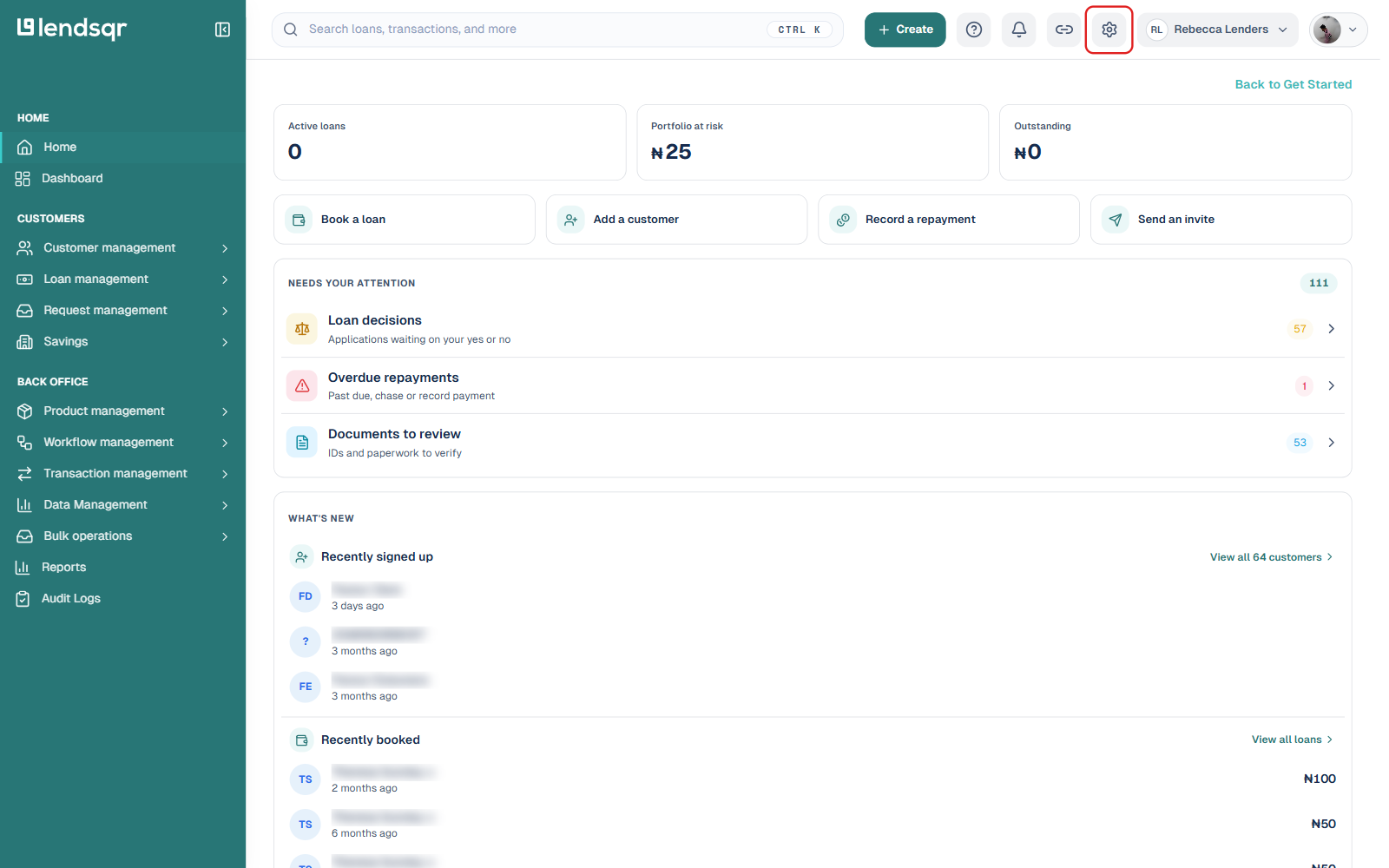
Log in to your Lendsqr lender admin console. Click the Settings icon (gear icon) in the top navigation bar.
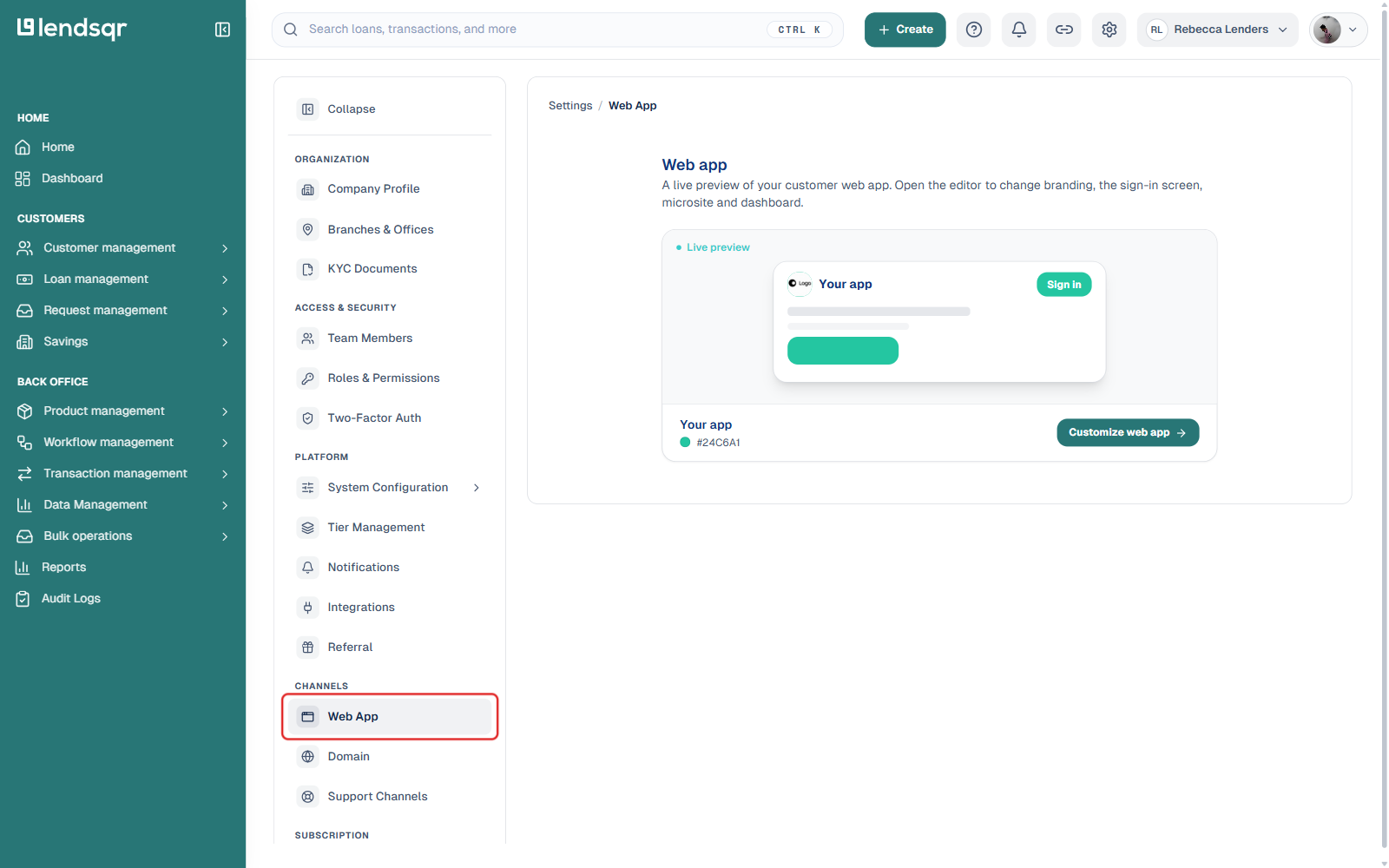
In the settings sidebar, scroll to the CHANNELS section and click Web App. This opens a live preview of your customer-facing web app along with a Customize web app button.
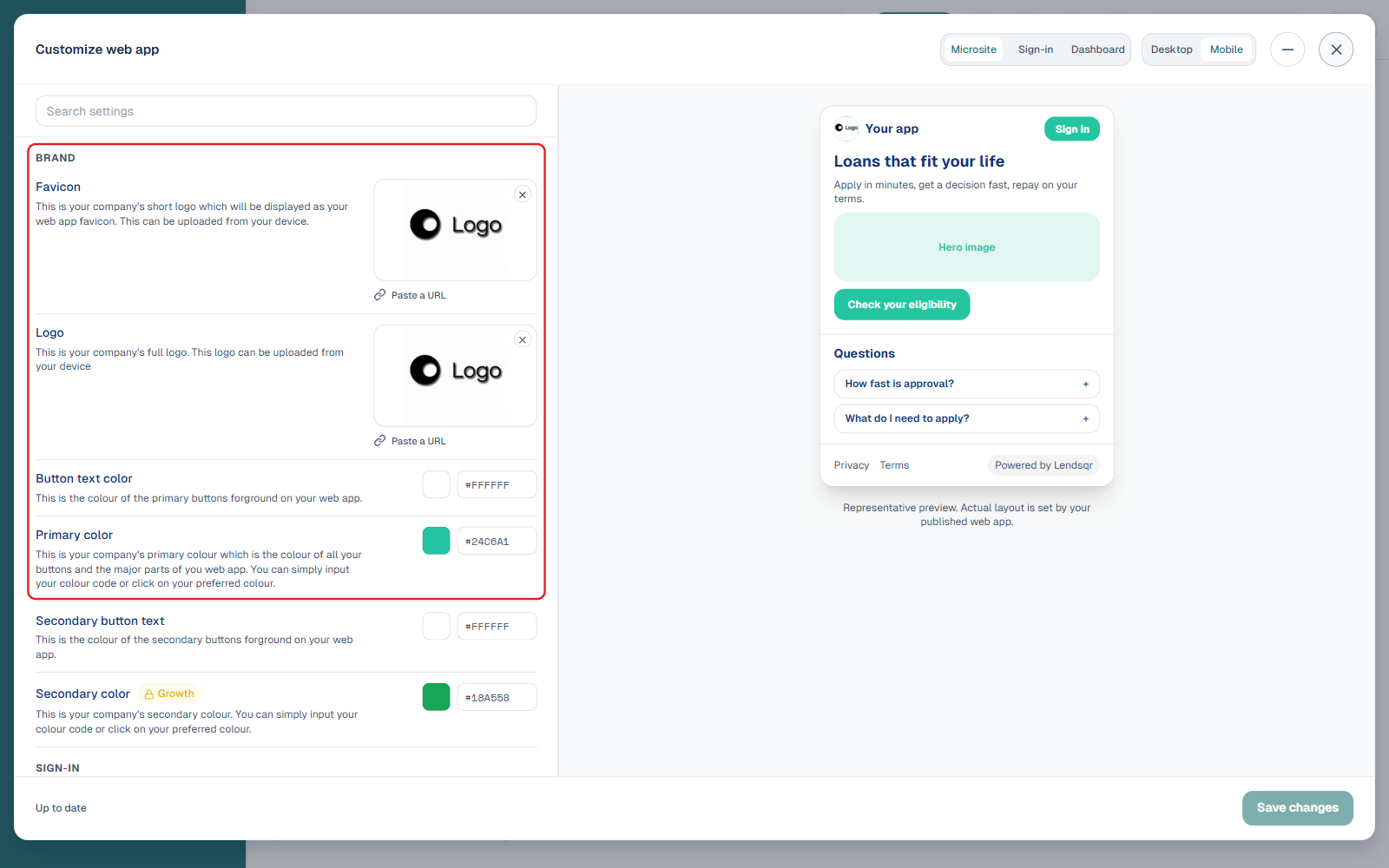
Click Customize web app to open the editor. Settings are grouped into four tabs: Brand (favicon, logo, button and primary/secondary colours), Sign-in (background image, banner title and text), Microsite (app store links, FAQ, home cards and menu, hero and sub-hero images, the “Powered by” badge), and Advanced (active-state button colours, light primary/secondary colours). A live preview on the right updates as you edit, and you can switch it between Microsite/Sign-in/Dashboard views and Desktop/Mobile device sizes.
Adjust the available settings as needed, referring to the live preview to check how each change looks.
Click Save changes in the bottom right of the editor to apply your changes. The status label next to it reads “Up to date” once there is nothing new to save.
The updates will appear on your borrower web app shortly after saving.
Available color and text settings
You can customize the following elements:
Active button: The color of buttons when they are clickable
Light primary colour and light secondary colour: Softer background tones
Primary colour and secondary colour: Main brand colours used throughout the app
Welcome text: The greeting message borrowers see when they first visit
Banner title and banner body: Headline and description shown on the main banner
Referral card title and referral card subtitle: Text displayed on the referral section
These settings let you match the web app to your company logo, colors, and tone of voice.
What happens after customization
Once you save your changes, borrowers will see the updated colors, text, and branding the next time they visit your web app. The admin console gives you full control without needing technical skills or external designers.
This makes it easy to maintain a consistent and professional borrower experience as your lending business grows.
What this enables in your lending operations
With web app customization in the Lendsqr admin console, you can quickly create a branded, professional experience for your borrowers. This helps you build trust, improve conversion, and stand out while keeping everything easy to manage in one secure place.
Many lenders use this feature to turn their web app into a true extension of their brand.
Next steps
Review and update your customization whenever you refresh your branding or marketing strategy.
Experiment with different color combinations and text options to find what best represents your brand.
Preview the changes on the borrower web app before making them live for all users.