Access your Back Office at your fingertips.
Download the app now on Google Play Store.
Scan the QR code
You can also scan QR code with your phone to download the app.
Why can’t my users use verve cards?
Updated
On this page
By default, verve cards are not accepted due to frequent re-authorization issues that disrupt automatic repayments.
However, if your organization determines that a significant percentage of your customer base utilizes this type of card, you have the option to activate it.
This guide will walk you through the necessary steps to enable this feature:
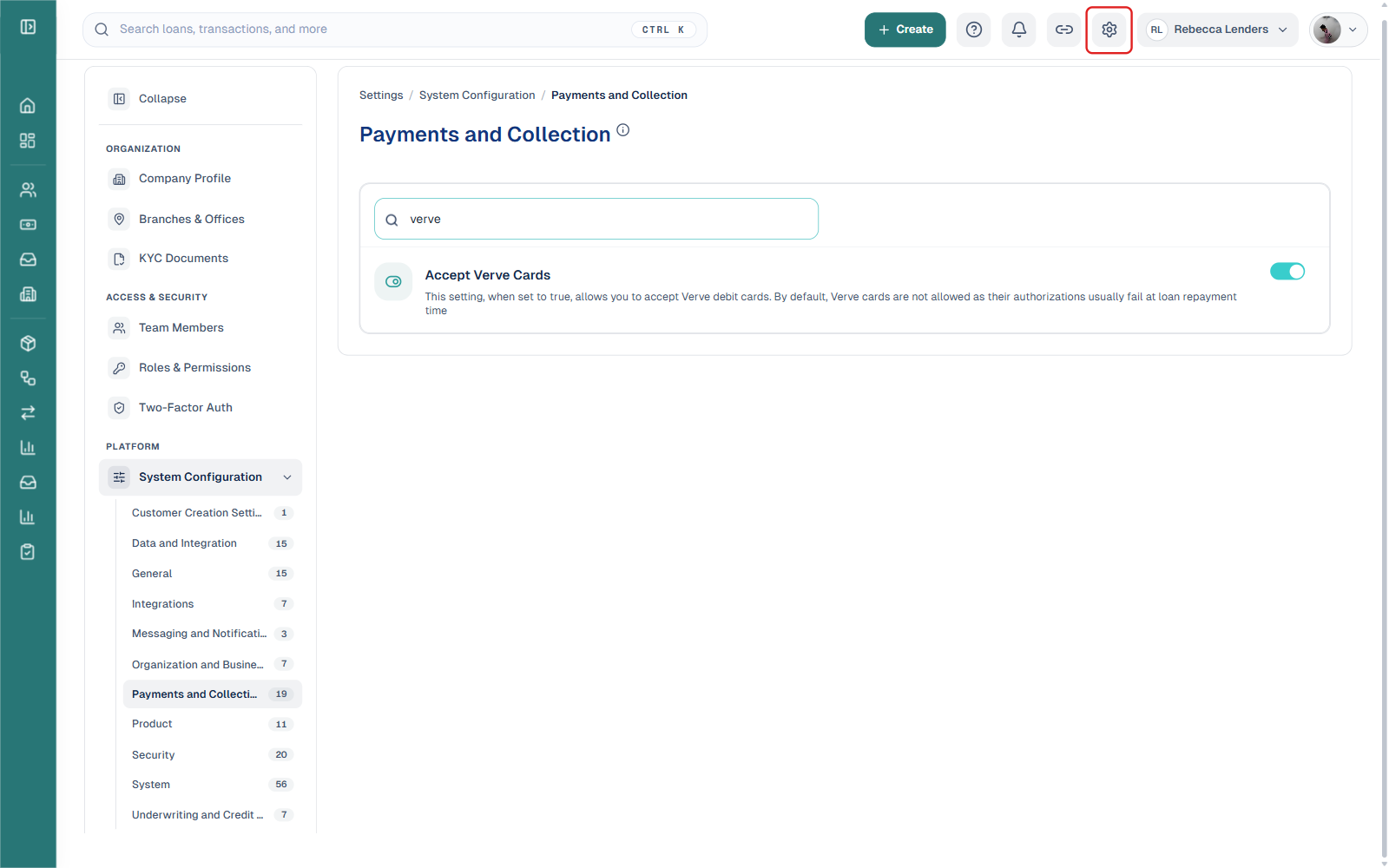
1. Click the “Gear” icon at the top right corner of your dashboard.
2. In the settings sidebar, click “System Configuration” under the PLATFORM section to expand its categories, then select “Payments and Collection“.
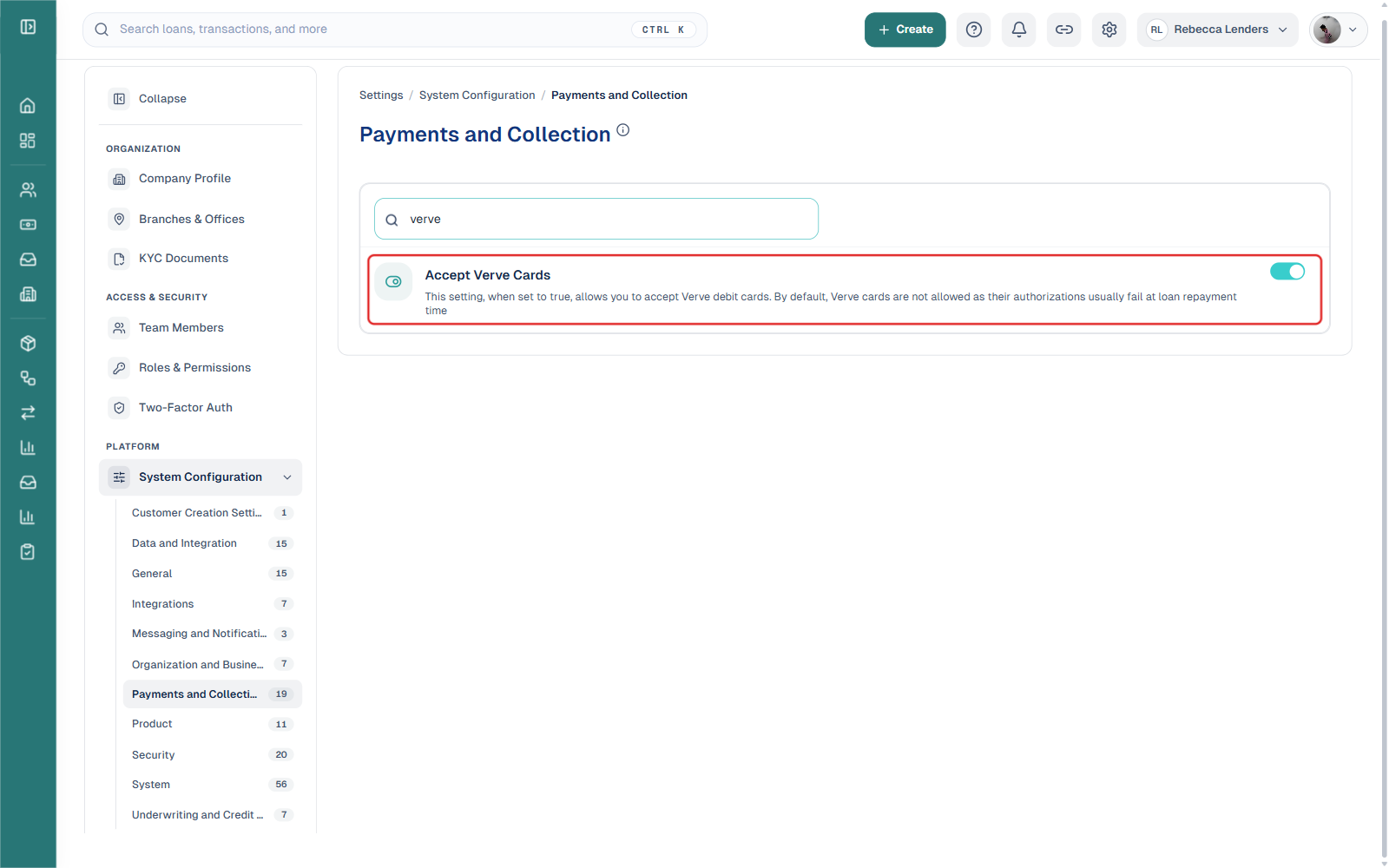
3. Use the search box to filter for “verve“, then click the toggle next to “Accept Verve Cards” to switch it on. The change is saved immediately, there is no separate save or update step.