Access your Back Office at your fingertips.
Download the app now on Google Play Store.
Scan the QR code
You can also scan QR code with your phone to download the app.
Creating a single prequalified borrower entry
Updated
On this page
The Prequalified borrower feature allows admins to grant selected users access to special loan terms that may not be available to the general public. This is especially useful when you want to offer promotional loan products, fast-track certain users, or maintain trusted borrower groups. In some lending operations, not all customers follow the same loan journey. There are situations where certain borrowers like employees of a partner company, loyal repeat borrowers, or individuals vetted through alternative channels, should receive more favorable loan terms.
For example, imagine you’re launching a new salary-backed loan product exclusive to employees of a large corporate partner. Instead of making the product publicly available, you prequalify their verified staff using their BVNs. You can then offer them a lower interest rate, longer tenors, and zero transaction fees. This ensures that only the intended group receives these benefits, while you retain full control over eligibility through the admin console.
How to create a prequalified borrower entry
To create a prequalified borrower entry:
Log in to the Lendsqr admin console.
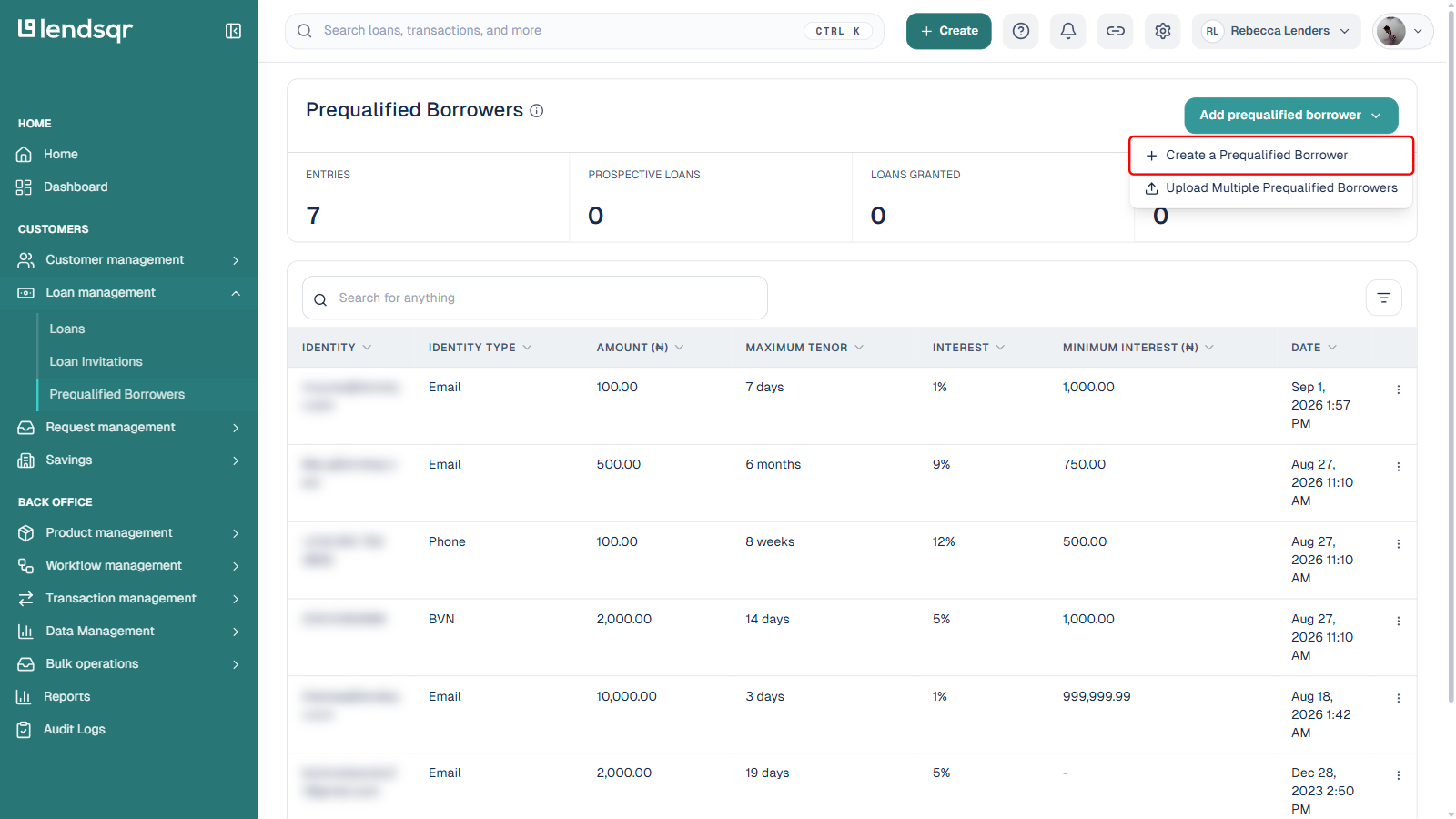
On the left navigation, expand Loan management and select Prequalified Borrowers.
Click the Add prequalified borrower dropdown at the top right of the page, then select Create a Prequalified Borrower.
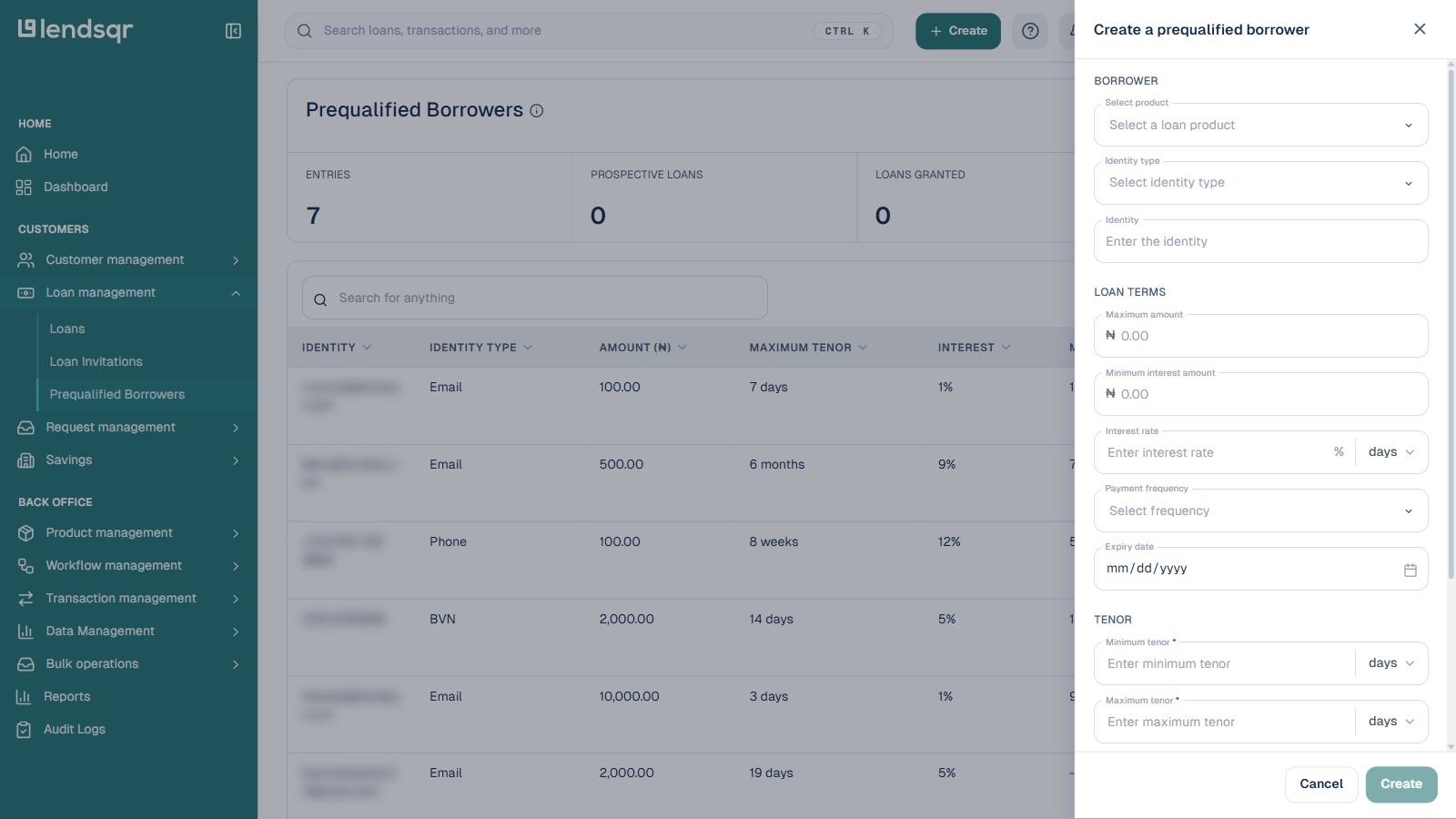
This opens a Create a prequalified borrower side panel, divided into four sections.
In the Borrower section, select the loan product this entry applies to, choose an Identity type (such as Email, Phone, or BVN), and enter the matching identity value for the borrower.
In the Loan terms section, set the customized terms for this borrower:
Maximum amount: the highest loan amount the user can access under these terms.
Minimum interest amount: the lowest interest charge applicable, regardless of the calculated value.
Interest rate and its period (for example, daily or monthly).
Payment frequency for repayments.
Expiry date: how long this entry remains valid. After this date, the user no longer has access to the customized terms unless re-prequalified.
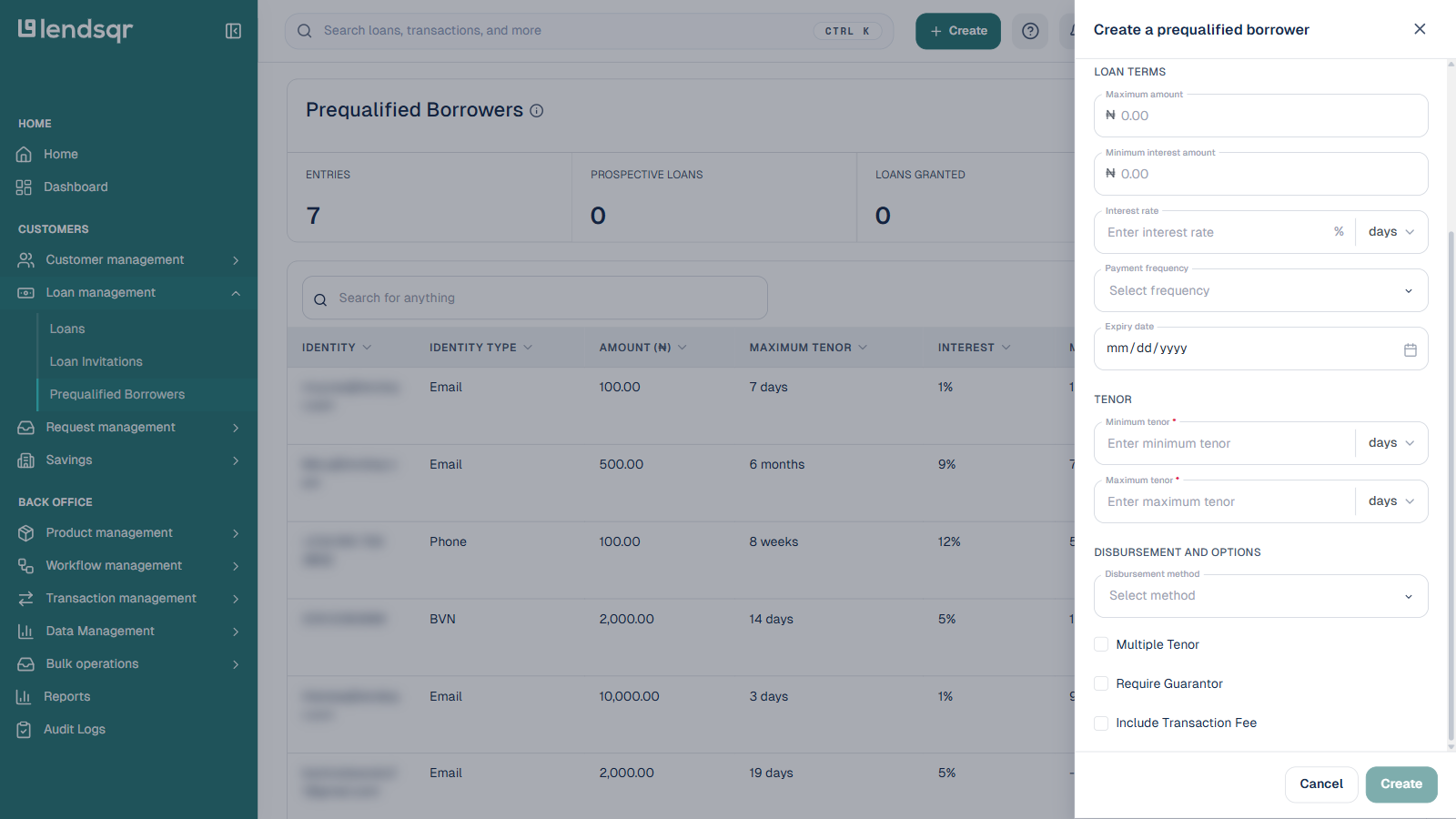
In the Tenor section, set the minimum and maximum tenor allowed for this borrower.
In the Disbursement and options section, choose a disbursement method and toggle on any of the following that apply: Multiple Tenor (offer more flexibility in repayment durations), Require Guarantor (enforce extra security for this borrower), or Include Transaction Fee (apply a fee to this product).
Once all details are filled in, click Create at the bottom of the panel to save the entry.