Access your Back Office at your fingertips.
Download the app now on Google Play Store.
Scan the QR code
You can also scan QR code with your phone to download the app.
Introduction to manual loan scoring for underwriting
Updated
On this page
Introduction
Manual Loan Scoring allows lenders to introduce human underwriting into the loan decision process using configurable scoring forms and credit risk rules.
Instead of relying entirely on automated application data, authorized officers can manually assess a loan request, provide additional underwriting information, and trigger scoring based on internal credit rules.
This feature is configured at the loan product level and works together with your existing credit risk and offer generation setup.
Cases where underwriters need to provide additional context before offer generation
Configuring Manual Loan Scoring
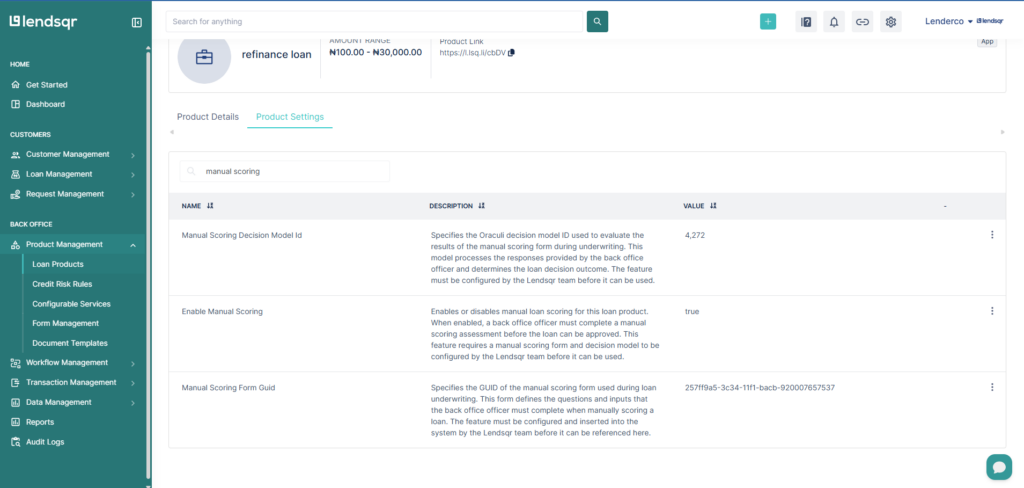
Manual loan scoring is configured under the loan product settings.
To configure it:
Navigate to Product Management
Open the preferred loan product
Go to Product Settings
The following settings are available for configuration
Setting
Description
Manual Loan Scoring Form
Allows you to select the preconfigured form that underwriters will complete during scoring. The dropdown displays all previously created forms available for scoring. To create a form, refer to the Forms Management guide.
Enable Manual Loan Scoring
Checkbox used to enable or disable manual scoring for the product. When enabled, underwriters can manually score loan requests for the product.
Credit risk rule to Perform Scoring
Allows you to select the credit risk rule or credit risk rule that will process the submitted scoring data. Available options are fetched from your configured credit risk rules.
Important Configuration Requirement
To ensure scoring works correctly, all field IDs used within the scoring form must be referenced inside the credit risk rule logic using:
attributes.id
Each field should use the correct attribute reference expected by the scoring engine.
Example:
If a scoring form field has an ID of:
monthly_income
The credit risk rule should reference:
attributes.monthly_income
This ensures the submitted form data is properly passed into the scoring logic.
How to score a loan after configuration
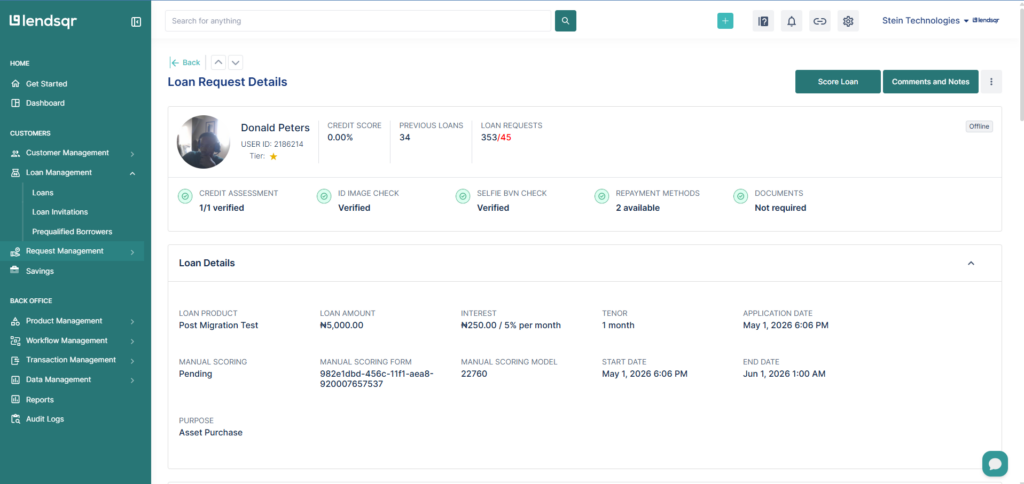
Once a customer applies for this loan, it is visible on the Loan requests module. To score the loan, kindly follow the steps below:
Navigate to the specific Loan request
Click on Score
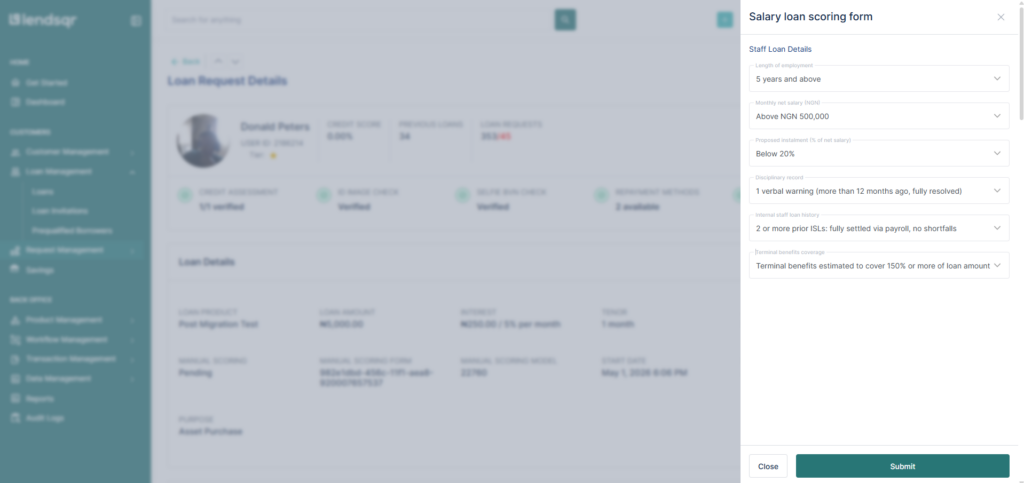
Complete the form required for scoring and Submit
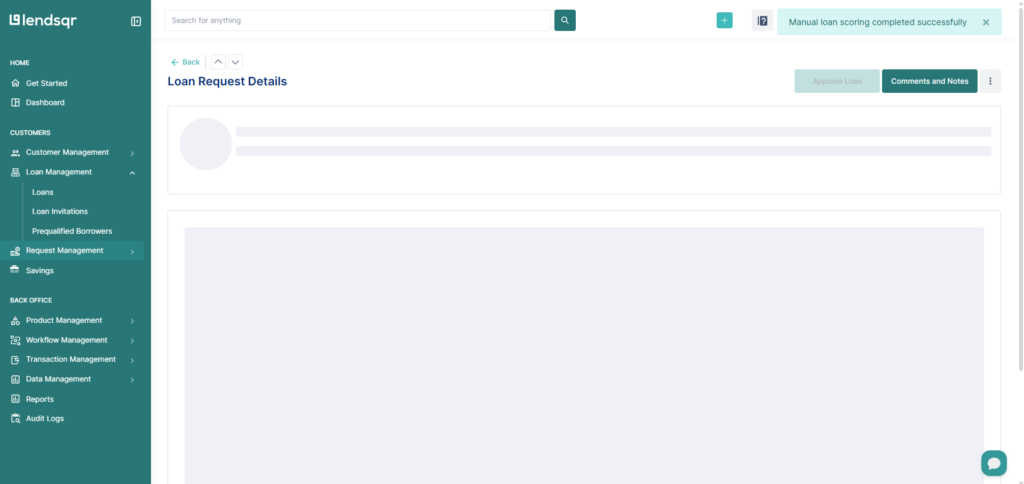
You should see a message that the loan has been successfully scored.
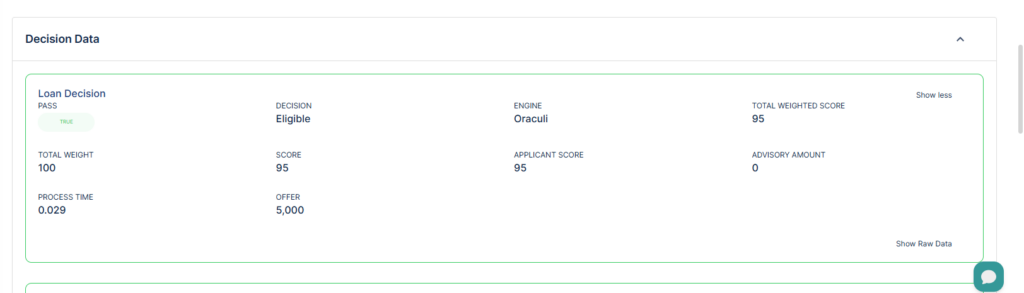
Scroll down to the decision data section to see the new update