Access your Back Office at your fingertips.
Download the app now on Google Play Store.
Scan the QR code
You can also scan QR code with your phone to download the app.
How to view failed loan requests in Lendsqr
Updated
On this page
As a lender, understanding the reasons behind failed loan requests from users can be particularly time-consuming, especially when dealing with large volumes of diverse user profiles. Lendsqr has streamlined this process to make loan request analysis more efficient and insightful.
Lendsqr provides functionality that enables you to quickly assess all unsuccessful loan applications, offering valuable insights into why users aren’t meeting necessary criteria for loan approval.
Improved lending models
Analyzing failed requests facilitates more informed decision-making by highlighting areas in your credit risk rule that may require review and optimization.
Enhanced risk assessment
Understanding rejection patterns helps lenders refine their risk assessment criteria and improve overall loan approval processes.
How to view failed loan requests
You can view all failed loan requests on the admin console by following the steps below:
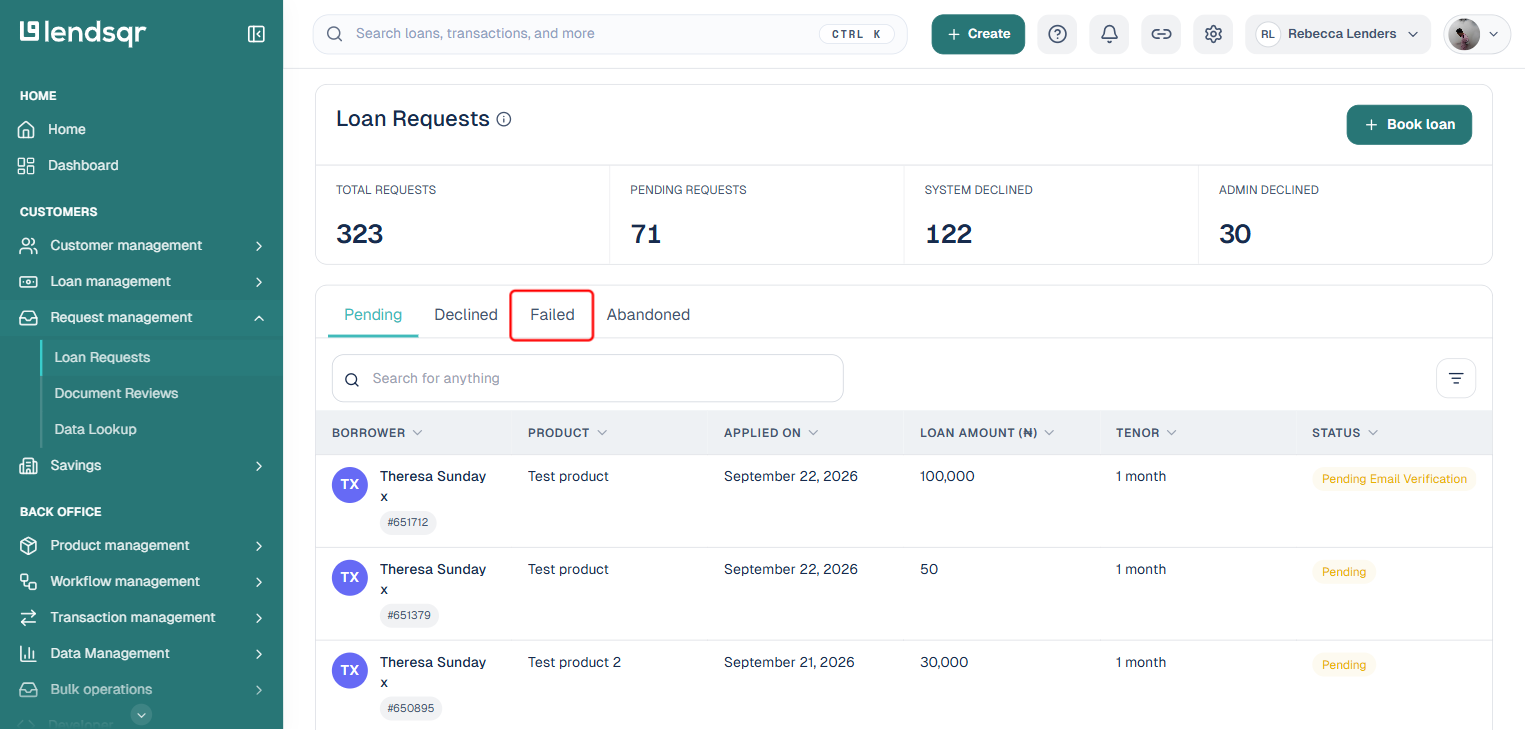
Navigate to the “Loan requests” tab under the Request Management section.
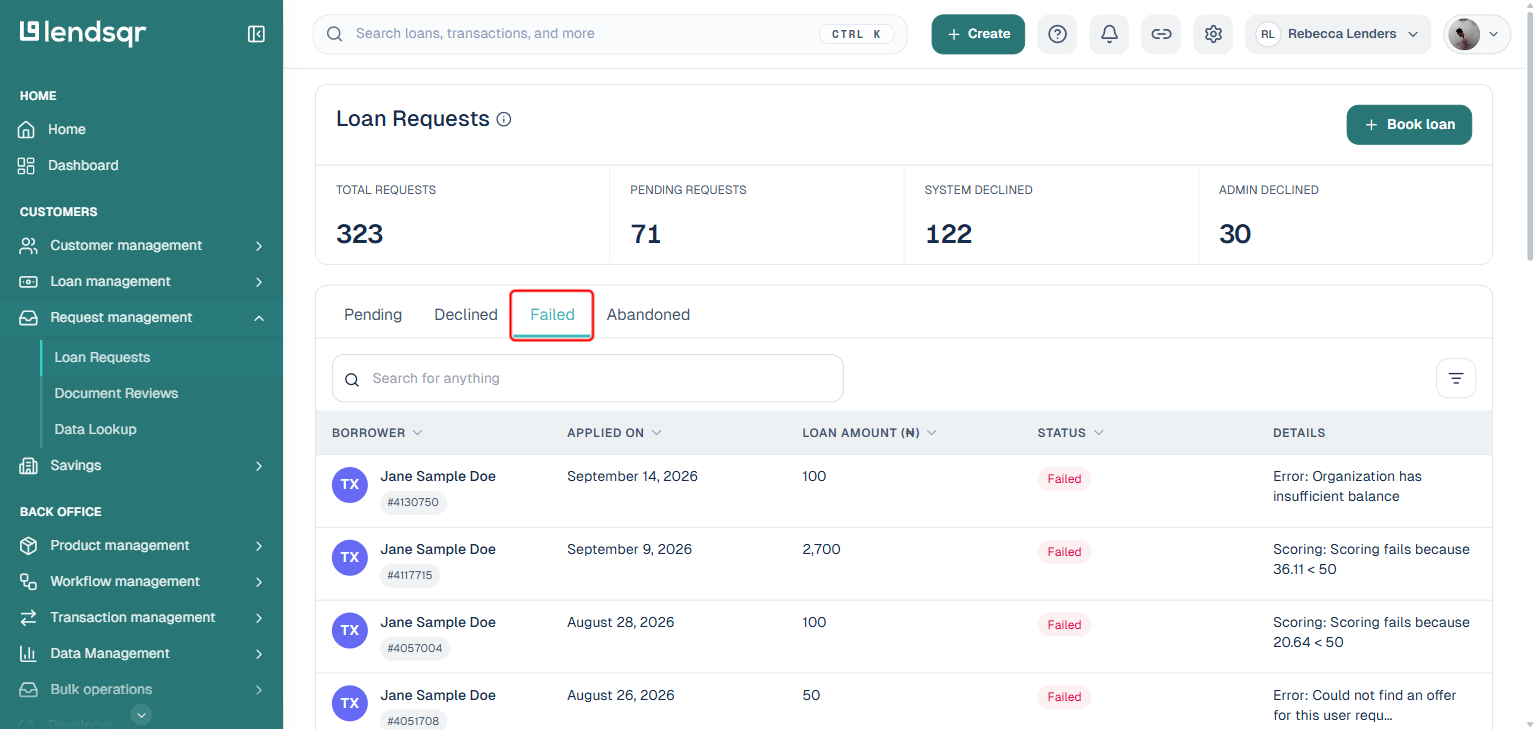
Click the “Failed” tab, alongside Pending, Declined, and Abandoned.
This shows every failed loan request, each with a “Details” column stating the specific reason it failed, for example a scoring threshold that wasn’t met, or an organization balance error, so you often don’t need to open a request at all to understand what went wrong.
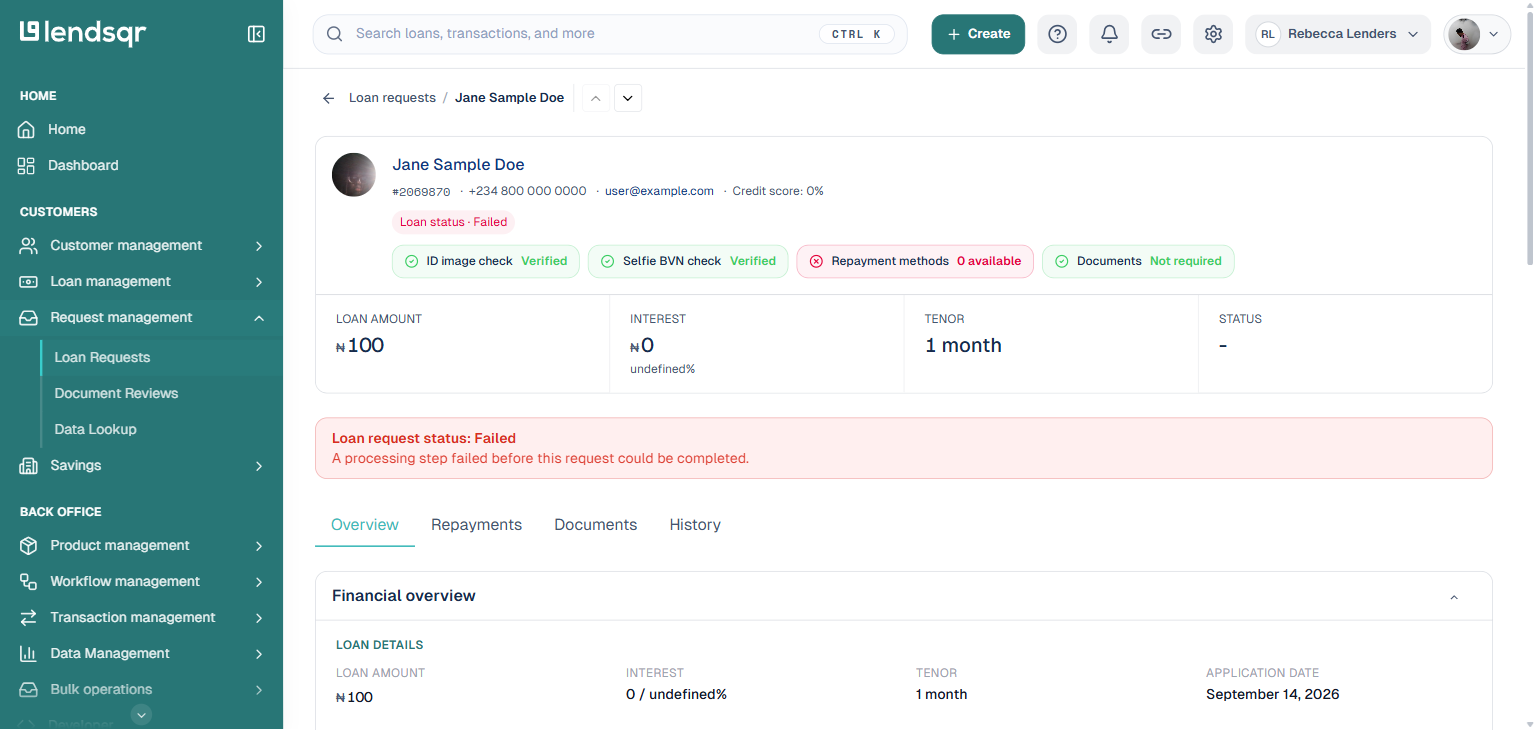
Click a failed loan request for the full picture: its “Loan request status: Failed” banner repeats the failure reason, and the rest of the page shows the borrower’s details and the loan’s Overview, Repayments, Documents, and History tabs.
Benefits of monitoring failed requests
Regular review of unsuccessful applications helps identify trends, improve approval rates, and optimize your lending criteria for better business outcomes.
Transform your loan approval process today by leveraging Lendsqr’s failed request analysis tools for smarter lending decisions.