Access your Back Office at your fingertips.
Download the app now on Google Play Store.
Scan the QR code
You can also scan QR code with your phone to download the app.
Setting up a Webhook URL and Callback URL
Updated
On this page
Webhook URLs are HTTP addresses used by one system to automatically send information to another system when a specific event occurs. They allow you to be instantly notified whenever certain events take place, without needing to manually check for updates.
Callback URLs are addresses provided by your system to another service. When an event happens, the service will send feedback to the callback URL, giving you the result or response. Essentially, a callback URL helps you receive the outcome of an action or request initiated with systems.
Difference between how a Webhook and Callback URL operates
Webhook URL
Callback URL
The webhook URL automatically receives information or updates on events that occur in another system.
A response is sent after you initiate an action or request from another system and the callback url receives the result of that action you initiated
How to add Webhook and Callback URLs
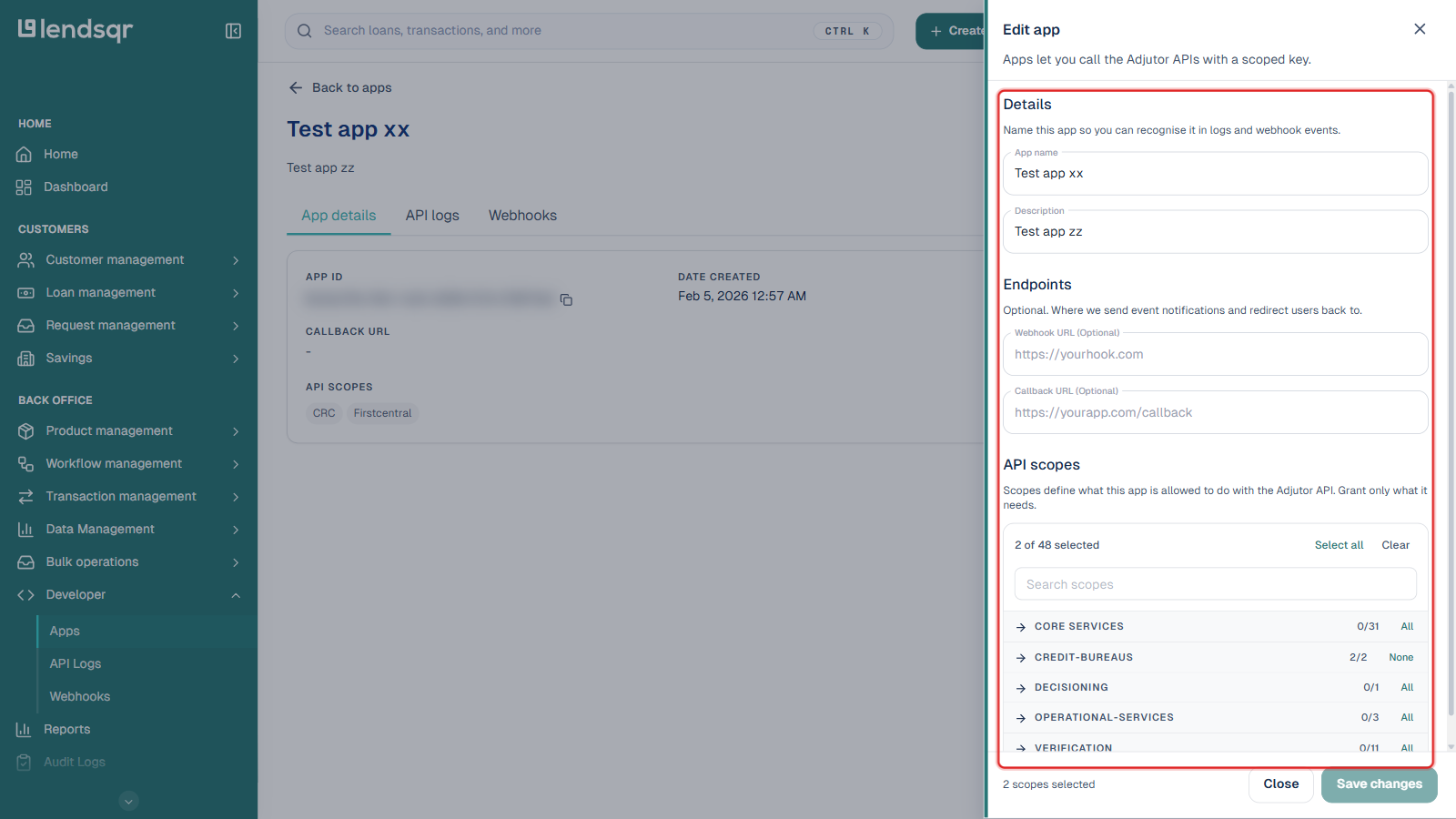
These APIs are part of your Lendsqr admin console, under Developer in the sidebar, so there is no separate site to sign in to. When creating or editing an app under Developer > Apps, you can set a webhook and callback URL that are tied to that app’s API key. This ensures that you automatically receive updates when specific events happen, saving both time and effort.
Step-by-step guide to adding Webhook and Callback URLs
Log in to your Lendsqr admin console. In the sidebar, expand Developer and select Apps.
Click Create an app to set one up from scratch, or open an existing app and click Edit to add the URLs to it.
Under Endpoints, enter your Webhook URL and Callback URL. Both fields are optional: fill in whichever ones your integration needs.
Under API scopes, select the scopes this app needs, then click Create app (or Save changes if editing).
The app’s API key and App ID are shown on its detail page once it is created; the webhook and callback URLs you set here apply to every request made with that app’s key.