Access your Back Office at your fingertips.
Download the app now on Google Play Store.
Scan the QR code
You can also scan QR code with your phone to download the app.
Security conditions for transfer and other outbound transactions on Lendsqr
Updated
On this page
When a borrower receives a loan into their wallet, the funds are meant for one purpose: repayment. Without controls, borrowers can immediately withdraw those funds, transfer them out, or use them for airtime and bills before any repayment obligation is met. For borrowers who are already delinquent, unverified, or flagged for fraud, this poses a significant challenge.
Lendsqr gives lenders a set of configurable security conditions for outbound transactions. These controls let you restrict wallet outflows based on each borrower’s loan status, identity verification, and risk profile.
This guide explains what each control does, the lending scenarios where each one matters, and how to configure them.
Why outbound transaction controls matter
Digital wallets create a tension in lending. Borrowers need a wallet to receive disbursements and make repayments. But that same wallet becomes a risk if the lender cannot control what else happens in it.
Without restrictions, a borrower with a past-due loan can continue making withdrawals and transfers from their wallet. A borrower who failed identity verification can still move money out. Someone flagged across the lending ecosystem for defaults can act normally on your platform until a manual review catches them.
The security conditions in Lendsqr let you automate these restrictions. When a borrower meets a defined risk condition, the system restricts their outbound activity automatically. Your team takes no manual action for each case.
The two categories of security controls
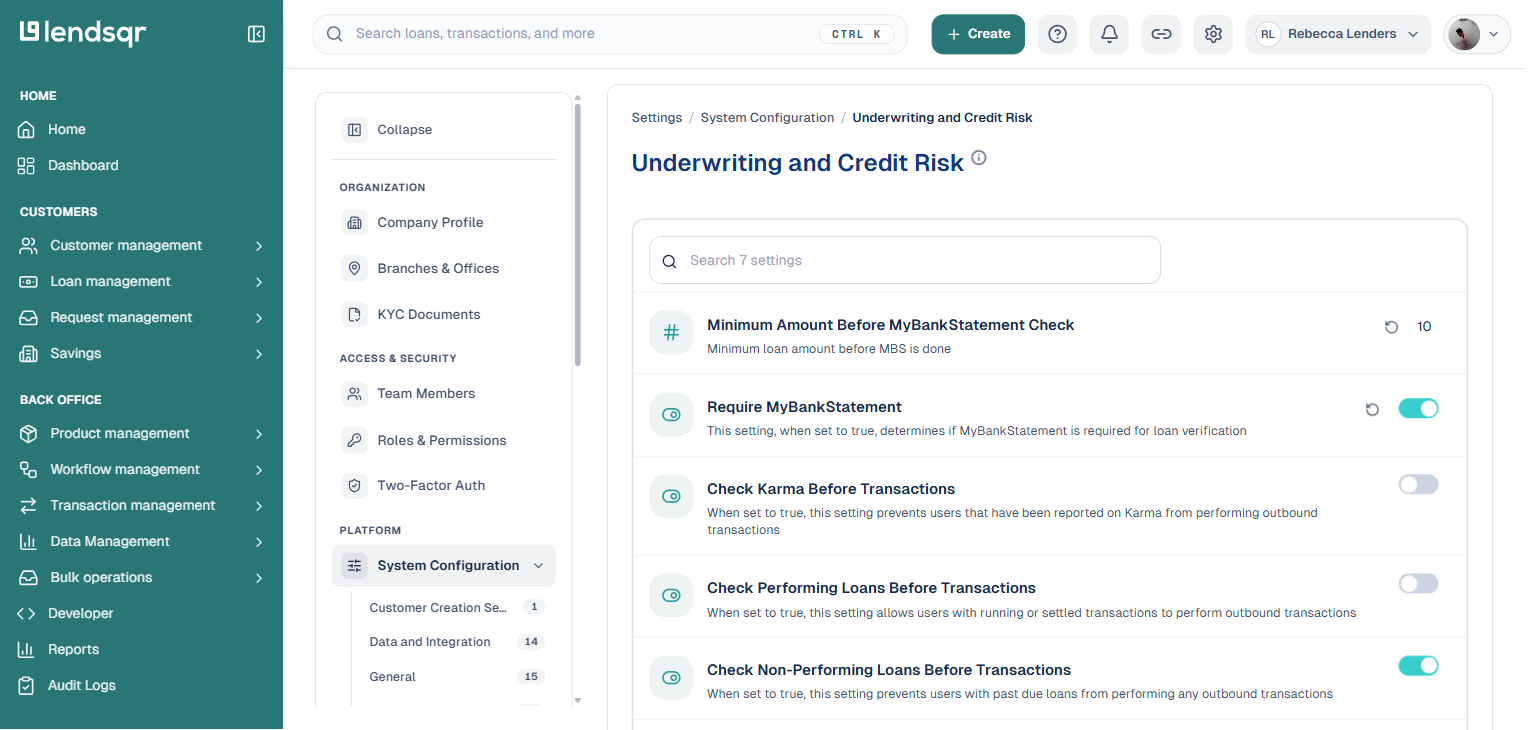
The security controls sit under two tabs in System Configurations: Underwriting and Credit Risk, and Security. Together they cover loan performance checks and identity verification checks.
Underwriting and credit risk controls
These three controls restrict outbound transactions based on a borrower’s loan behavior.
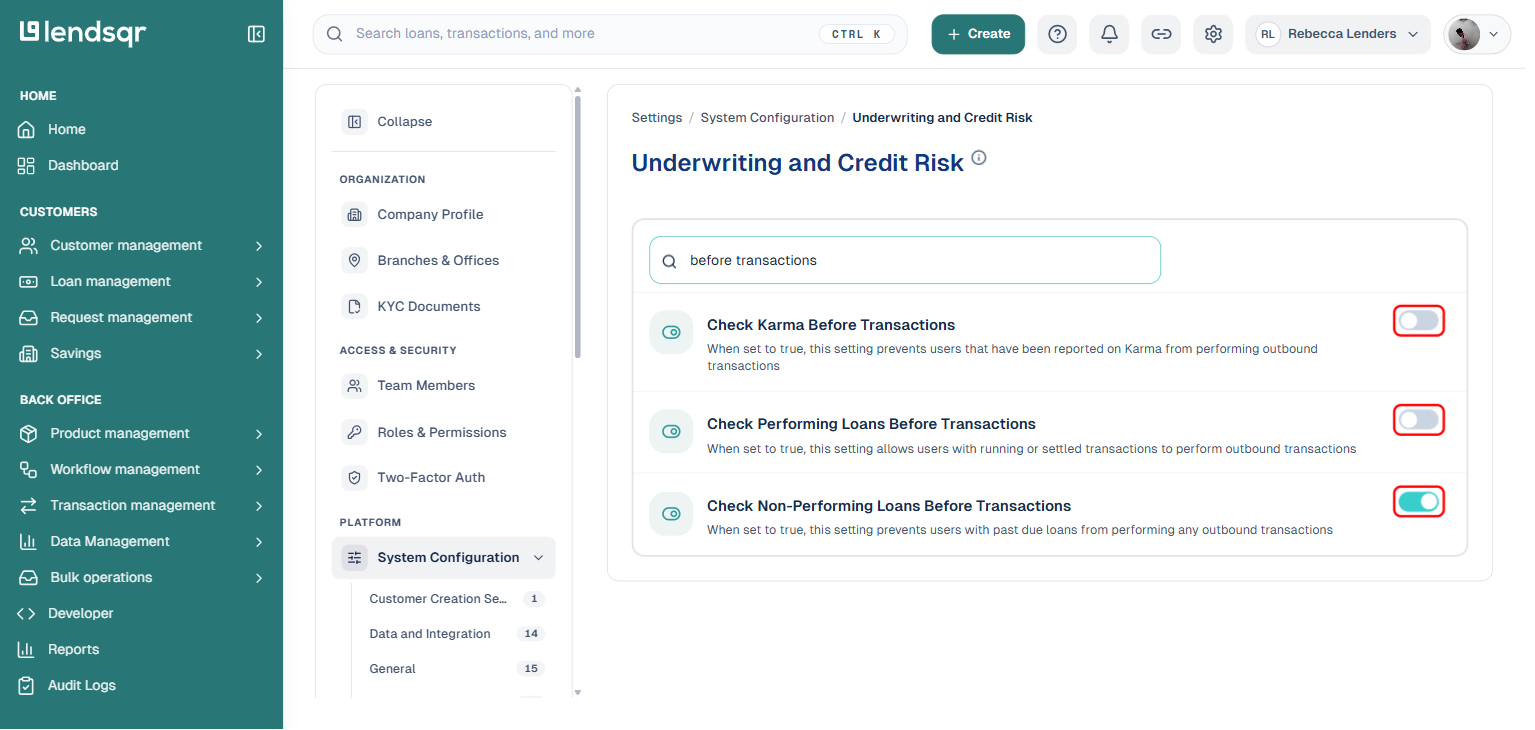
Check Karma: Karma is Lendsqr’s shared ecosystem record of borrowers reported for defaults, fraud, or other adverse behavior across the network. When you enable Check Karma, any borrower who appears in the Karma database cannot make outbound transactions on your platform. This prevents borrowers with a prior default history from draining their wallets immediately after receiving a loan. Read more about what Karma is and how it works.
Check Performing Loans: When enabled, only borrowers with at least one active or settled loan in good standing can make outbound transactions. Borrowers with no loan history on your platform are restricted. It suits lenders who want to gate wallet privileges to borrowers with a proven repayment track record.
Check Non-performing Loans: When enabled, this control blocks outbound transactions for any borrower with a loan that is past due. A delinquent borrower cannot make transfers or purchases from their wallet until they clear the overdue balance. This is one of the most commonly enabled controls because it directly addresses delinquent borrowers who continue wallet activity without resolving overdue balances.
Security controls
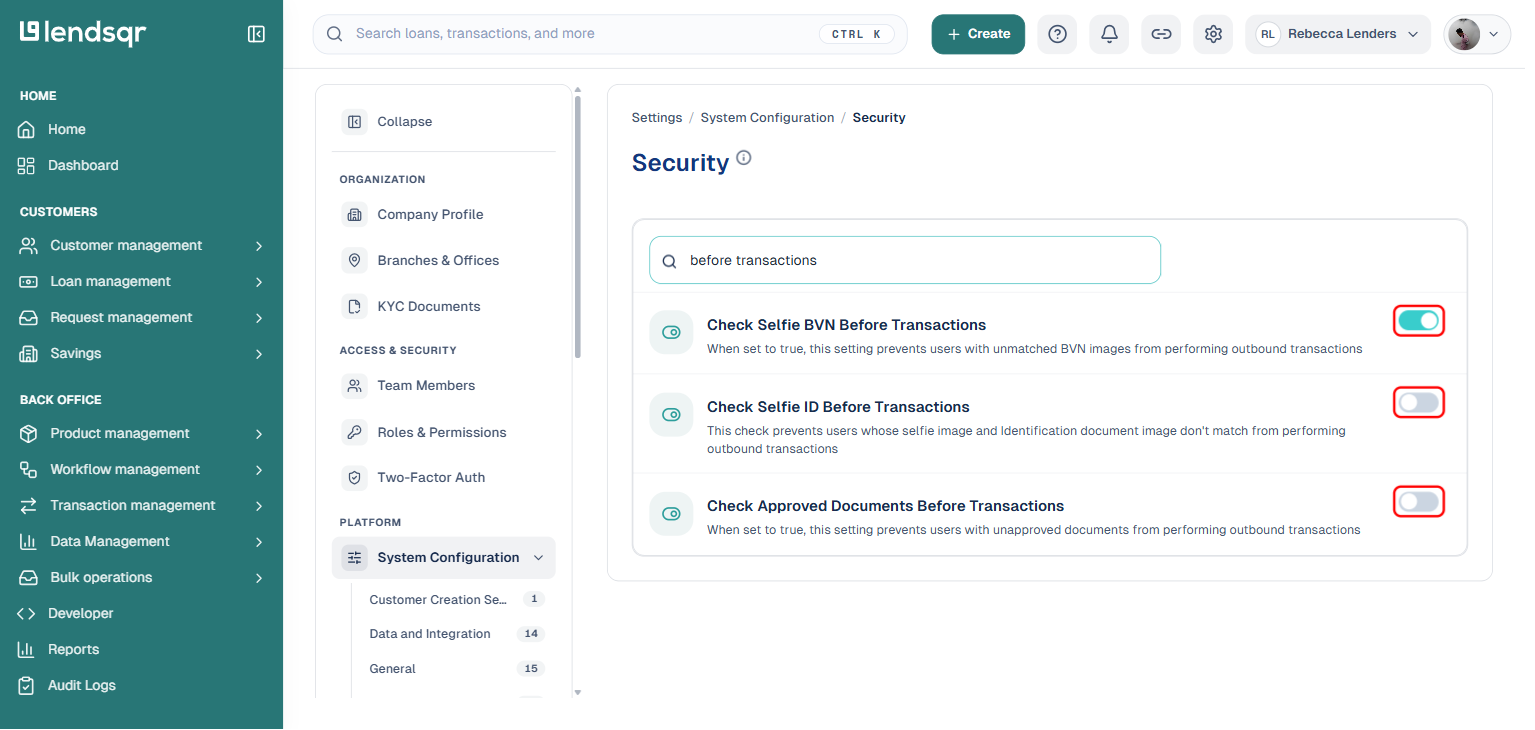
These three controls restrict outbound transactions based on identity and document verification status.
Check Selfie BVN: This control blocks outbound transactions for borrowers whose selfie image does not match the photo on their BVN record. A mismatch suggests the person using the account may not be the registered account holder. Enabling this control prevents wallet activity from a borrower whose identity has not been confirmed through BVN photo comparison.
Check Selfie ID: This blocks borrowers whose selfie does not match their government-issued ID photo. A failed match suggests the borrower may be using another person’s ID. Restricting their access limits fraud from unverified accounts.
Check Approved Documents: This control blocks outbound transactions for any borrower who has required documents in an unapproved state. If a borrower has required documents pending review, they cannot make outbound transactions until your team approves them. This pairs well with a tiered KYC setup where access expands as verification progresses. For guidance on configuring required documents, read how to activate required documents.
A practical scenario
A borrower who previously defaulted on another Lendsqr-powered platform signs up on your lending app. Their Karma record shows a prior default flag. Your platform has Check Karma enabled.
After completing onboarding, the borrower receives a small loan into their wallet. They attempt a transfer to an external bank account. The system blocks the transaction immediately because the borrower’s Karma flag triggers the restriction.
Your team receives no alert and takes no manual action. The restriction applies automatically based on the security condition you configured. The borrower must resolve their Karma flag before outbound transactions become available.
How to configure security conditions
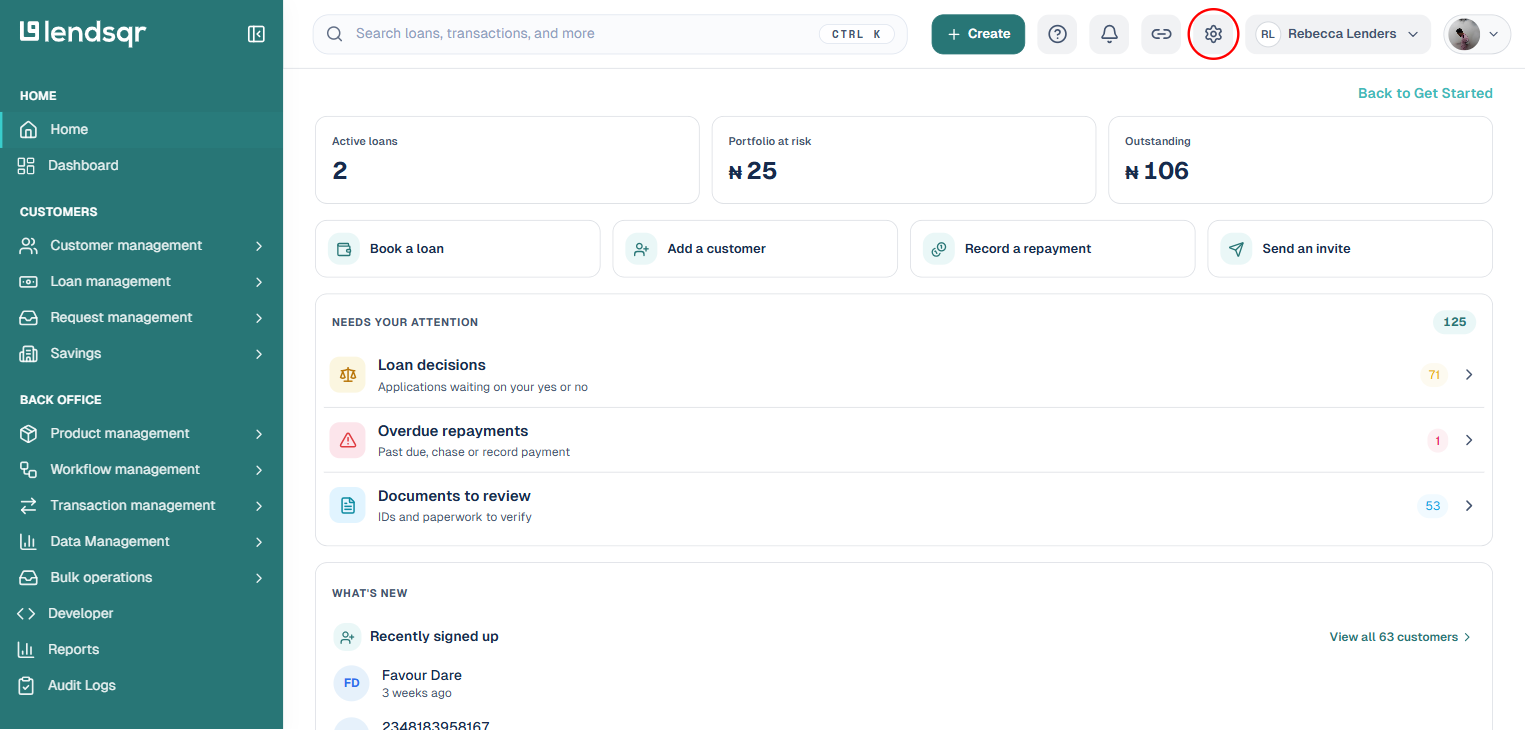
Log in to the Lendsqr admin console. Click the Settings icon in the top-right corner of the page.
Under “Platform” in the left menu, click “System Configuration” to expand its category list, then click “Underwriting and Credit Risk” or “Security,” depending on which control you want to configure.
Use the search box at the top of the category page to find the specific control (for example, “before transactions” surfaces all six controls at once). Each control appears with a toggle switch on the right.
Toggle the switch on to enable the control (true) or off to disable it (false). The change applies immediately, there is no separate save step.
Only admins with a super admin role can change these settings.
Combining controls for stronger protection
Each control works independently, but enabling multiple controls together provides layered protection. For example, enabling both Check Non-performing Loans and Check Karma blocks a borrower if they have a past-due loan on your platform or a Karma flag on the wider network.