Access your Back Office at your fingertips.
Download the app now on Google Play Store.
Scan the QR code
You can also scan QR code with your phone to download the app.
How to customize NIN verification for your customers
Updated
On this page
A National Identification Number (NIN) is a unique identity number that the Nigerian government assigns to every citizen through the National Identity Management Commission (NIMC). It connects to a person’s biometric data and serves as the government’s main tool for confirming who someone is.
When someone applies for a loan, lenders need to be sure that the person is who they claim to be. NIN verification is one of the ways lenders confirm this. During the loan application, the system compares the borrower’s NIN details against the information the lender already holds. That information is usually the data tied to the borrower’s Bank Verification Number (BVN).
Here is a simple way to picture it. A borrower signs up on a loan app and provides their BVN. The lender then uses the borrower’s NIN to check whether the name, date of birth, or other personal details on both records match. When they match, the borrower passes this step, and the application moves forward.
This check matters because identity fraud is one of the most common risks lenders face. Without identity verification, someone could apply for a loan using another person’s details. NIN verification makes that significantly harder to pull off.
Learn more about how to enable NIN verification on your loan product here.
Why NIN data sometimes causes problems for borrowers
In a perfect world, a borrower’s NIN record and BVN record would always carry matching information. In practice, this does not always happen.
Nigeria’s NIN registration took place across many years and at different enrollment centres around the country. Because of this, some people’s NIN records contain small errors. A name might appear with a different spelling. A date of birth might show up in a different format. A middle name captured on one document might be missing from another.
These small differences can cause a genuine, creditworthy borrower to fail a NIN check. Not because they intend fraud, but because of a data entry error made years ago during enrollment.
For a lender, this creates a real business problem. Turning away good customers because of minor data gaps means losing loan volume and creating a poor customer experience. But switching off all verification checks to fix the problem removes an important layer of fraud protection.
The smart solution is to give lenders control over exactly which fields the system checks during NIN verification.
How Lendsqr handles NIN verification
Lendsqr lets lenders choose which specific data fields to compare between a borrower’s NIN record and their BVN record. Rather than applying a fixed check on all fields, lenders can select only the fields that are most reliable and most relevant to their borrower base.
For example, a lender whose customers often have name spelling differences between their ID documents might choose to verify only the date of birth. A lender with a stricter risk policy might verify name, date of birth, and phone number together.
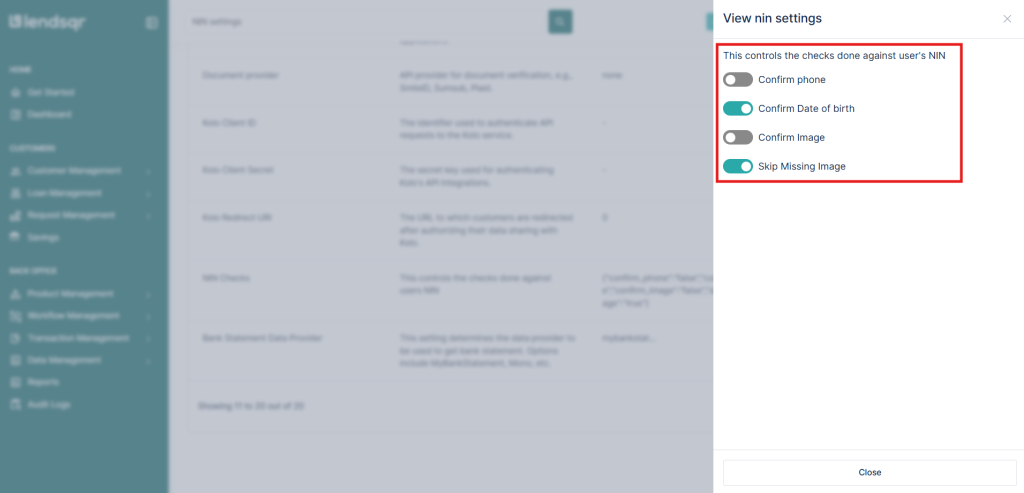
By default, Lendsqr checks only the date of birth. This setting applies automatically when NIN verification is switched on for a loan product. From there, lenders use toggle controls in the admin console to add or remove the fields the system checks.
This approach keeps verification meaningful while reducing unnecessary friction in the application process.
How to set up your NIN verification preferences in Lendsqr
Once NIN verification is active, follow the steps below to choose which fields the system checks.
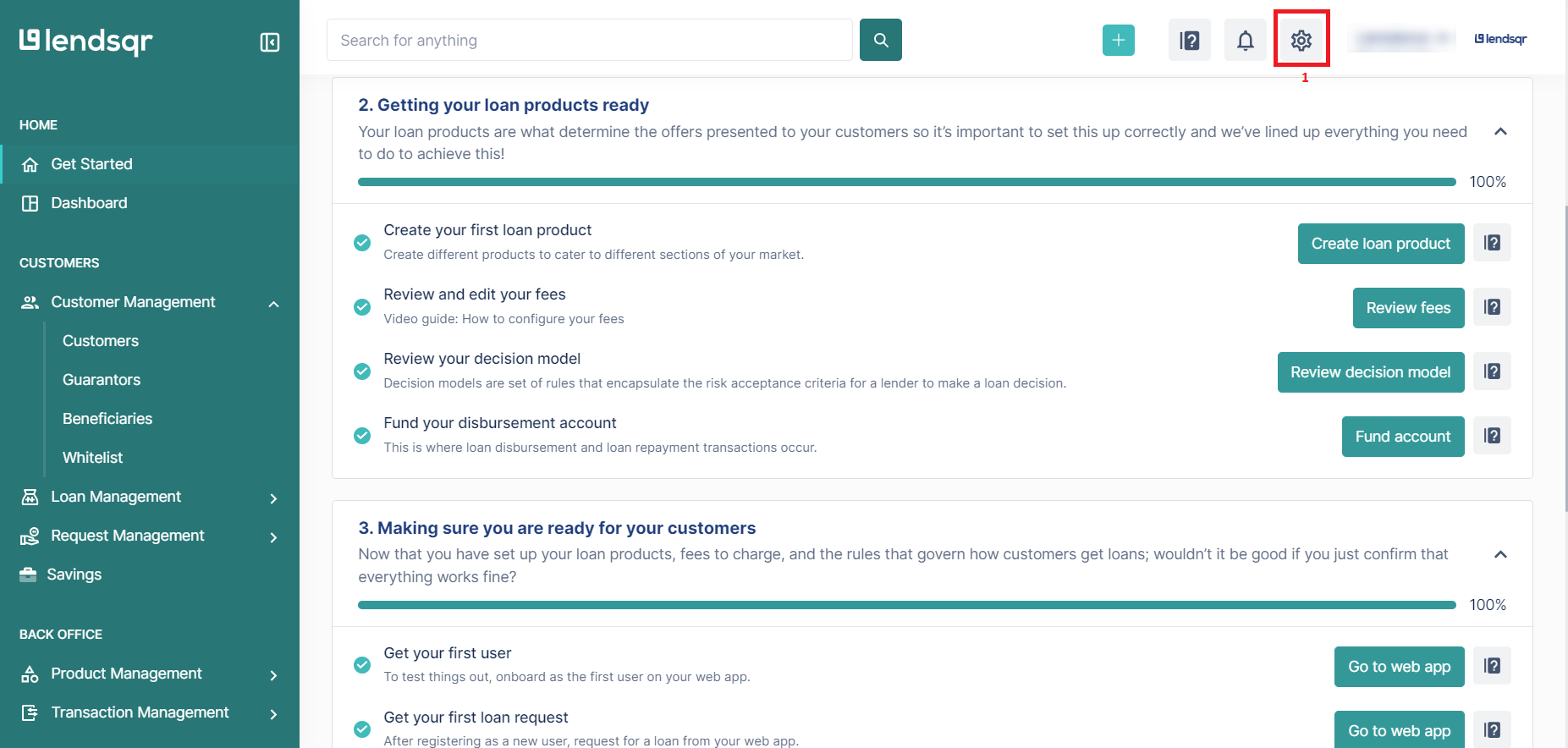
Click the “Settings” icon at the top right corner of your Lendsqr admin console.
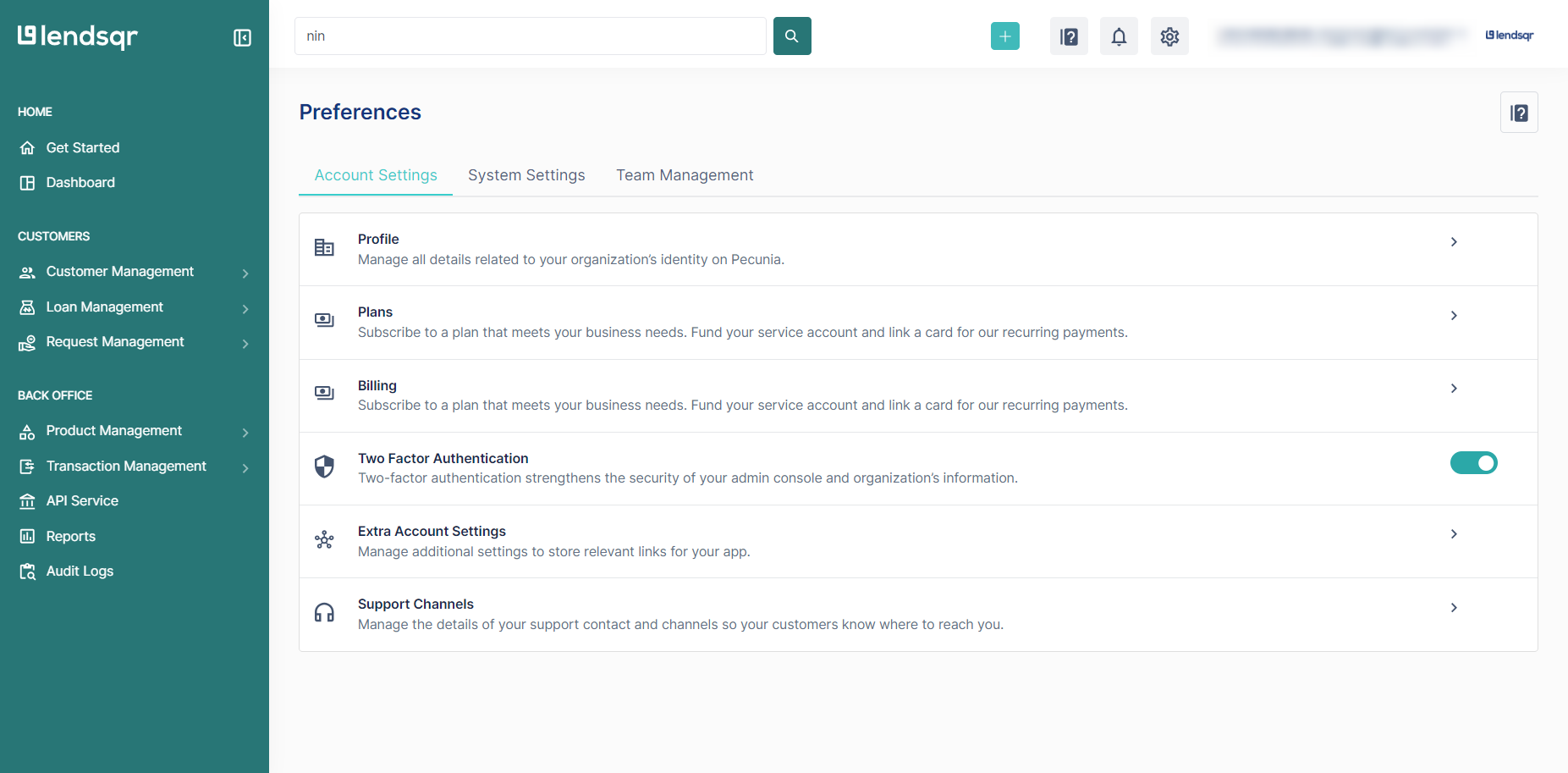
Click on the “System Settings” tab.
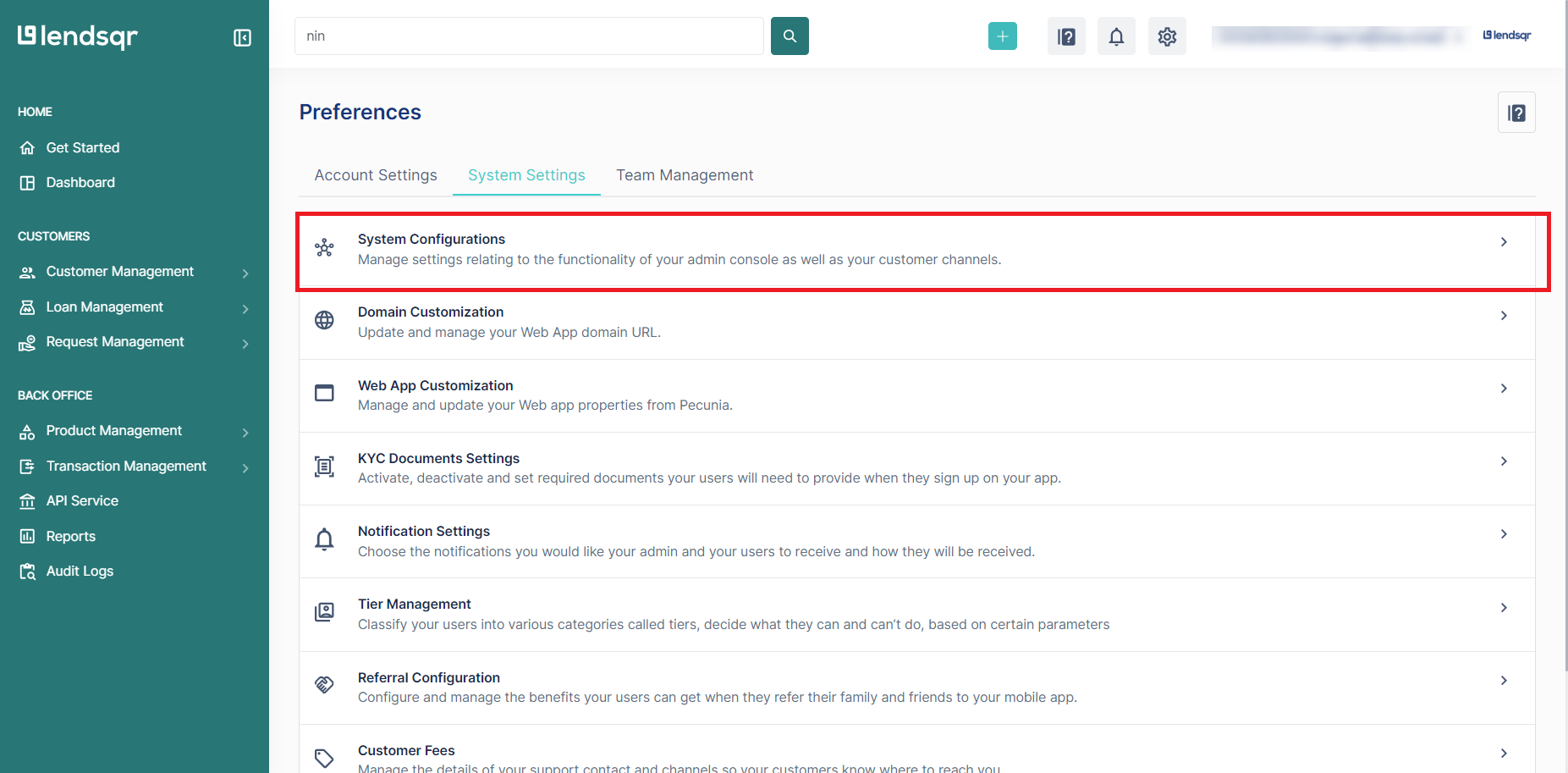
Click “System Configurations” on the resulting page.
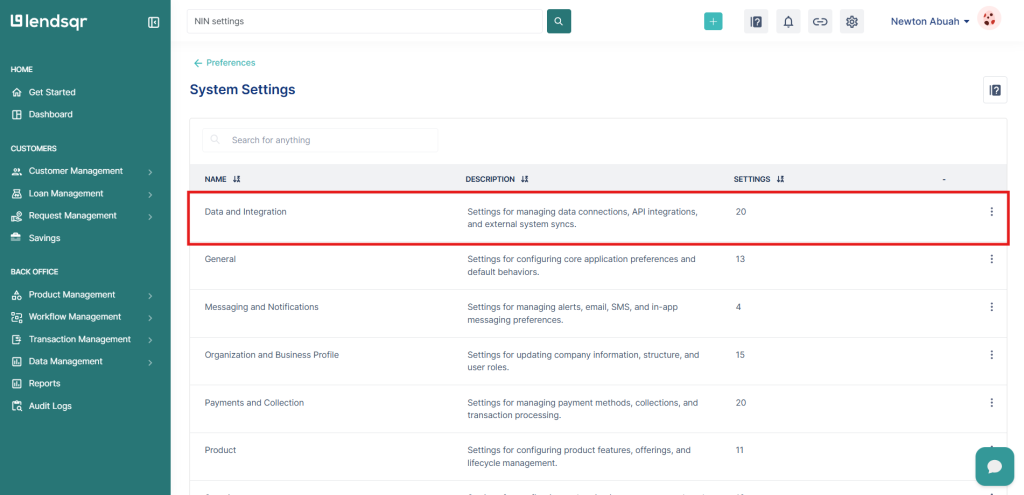
Click on “Data and Integration”
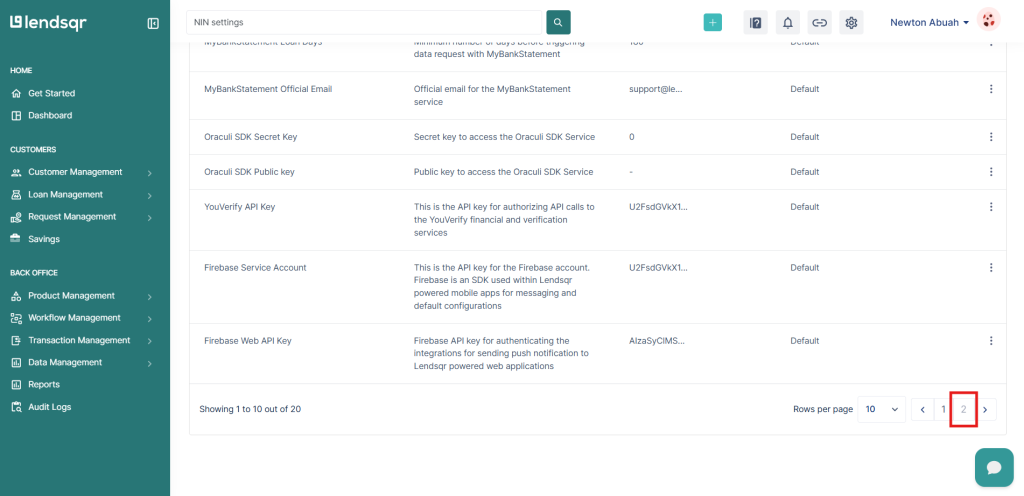
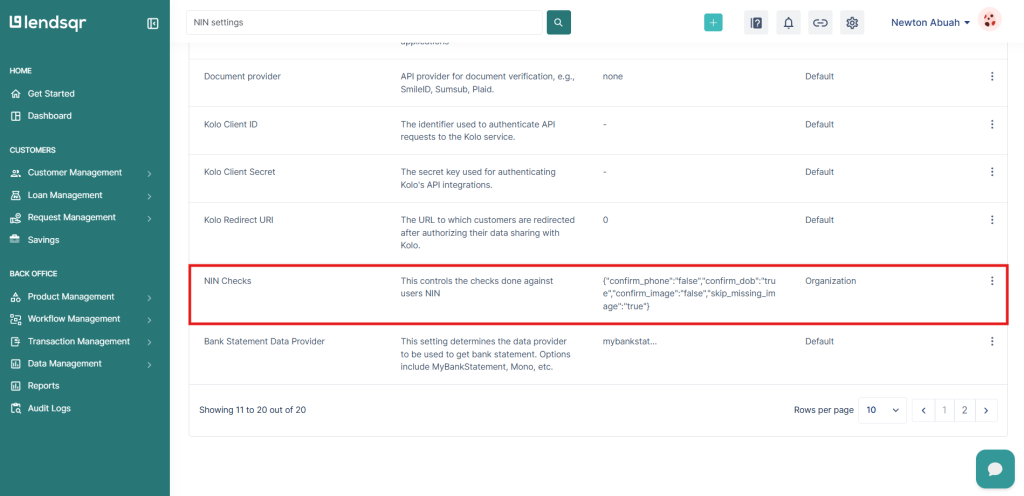
Navigate to the second page and select “NIN Checks.”
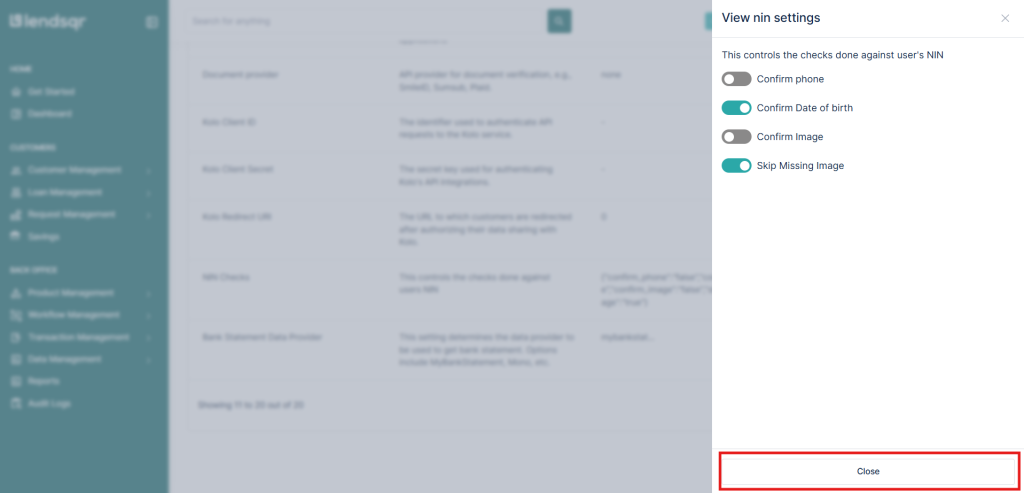
You will see the available NIN data fields, each with a toggle switch. Only the date of birth is on by default. Use the toggles to select the fields you want to verify against BVN data.
Lendsqr supports toggle-based verification across several identity fields from a borrower’s NIN record. The system compares these fields against the borrower’s BVN data to check for consistency. The full list of available fields appears on the NIN Checks settings page inside your admin console.
Adding more fields makes the verification stricter and catches more mismatches. Removing fields reduces drop-off for borrowers with minor data inconsistencies across their documents. The right balance depends on your lending model and the customers you serve.
How to decide which fields to turn on
There is no universal answer here. The right configuration depends on your borrower profile, your risk tolerance, and the reliability of identity data in your target market.
A good starting point is to review your application funnel. If many borrowers fail NIN verification despite looking legitimate, your current settings may be too strict for your market. Pulling back on one field, such as checking only date of birth rather than name and date of birth together, can reduce drop-off while keeping a core identity check active.
If you lend larger amounts or serve segments where identity accuracy is especially critical, enabling more fields gives you stronger confirmation before a loan approval goes through.
The key is to treat this as a policy decision, not just a technical one. Your NIN check configuration should reflect the level of identity certainty your lending product requires, and how much flexibility you can extend to borrowers with minor data discrepancies.
Learn more
To learn more about how borrower verification works on Lendsqr, read the Introduction to KYC guide. For broader reading on how digital lenders approach identity verification, visit the Lendsqr blog.