Access your Back Office at your fingertips.
Download the app now on Google Play Store.
Scan the QR code
You can also scan QR code with your phone to download the app.
How to add approval workflows to wallet withdrawals
Updated
On this page
The withdrawal workflow approval feature helps you manage operational risk and detect suspicious or unusual withdrawal activity. It is designed as a fraud and control mechanism, not as a restriction on customer access to their funds. Customers can initiate withdrawals at any time. However, transactions will be routed based on rules you configure.
This feature allows you to introduce approval checkpoints when your customers make withdrawals
How approval workflows for wallet withdrawals work
1. Create an approval workflow for wallet withdrawals
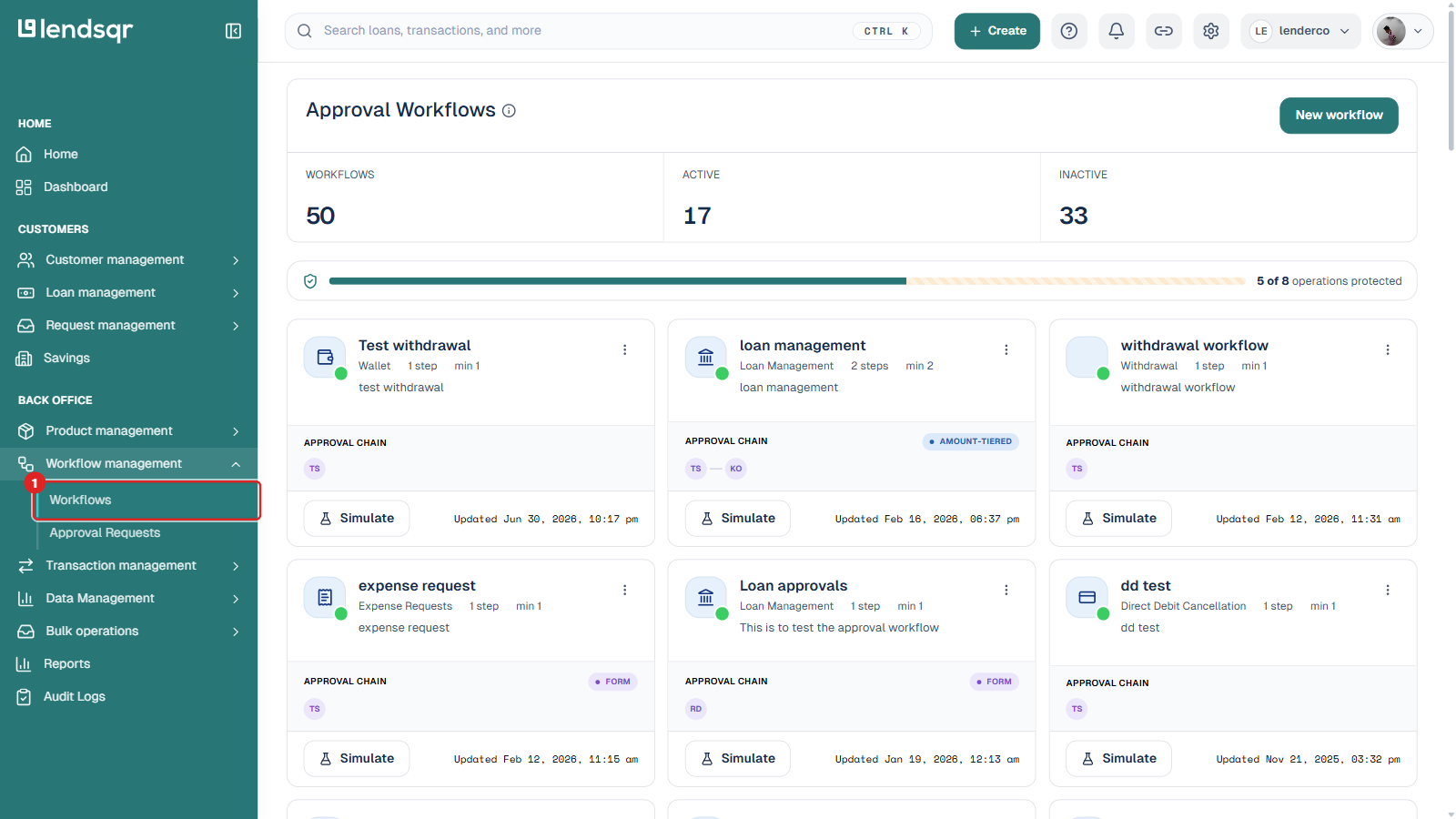
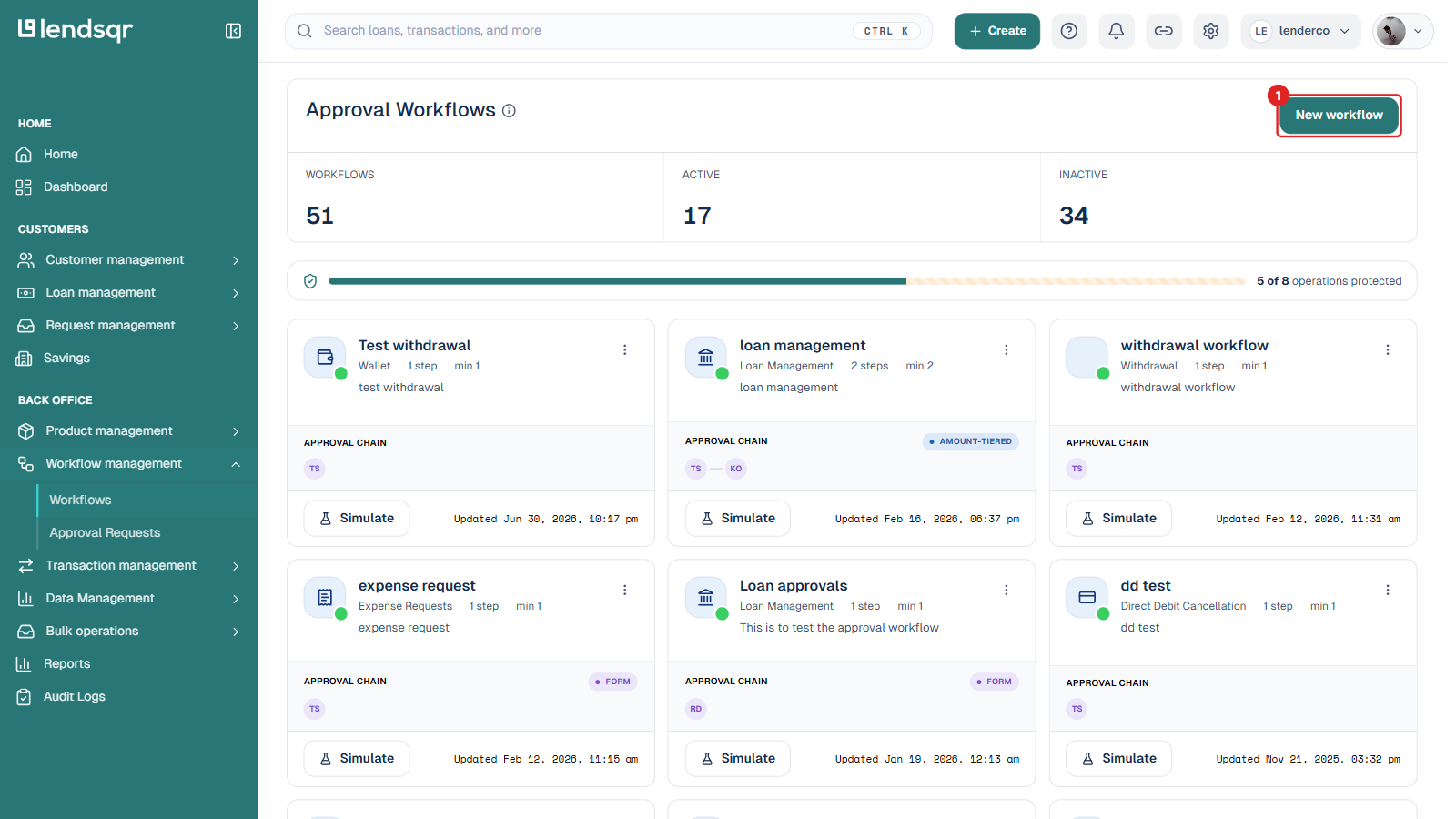
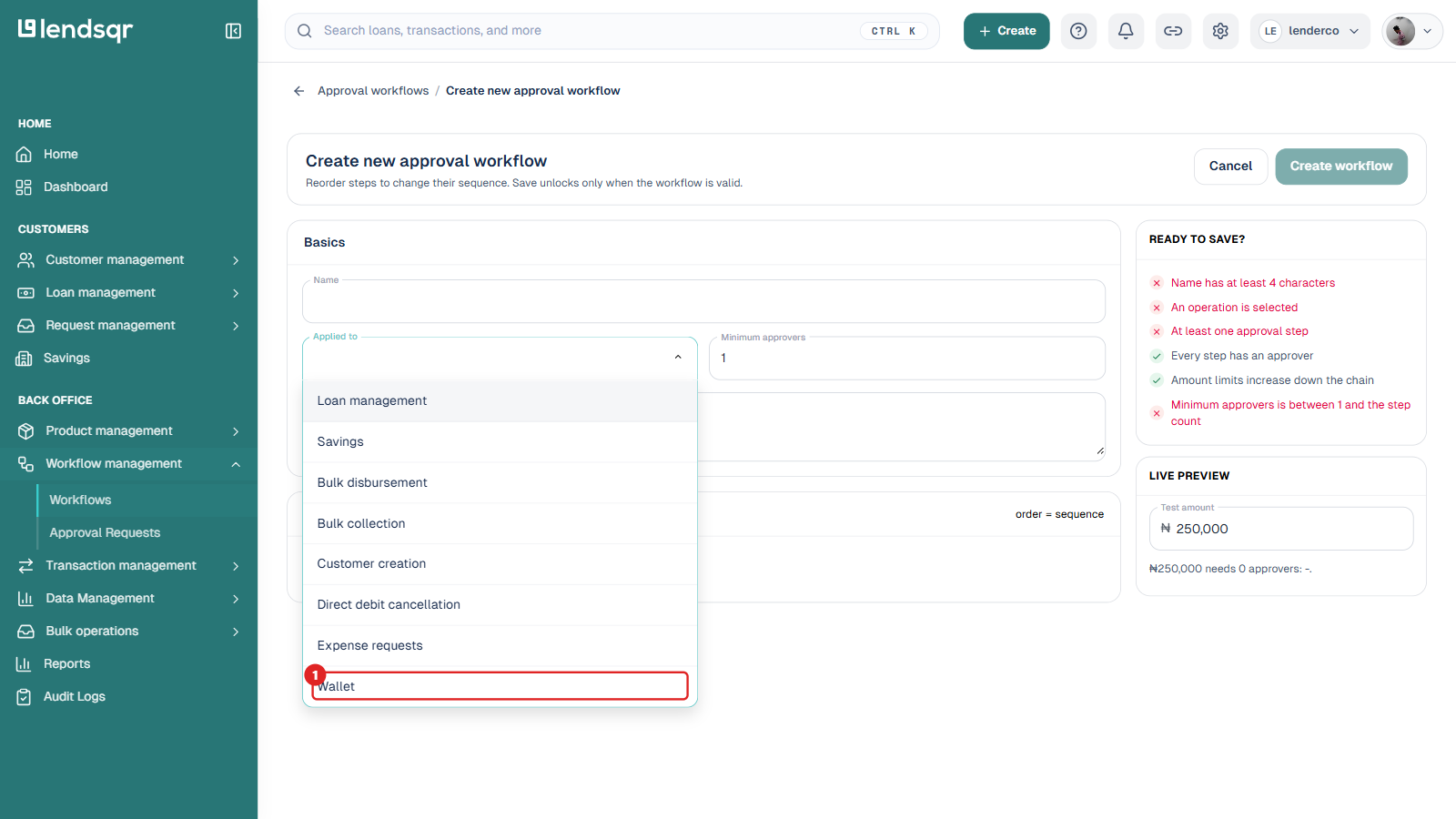
An admin must first set up an approval workflow for the Wallet operation. In the left navigation, go to Workflow management and open Workflows, then click New workflow and select Wallet in the Applied to dropdown. This workflow determines:
who receives the approval request
the number of approval levels
the order in which approvers act
any amount limits that apply down the approval chain
To set this up, follow the guide here on how to create an approval workflow. Once this workflow is enabled, all withdrawals will follow the defined process.
2. Attempt to withdraw
When a customer attempts to withdraw from their wallet:
The system detects that an approval workflow is tied to wallet withdrawals.
The withdrawal is not executed immediately.
Instead, the system automatically generates an approval request and sends it to the designated approver(s).
The customer will see a message confirming that the wallet withdrawal request has been submitted for approval.
3. Approver receives the request
The approver logs in to the platform and:
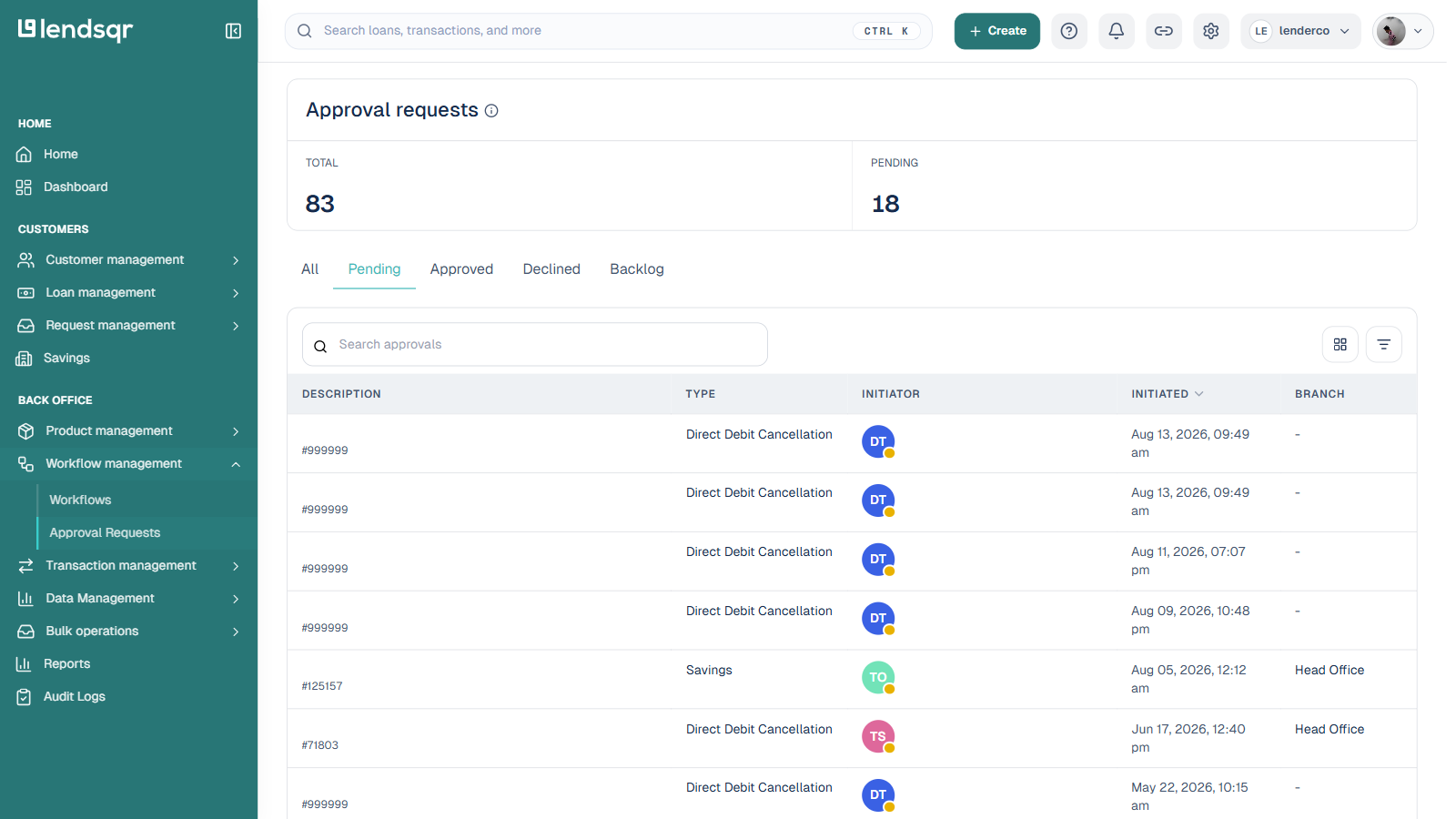
Navigates to Workflow management > Approval Requests.
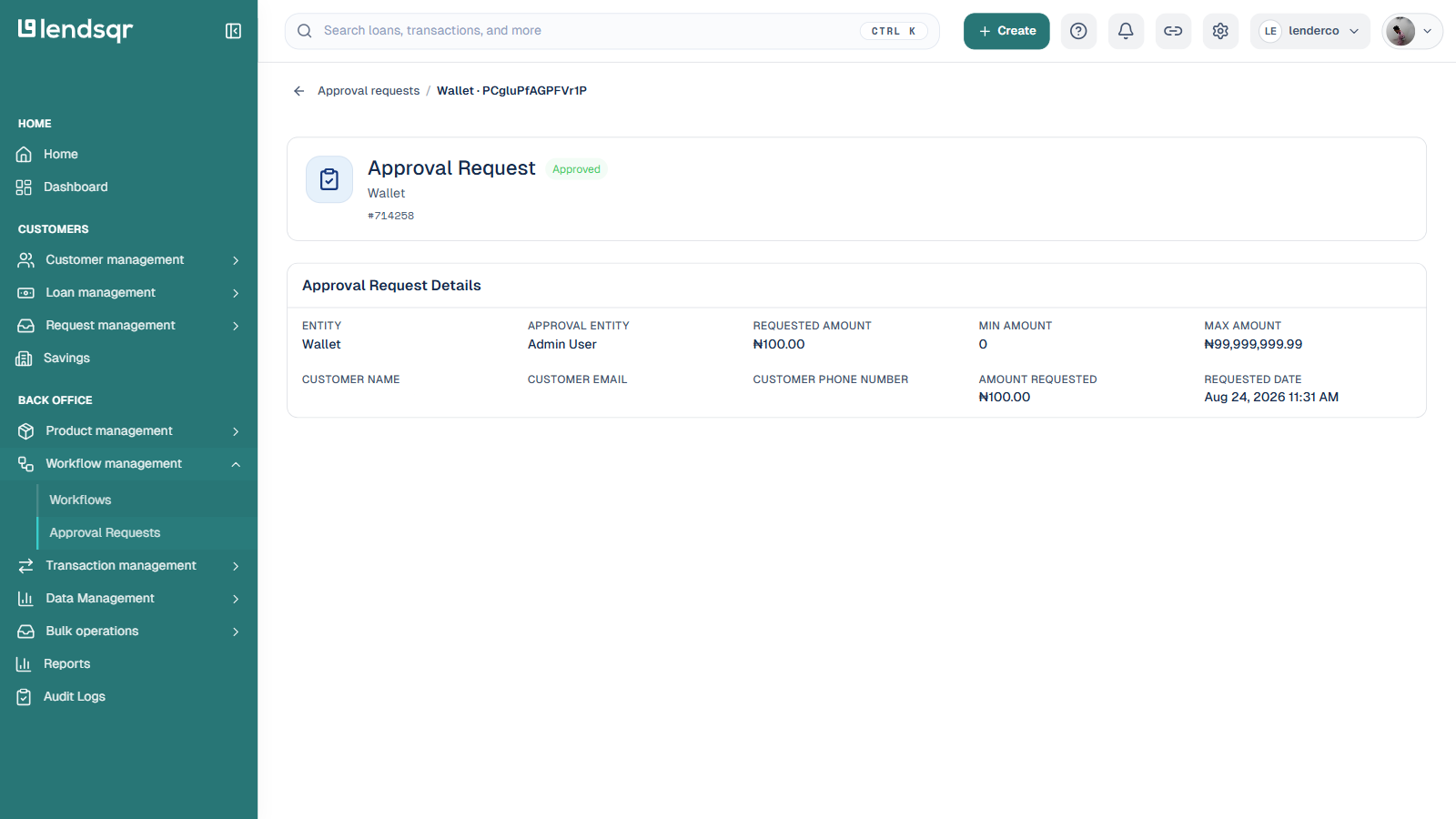
Opens the pending wallet withdrawal request and reviews its details: customer, requested amount, and requested date.
Chooses to Approve or Decline the wallet withdrawal.
The request detail page always shows the same layout: entity, requested amount, customer name, email, phone, and requested date. While the request is pending, Approve and Decline buttons appear at the top right, next to the status chip. Once a decision has been made, the chip updates to Approved or Declined and the action buttons disappear, as in the example below.
If approved: the system proceeds to process the withdrawal.
If declined: the funds do not leave the user’s wallet and the requesting user is notified.
A full audit trail of who approved or declined the request is captured for compliance and record-keeping.