Access your Back Office at your fingertips.
Download the app now on Google Play Store.
Scan the QR code
You can also scan QR code with your phone to download the app.
How to introduce flexibility to your savings product
Updated
On this page
Lendsqr is designed to help you build savings offerings that align with how your business wants to operate. Instead of rigid product structures, you can configure behaviours that reflect your operational strategy, customer expectations, and regulatory requirements.
This flexibility allows you to design savings products that control interest behaviour, withdrawal rules, and maturity handling.
Interest computation method
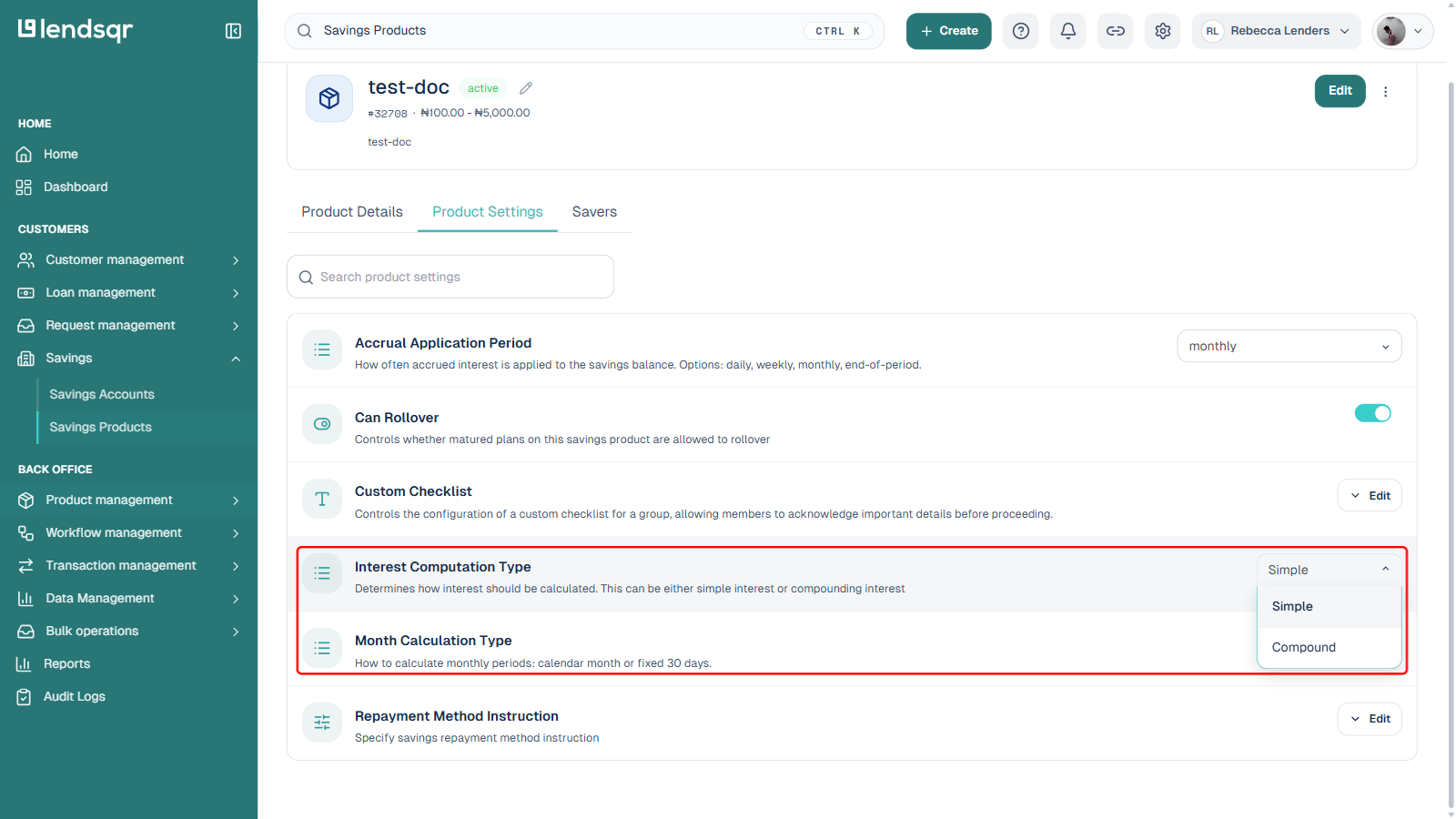
You can choose how interest is calculated on customer balances.
Simple interest means interest is calculated only on the principal amount throughout the period. This model is typically easier to understand and is often used for straightforward savings or investment products where returns are predictable.
Compound interest means interest is calculated on both the principal and previously earned interest. This allows earnings to grow faster over time because interest is continuously reinvested into the balance.
Selecting the appropriate method helps you align your product with your pricing strategy, regulatory requirements, and target market behaviour.
Interest application frequency
This setting determines how often earned interest is added to customer accounts.
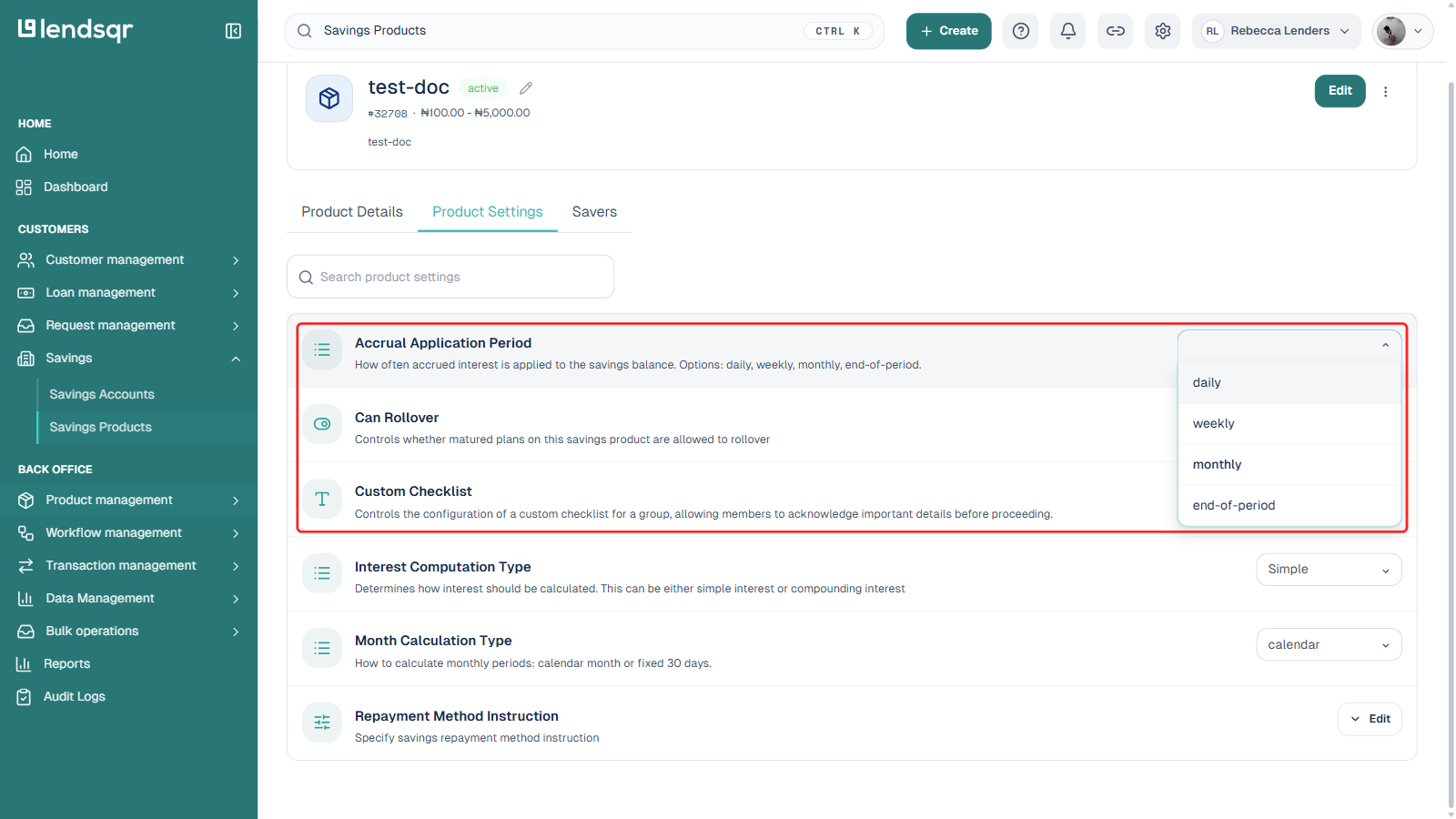
You can configure interest to be applied:
Daily Interest is computed and added to balances every day. This is suitable for products that promote continuous growth and high engagement.
Weekly Interest is accumulated and applied once every week. This can help balance system processing load while still offering regular returns.
Monthly Interest is applied once every month. This is common for traditional savings or investment products.
End of period (maturity) Interest is only applied when the savings period ends. This is useful for fixed-term savings where returns are realised at maturity.
Choosing the right frequency helps shape customer expectations and manage operational processing schedules.
Month calculation behaviour
This setting defines how the system interprets the length of a month when computing interest.
You can choose between:
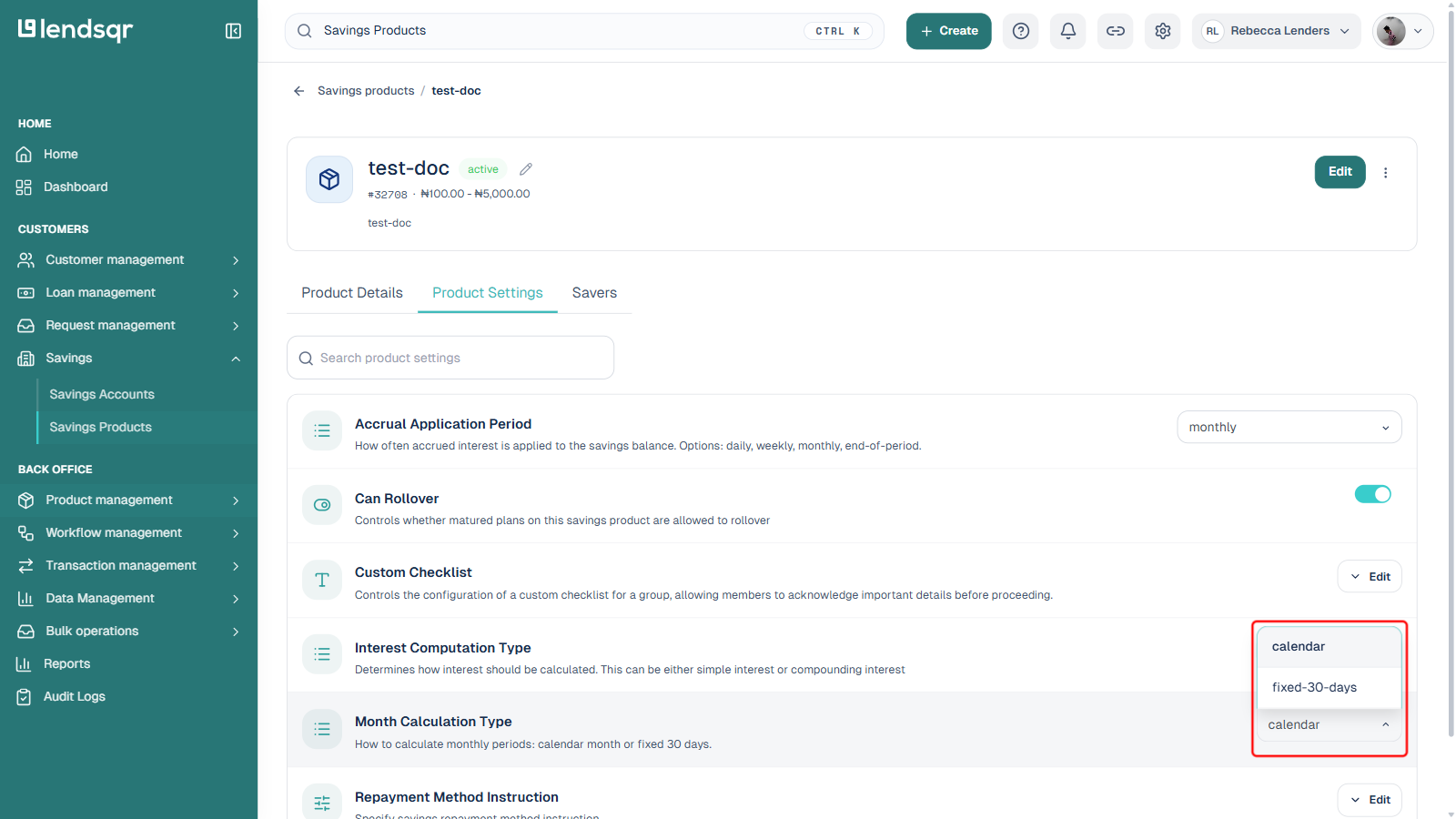
Fixed 30-day month model In this model, every month is treated as 30 days regardless of the actual calendar month length. This simplifies calculation and is often used for standardised financial modelling.
Actual calendar month model Interest is computed using the real number of days in each month. This approach provides more precise accruals because February, March, and other months are treated according to their true calendar duration.
This option helps you choose between computational simplicity and mathematical accuracy depending on your product policy.
Can Rollover
This setting controls if whether matured plans on this savings product are allowed to rollover. If set to true, your customers will be able to rollover their plans. Otherwise, the option to rollover will not be available on their matured plan.
How to configure these settings
These four settings live in the same place, alongside every other product-level attribute.
Log in to the admin console.
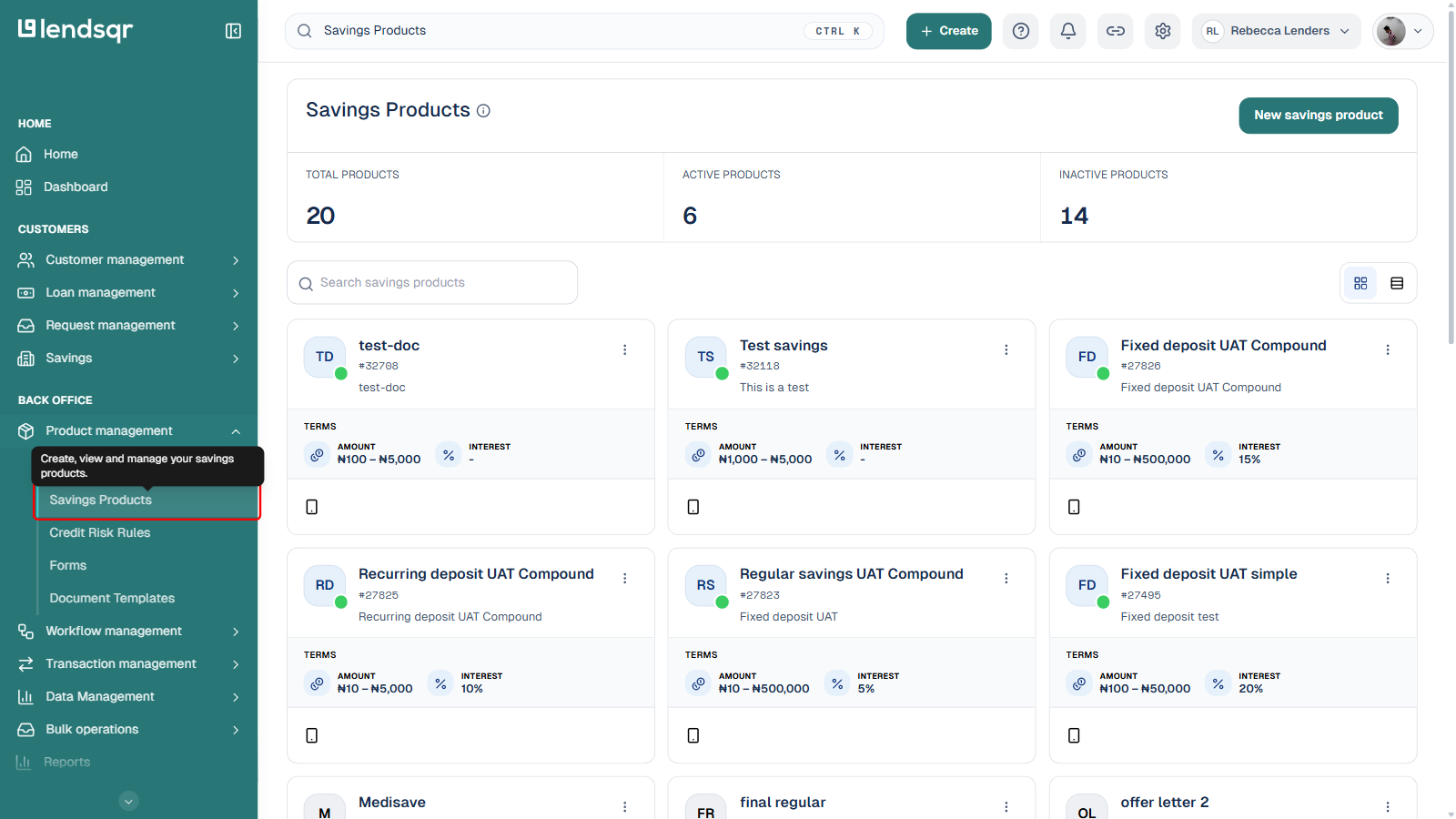
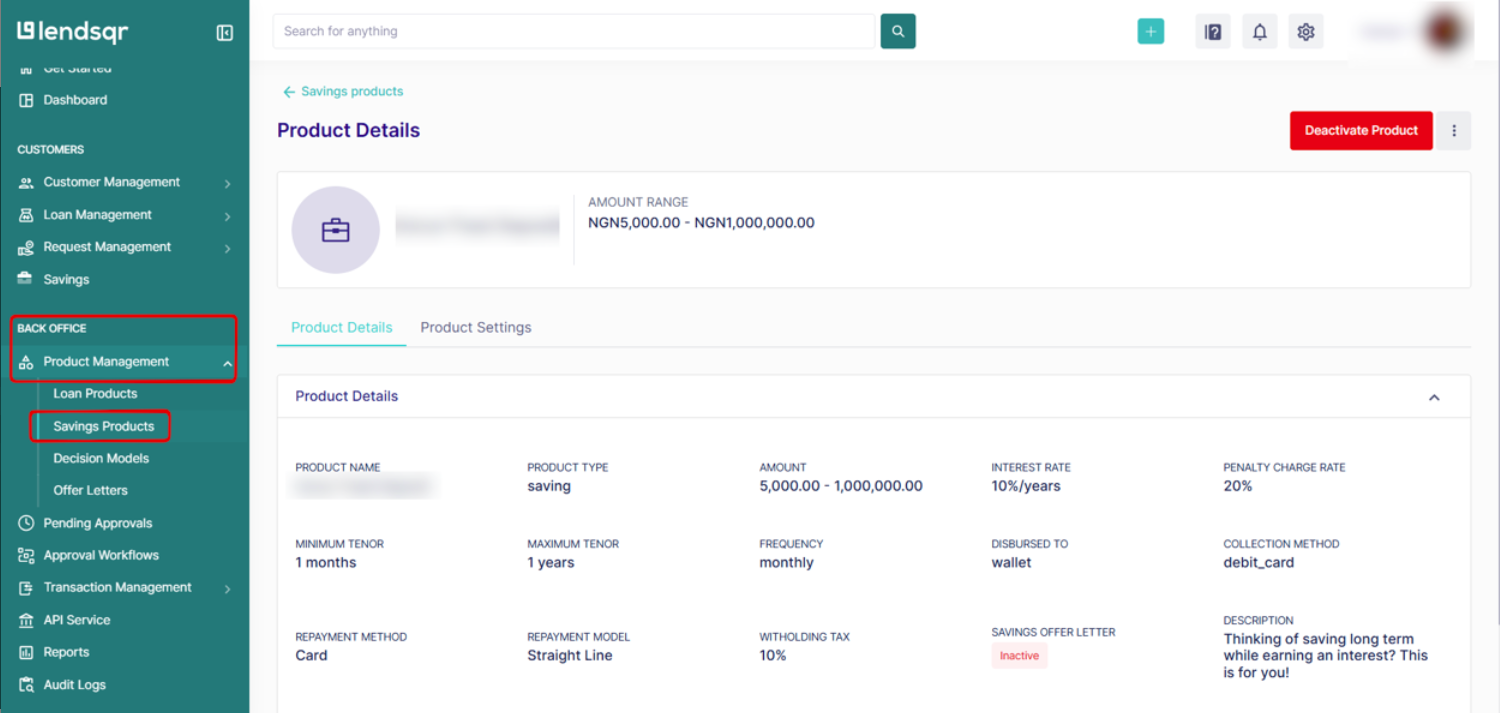
Go to Product management > Savings Products and open the product you want to configure (or click New savings product if you are creating one).
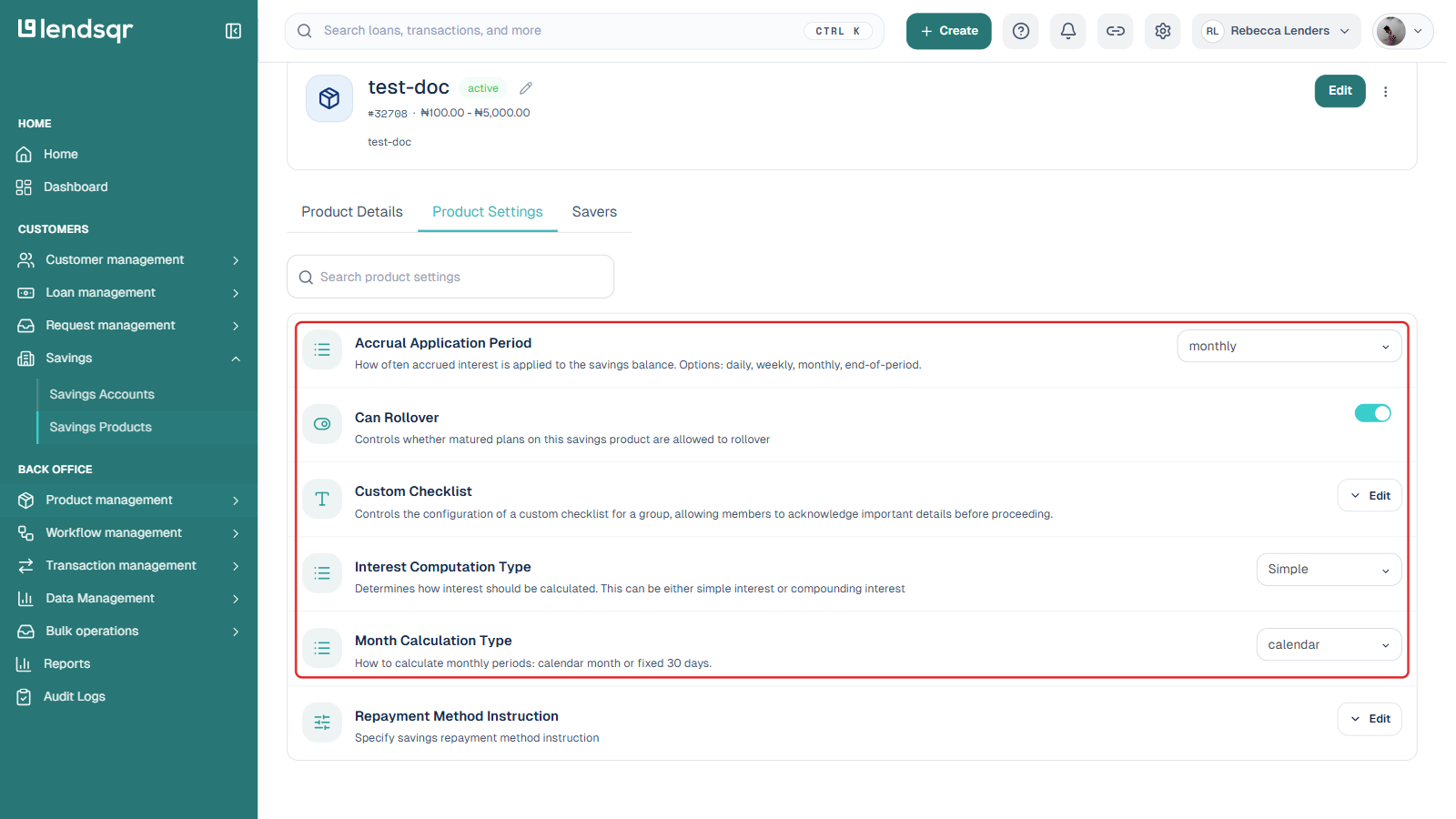
Click the Product Settings tab.
Use the search box, or scroll, to find Interest Computation Type, Accrual Application Period, Month Calculation Type, and Can Rollover. Each one is its own row with an inline control: a dropdown for the first three, a toggle for Can Rollover.
Change the value directly in the row. Each setting saves automatically — there is no separate Submit or Confirm step.