Access your Back Office at your fingertips.
Download the app now on Google Play Store.
Scan the QR code
You can also scan QR code with your phone to download the app.
What are settlements?
Updated
On this page
Imagine you run a lending business and, at the end of the day, you see ₦2,350,000 credited to your bank account.
You know it came from your borrowers, but:
Which customers paid?
Which transactions make up that total?
Were there any failed or missing payments?
This is where settlements come in.
Settlements help you track, verify, and receive all incoming loan repayments and payments made through your platform.
What are settlements?
Settlements refer to all incoming funds received on your behalf from borrowers and customers through your lending platform.
These inflows can come from multiple payment channels, including:
Card payments
Bank transfers
USSD
Direct debit
In Lendsqr, all these payments are aggregated and paid out to you as settlements.
The money flow problem settlements solve
When a borrower repays a loan on your Lendsqr-powered platform, the funds do not land directly in your bank account. They pass through Lendsqr’s payment infrastructure first (collected via card, direct debit, wallet transfer, or virtual account) and are then aggregated and sent to you in a single transfer.
That aggregated transfer is your settlement. It represents the net amount owed to you after processing fees are deducted, covering all the inflows Lendsqr collected on your behalf for a business day.
Why settlements matter
Settlements are critical for managing your lending operations because they help you:
Track repayments accurately
Reconcile bank inflows with customer transactions
Monitor cash flow daily
Detect discrepancies or missing payments quickly
Without settlements, you would receive bulk payments without visibility into where the money came from.
How settlements work in Lendsqr
Here’s how the settlement process works:
Borrowers make payments through your app (card, transfer, USSD, etc.)
Lendsqr collects these payments on your behalf
All transactions are aggregated
The total amount is settled to your account on a T+1 basis
What is T+1?
T+1 means:
Payments made today (T)
Are settled the next business day (+1)
If transactions happen on weekends or public holidays, they are settled on the next working day. When multiple non-business days occur in a row (for example, a long holiday weekend), Lendsqr will process a combined settlement covering all pending days.
Real-world example
Example: Daily repayment reconciliation
A lender receives:
₦500,000 from card payments
₦300,000 from bank transfers
₦200,000 from USSD
At the end of the day, Lendsqr aggregates this into:
➡️ ₦1,000,000 settlement (paid next business day)
Using settlement reports, the lender can:
See each individual transaction
Match totals with bank statements
Confirm that no payments are missing
Settlement vs disbursement: what is the difference?
These two accounts serve opposite directions of money flow:
Settlement account: Where Lendsqr sends you money. All borrower repayments, wallet funding, and other inflows collected through the app are aggregated and settled into this account, usually by the next business day (T+1).
Disbursement account: Where you put money in. You fund this account to make loan funds available for approved borrowers to withdraw. It is separate from the settlement account and is issued by Lendsqr.
Settlements are money coming in, while disbursements are money going out. Many lenders nominate their disbursement account as their settlement account as well, keeping all loan-related funds in one place. This is allowed but not required.
How to view your settlement recordsin Lendsqr
You can track settlements directly from the Admin Console.
Log in to your Lendsqr admin console.
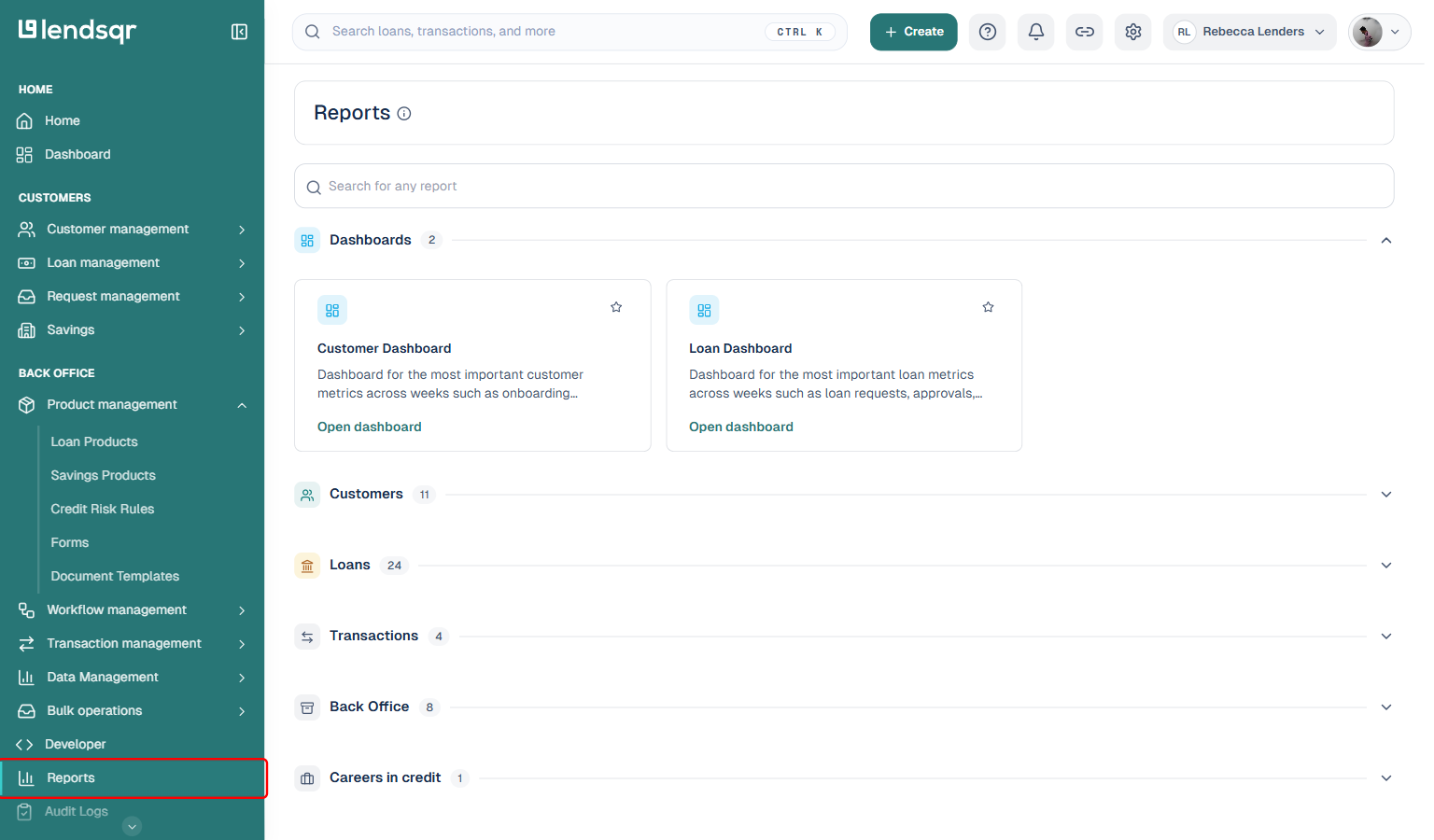
Go to Reports in the left navigation menu.
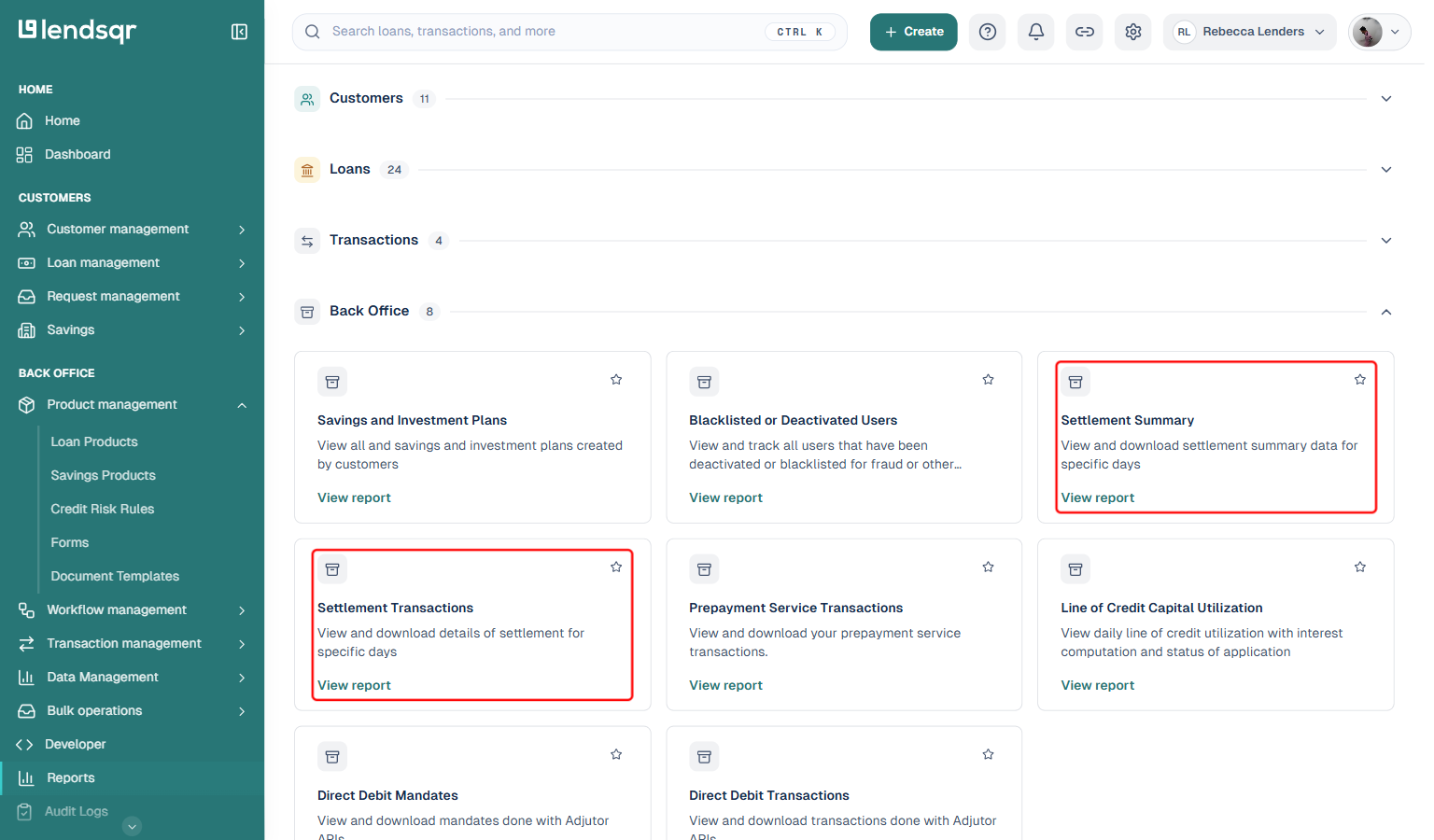
Expand the Back Office category. You will find two settlement reports there: Settlement Summary and Settlement Transactions.
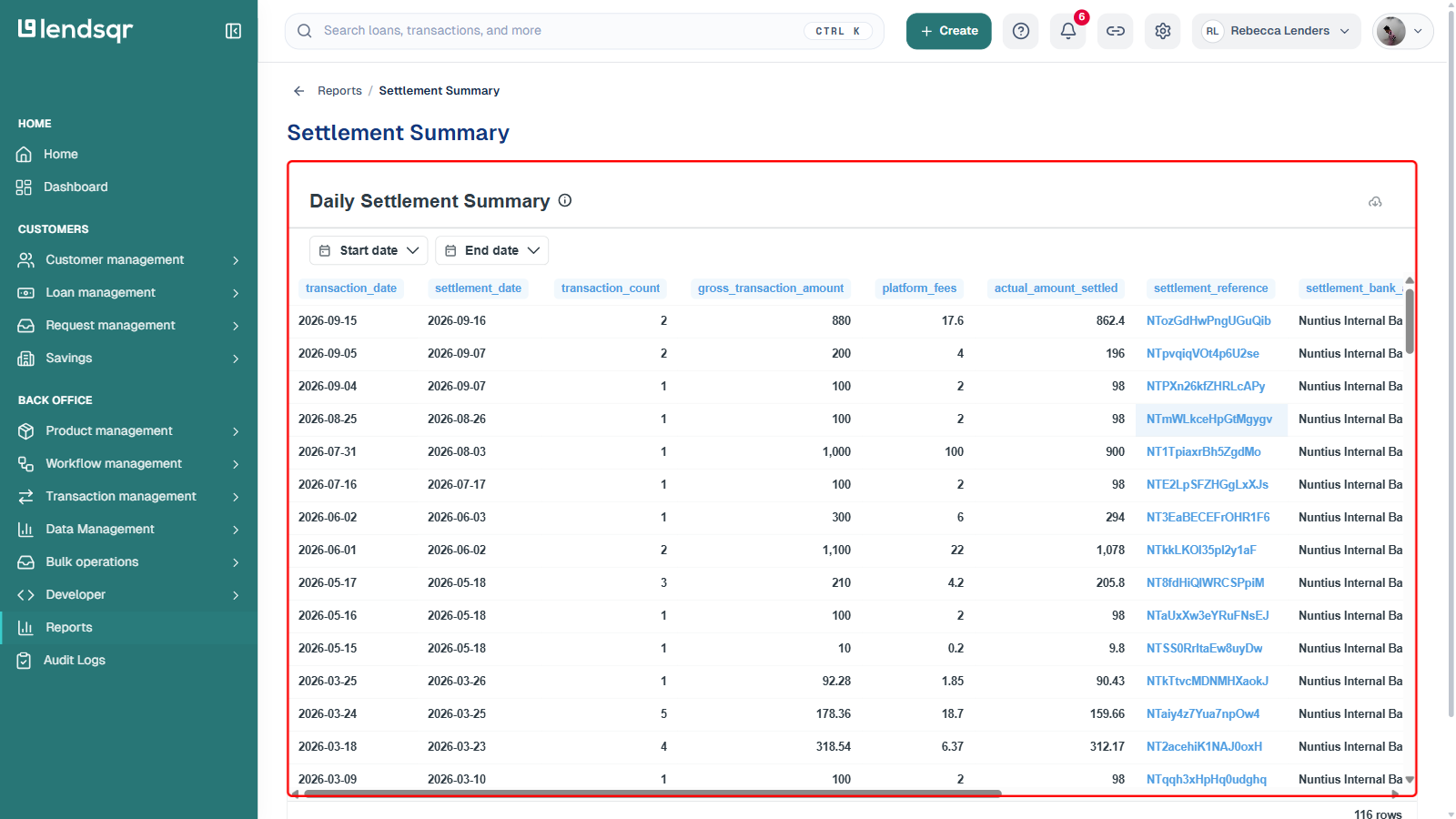
Settlement Summary: A daily overview showing the total amount settled each day and when funds were credited to your account.
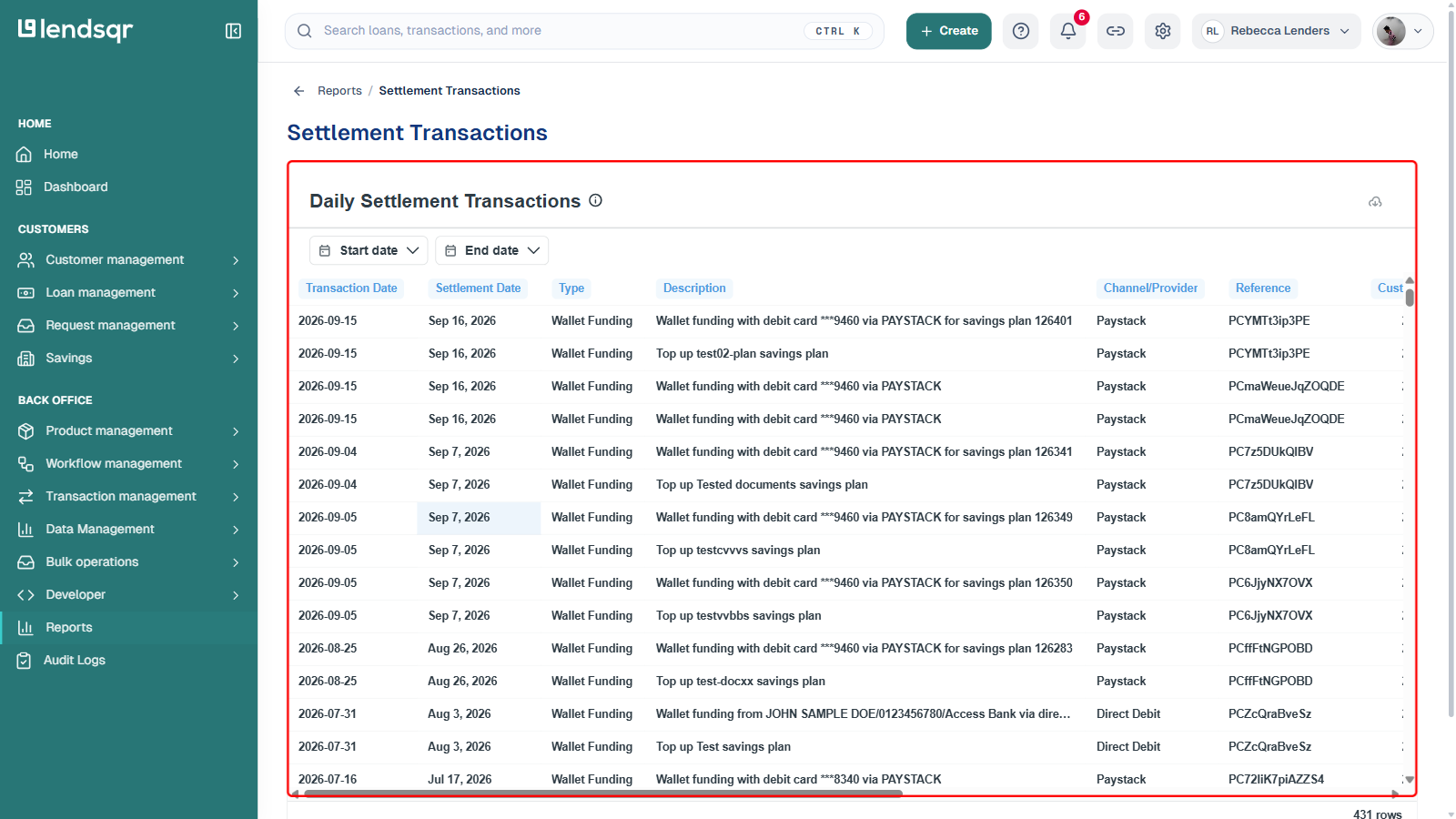
Settlement Transactions: A detailed breakdown of every individual transaction (card payments, wallet funding, loan repayments) that made up each settlement.
Use the Start date and End date filters to narrow your view, then download the report using the download icon at the top right of the report.
Reconciling a settlement
Every transaction on Lendsqr carries a unique transaction reference. When you receive a settlement, each component transaction retains its original reference, so you can trace any individual payment back to its source. Use the Settlement Transactions report alongside your bank statement to match credits line by line.
If your finance team needs to reconcile a large inflow, export the Settlement Transactions report for the relevant date, cross-reference it against your bank statement credits, and flag any discrepancies for the Lendsqr support team.
Frequently asked questions
What if my settlement is delayed?
Settlement transfers typically occur between 3 PM and 6 PM on business days. If funds have not appeared by the following business day morning, the Lendsqr operations team will notify you by email. You can also contact [email protected] with your settlement date for investigation.
Are there fees deducted from my settlement?
Yes. Processing fees are deducted before the net settlement amount is transferred. The exact fee structure depends on your Lendsqr subscription plan and the payment channels you use.
Can I change my settlement bank account?
Yes. To update your settlement account details, contact Lendsqr support. This change requires verification to prevent fraud, so allow time for the update to be processed before expecting funds to a new account.