Access your Back Office at your fingertips.
Download the app now on Google Play Store.
Scan the QR code
You can also scan QR code with your phone to download the app.
Disbursement account, settlements and transactions
Updated
On this page
Each lender is assigned a disbursement account, funded via a linked virtual account, to manage loan disbursements, and related transactions.
Loandisbursement account: Every lender on Lendsqr is automatically assigned a disbursement account, which manages loan disbursements and repayments. This account is linked to a virtual account funded by the lender.
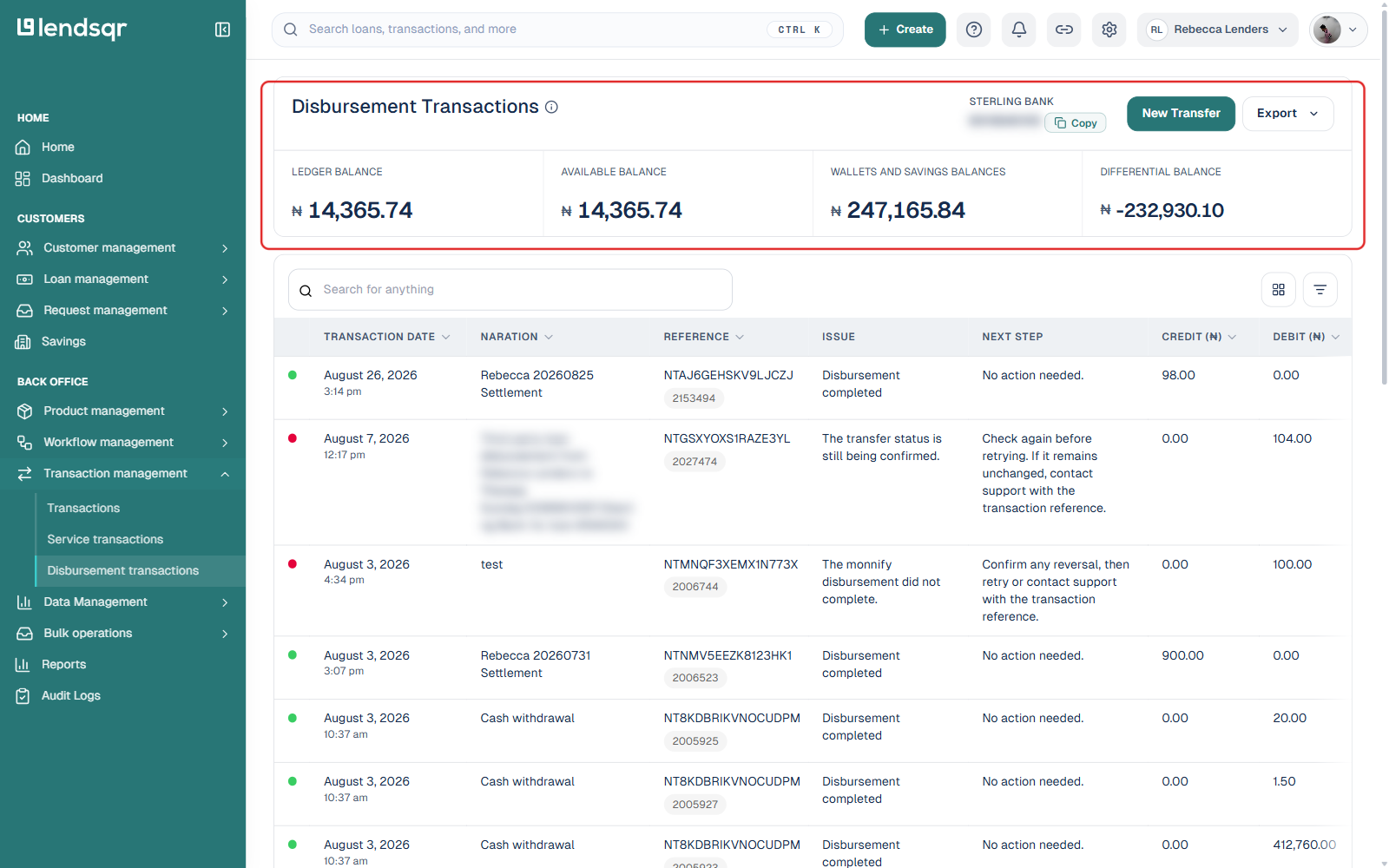
You can access your disbursement account by navigating to “Transaction Management” in the side navigation, then “Disbursement transactions“. The account enclosed in a red box is the virtual account linked to your app. Alongside it, the page also shows your Ledger Balance, Available Balance, Wallets and Savings Balances, and Differential Balance, followed by a searchable, filterable list of every disbursement transaction with its status, reference, amount, and running balance.
Settlements: Settlements represent the credit transactions received on the lender’s behalf via various payment channels (USSD, card, bank transfer, etc.). These inflows are processed on a T+1 basis, meaning settlements occur one business day after the transaction date. Transactions made over weekends or public holidays are settled on the next business day. Also note, that your settlement account is different from your disbursement account.