Access your Back Office at your fingertips.
Download the app now on Google Play Store.
Scan the QR code
You can also scan QR code with your phone to download the app.
Resetting an app’s API key
Updated
On this page
Resetting an app’s API key generates a new, secure key if the original one is lost or compromised, without needing to recreate the app or reconfigure its scopes, webhook URL, and callback URL. This keeps your integration secure with minimal disruption.
If a developer accidentally deletes their saved API key or suspects it has been exposed, instead of losing access to the app, they can quickly reset it from the app’s detail page and continue operations securely.
For example, an organization loses internal documentation containing an app’s API key. To avoid service disruption, the team resets the API key and updates their integration with the new credentials immediately.
These APIs are built into your Lendsqr admin console under Developer in the sidebar. See the Developers section for an overview of how everything fits together.
How to reset an app’s API key
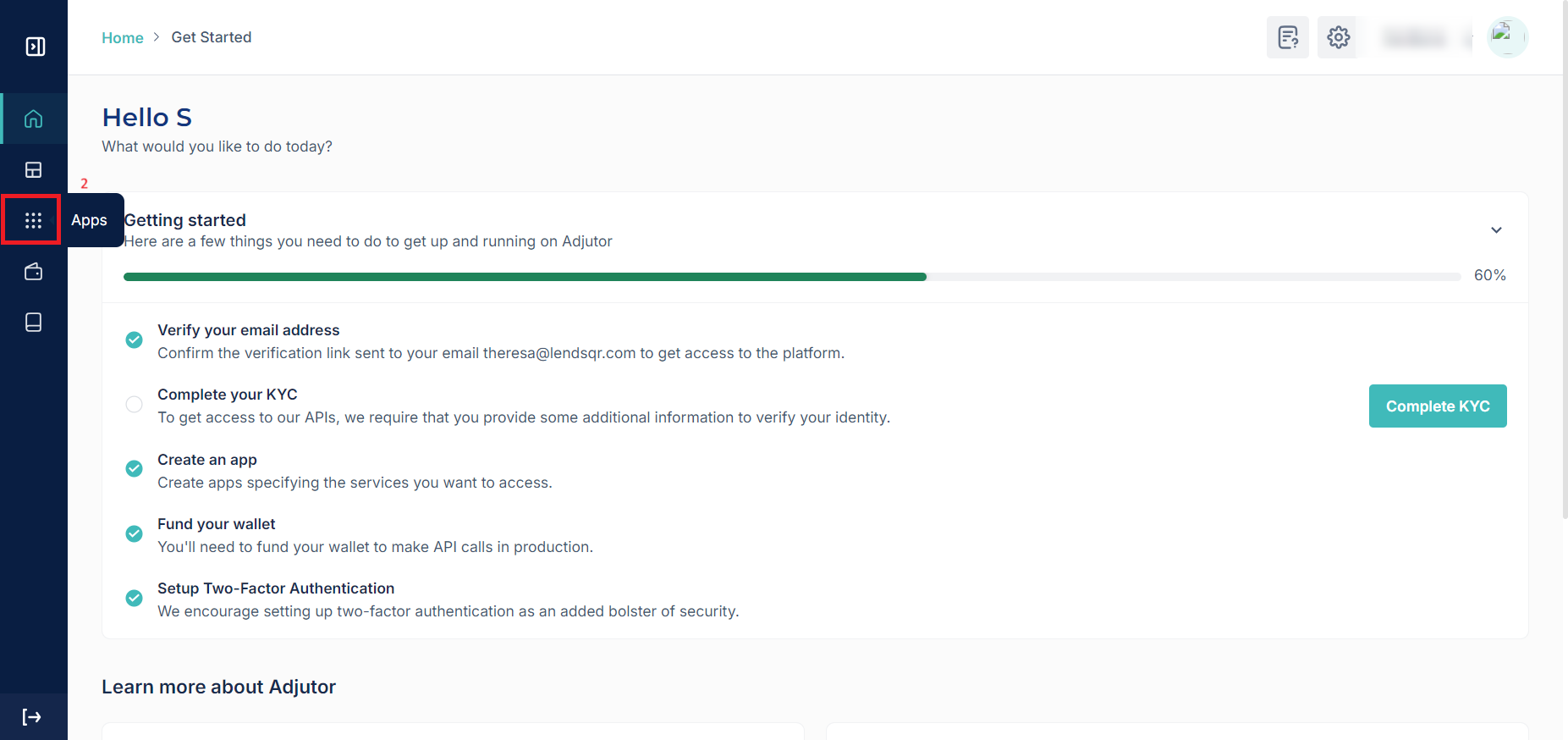
Log in to your Lendsqr admin console. In the sidebar, expand Developer and select Apps.
Click the app whose key you want to reset, to open its detail page.
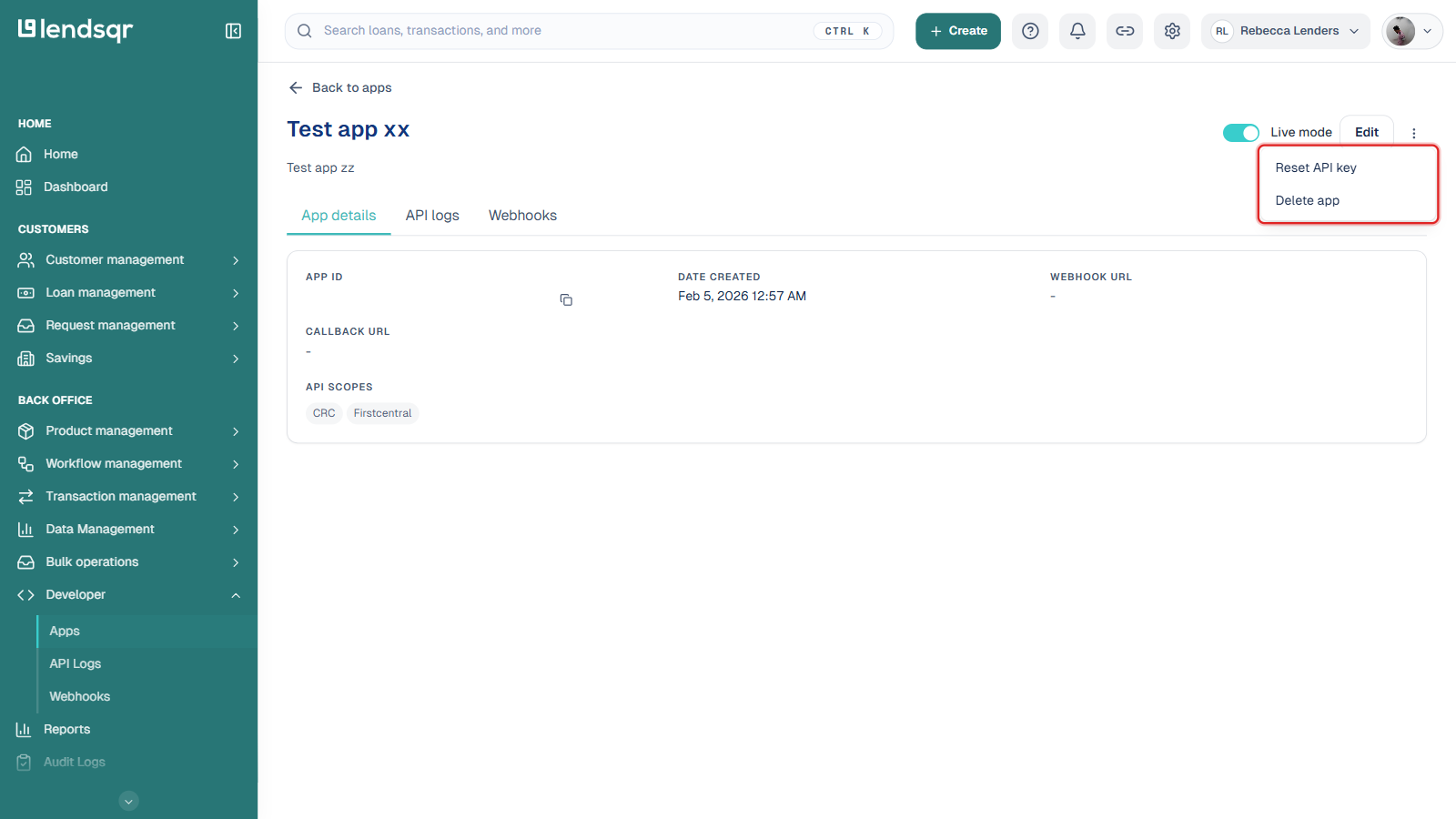
Click the menu (⋮) next to the Edit button, then select Reset API key.
Confirm the reset in the dialog that appears. The app’s webhook URL, callback URL, name, description, and API scopes are unaffected: only the key itself changes.
Copy the new key and store it somewhere safe immediately. Update every place your integration references the old key, since it stops working the moment the reset is confirmed.