Access your Back Office at your fingertips.
Download the app now on Google Play Store.
Scan the QR code
You can also scan QR code with your phone to download the app.
Managing group visibility settings
Updated
On this page
Groups are a powerful tool for financial inclusion. They allow people to save together, guarantee each other’s loans, and build shared accountability. However, not every group should be open to everyone.
In Lendsqr, you can easily control group visibility to decide whether a group appears publicly on the borrower web app or remains private. This setting helps you protect sensitive information, manage membership growth, and create the right environment for different types of group programs.
This guide explains why group visibility matters, when to make groups public or private, and the simple steps to update the setting in the Lendsqr admin console.
Why control group visibility?
Group visibility determines whether members and non-members can discover and view the group on the web app. Controlling this setting gives you important benefits:
Protect privacy for sensitive groups (such as workplace salary-based savings circles)
Control recruitment and prevent unwanted join requests
Create exclusive communities for trusted members only
Maintain compliance with internal policies or regulatory needs
Improve member experience by reducing noise from irrelevant public groups
Public groups can help attract new participants in open community programs, while private groups keep operations discreet and focused.
When should you change group visibility?
Adjust visibility based on the purpose and sensitivity of the group:
Keep groups private for salary advance savings circles within a company, internal staff loan guarantee groups, or any program involving confidential financial arrangements.
Make groups public for community-based microfinance savings groups, open cooperative programs, or initiatives designed to grow membership and promote financial inclusion.
Real-world examples in Nigeria:
A corporate salary lender keeps employee savings groups private to maintain confidentiality around salaries and contributions.
A community microfinance organization makes village savings and loan groups public so interested locals can easily find and join them.
How to manage group visibility in Lendsqr
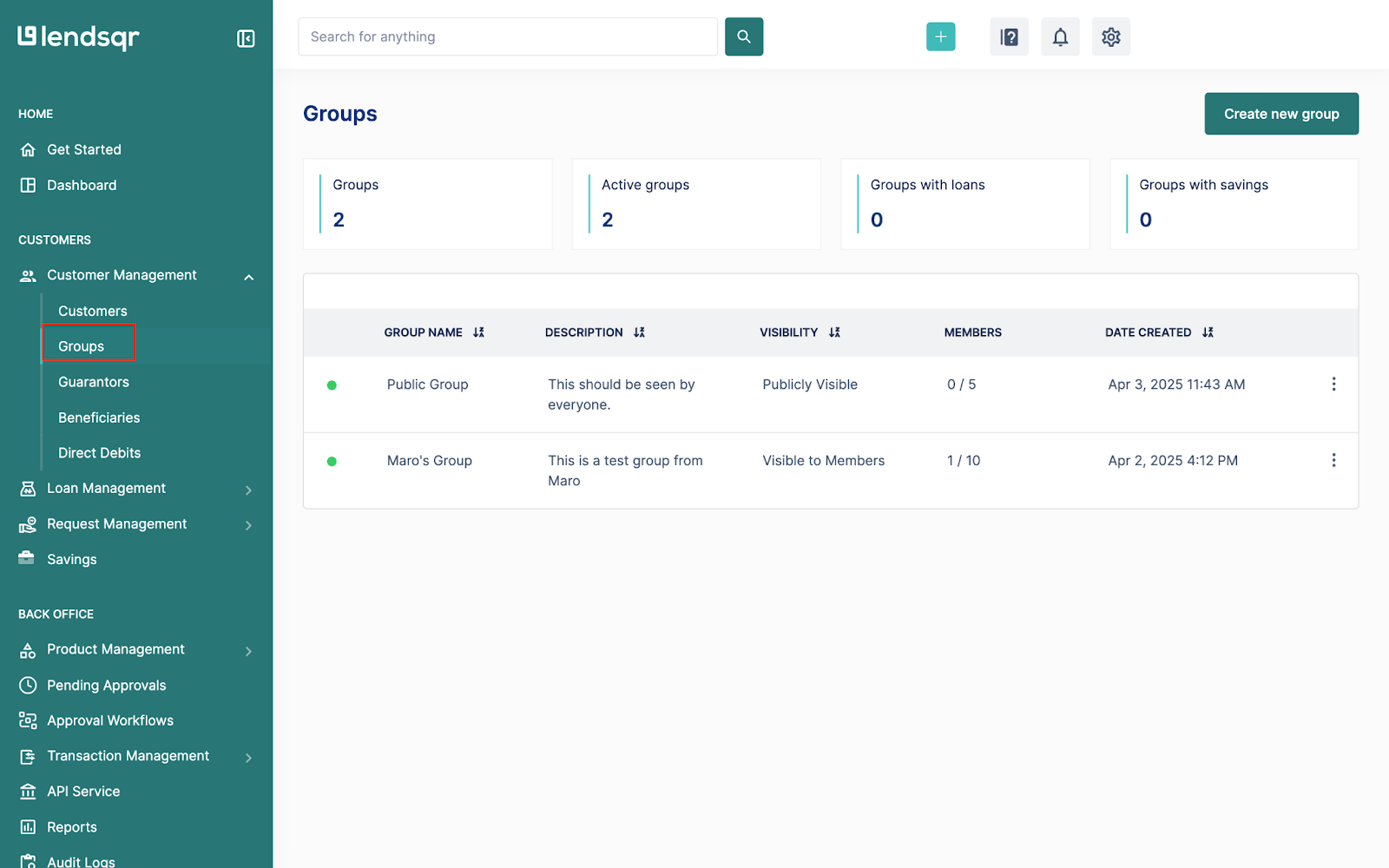
Log in to the admin console and navigate to “Groups” under the “Customer management” tab.
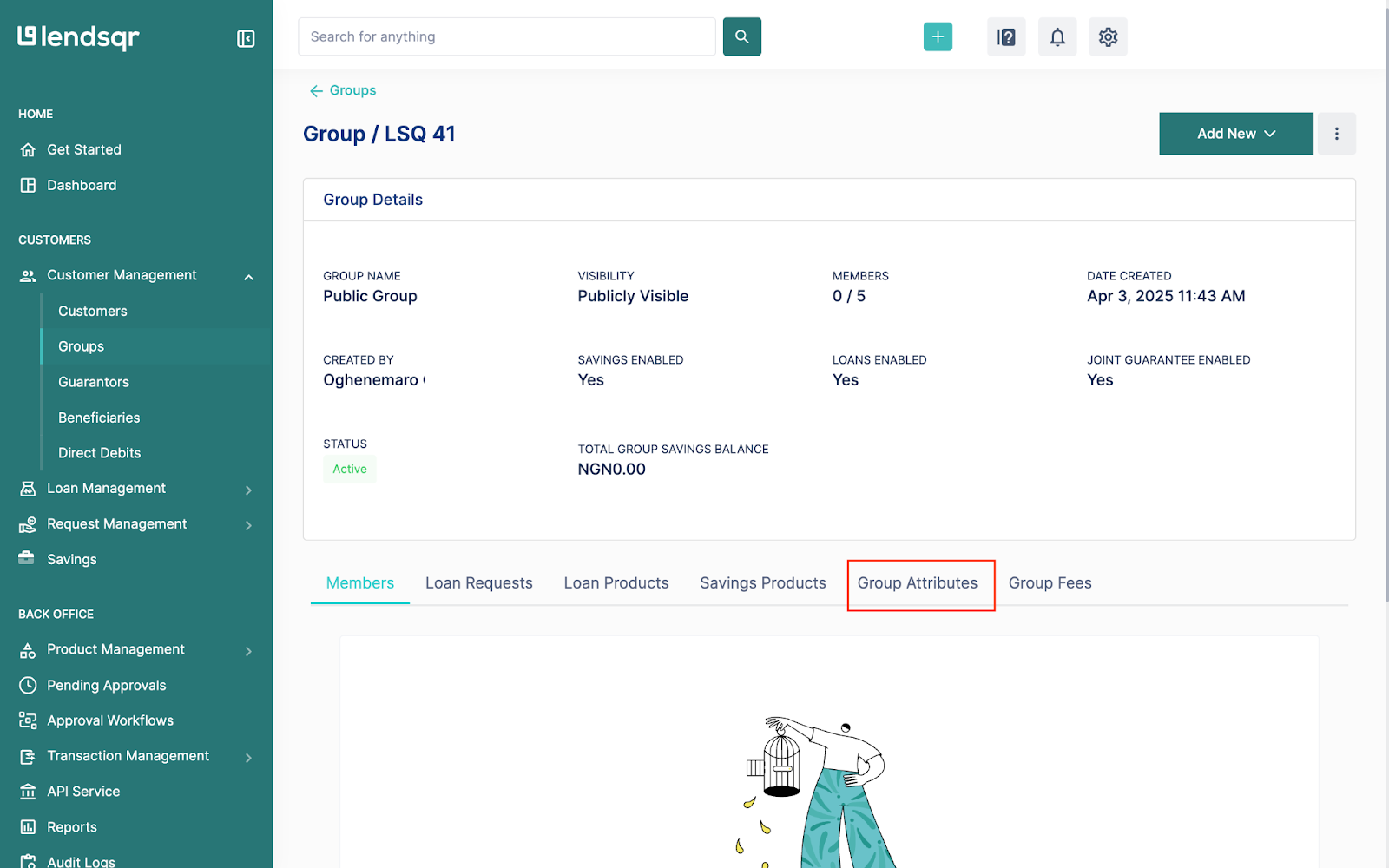
Click on any group and open the “Group attributes” tab
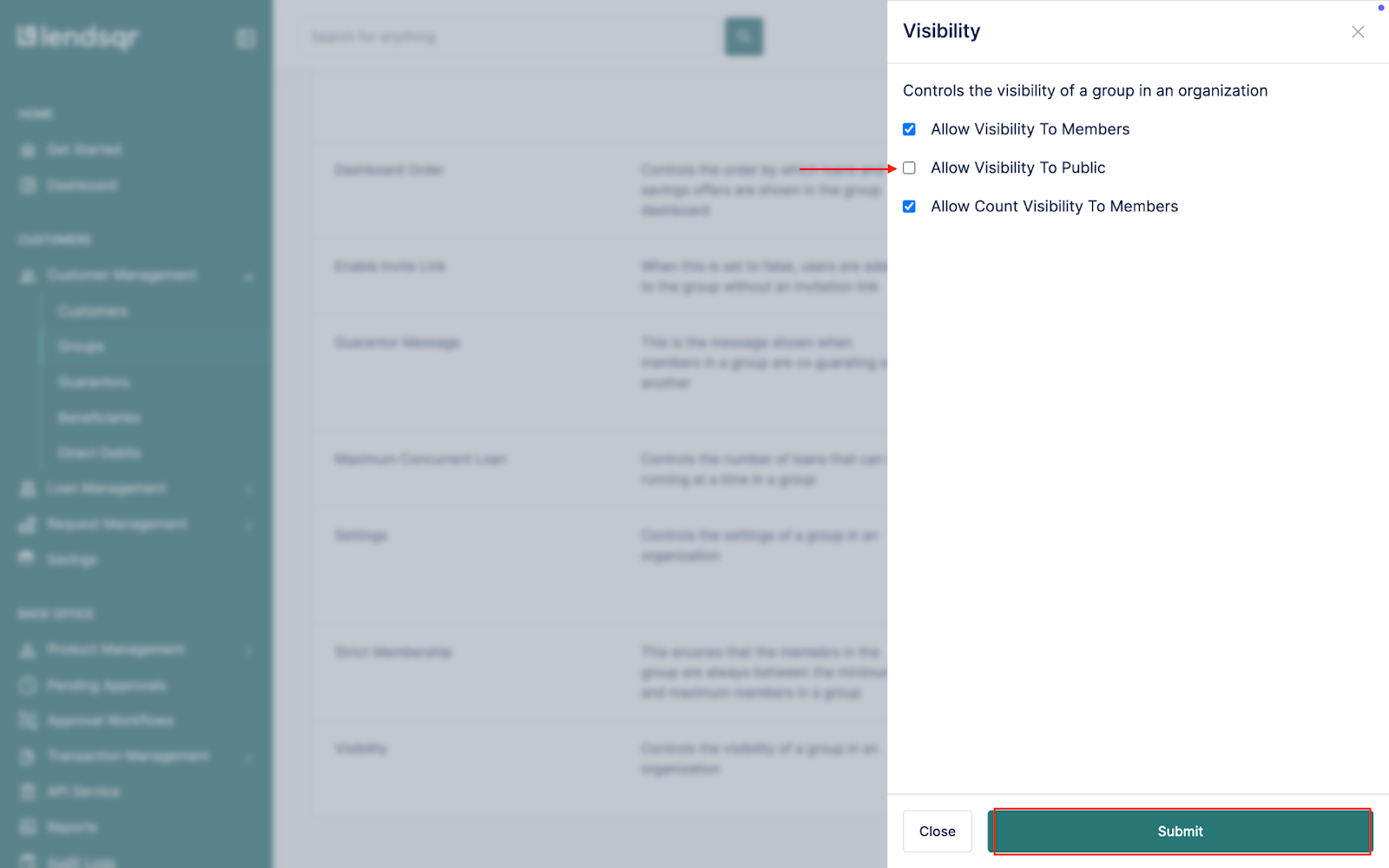
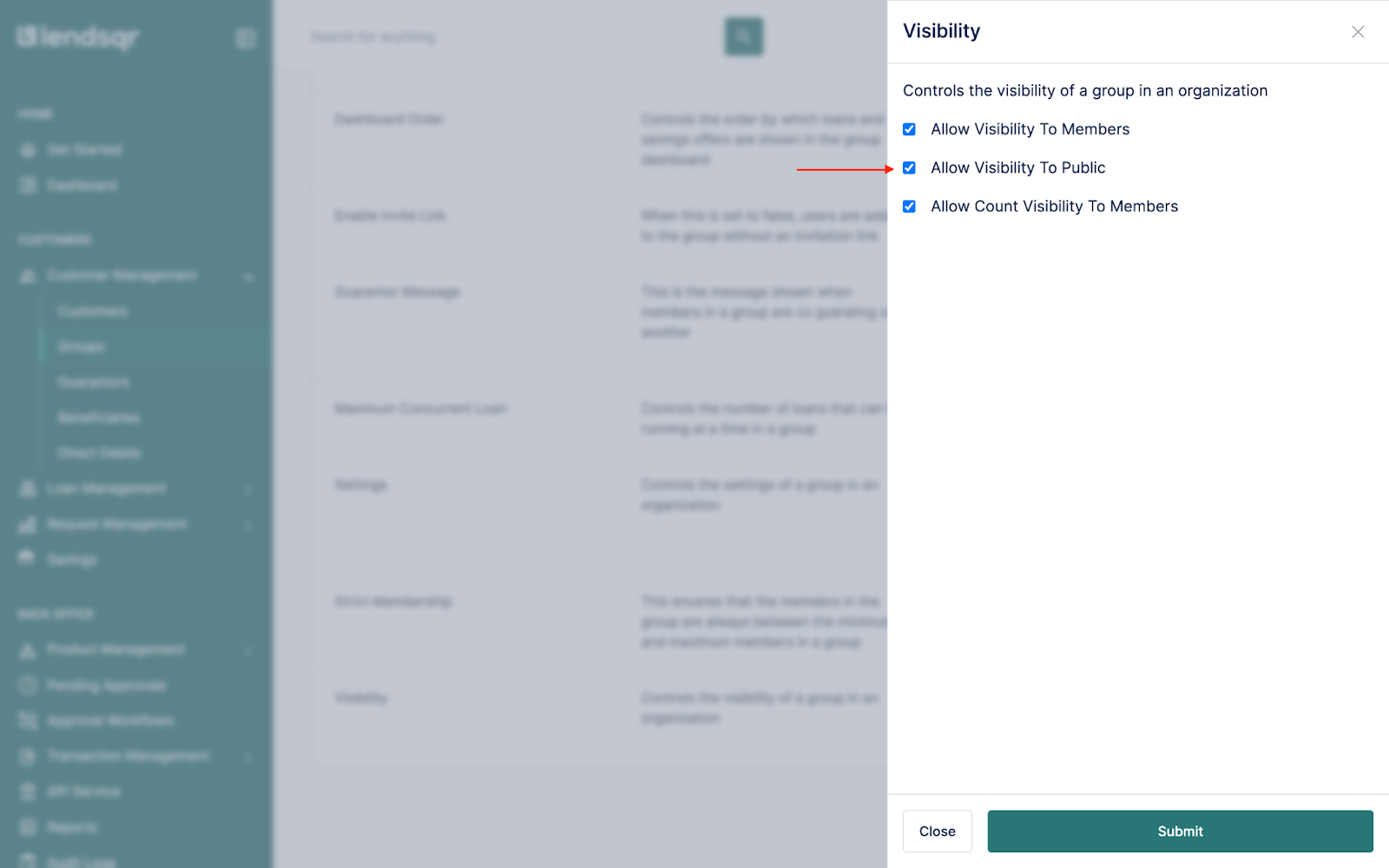
Locate the “Visibility” attribute and edit
You can choose to turn off the group’s visibility to the public
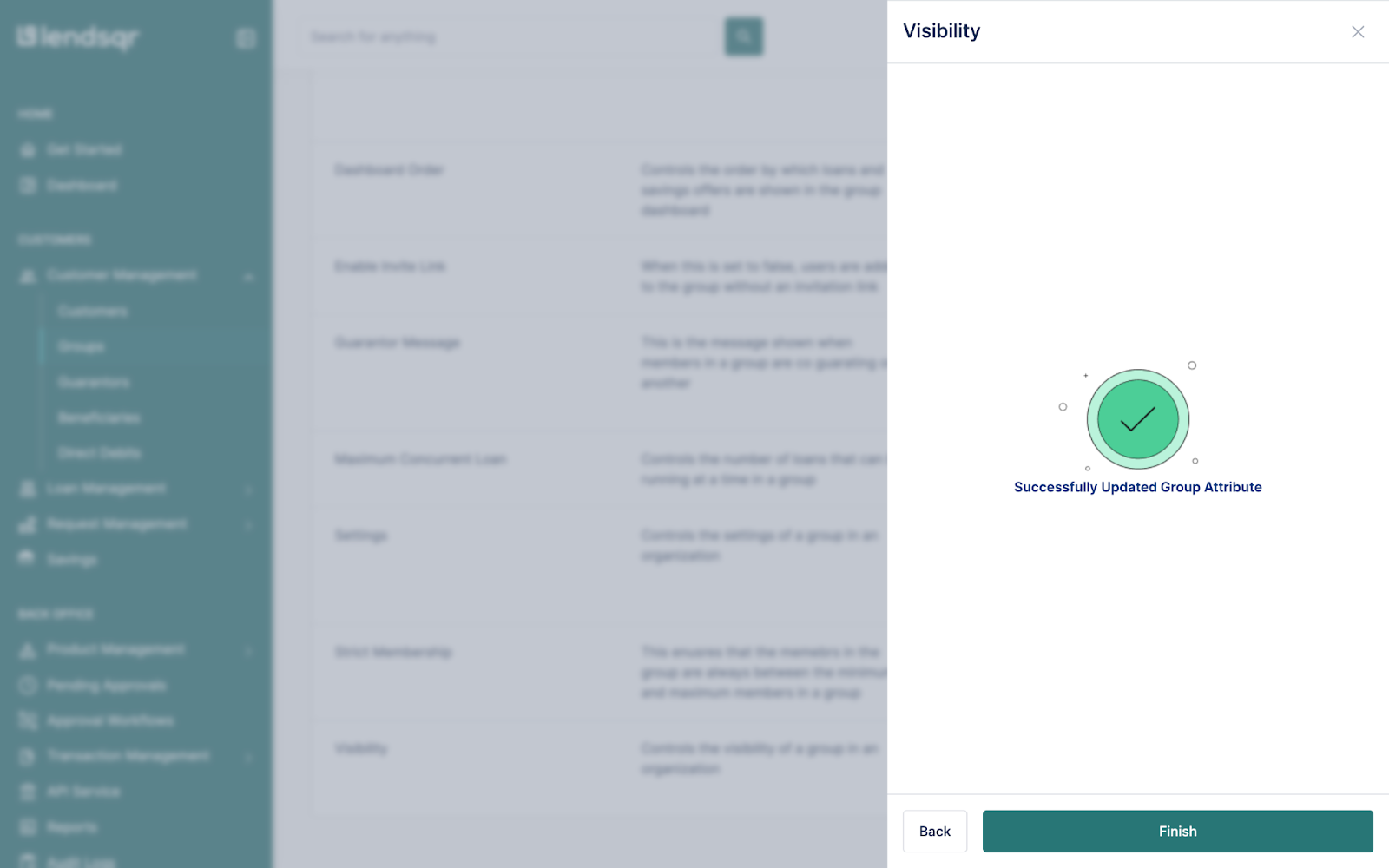
Click on “Submit” and then “Finish“, to update the attribute
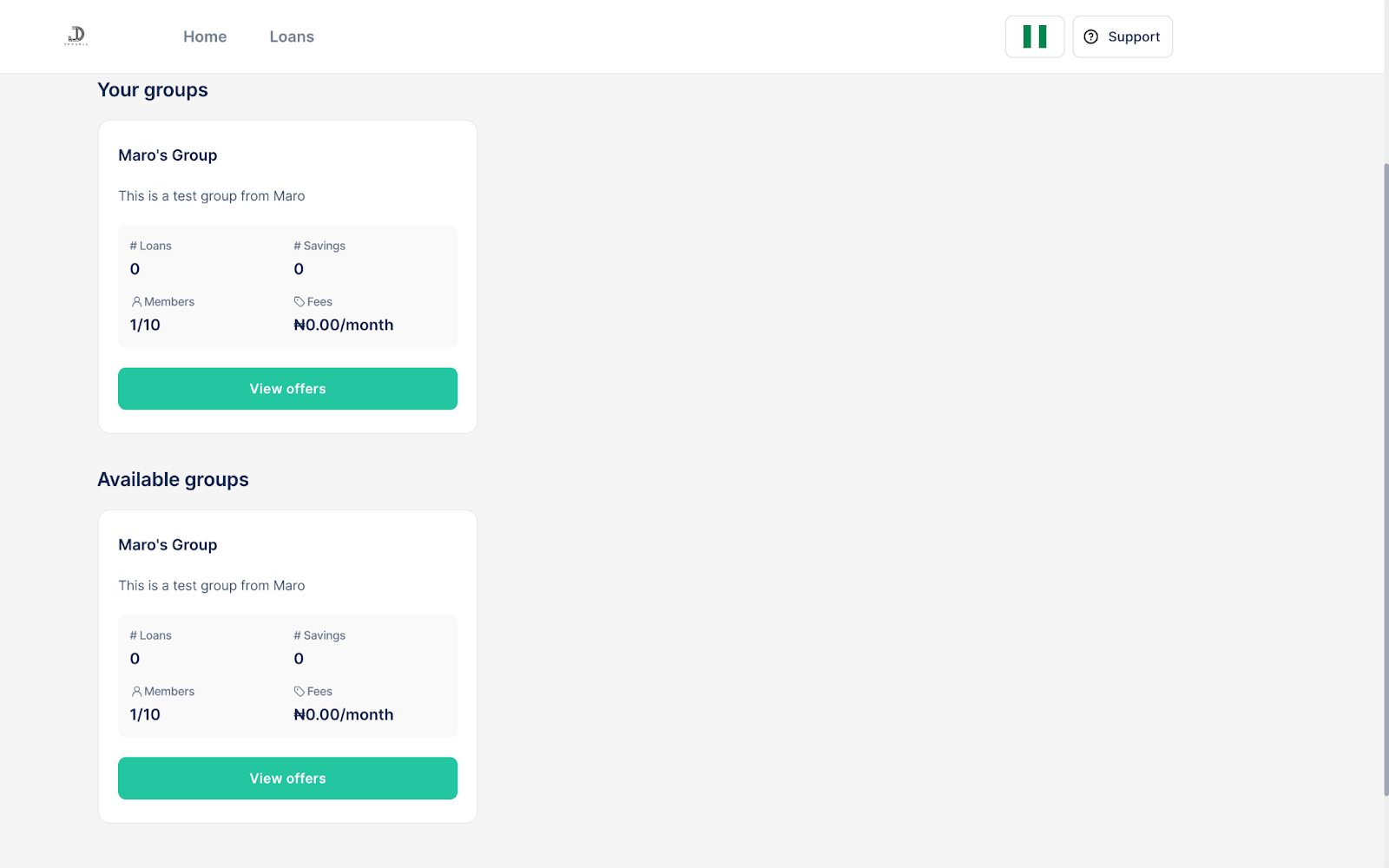
Upon completion of the steps above, the particular group whose visibility attribute has been changed will no longer be seen on the web app
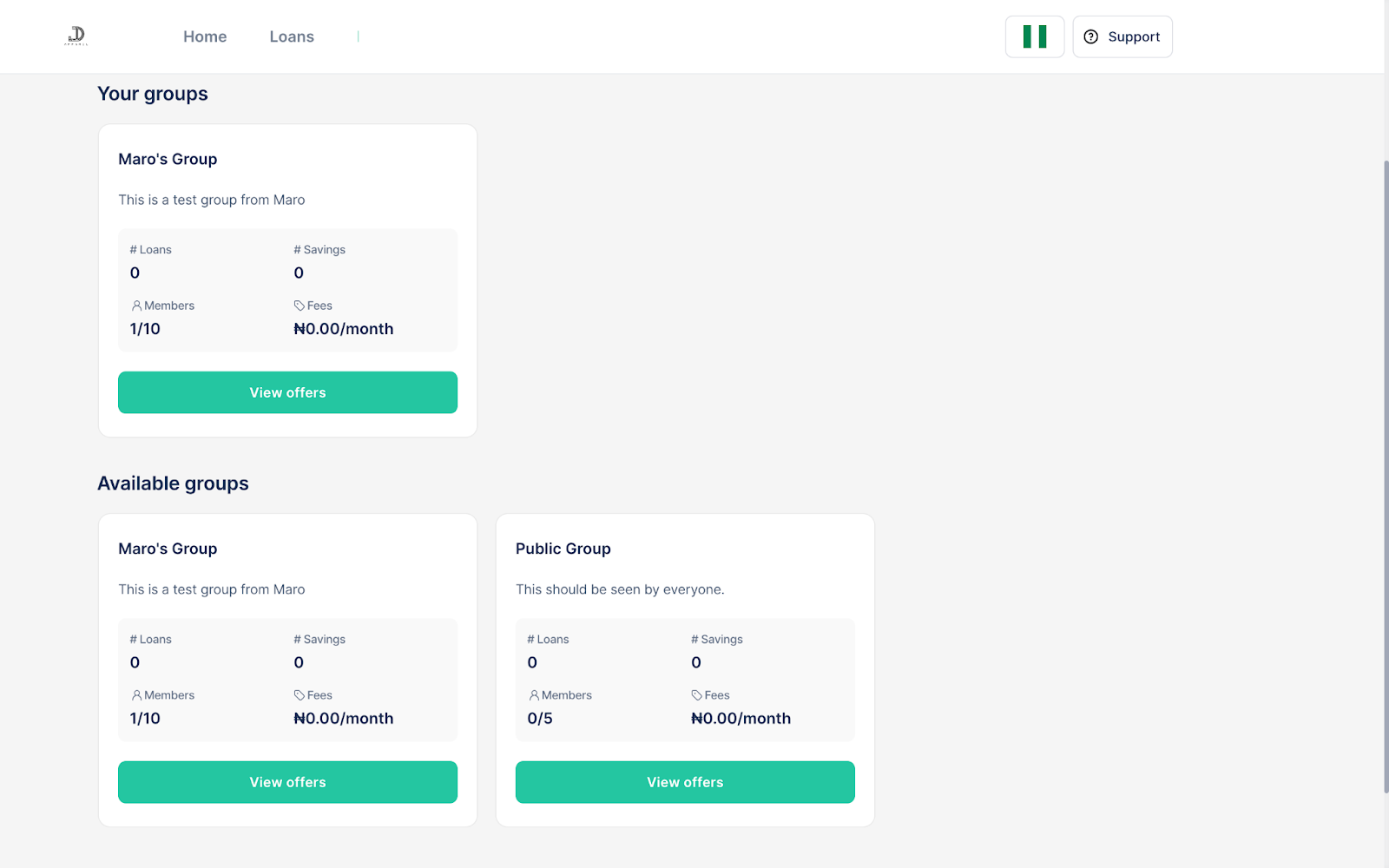
You can set the group to be publicly visible as well
Afterwards, the groups will be visible on the web app to members and non-members
The update takes effect immediately. Groups with visibility turned off will no longer appear on the borrower web app.
Tip: You can combine visibility settings with other group attributes, such as strict membership rules, to create highly controlled environments.
What happens after updating visibility
When public visibility is off, the group becomes hidden on the web app. Only existing members (and admins) can access it.
When public visibility is on, the group becomes discoverable to both current members and potential new members browsing the platform.
This gives you flexible control from one central place in the Lendsqr admin console.
Next steps
Review all your active groups and adjust visibility based on their purpose.
Combine visibility settings with strict membership or onboarding messages for better group management.
Test the change by checking how the group appears (or disappears) on the borrower web app.
With easy group visibility controls in the Lendsqr admin console, you can decide exactly who sees and joins your groups. This helps you build secure, well-managed group lending or savings programs while maintaining full control from one platform.
Ready to fine-tune your group settings? Log in to Lendsqr and start managing visibility today.