Access your Back Office at your fingertips.
Download the app now on Google Play Store.
Scan the QR code
You can also scan QR code with your phone to download the app.
Understanding loan reports and analytics
Updated
On this page
Loan reports help lenders monitor portfolio performance, track repayments, identify collection risks, and make better lending decisions. Within the Lendsqr Admin Console, lenders have access to a wide range of loan reports that provide insights into every stage of the lending lifecycle, from loan applications and disbursements to repayments, collections, and credit reporting.
Understanding how to use these loan reports effectively can help lenders improve operational efficiency, strengthen collection strategies, and gain deeper visibility into their lending business.
The Reports section contains a variety of loan-related reports that help lenders understand every stage of the lending lifecycle, from loan applications and approvals to repayments, collections, and portfolio performance.
Why loan reports are important for lenders
Loan reports provide lenders with a centralized view of their lending operations. Instead of manually reviewing individual loan records, lenders can access organized reports that summarize key activities across their portfolio.
These reports help lenders answer important business questions such as:
How many loans have been disbursed?
Which loans are overdue?
How much has been collected this month?
Which loan applications failed during processing?
Which borrowers have outstanding balances?
What repayments are due soon?
Having access to this information enables lenders to make data-driven decisions, improve collection efforts, monitor portfolio quality, and identify operational bottlenecks before they become larger issues.
Accessing loan reports
To access loan reports:
Log in to your Lendsqr Admin Console.
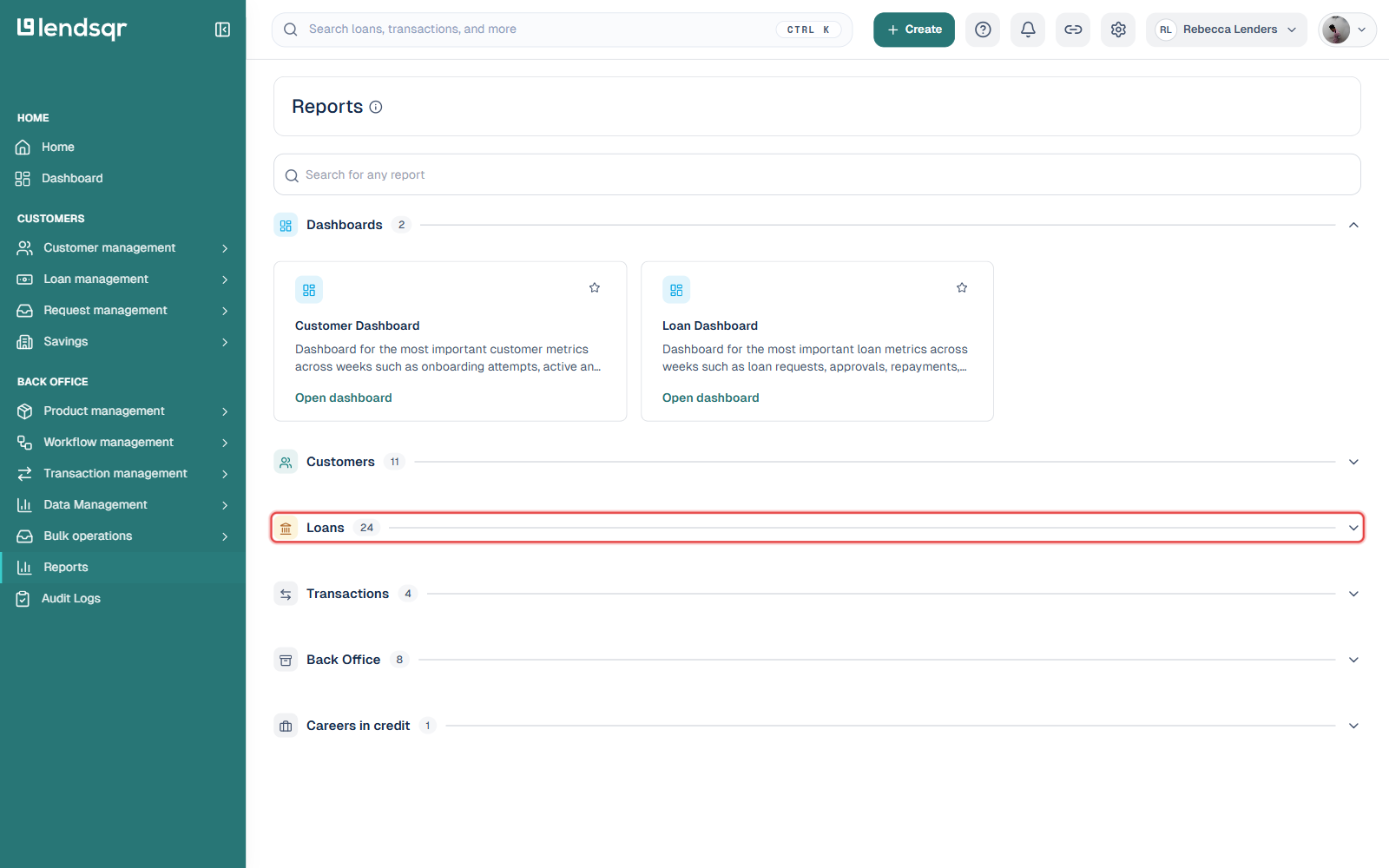
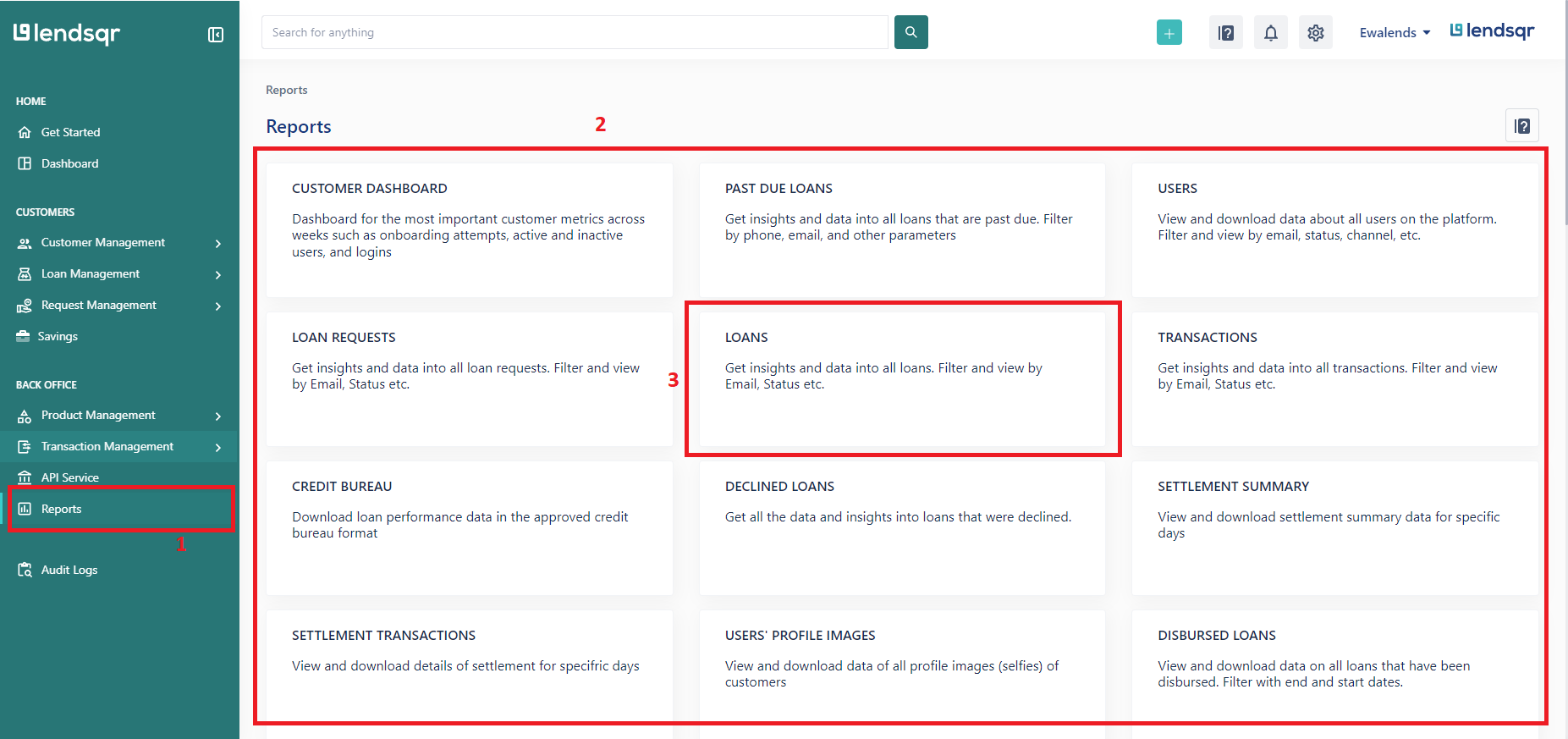
Navigate to Reports from the left navigation menu.
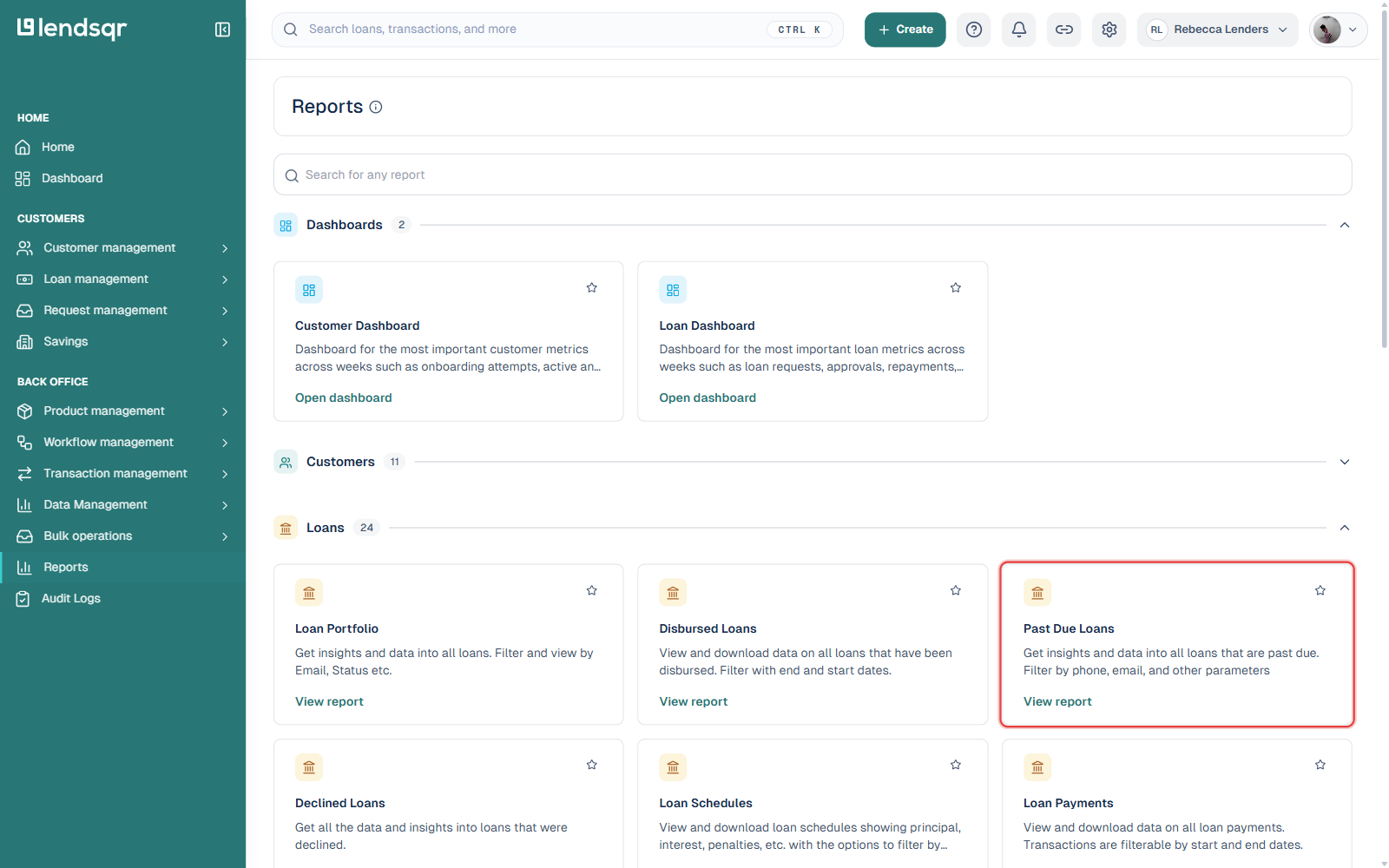
Scroll to the Loans section.
Select the report you want to view.
Click View report to open the report dashboard.
Depending on the report, you may be able to apply filters such as date range, email address, borrower information, or loan status before exporting the data.
Types of loan reports available on Lendsqr
The Reports section contains multiple reports designed to support different aspects of lending operations. While some reports focus on loan performance, others provide visibility into repayments, collections, borrower activity, and regulatory reporting.
These reports can generally be grouped into five categories:
Portfolio and loan monitoring reports
These reports help lenders understand the overall performance and status of their loan portfolio.
Repayment and collection reports
These reports provide insights into repayments, collections, overdue loans, and payment performance.
Loan application reports
These reports focus on loan requests, application outcomes, and application funnel performance.
Borrower-related reports
These reports provide visibility into borrower behaviour, guarantor information, and customer engagement opportunities.
Compliance and reporting reports
These reports support regulatory obligations and external reporting requirements.
Portfolio and loan monitoring reports
Loan portfolio
The Loan Portfolio report provides insights into all loans on your platform. Lenders can filter and view loans using various parameters such as borrower email and loan status.
This report serves as one of the most comprehensive sources of loan information available on the platform. It is useful for reviewing loan records, tracking portfolio growth, and monitoring overall lending activity.
Disbursed loans
The Disbursed Loans report provides data on all loans that have been successfully disbursed.
Lenders can use this report to monitor disbursement activity within a specific period and track how much capital has been deployed. The report can also assist in reconciliation and operational reviews.
Past due loans
The Past Due Loans report contains information on loans that have missed their repayment deadlines.
This report is particularly valuable for collections teams because it helps identify borrowers requiring follow-up. By reviewing overdue loans regularly, lenders can improve recovery efforts and reduce portfolio risk.
Example: using the Past Due Loans report
Suppose a lender has 500 active loans and wants to reduce delinquency rates before the month-end. By reviewing the Past Due Loans report, the collections team can quickly identify borrowers with overdue repayments and prioritize follow-up efforts. This allows the team to focus resources on high-risk accounts and improve recovery performance.
Declined loans
The Declined Loans report contains information about loans that were declined.
This report helps lenders understand rejection trends and review declined applications. It can also be useful for internal audits and approval process evaluations.
Loan schedules
The Loan Schedules report provides information about repayment schedules across running, settled, and past-due loans.
This report helps lenders track upcoming repayment obligations and understand how loan repayments are structured over time.
Repayment and collection reports
Repayment performance is one of the most important indicators of portfolio health. Lendsqr provides several reports that help lenders monitor repayment activity and collection efficiency.
Loan payments
The Loan Payments report contains information about loan repayments made by borrowers.
This report allows lenders to review payment activity, verify repayment records, and monitor borrower repayment behaviour over a selected period.
Loan payments breakdown by borrower
The Loan Payments Breakdown by Borrower report provides insights into loan performance at the borrower level.
This report helps lenders understand repayment activity for individual borrowers and identify customers with strong or weak repayment patterns.
Loan payments transaction breakdown
This report provides a detailed breakdown of loan repayment transactions into their individual components.
Repayments can be separated into categories such as principal, interest, fees, and penalties. This level of detail helps lenders understand exactly how repayments are being applied.
Collection rates
The Collection Rates report measures the relationship between expected collections and actual collections.
By comparing the amount due with the amount collected, lenders can assess collection effectiveness and monitor repayment performance across their portfolio.
Upcoming due payments
The Upcoming Due Payments report provides insights into repayment schedules that are approaching their due dates.
Collections teams can use this report to engage borrowers before repayments become overdue proactively.
Example: preventing missed repayments
A lender may use the Upcoming Due Payments report at the beginning of each week to identify borrowers with repayments due within the next few days. The team can then send reminders before the due date, helping improve repayment rates and reduce the number of loans that become overdue.
Monthly loan repayment summary
The Monthly Loan Repayment Summary report provides a consolidated view of repayments for loans booked within a particular month.
This report is useful for month-end reviews and performance analysis.
Loan application reports
Application reports help lenders understand borrower demand and evaluate the effectiveness of their loan approval processes.
Loan requests
The Loan Requests report contains information about all loan applications submitted on the platform.
Lenders can review borrower details, application information, and loan statuses from this report.
Loan request analysis
The Loan Request Analysis report provides insights into loan requests and their progression through different stages of the lending process.
This report can help lenders identify bottlenecks, understand approval trends, and improve operational efficiency.
Failed loan requests
The Failed Loan Requests report contains information about loan applications that were unsuccessful after processing.
By reviewing failed requests, lenders can identify recurring issues affecting application completion and investigate potential process improvements.
Abandoned loan requests
The Abandoned Loan Requests report identifies customers who started the loan process but did not complete it.
This report presents an opportunity for customer engagement and reactivation campaigns. Lenders can use the information to understand drop-off behaviour and encourage borrowers to complete their applications.
Borrowers with unwithdrawn balances
This report contains information about borrowers who have received loans but still maintain balances that have not been withdrawn.
Lenders can use this report to better understand customer activity and monitor account usage.
Guarantors
The Guarantors report provides information about guarantors associated with loans on the platform.
This report can be useful during collections activities, customer verification exercises, and portfolio reviews.
Whitelisted or prequalified borrowers
This report contains information about borrowers who have been whitelisted or prequalified for loans.
Lenders can use the report to support targeted marketing campaigns and customer acquisition initiatives.
Churned borrowers
The Churned Borrowers report identifies borrowers who have not returned for additional loans.
This report is valuable for retention strategies and customer re-engagement efforts.
Compliance and regulatory reporting
Certain reports support lenders in meeting regulatory and external reporting requirements.
Credit bureau
The Credit Bureau report provides loan performance data in an approved credit bureau format.
This helps lenders prepare information for credit bureau reporting requirements where applicable.
Credit reporting
The Credit Reporting report contains data submissions made to credit bureaus.
This report provides visibility into reporting activities and supports compliance monitoring.
Fee-related reports
Understanding fee performance is important for financial analysis and revenue monitoring.
Fee payment breakdown report
The Fee Payment Breakdown Report provides a breakdown of fee-related payments associated with loans.
This helps lenders understand fee contributions across their portfolio and monitor fee collection activity.
Monthly fees report
The Monthly Fees Report provides a summary of fee-related activity during a particular period.
Lenders can use this report to review fee performance and support financial reporting processes.
Best practices for using loan reports
To maximize the value of reporting, lenders should review reports regularly rather than only when issues arise. Consistent monitoring helps identify trends early and enables faster decision-making.
Past Due Loans and Upcoming Due Payments reports should be reviewed frequently by collections teams to support proactive repayment management. Loan Request Analysis and Failed Loan Requests reports can help operations teams identify inefficiencies in the application process.
Financial teams may benefit from regularly reviewing Loan Payments and Monthly Loan Repayment Summary reports to monitor cash flow and portfolio performance.
Lenders should also make use of filtering capabilities available within reports to focus on specific date ranges, borrower segments, loan statuses, or operational objectives.
Common reporting terms
Collections
Repayments were successfully received from borrowers.
Disbursement
The release of approved loan funds to a borrower.
Past due loan
A loan that has exceeded its scheduled repayment date without receiving the required payment.
Loan request
An application submitted by a borrower for a loan.
Repayment schedule
The timeline showing when loan repayments are expected to be made.
Collection rate
The percentage of due repayments that were successfully collected.
Frequently asked questions
Where can loan reports be accessed?
Loan reports can be accessed from the Reports section of the Lendsqr Admin Console.
Can reports be filtered?
Yes. Several reports support filtering using parameters such as email addresses, loan status, and date ranges.
Which report should I use to view overdue loans?
The Past Due Loans report provides information about loans that have passed their repayment due dates.
Which report shows repayment activity?
The Loan Payments report contains information about loan repayments made by borrowers.
How can I identify customers who abandoned applications?
The Abandoned Loan Requests report helps lenders identify customers who started but did not complete the loan application process.
Which report helps monitor collection performance?
The Collection Rates report provides insights into collection performance by comparing expected collections with actual collections.