Access your Back Office at your fingertips.
Download the app now on Google Play Store.
Scan the QR code
You can also scan QR code with your phone to download the app.
How to manage guarantor details
Updated
On this page
Imagine a microfinance lender running a portfolio of small business loans notices a cluster of defaults. After investigating, they discovered that several of the defaulting borrowers listed the same person as their guarantor, someone who never had the financial standing to back even a single loan. Had the lender regularly reviewed their guarantor data, they could have caught this pattern early and limited their exposure.
This is exactly the kind of oversight that guarantor management on Lendsqr makes possible. Whether you are a digital lender in Nigeria or anywhere else Lendsqr operates, the admin console gives you a centralized view of every guarantor backing your borrowers, what they have guaranteed, and their linked activity.
What is a loan guarantor?
A loan guarantor is a person who agrees to take on the responsibility of repaying a borrower’s loan if the borrower defaults. By providing a guarantor, the borrower gives the lender an additional layer of financial security, especially useful when the borrower’s own credit profile is thin or unproven.
Guarantors are common in many lending contexts:
A salary earner guarantees a loan for a younger sibling who is self-employed and has no credit history.
An employer guarantees a loan for a staff member as part of a welfare benefit scheme.
A community leader or group head guarantees loans for members in a group lending program.
In each of these scenarios, the lender needs to know who the guarantor is and monitor their exposure across multiple loans.
Why lenders should actively manage guarantor details
Simply collecting guarantor information at the point of loan application is not enough. Active management matters because:
A single guarantor can be linked to multiple loans. If several of those loans default simultaneously, the guarantor may not be able to cover all of them. Reviewing this exposure helps you set limits early.
Guarantor details can be fraudulent. Without oversight, borrowers can submit false or unreliable guarantor information. Lendsqr’s blacklisting tools let you act once fraud is confirmed.
Regulatory compliance. In some jurisdictions, lenders are expected to keep verified records of anyone who acts as a guarantor on a loan agreement.
How to view guarantor details on the Lendsqr admin console
On the side navigation, click Customer management under Customers.
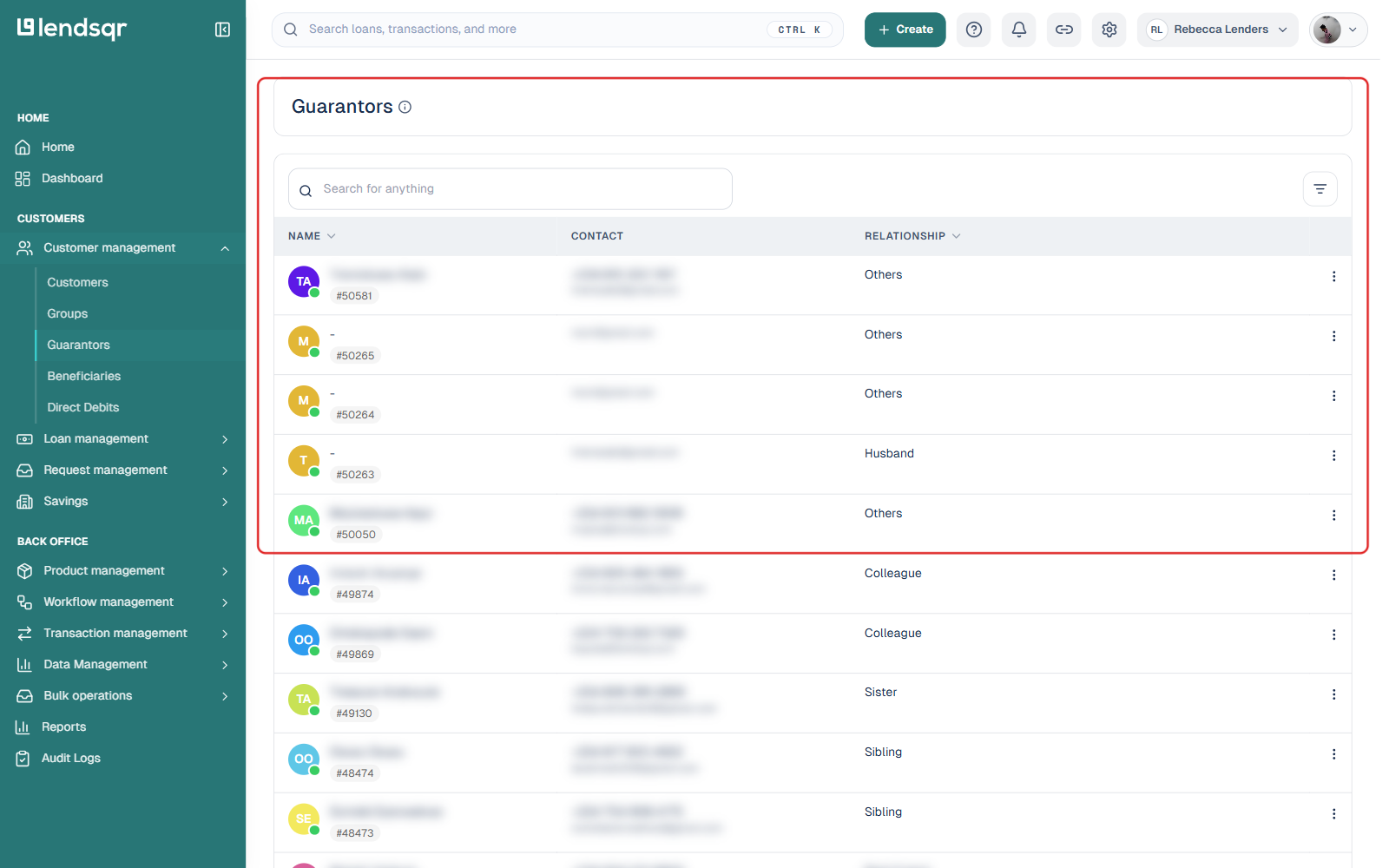
Select Guarantors from the sub-menu. This opens a table of every guarantor on your platform, with their name, contact details, and relationship to the borrower they guaranteed.
Click on a guarantor’s row, or use the three-dot menu at the end of the row, to open their profile.
What you will see on a guarantor’s profile
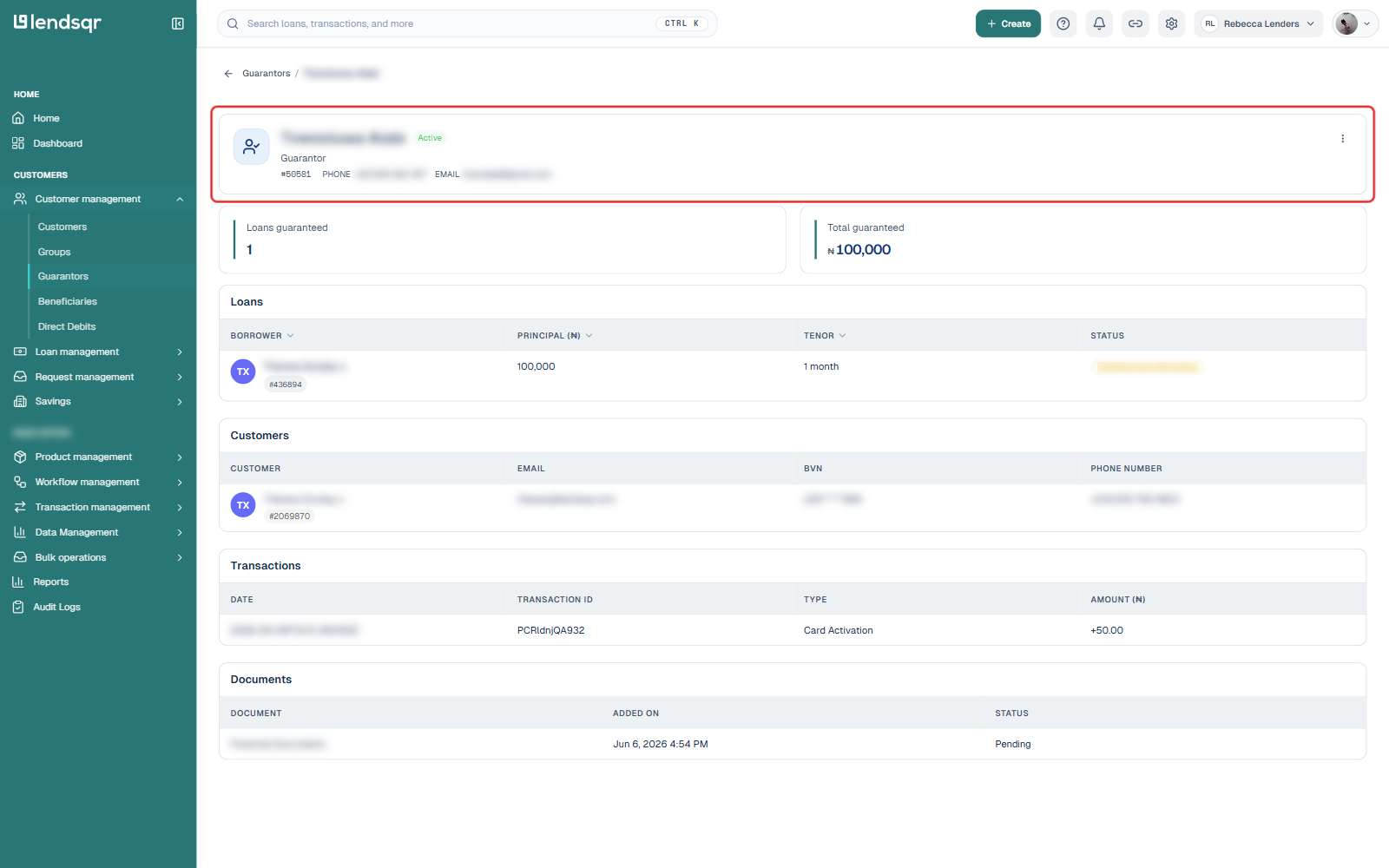
A guarantor’s profile is a single page, not a set of tabs. At the top, you will find their name, active/inactive status, ID, phone number, and email, alongside two summary figures: Loans guaranteed (a count) and Total guaranteed (the combined amount across those loans).
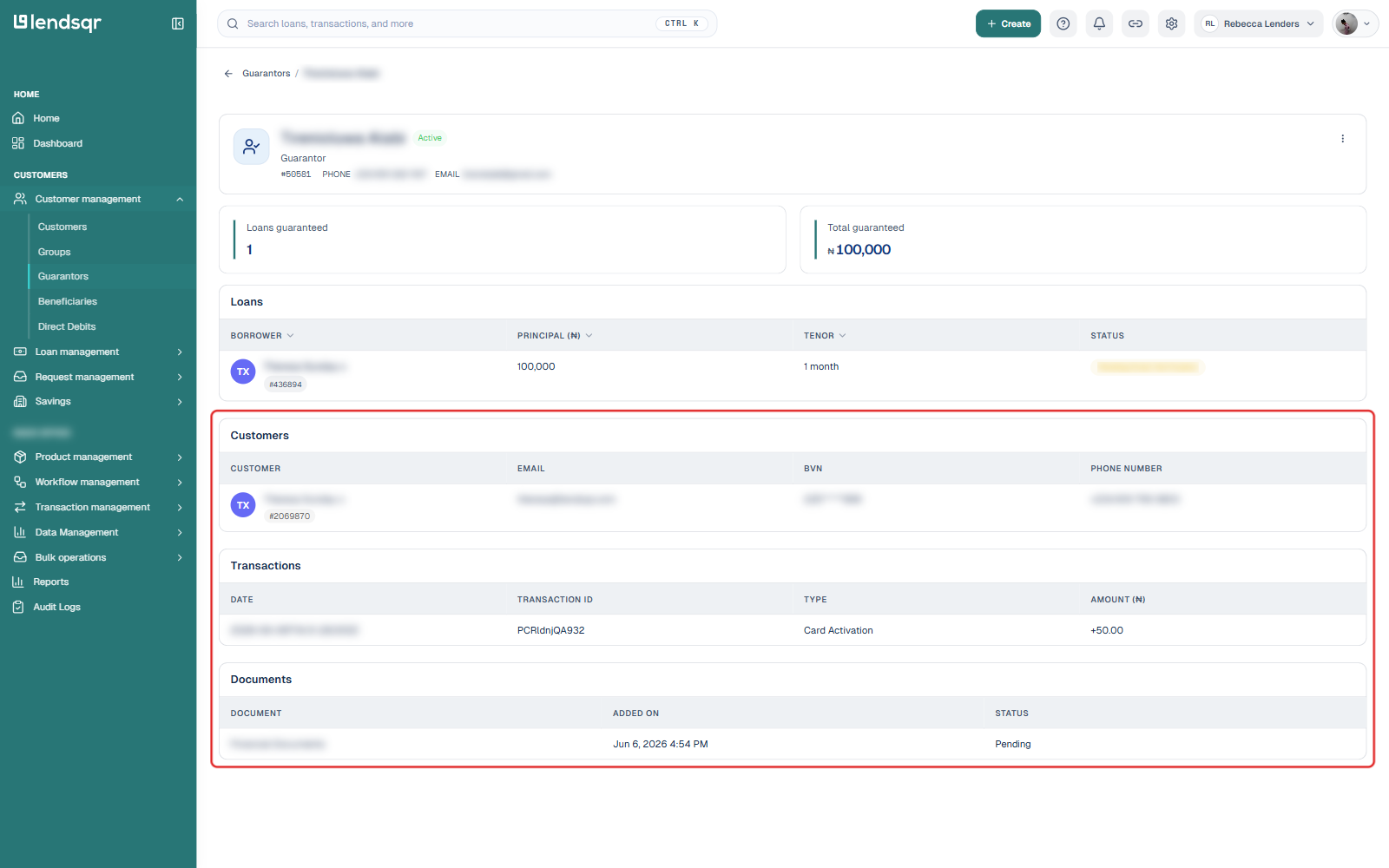
Below that, the page is organized into four sections:
Loans, listing each loan this guarantor is backing, with the borrower, principal, tenor, and status.
Customers, listing the borrowers this guarantor is linked to, with their email and phone number (and BVN, on organizations configured for Nigeria).
Transactions, a log of financial activity tied to this guarantor, with date, transaction ID, type, and amount.
Documents, any files associated with the guarantor, with when they were added and their status.
Blacklisting a guarantor
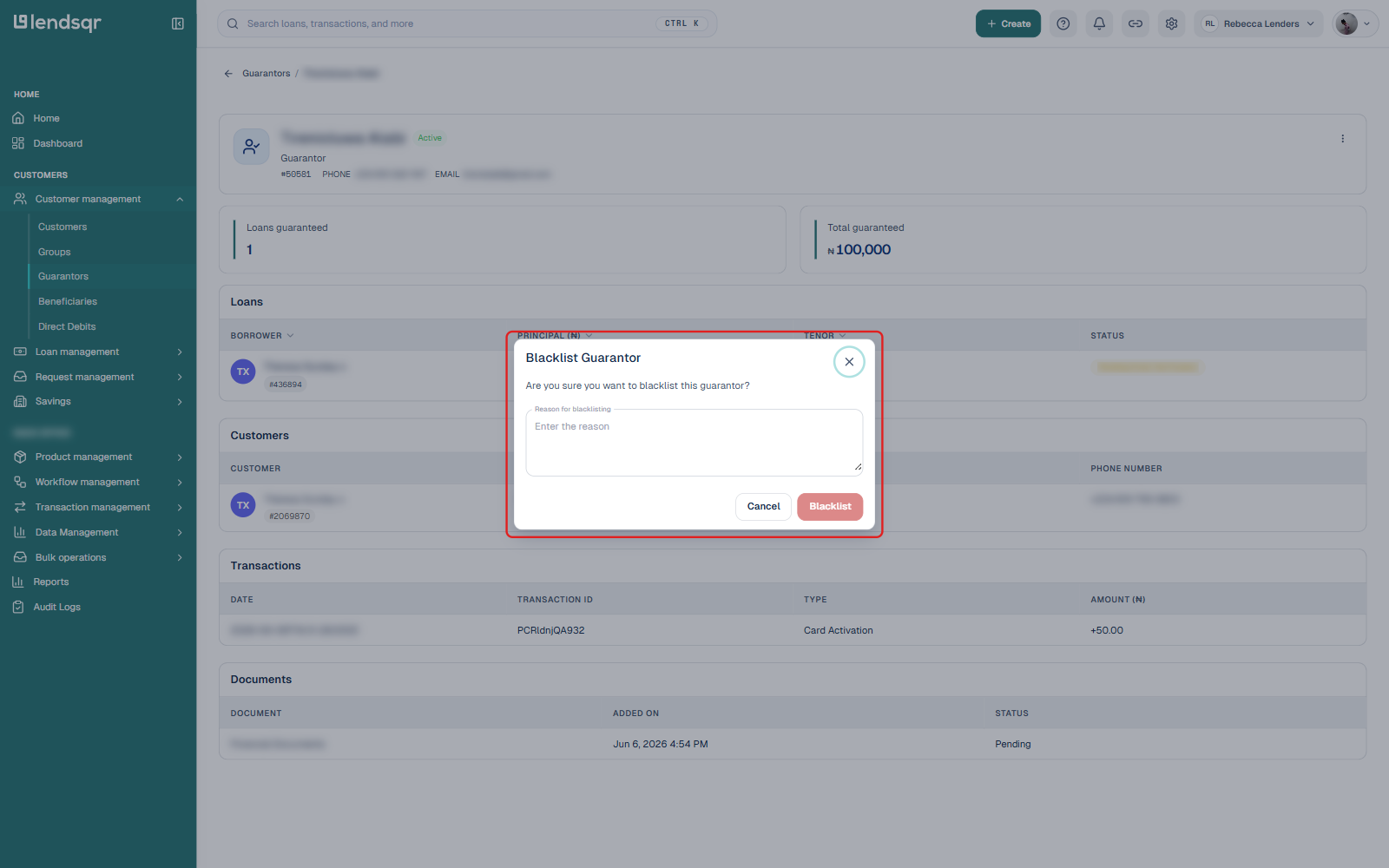
To blacklist a guarantor you deem fraudulent, click the Actions button on their profile and select Blacklist guarantor. A dialog opens asking you to confirm and enter a reason for blacklisting. Once you have entered a reason, click Blacklist to confirm.
What to look for when reviewing a guarantor
Once you are inside a guarantor’s profile, here are the key things to assess:
Number of loans guaranteed and total exposure. If one guarantor is backing a large number of loans, or the total guaranteed amount is high, consider whether their financial standing actually supports that exposure.
Status of linked loans. Check the Loans section for loans that are past due or in a poor state, since these are the ones most likely to fall back on the guarantor.
Number of customers linked. A guarantor tied to many unrelated borrowers, rather than family or close colleagues, can be worth a closer look.
Contact details accuracy. If you ever need to contact a guarantor to enforce repayment, you need accurate phone and email records.