Access your Back Office at your fingertips.
Download the app now on Google Play Store.
Scan the QR code
You can also scan QR code with your phone to download the app.
Blacklisting a User
Updated
On this page
What is Karma?
Introduction
Karma is a collaborative effort to protect operators in the financial ecosystem from bad actors. Who are bad actors? Bad actors are individuals who are always trying to explore the financial space and its loopholes to discover ways to dupe operators in the space or have even duped them in the past or defaulted on loans without intent to pay back.
Karma provides a solution to this challenge through community and alliance. It is a privately sourced blacklist that collects, tracks, and shares the profiles of known bad actors. Karma receives its contributions from its community members and alliances.
With this collaborative strategy, each member of the community provides a measurement of protection to the other.
As a lender on the Lendsqr admin platform, you have access to this wealth of data and you are also offered this community protection.
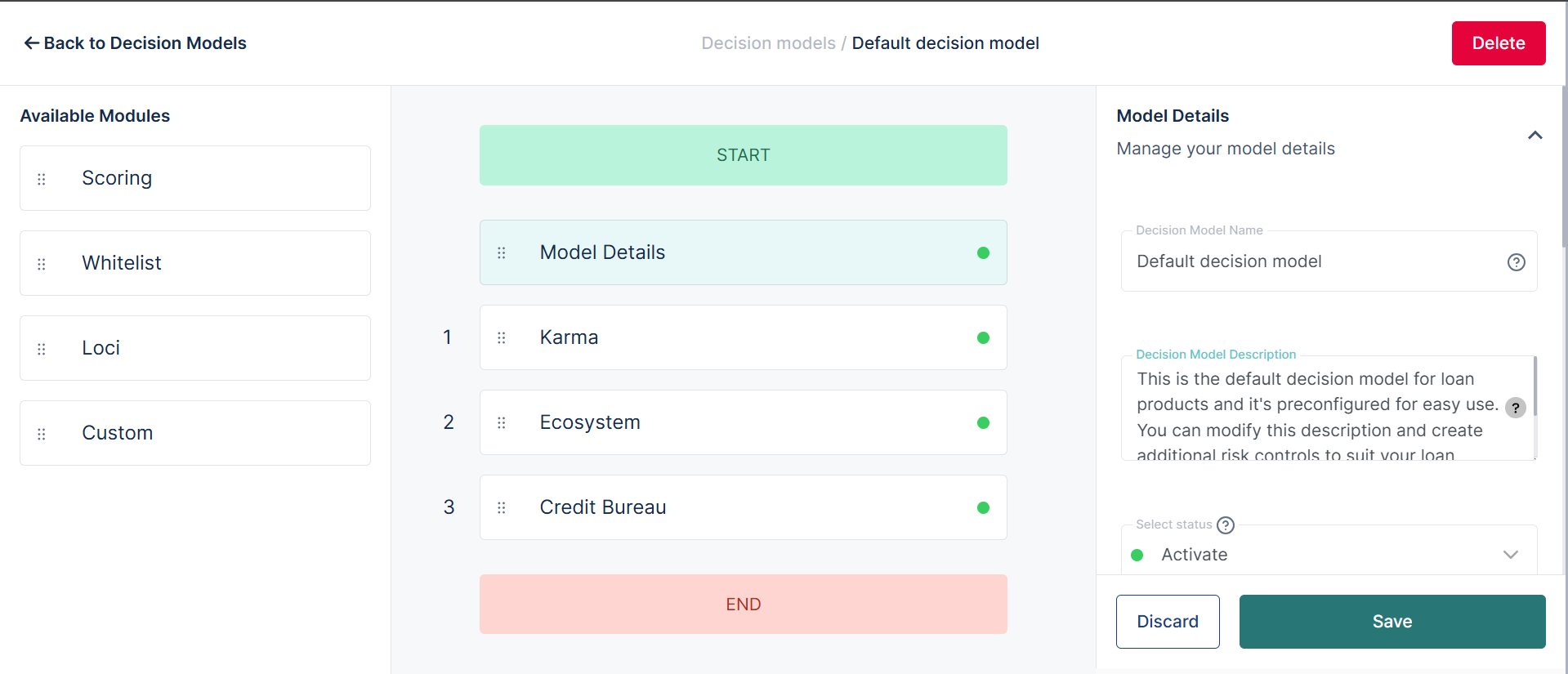
During credit scoring that happens when a user applies for a loan, a borrower is checked against Karma. The karma module is usually the first module that the borrower is checked against.
If a borrower is found in Karma, the borrower immediately becomes ineligible for the loan. The system does this check.
How to blacklist a customer
An admin on the Lendsqr admin console with the right permission can blacklist a customer directly from the customer list if they suspect any fraudulent or dishonest behavior, or if a borrower has maliciously refused to repay their loan. Blacklisting should be reserved for genuinely serious cases, since it contributes a record to the shared Karma database used across the Lendsqr community.
To blacklist a customer:
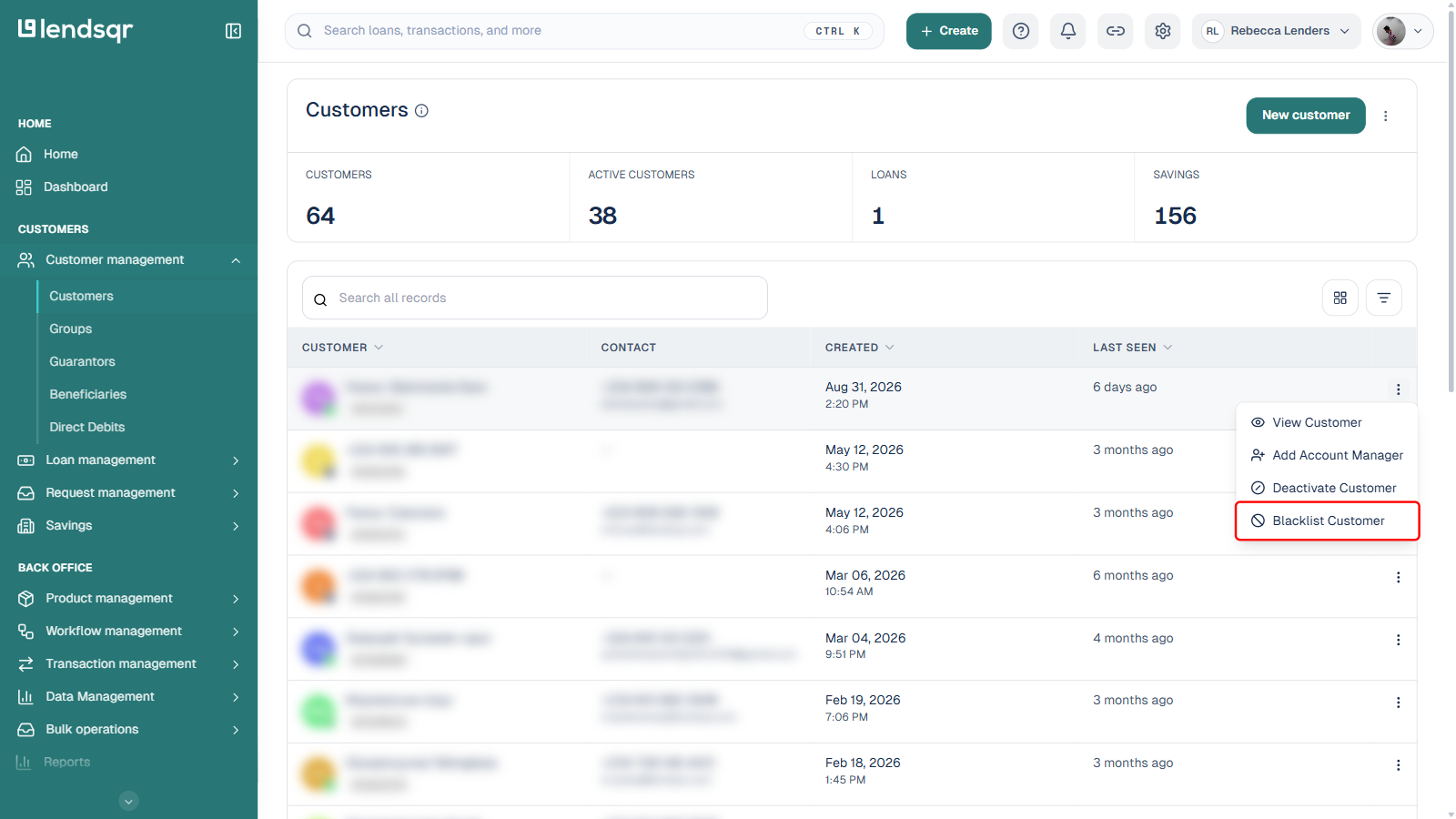
Go to Customer management > Customers.
Find the customer you want to blacklist and click the three-dot menu at the end of their row.
Select Blacklist Customer from the menu.
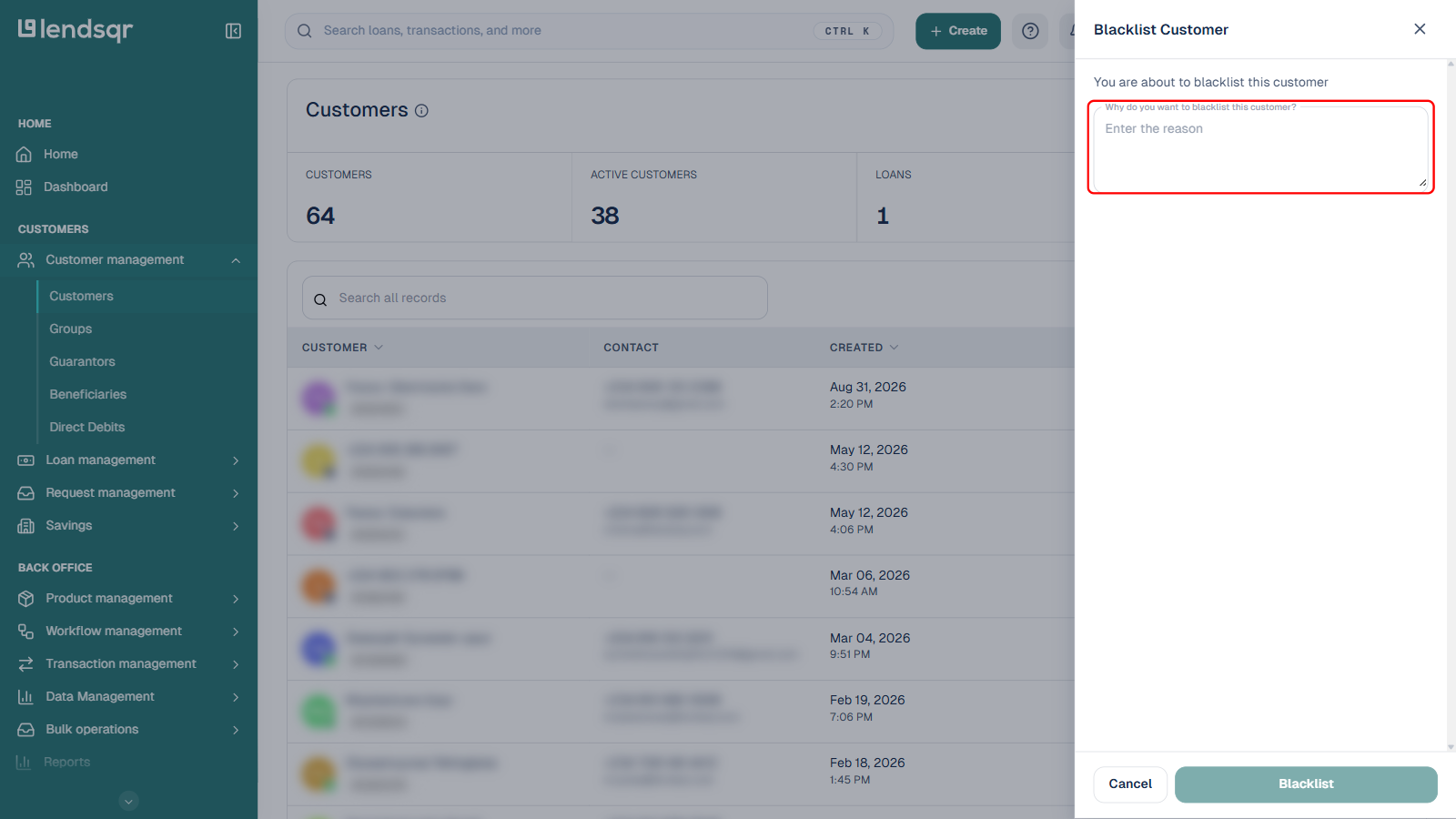
In the panel that opens, enter a reason for the blacklist. This field is required, the Blacklist button stays disabled until a reason is provided.
Click Blacklist to confirm.
Once confirmed, the customer’s record is added to Karma and shared across the community, and the customer becomes ineligible for future loans on any Karma-checking platform, including your own.
Karma-related settings
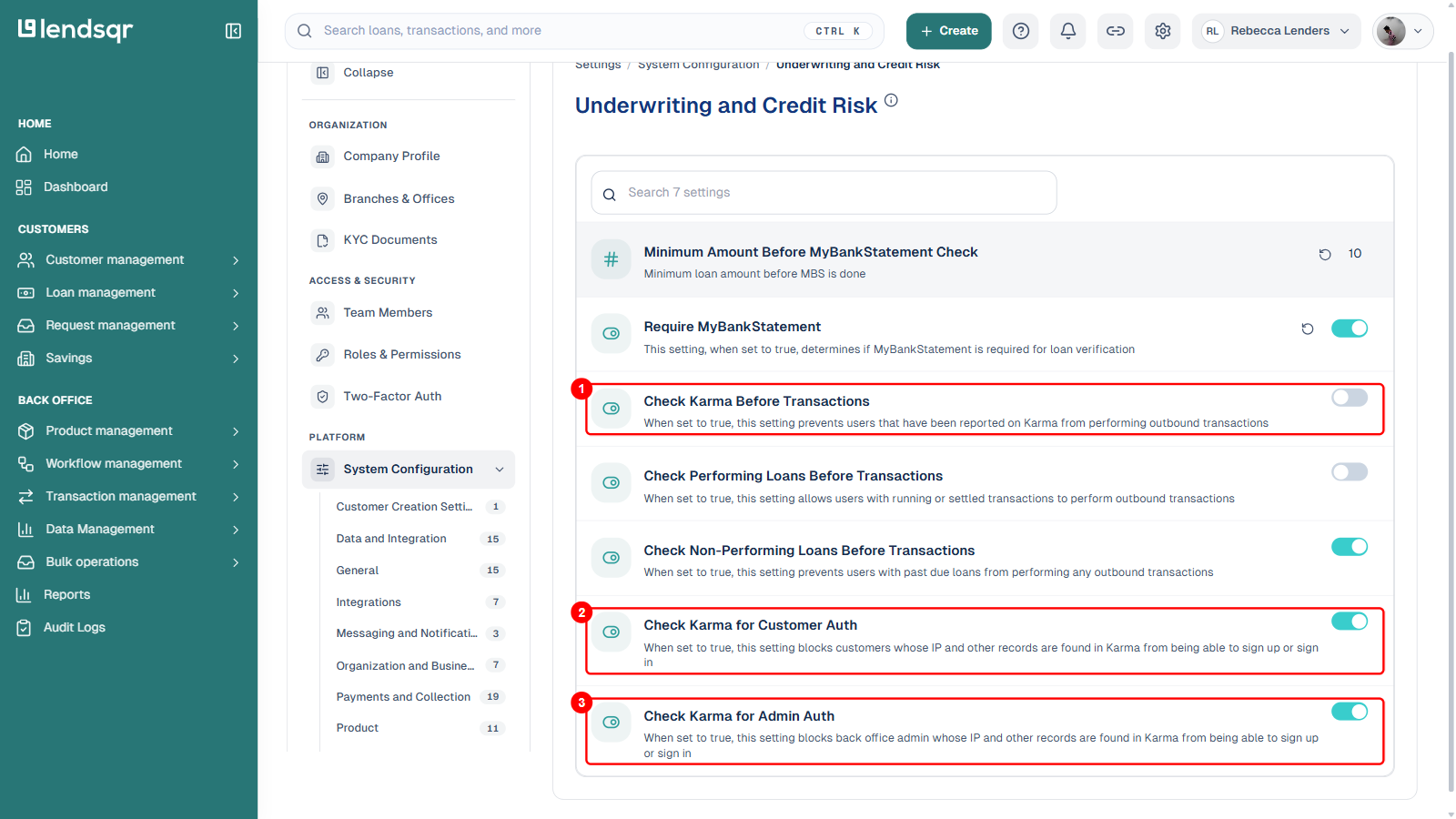
Beyond the loan-eligibility check described above, you can control how strictly Karma is enforced elsewhere on your platform from Settings (gear icon) > System Configuration > Underwriting and Credit Risk. Three toggles there govern Karma enforcement:
1. Check Karma Before Transactions, when turned on, prevents users who have been reported on Karma from performing outbound transactions.
2. Check Karma for Customer Auth, when turned on, blocks customers whose IP address or other records are found in Karma from being able to sign up or sign in.
3. Check Karma for Admin Auth, when turned on, blocks back-office admins whose IP address or other records are found in Karma from being able to sign up or sign in.