Access your Back Office at your fingertips.
Download the app now on Google Play Store.
Scan the QR code
You can also scan QR code with your phone to download the app.
Handling a customer’s failed transaction
Updated
On this page
During payment processing, transactions can sometimes fail. This could happen for many reasons, such as network issues, incorrect payment details or issues from our payment providers. When this happens, it’s crucial to know how to investigate the issue and manage customer complaints effectively.
For instance, a customer might have transferred ₦10,000 into their bank account from their wallet, however, they never received the money and the wallet reflects this transaction. If a customer reports a failed payment or claims that a transaction was completed but has not reflected in their wallet, certain steps should be followed to investigate:
Gather essential information
To verify the transaction, request the following details from the customer:
The user’s registered phone number/ email address
A receipt or confirmation of the bank transfer
The source/ destination account number and bank name
The transaction date
Verify the transaction
Use the admin console to cross-check the transaction by following these steps:
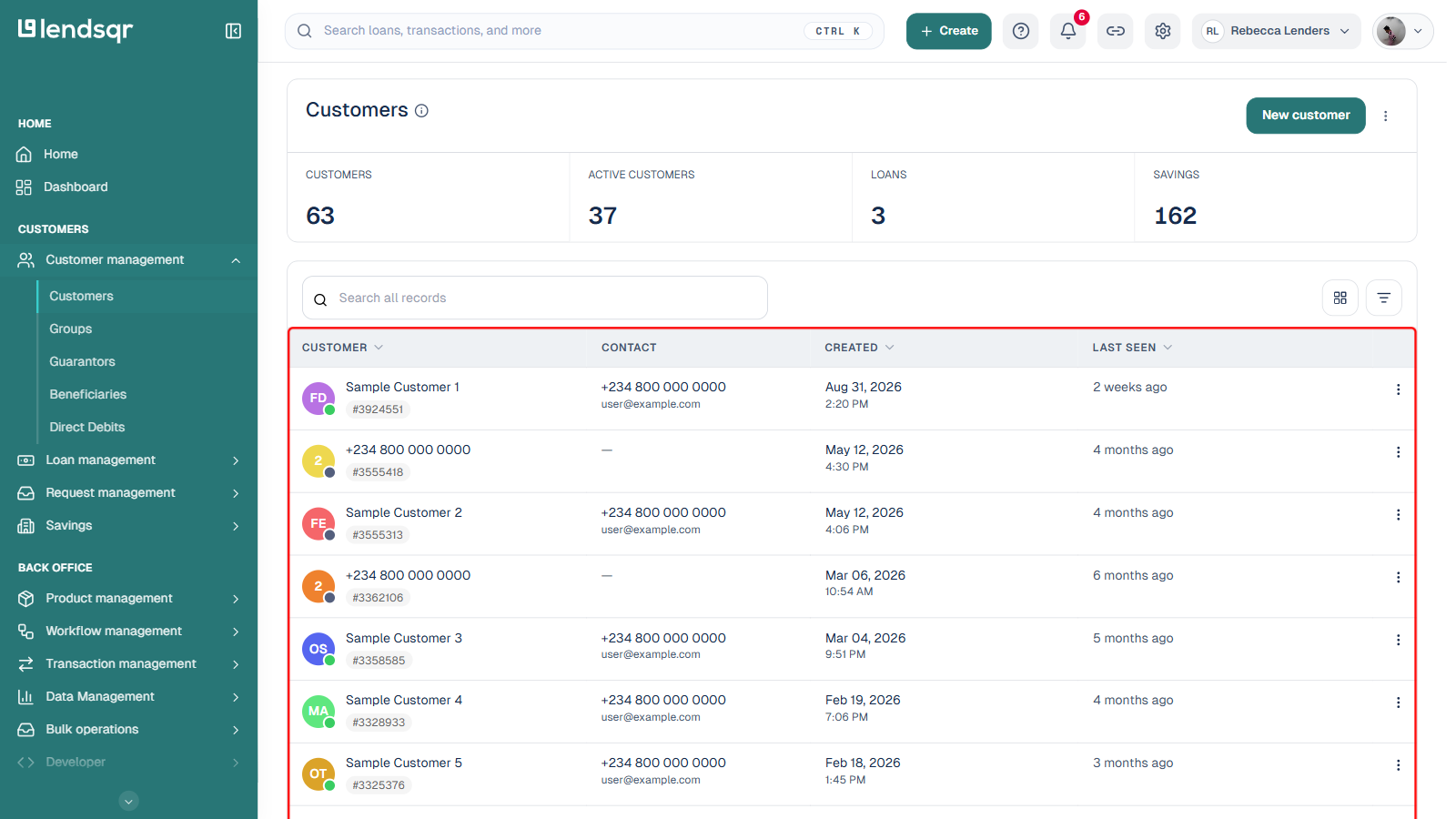
1. Navigate to Customer Management and select Customers, then locate and select the customer with the reported transaction issue.
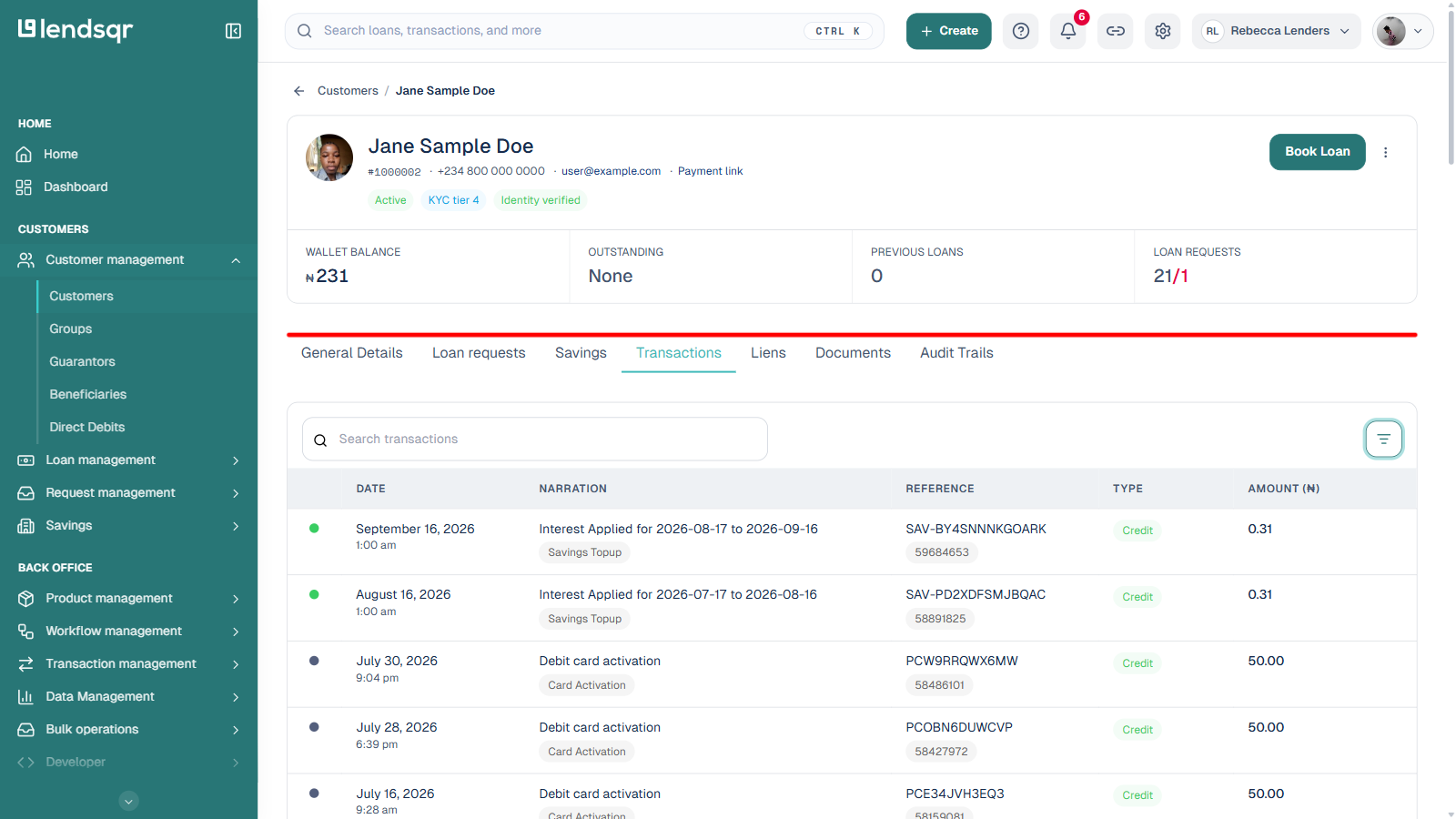
2. On the customer’s profile, select the Transactions tab.
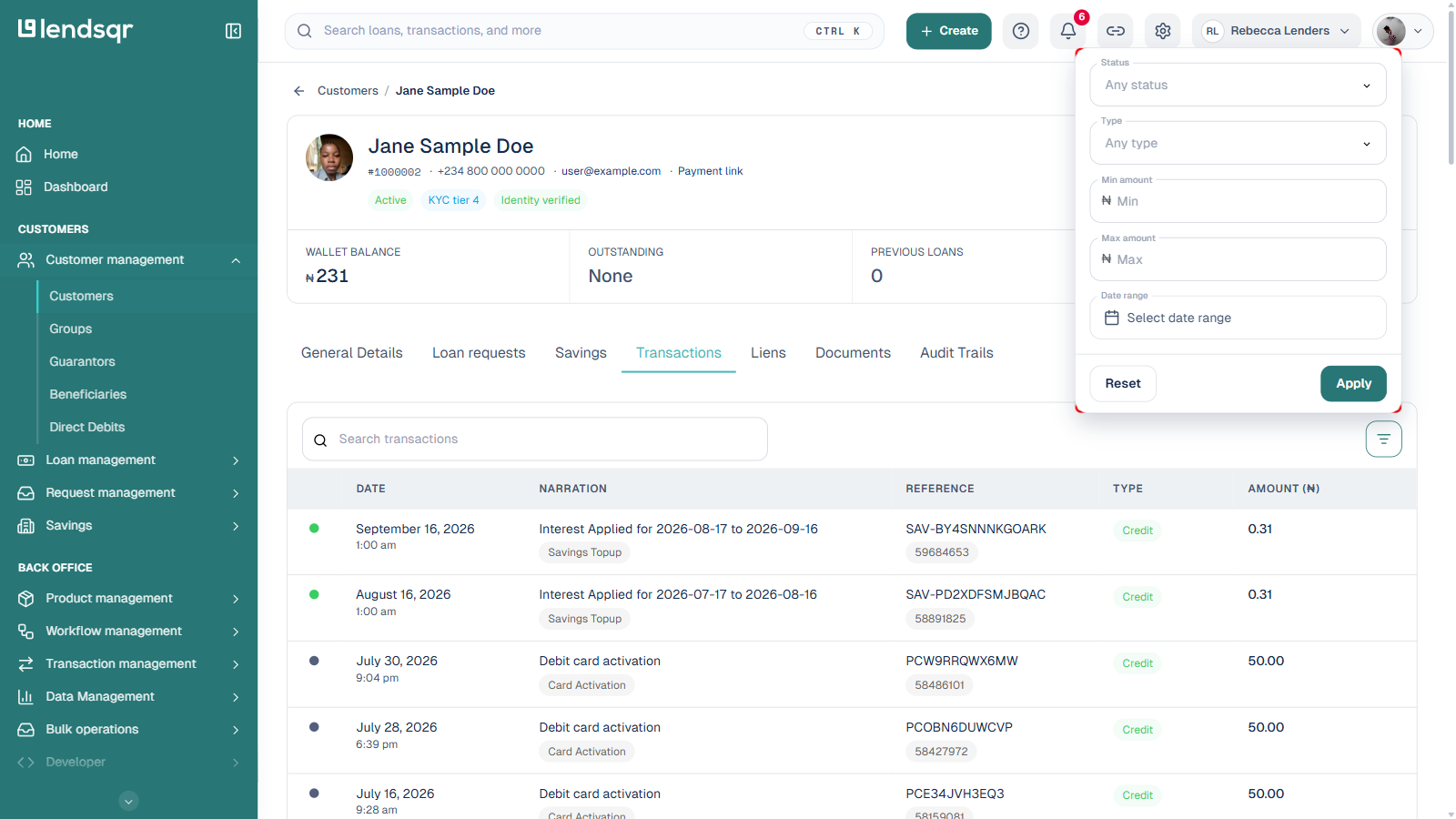
3. Review the transactions listed for the customer. Open the Filter panel to narrow your search by Status, Type, amount, or date range. Each row also shows a Reference number in the table itself, which you can match against the receipt or confirmation the customer provided.
If the transaction is not visible in the transactions table, escalate the issue by sending the gathered information to [email protected] for further investigation and resolution.