Access your Back Office at your fingertips.
Download the app now on Google Play Store.
Scan the QR code
You can also scan QR code with your phone to download the app.
How to view my current subscription plan
Updated
On this page
When you complete onboarding on the Lendsqr admin console, your account is automatically placed on the Free plan. As your lending operations grow, the features available on your current plan may no longer be sufficient. You might need to add team members, enable direct debit for automated repayment collection, or get a white-label mobile app for your borrowers. All of these require an upgraded subscription.
Knowing which plan you are on and what it includes is the starting point for making informed decisions about your platform capabilities. This guide shows you exactly where to find your subscription details, explains what each plan offers, and helps you understand when it might be time to upgrade.
Why your subscription plan matters
Your subscription plan directly determines which features are available to you and your team on the Lendsqr admin console. A feature that appears greyed out or unavailable is most likely restricted to a higher plan tier. Understanding what your current plan includes and what it does not helps you avoid confusion when a feature is not working as expected and gives you a clear picture of what an upgrade would unlock.
Real-world example: A microfinance lender in Nigeria has been operating on the Free plan for three months and is now ready to expand their team. They want to add a loan officer and a collections manager to their admin console with separate roles and permissions.
When they try to invite team members, they find the option is unavailable. After viewing their subscription details, they confirm they are on the Free plan, which does not include Team Management. They upgrade to the Pro plan at ₦200,000 per month to unlock this feature and several others they will need as they scale.
Lendsqr subscription plans at a glance
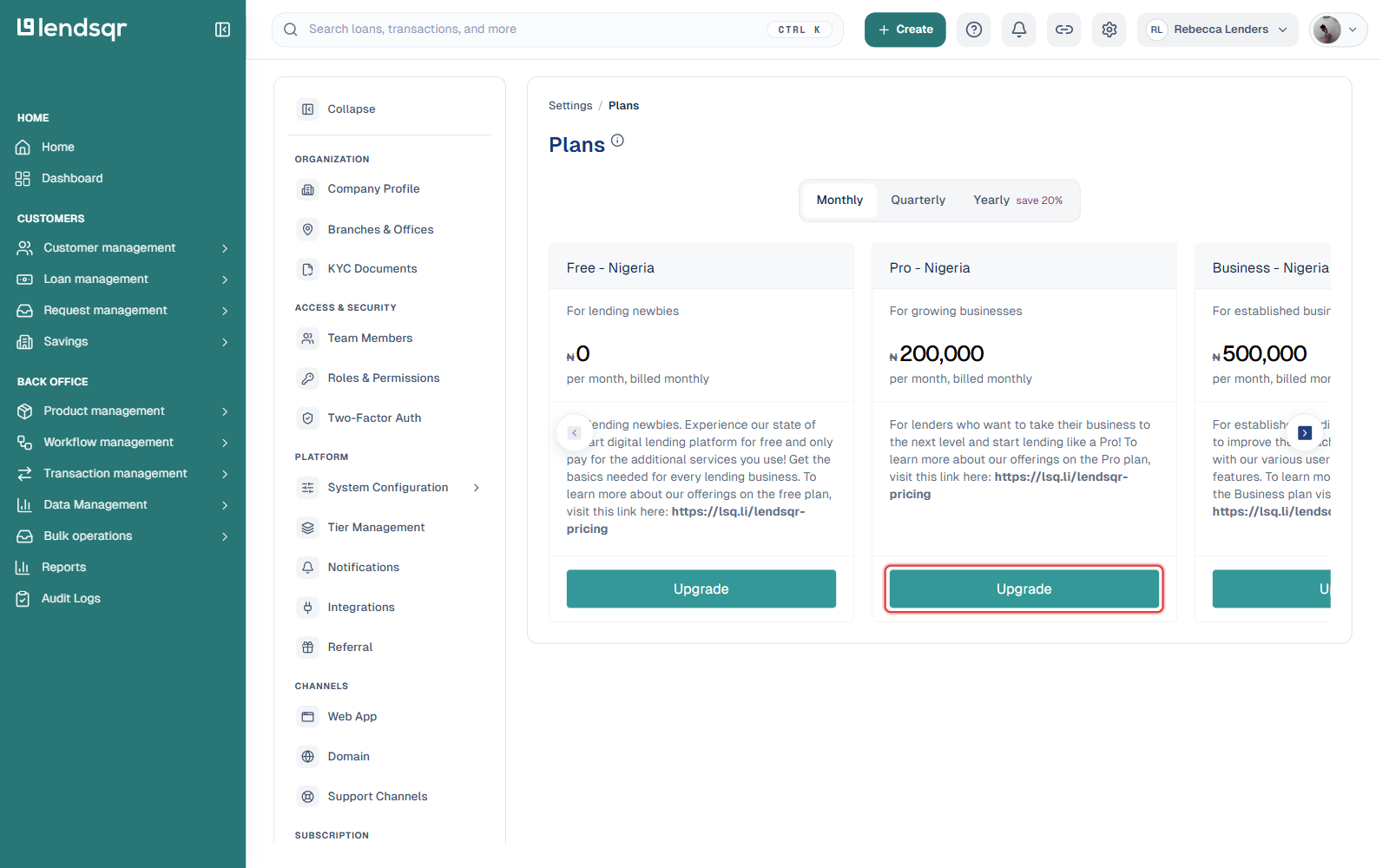
Lendsqr offers four subscription tiers. Each tier builds on the features of the one below it.
Pricing varies by country. The tier names and monthly prices below are what Nigerian lenders see, billed in Naira. If your business is registered outside Nigeria, your Plans page shows tier names suffixed with your region (for example, “Pro – Global”) and prices in your own local currency instead. The tier names and included features are consistent everywhere; only the currency and the amount charged change. Always check Settings > Plans in your own admin console for the figures that apply to your account.
Free The default plan for all new lenders. Includes core lending features to help you get started, with limited access to advanced tools.
Pro — ₦200,000 per month (Nigeria pricing) Includes all Free features, plus:
Team management — add multiple admins and assign roles and permissions
Offer letters — generate and send formal loan offer letters to borrowers
Approval workflows — set up structured, multi-step loan approval processes
Direct debit — automate repayment collection directly from borrowers’ bank accounts
Bills and airtime — enable bill payment and airtime services for borrowers
Web app customisations — customise the appearance and settings of your lender web application
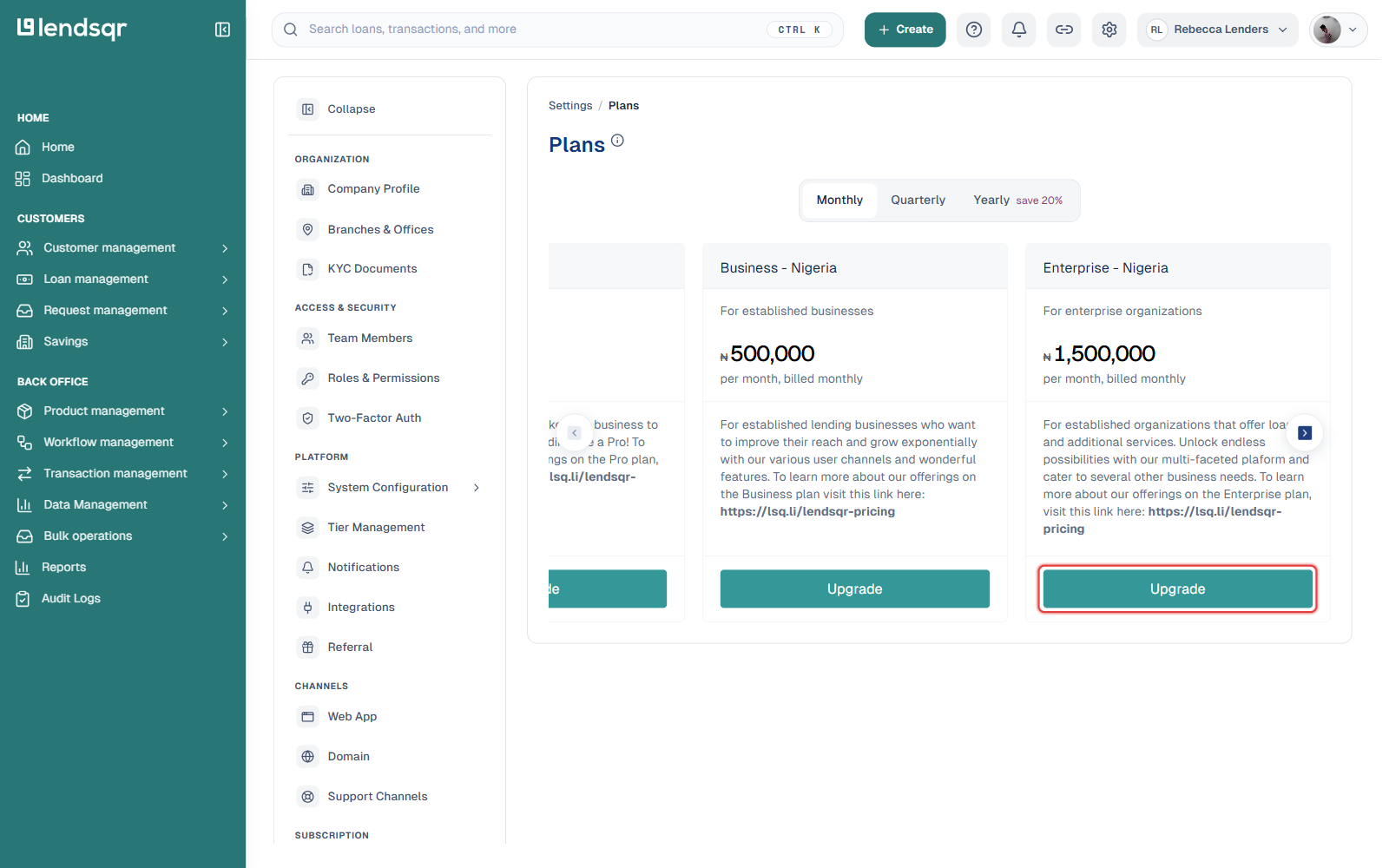
Business — ₦500,000 per month (Nigeria pricing) Includes all Pro features, plus:
White-label mobile app — get a branded mobile app for your borrowers at an additional cost
Customer groups — organise borrowers into groups for group lending products
Referral configurations — set up referral programmes for borrower acquisition
Savings and investment features — offer savings and investment products to your customers
Adjutor API service — access Lendsqr’s API services for deeper integrations
Enterprise — ₦1,500,000 per month (Nigeria pricing) Includes all Business features, plus:
External loans via Web SDK — embed loan applications directly into external websites or platforms
Custom mobile app — get a fully customised mobile app built to your specifications
Third-party integrations — connect Lendsqr to external tools and platforms
CBA and ERP integrations — integrate with core banking applications and enterprise resource planning systems
Roles and permissions Any admin or team member can view subscription and billing details provided the super admin has granted them the appropriate Settings permissions. If you cannot access the Pricing and Billings section, contact your super admin to confirm your access level.
Step-by-step: how to view your current subscription plan
To view your subscription, please do the following:
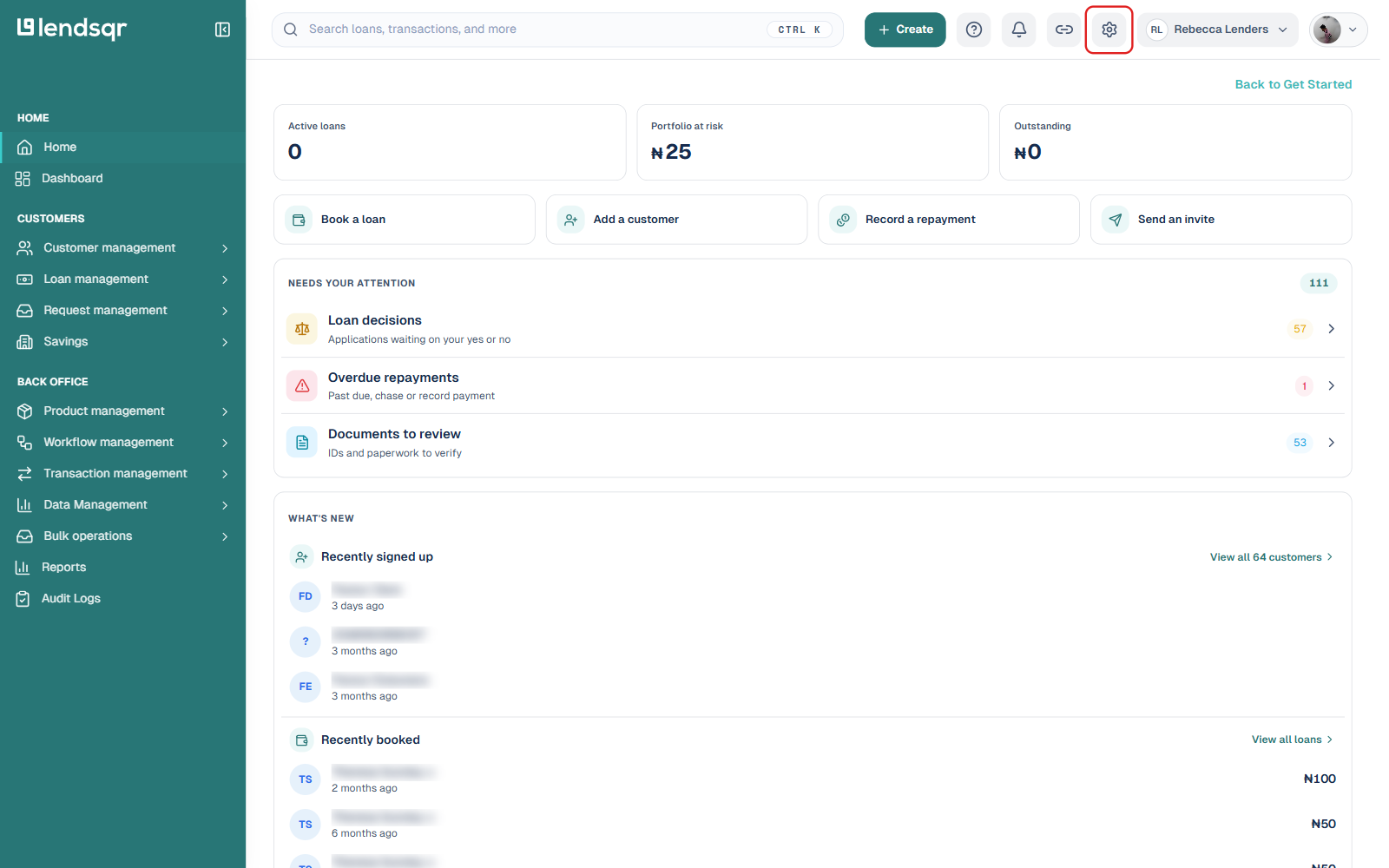
Step 1 — Open settings
Log in to your Lendsqr admin console using your work email address and password. Click the Settings icon at the top of the page.
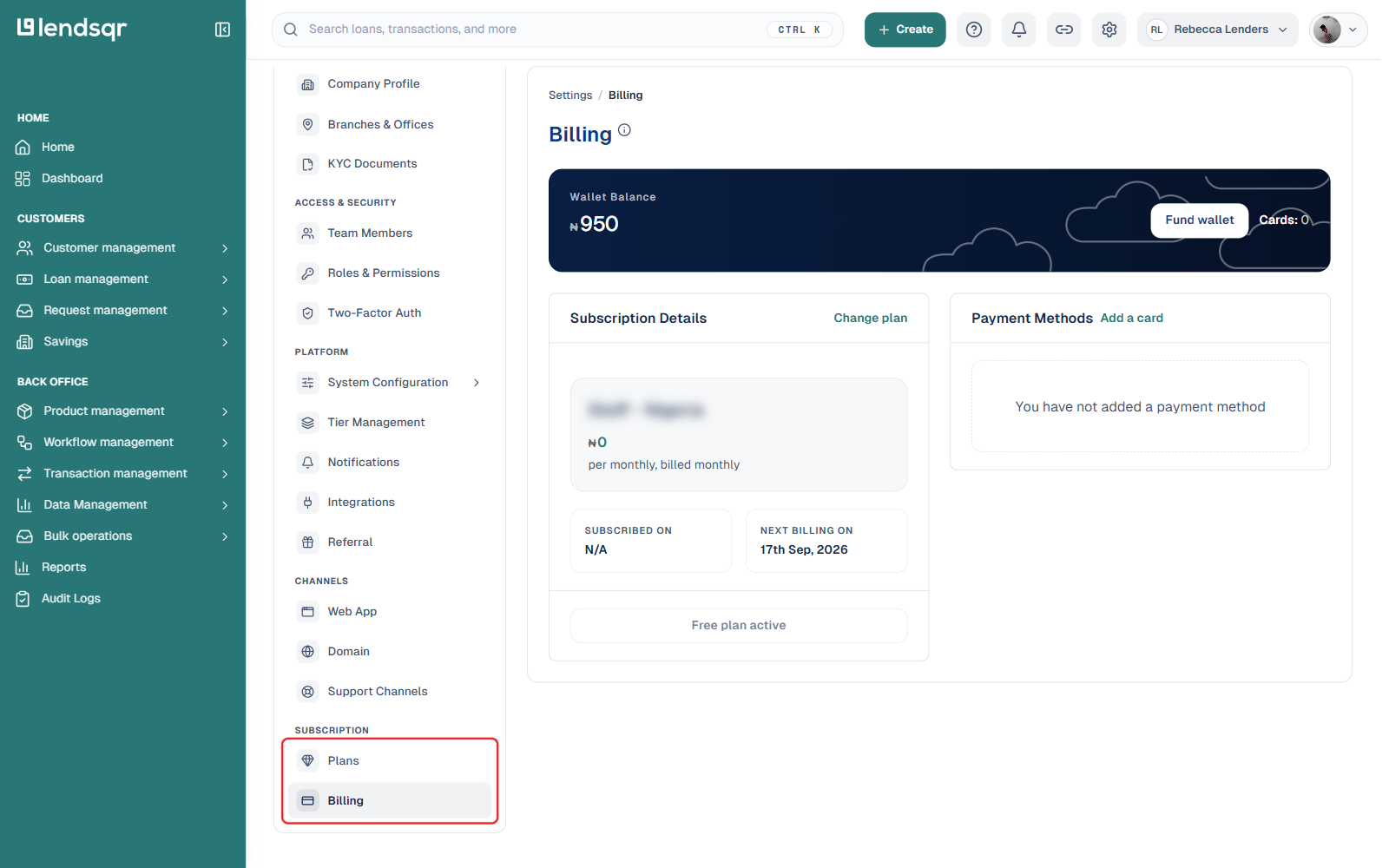
Step 2 — Open Billing
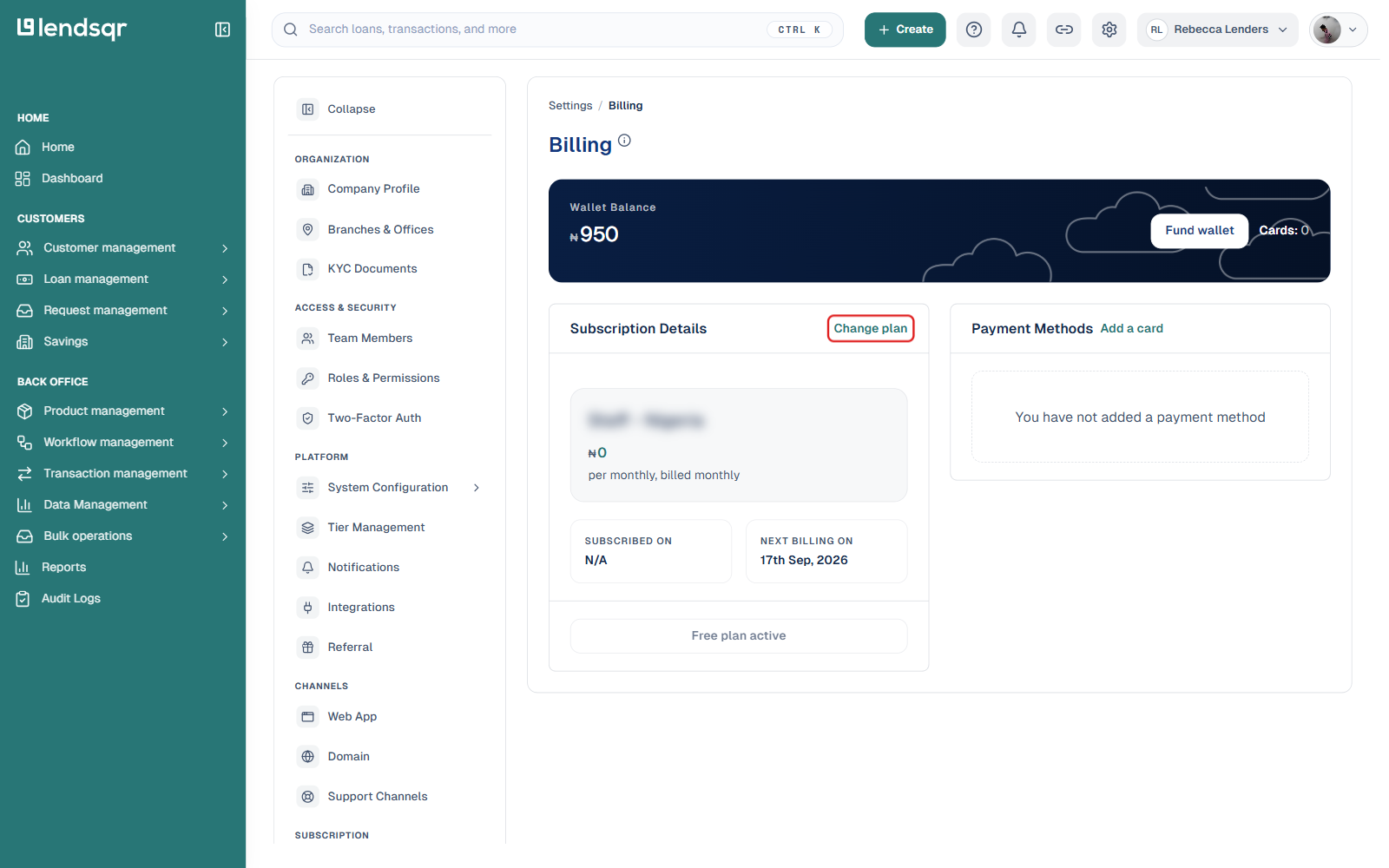
In the settings sidebar, scroll to the SUBSCRIPTION section and click Billing. This opens a page showing your wallet balance, your current subscription details (plan name, price, next billing date), and your saved payment methods.
Step 3 — Compare plans
To see the full feature and price comparison across all four tiers, click Change plan from the Billing page, or select Plans (just above Billing in the same SUBSCRIPTION section of the sidebar). Plans can be billed Monthly, Quarterly, or Yearly, with a 20% discount for paying yearly. The tier names and prices shown here reflect your business’s own country and currency, so they may differ from the Nigeria figures used as examples throughout this guide.
What to do after viewing your subscription
Once you have reviewed your current plan and its features, here are the most common next steps:
If your current plan meets your needs No action is required. Continue using the platform as normal and revisit your subscription as your lending operations grow.
If you need features not included in your current plan Review the plan comparison above to identify which tier includes the features you need. When you are ready to upgrade, see how to change your subscription plan on Lendsqr for a step-by-step guide.
If you are unsure which plan is right for your business Consider the size of your team, the loan products you offer, and whether you need a mobile app or advanced integrations. For lenders just starting out, the Pro plan covers most operational needs. For lenders ready to scale with a branded mobile experience or group lending, the Business plan is the natural next step.