Decisioning APIs

On this page

The Decisioning APIs let you fetch the decision models configured for your organization and run credit scoring against them, so you can make quick, consistent, cost-effective decisions during your loan approval process.

About decision models and Risk Acceptance Criteria

A Risk Acceptance Criteria (RAC) is a loan screening tool that guides how much risk is acceptable or tolerable for a given product. RAC is implemented through decision models, which are configured directly in your Lendsqr admin console rather than through a separate developer dashboard.

Decision models are a living process. Lenders are advised to iterate on their models regularly as customer behavior and portfolio performance evolve.

Designing a good decision model can be complex, especially in the early stages. If you would like guidance on what to include, email your account manager at [email protected].

Getting started

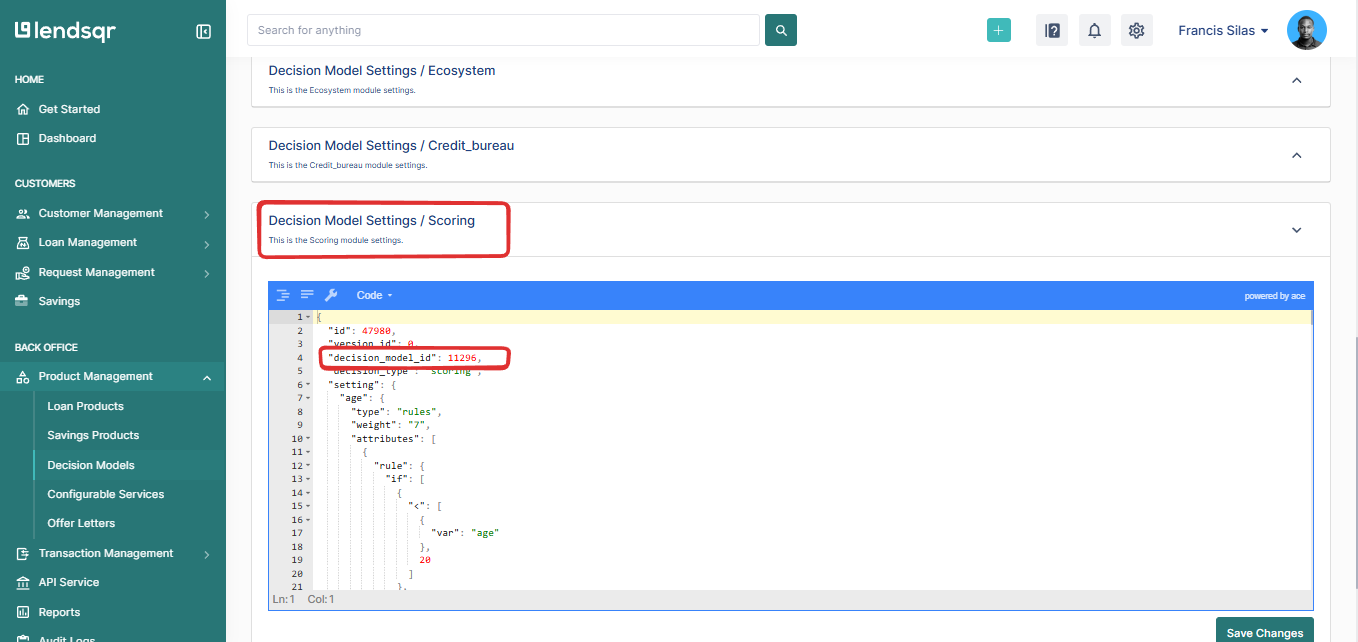
Before calling the Decisioning APIs, you must have designed and saved a decision model under your credit risk rule settings in the admin console. Once a model is saved, note its ID: you’ll use it to fetch the model’s settings or run a scoring request against it.

Get all decision models

Fetches every decision model configured on your platform, whether active or not.

curl --location 'https://adjutor.lendsqr.com/v2/decisioning/models' \
--header 'Authorization: Bearer {your_api_key}'

Get details of a single decision model

Fetches an individual decision model and its settings using the model’s ID.

curl --location 'https://adjutor.lendsqr.com/v2/decisioning/models/:id/settings' \
--header 'Authorization: Bearer {your_api_key}'

Sample response:

{
    "status": "success",
    "message": "Successful",
    "data": [
        {
            "id": 20,
            "product_id": null,
            "version_id": 33,
            "org_id": 1,
            "name": "Test Decision Model",
            "description": "testing",
            "decision_setting": {
                "karma": {
                    "required": true,
                    "sequence": 1,
                    "continue_on_failure": false,
                    "pre_offer": true
                },
                "ecosystem": {
                    "required": true,
                    "sequence": 2,
                    "continue_on_failure": false,
                    "pre_offer": true
                },
                "scoring": {
                    "minimum": 50,
                    "required": true,
                    "sequence": 3,
                    "continue_on_failure": false,
                    "pre_offer": true
                },
                "credit_bureau": {
                    "provider": "CRC",
                    "required": true,
                    "sequence": 4,
                    "continue_on_failure": false
                }
            },
            "offer_setting": [
                {
                    "rule": {
                        "*": [
                            1,
                            {
                                "var": [
                                    "requested_amount"
                                ]
                            }
                        ]
                    },
                    "maximum": 10000000,
                    "minimum": 1000
                }
            ],
            "status": "active",
            "created_on": "2021-07-31T08:06:27.000Z"
        }
    ]
}

If you have no decision model configured, this endpoint returns an empty array.

Scoring a borrower

Once you know the ID of the decision model you want to score against, call the scoring endpoint with the borrower’s data as the request body. By default, Lendsqr provides a proprietary scoring model and a sample request payload that you can adapt, but you can pass any data point your decision model has been configured to accept.

For the full walkthrough, including how to set up a scoring module on a credit risk rule and a step-by-step guide, see Evaluating customer creditworthiness using Oraculi borrower scoring.

curl --location 'https://adjutor.lendsqr.com/v2/decisioning/models/2355' \
--header 'Authorization: Bearer {your_api_key}' \
--data-raw '{
    "gender": "Female",
    "marital_status": "Single",
    "age": "21",
    "location": "lagos",
    "no_of_dependent": "0",
    "type_of_residence": "Rented Apartment",
    "educational_attainment": "BSc, HND and Other Equivalent",
    "employment_status": "Employed",
    "sector_of_employment": "Other Financial",
    "monthly_net_income": "100,000 - 199,999",
    "employer_category": "Private Company",
    "bvn": "22536051111",
    "phone_number": "08012345678",
    "total_years_of_experience": 5,
    "time_with_current_employer": 2,
    "previous_lendsqr_loans": 3,
    "amount": 10000
}'

Sample response:

{
   "status":"success",
   "message":"Successful",
   "data":{
      "credit_score_items":[
         {
            "score_name":"age",
            "score_value":"21 - 30",
            "weight":"7",
            "maximum_score":10,
            "borrower_score":0,
            "weighted_score":0
         },
         {
            "score_name":"gender",
            "score_value":"Female",
            "weight":"10",
            "maximum_score":10,
            "borrower_score":10,
            "weighted_score":0.0909
         },
         {
            "score_name":"employment_status",
            "score_value":"Employed",
            "weight":"10",
            "maximum_score":10,
            "borrower_score":10,
            "weighted_score":0.0909
         }
      ],
      "total_weight":110,
      "score":40.46
   },
   "meta":{
      "balance":50000
   }
}

The response breaks the score down by field, showing the weight assigned to each and how the borrower scored against it, then rolls it up into a single overall score you can compare against your decision model’s acceptance thresholds.


Need help designing a decision model? Email [email protected] or [email protected].

Was this page helpful?