Access your Back Office at your fingertips.
Download the app now on Google Play Store.
Scan the QR code
You can also scan QR code with your phone to download the app.
How to pay for your subscription plan on Lendsqr
Updated
On this page
Your Lendsqr subscription keeps your lending platform active. When it is time to renew or upgrade, you need your billing wallet to have enough balance to cover the charge. If it does not, your plan will not renew, and your access to paid features may be interrupted.
Lendsqr uses a prepaid wallet system for subscription billing. This means you fund your wallet first, and the system then draws from that balance when your subscription is due. Understanding this flow is important because it is slightly different from a typical card-on-file billing model, where charges happen automatically in the background.
This guide explains how the billing wallet works, walks you through both payment methods, and covers what to do when things do not go as expected.
How Lendsqr subscription billing works
Before getting into the steps, it helps to understand the relationship between your wallet and your subscription.
When you subscribe to a plan on Lendsqr, the cost of that plan is charged from your billing wallet at the point of renewal. Your wallet is essentially a prepaid account that you top up using a card or a bank transfer. As long as your wallet balance is sufficient when the renewal date arrives, your subscription renews automatically, and your platform continues running without interruption.
If, on the other hand, your wallet balance is too low on the renewal date, your subscription will not renew. In that case, you will need to fund your wallet and manually trigger the renewal.
This is why it is good practice to keep your wallet funded in advance, especially if you are on a paid plan that your borrowers and team depend on. Think of it like a toll account — you top it up before you need it, and the charge happens automatically when due.
For example, imagine a lender running a payroll loan product for corporate clients. Their subscription renews on the first of every month. Because they fund their wallet a few days in advance, the renewal goes through without any action on their part, and their team continues working without disruption.
What you need before you begin
Before funding your wallet, make sure you have the following ready:
A debit or credit card linked to your account, or your bank details for a transfer
The amount you want to fund, which should at least cover your current subscription cost
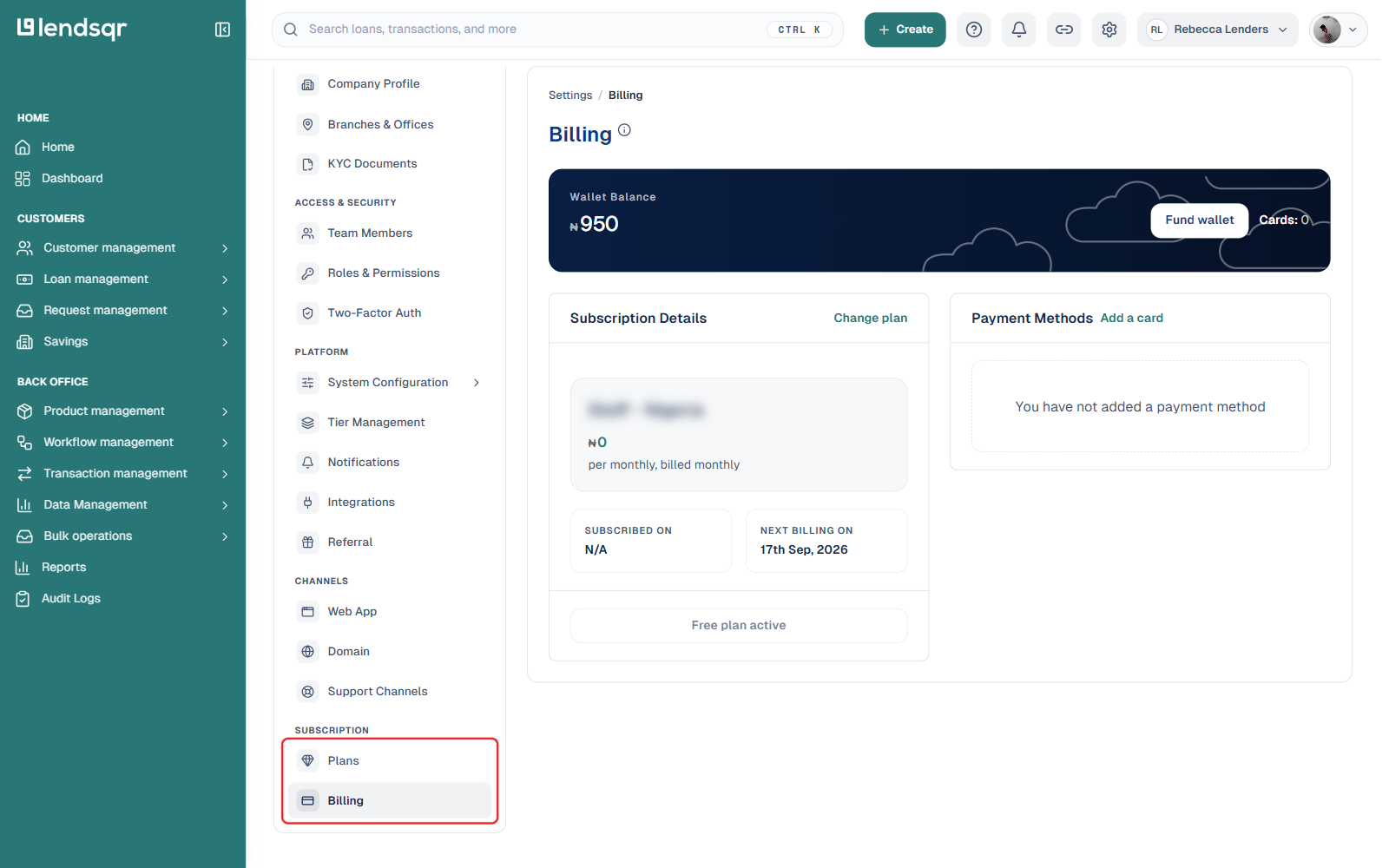
To check your current subscription cost, navigate to Settings, then Billing under the SUBSCRIPTION section, to see your plan details before proceeding.
Two options for paying for your subscription plan
The self-service, card-based flow described below is powered by Paystack and processes charges in Naira, which makes it a smooth, fully automated experience for Nigerian lenders. If your business is registered outside Nigeria, this in-app flow may not complete correctly for your card, since the checkout will still quote amounts in Naira regardless of your account’s own billing currency. Contact [email protected] to confirm how to fund your wallet and pay for your subscription if you are billed outside Nigeria.
Click the Settings icon (top right), then click Billing under the SUBSCRIPTION section of the sidebar.
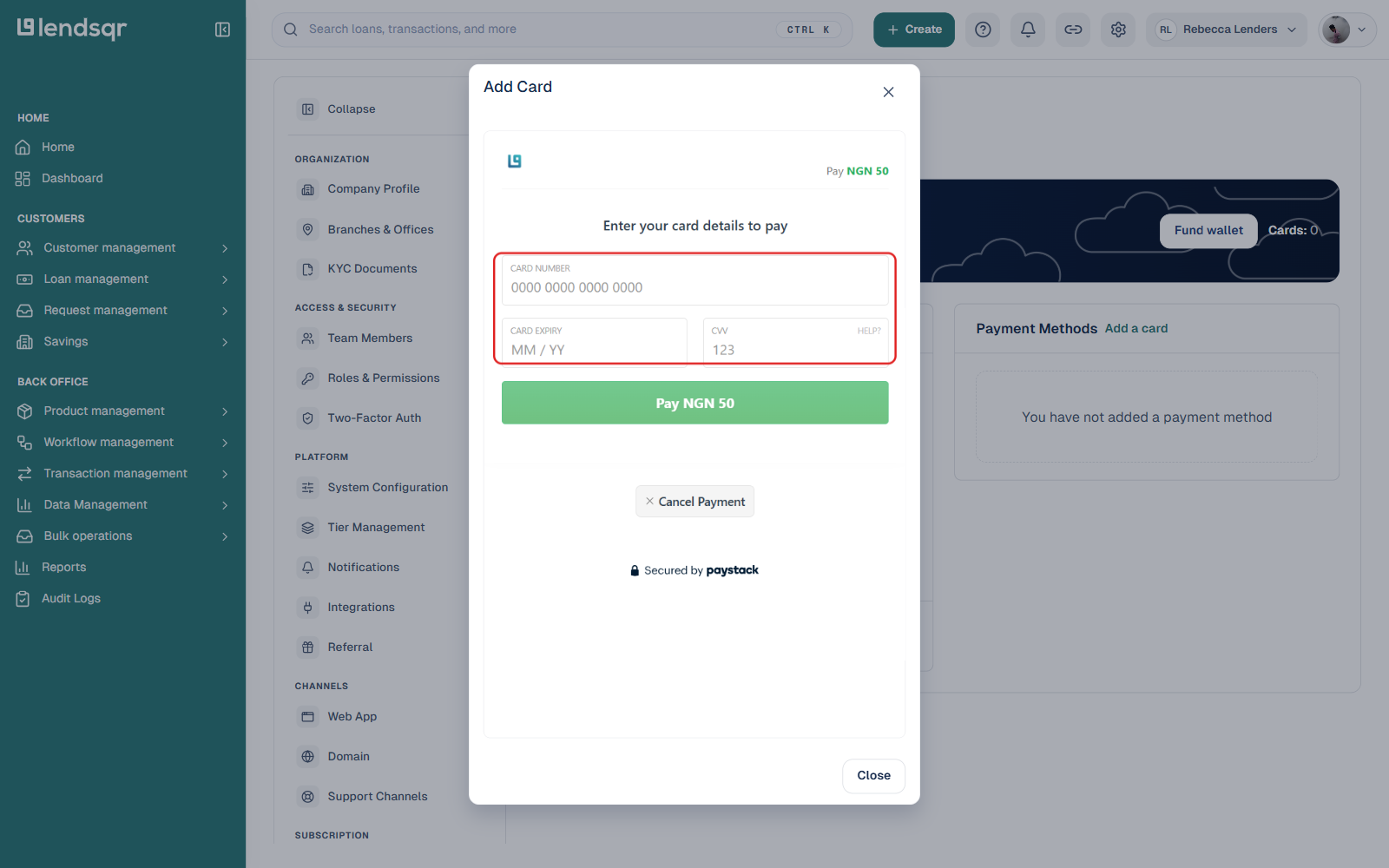
If you don’t have a card saved yet (shown as Cards: 0), click Add a card under Payment Methods first — the wallet cannot be funded by card until at least one card is on file. This opens a Paystack-powered checkout where you enter your card number, expiry, and CVV to complete a small verification charge (₦50) that confirms and saves the card.
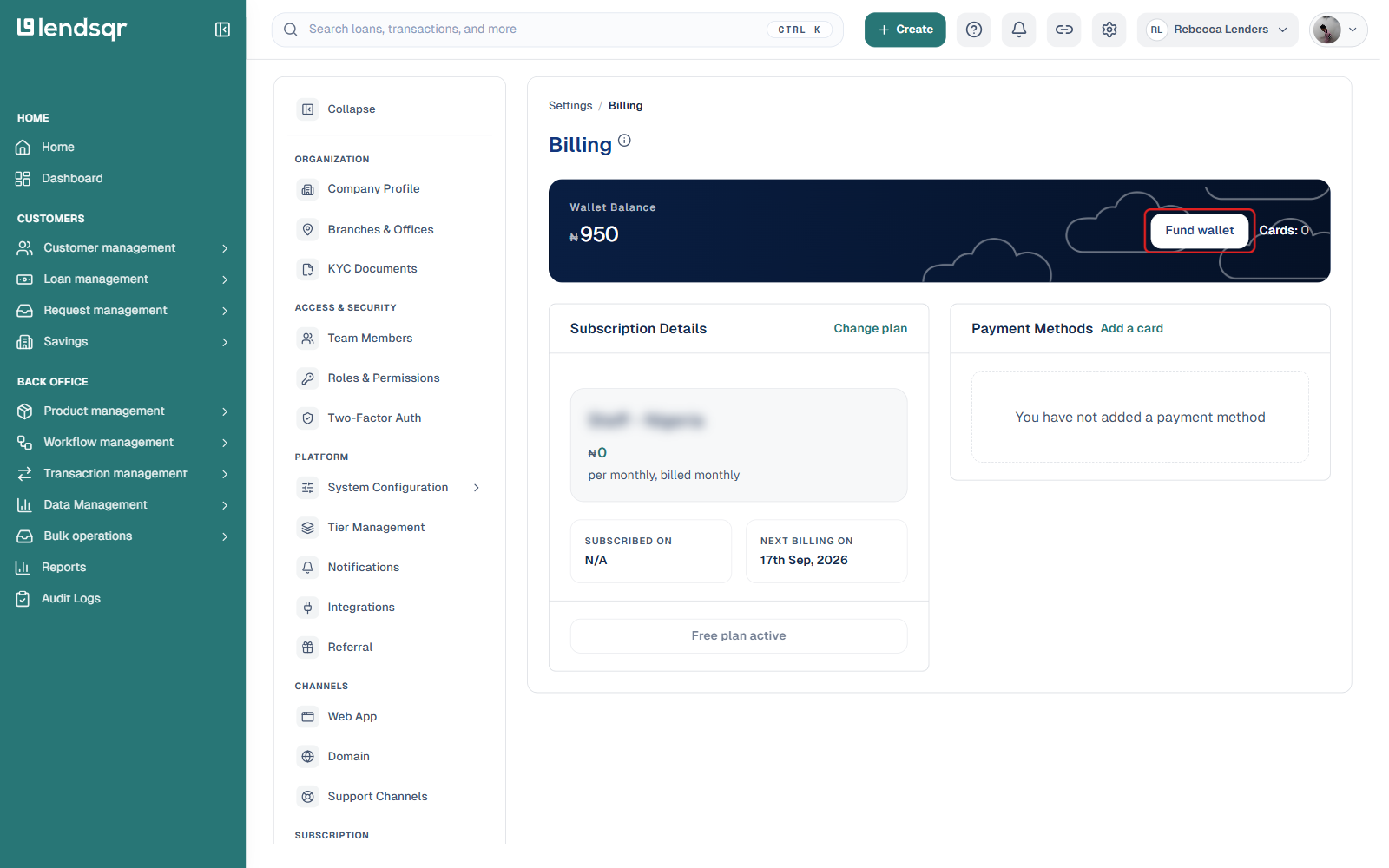
Once a card is saved, click Fund wallet in the wallet balance banner.
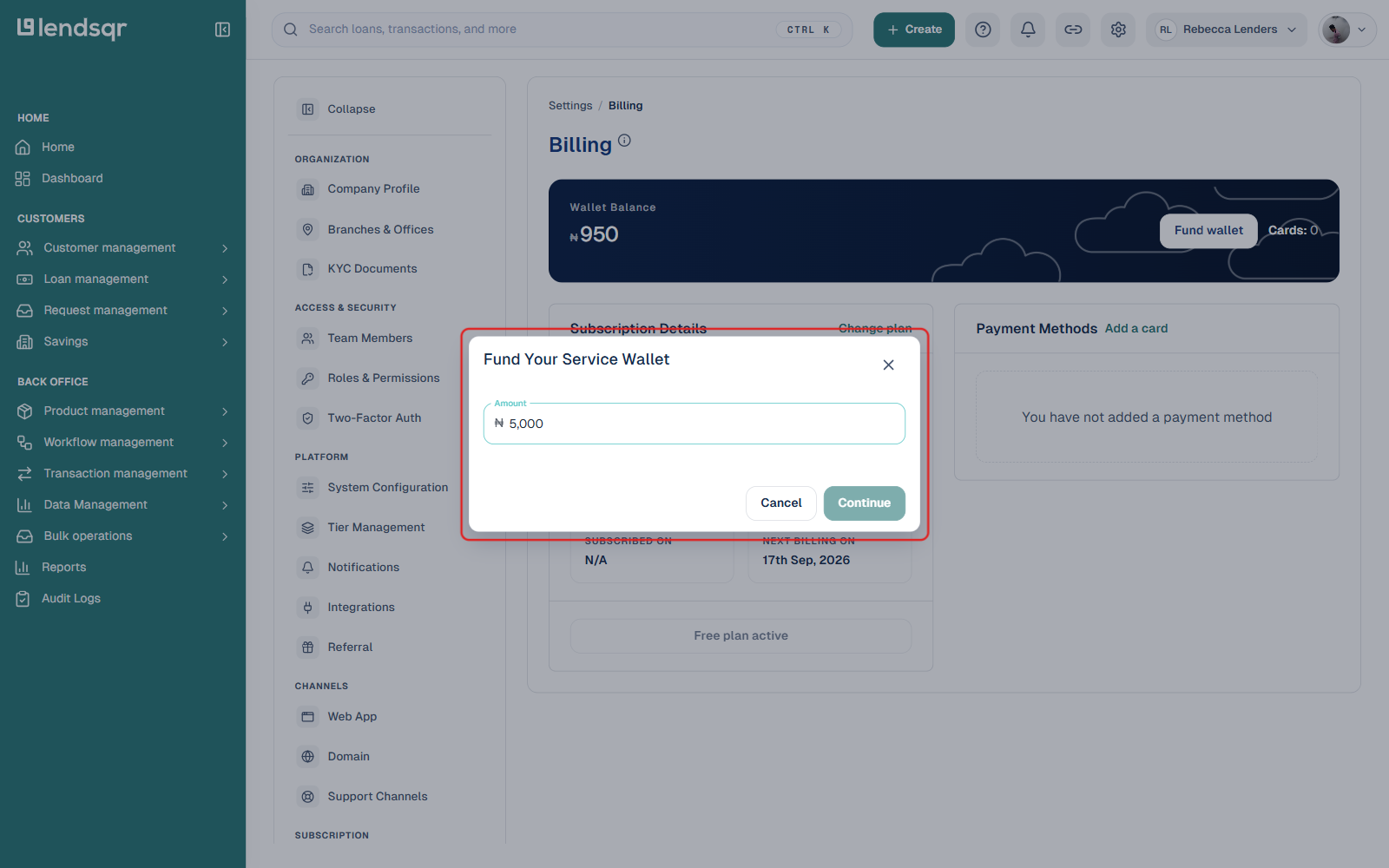
In the Fund Your Service Wallet panel that opens, enter the amount you want to add and click Continue.
Confirm the charge on your saved card to complete the top-up. Your wallet balance updates once the payment succeeds.
After successfully making the payment, your subscription will be renewed, and you will continue to enjoy the benefits and features associated with your chosen plan.
What to do if your wallet balance is insufficient at renewal
If your subscription renewal fails because your wallet does not have enough funds, do not worry. Your account is not deleted. Instead, your plan may revert to a lower tier or your access to certain features may be restricted until you fund your wallet and renew.
To resolve this, first fund your wallet using either of the methods above. Then navigate to Billings and manually trigger the renewal if the system does not do it automatically after the top-up.
To avoid this situation altogether, set a personal reminder a few days before your renewal date to check your wallet balance and top it up if needed. This is especially important if you are on a plan with a large team or active borrower base that depends on uninterrupted access.
What to do if a card payment fails
Card payments can occasionally fail for a few reasons. The most common ones include insufficient funds on the card, a card that has expired, or a bank security block on the transaction.
If your payment fails, first confirm that your card details are correct and that the card has not expired. Second, check with your bank to see if they blocked the transaction, as some banks flag online payments for verification. If the card issue persists, consider using the bank transfer method instead as an alternative.
In all cases, your wallet balance only updates after a successful transaction. Incomplete or failed transactions do not affect your balance.