Access your Back Office at your fingertips.
Download the app now on Google Play Store.
Scan the QR code
You can also scan QR code with your phone to download the app.
How to add notes and comments to a record on the admin console
Updated
On this page
Loan decisions rarely happen in a vacuum. A loan officer reviewing an application may notice something in the borrower’s profile that is not captured by the automated checks. A collections agent following up on an overdue payment needs to log what happened on that call. A fraud analyst flagging a suspicious account needs to leave a clear explanation for whoever reviews the case next.
Without a shared place to record these observations, context gets lost. A colleague picks up a case and has no idea what has already been done. A manager reviews a loan and cannot tell why a specific decision was made. Notes and comments on Lendsqr solve this by giving your team a single place to document what they know about a customer, directly within the customer record.
The feature is available on customer profiles, loan pages, loan request pages, and transaction records.
Why lenders document customer interactions
Good documentation is one of the most underrated parts of lending operations. Here are the situations where notes make the most practical difference:
Collections follow-ups: When a borrower misses a repayment, your collections team usually makes contact, either by call, SMS, or email. The outcome of that contact matters: did the borrower commit to a date? Did they dispute the charge? Did the call go unanswered? Logging this in the customer’s record means the next team member who picks up the case knows exactly where things stand without having to start over.
Loan review and underwriting notes: Before a loan officer approves or declines an application, they may review documents, call an employer, or notice an inconsistency that requires investigation. An internal note capturing that reasoning supports better decision-making, provides a record for quality control reviews, and helps senior staff understand why a decision was made if it is later questioned.
Fraud and risk flags: If a borrower’s application raises concerns, such as a document that looks altered, an income claim that does not match their bank statement, or suspicious activity across accounts, an internal note creates a record of the flag and who raised it. This is important both for immediate action and for future reference if the same borrower returns.
Escalation tracking: When a case is escalated from one team to another, a note summarizing what has been done and what still needs to happen prevents duplication of effort and keeps the handoff clean.
Compliance documentation: Some regulatory or audit requirements ask lenders to demonstrate how decisions were reached or how specific customer interactions were handled. Notes attached to customer records serve as an operational log that supports this documentation.
Internal notes versus public notes
Before writing a note, you choose whether it should be internal or public. The distinction matters.
Internal notes are visible only to your staff. Use them for operational observations, investigation records, fraud flags, collection outcomes, workflow handoffs, and anything you would not want a borrower to see. Most day-to-day operational notes should be internal.
Public notes are visible to the borrower and are appropriate for status updates, customer-facing instructions, or explanations about a transaction or account decision. Write public notes clearly and professionally, because the borrower may read them.
If you are unsure which to use, default to internal. A note intended for a colleague should almost never be shared with the borrower who is the subject of it.
How to add a note or comment to a customer record
Here’s how to do it:
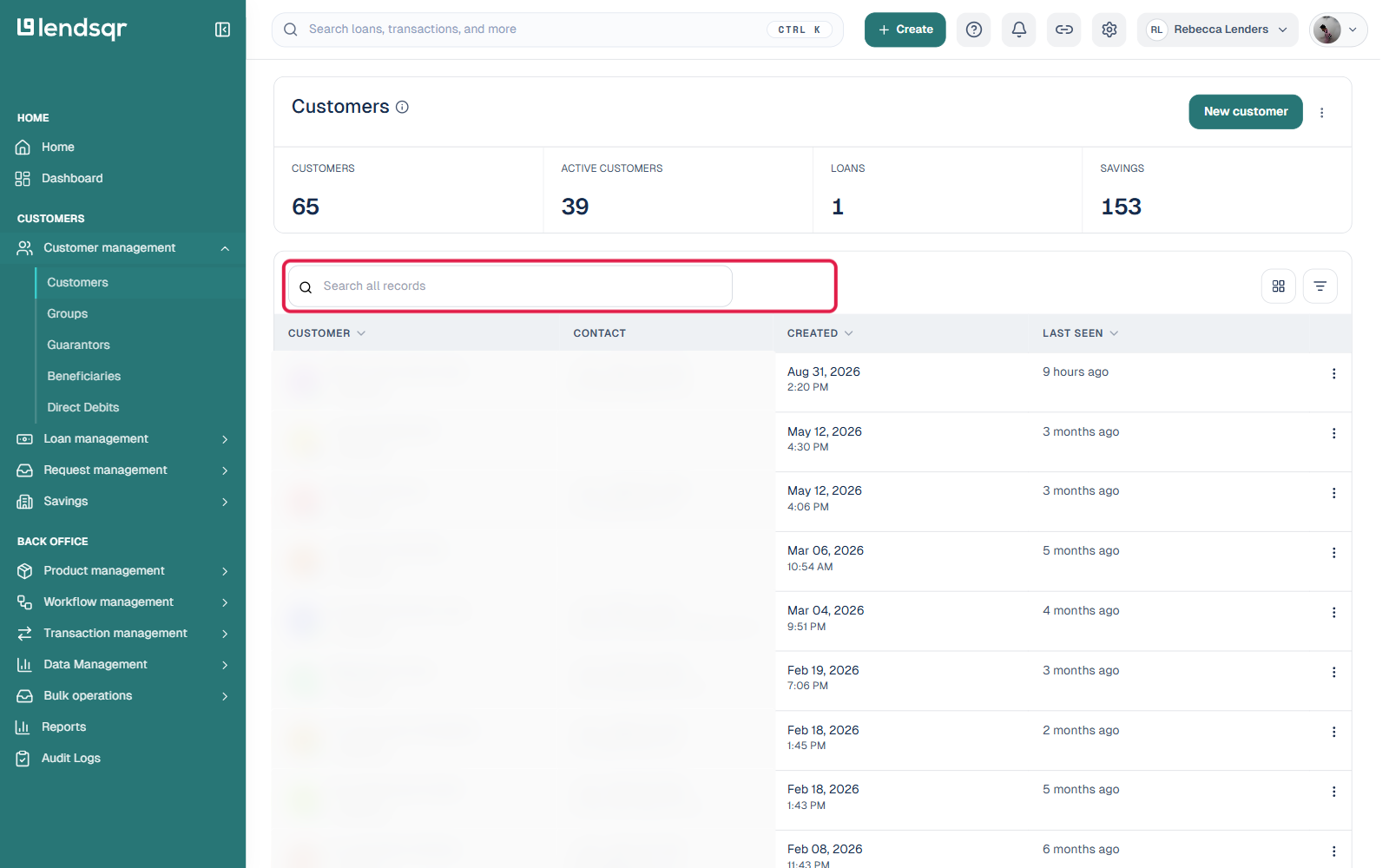
From the left menu, go to Customer Management and click Customers to open the customer list.
Use the search box above the table to find the specific customer by name, email, phone number, or account number, or click the Filter icon next to it to filter the list by specific fields. Click on the customer’s row to open their profile.
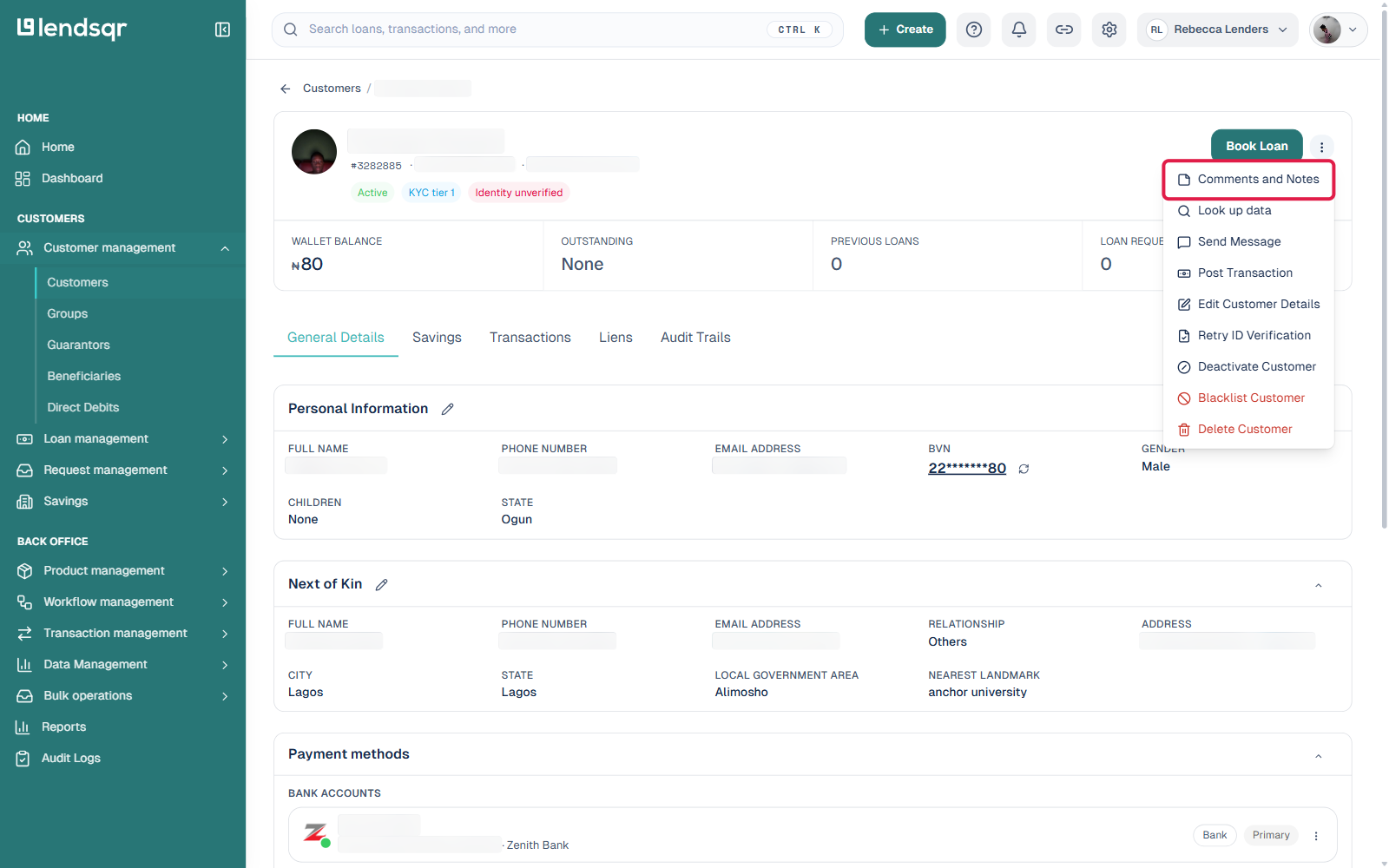
On the customer’s profile, click the More actions menu (the three-dot icon next to Book Loan) and select Comments and Notes. This opens the Notes panel.
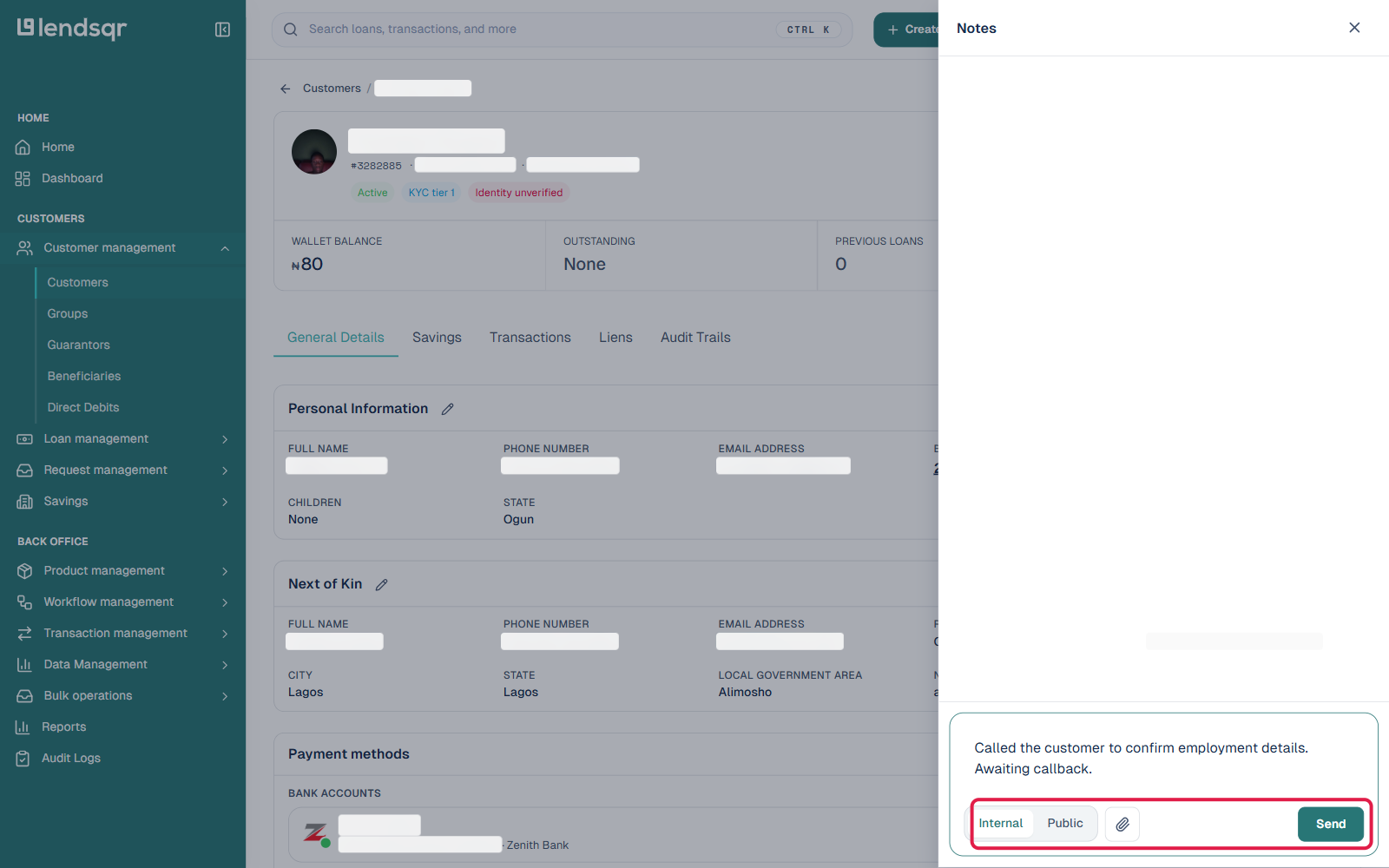
Enter your note or comment in the comment field at the bottom of the panel, then choose whether it is Internal or Public using the toggle next to the field. You can also attach a file using the paperclip icon.
Save your note by clicking Send once you are sure of your entry.
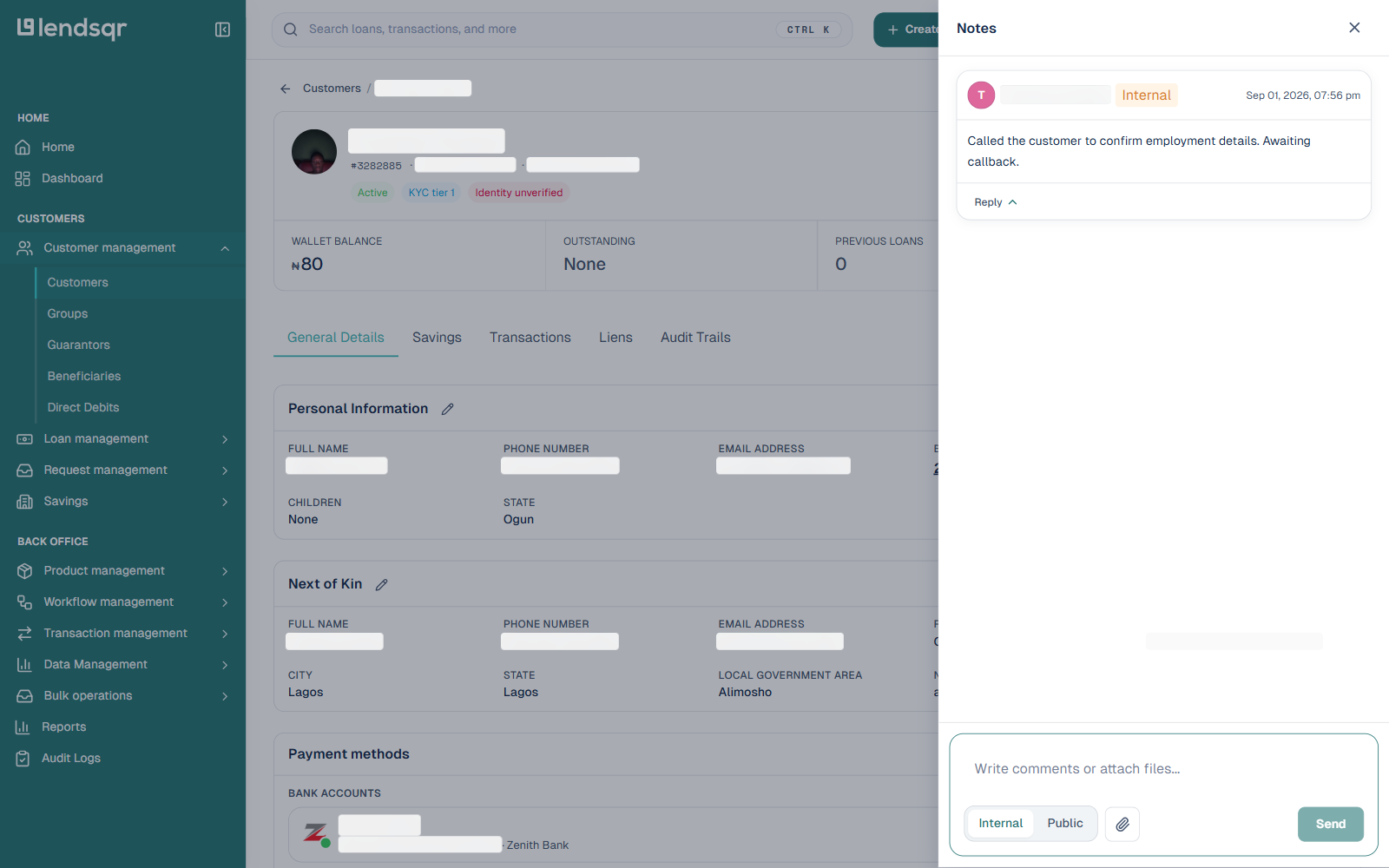
Once notes exist on a record, opening the Notes panel shows the full note history for that customer, with each entry’s visibility tag and timestamp, so you can review what has already been recorded. Each note also has a Reply option, so a colleague can respond directly underneath it instead of starting a new note.
Notes on loan and transaction records
In addition to customer profiles, you can add notes directly to loan pages, loan request pages, and transaction records, the same way, through each record’s More actions menu. This is useful when the observation is specific to one loan or payment rather than to the borrower’s account overall.
For example, if a repayment shows an unexpected status and you investigate and resolve it, leaving a note on that transaction record explains what happened and prevents anyone from reopening the investigation unnecessarily.