Access your Back Office at your fingertips.
Download the app now on Google Play Store.
Scan the QR code
You can also scan QR code with your phone to download the app.
Evaluating customer creditworthiness using Adjutor’s Oraculi borrower scoring.
Updated
On this page
Introduction
Borrower credit scoring is one of the most important processes in digital lending because it helps lenders evaluate risk, reduce default rates, and make faster lending decisions. Financial institutions use borrower scoring systems to assess whether a loan applicant is likely to repay a loan based on factors such as income, employment status, repayment history, financial behaviour, and loan affordability.
For lenders, automated borrower scoring improves credit decision accuracy while reducing manual underwriting time. It also helps standardise approval workflows across lending teams and enables faster loan processing at scale. By integrating borrower scoring directly into credit risk rules, lenders can automatically evaluate applications against predefined criteria before approvals are made.
The Adjutor platform provides a reliable and efficient way to validate borrower creditworthiness through the Oraculi Borrower Scoring endpoint. This endpoint enables lenders to submit borrower data and receive scoring results that can be incorporated into automated lending workflows, credit risk rules, and risk assessment systems.
This guide explains how to configure borrower scoring within your credit risk rule, prepare the required request data, and score borrowers using the Oraculi Borrower Scoring endpoint.
What is the Oraculi borrower scoring endpoint?
The Oraculi Borrower Scoring endpoint is a scoring service available through Adjutor that enables lenders to evaluate borrower creditworthiness programmatically.
The endpoint works by analysing borrower data submitted within a request payload and returning a scoring outcome based on configured credit risk rules and scoring logic.
Lenders can integrate this endpoint into loan application workflows, automated underwriting systems, risk assessment pipelines, credit approval processes, loan eligibility checks, and internal credit evaluation systems.
The scoring process is especially valuable for lenders handling high loan volumes, as it reduces manual review dependency and improves operational efficiency.
Why borrower scoring is important for lenders
Effective borrower scoring helps lenders make more informed and data-driven lending decisions.
Key benefits include faster loan approvals, improved risk management, reduced default rates, more consistent credit decisions, better loan portfolio quality, increased operational efficiency, scalable underwriting processes, and enhanced fraud prevention.
Borrower scoring also enables lenders to create customised lending rules for different loan products, customer segments, and repayment risk categories.
How borrower scoring works
The borrower scoring process typically follows these stages:
A borrower submits a loan application
The application data is passed into a credit risk rule
The scoring module evaluates borrower information
The Oraculi scoring endpoint processes the request
A scoring outcome is returned
The lender uses the result to approve, reject, or further review the application
This process can happen in real time, allowing lenders to automate large portions of their loan approval workflows.
Prerequisites
Modifying or creating a credit risk rule:
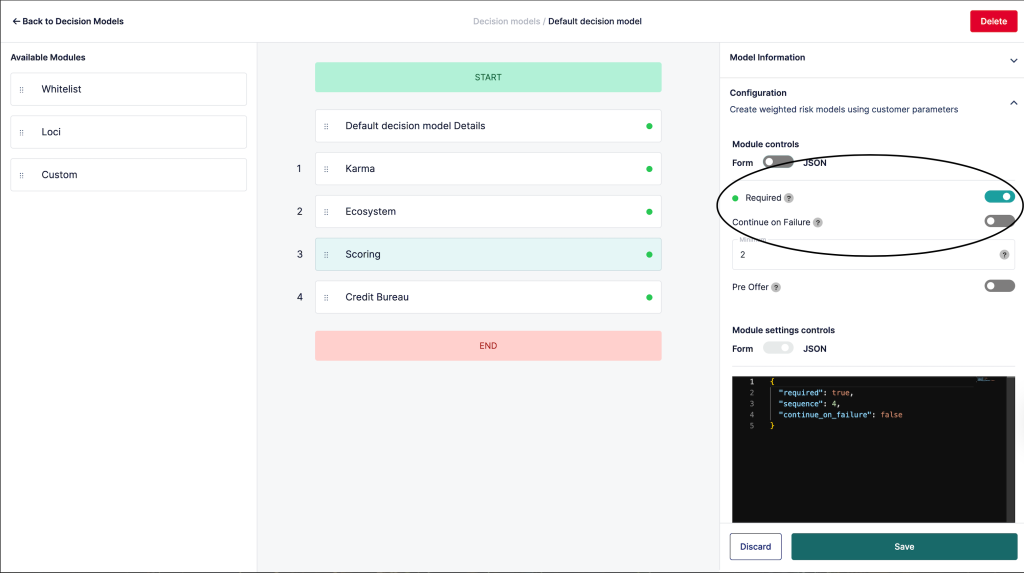
To use borrower scoring, you must first configure a credit risk rule within your lender admin console.
Credit risk rules define the rules, validations, and workflows used during loan processing and credit evaluation.
To create or modify a credit risk rule:
Log in to your lender admin console
Navigate to the credit risk rule configuration section
Create a new credit risk rule or modify an existing one
Ensure the data for the scoring user is available: For borrower scoring to work accurately, the request payload must include sufficient borrower information.
The system uses this data to evaluate the borrower’s financial profile and repayment capability.
At minimum, ensure the following are included:
Product ID
Borrower attributes
Loan amount
Employment information
Income information
Demographic data where applicable
The quality and completeness of borrower data significantly impact scoring accuracy.
Request Payload Fields
Property
Type
Description
productId
integer
Unique identifier for the loan product. Used to determine the product configuration and required attributes.
attributes
object
A dynamic object containing lender-defined attributes required to evaluate a loan request. The structure of this object is configurable per loan product and may include fields such as personal information, employment details, income data, identification information, and loan-specific parameters. The exact fields required depend on the lender’s configuration and regional compliance requirements.
Step-by-step guide to scoring a borrower using Oraculi
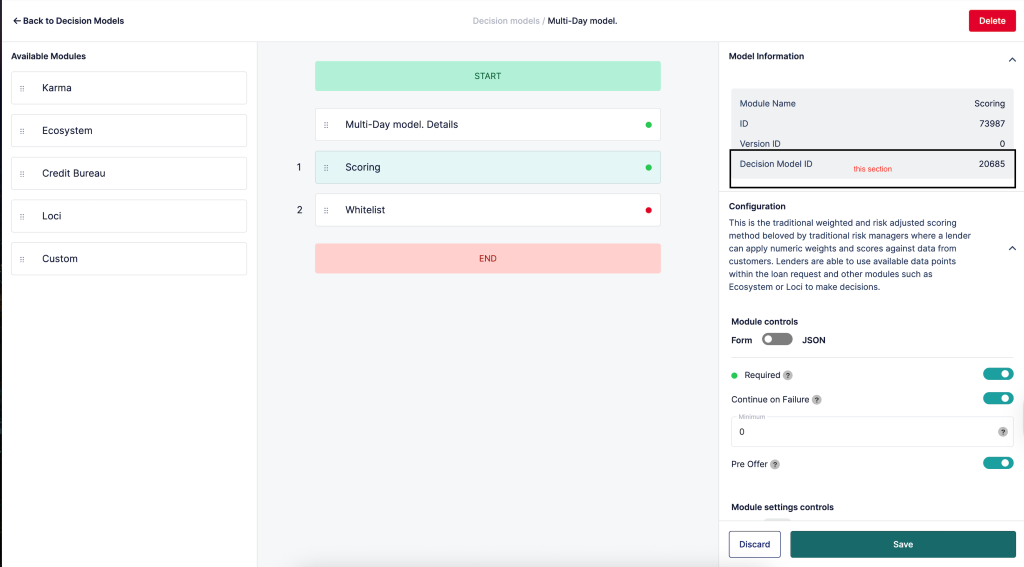
Step 1: Obtain the Credit risk rule ID for the scoring model and use it as a path parameter in the Oraculi Borrower Scoring endpoint. The credit risk rule ID will be used as a path parameter when making requests to the Oraculi Borrower Scoring endpoint.
Before proceeding, verify that:
The rule configuration has been published if required
The credit risk rule is active
The scoring module is enabled
Obtaining the credit risk rule id from credit risk rule settings.
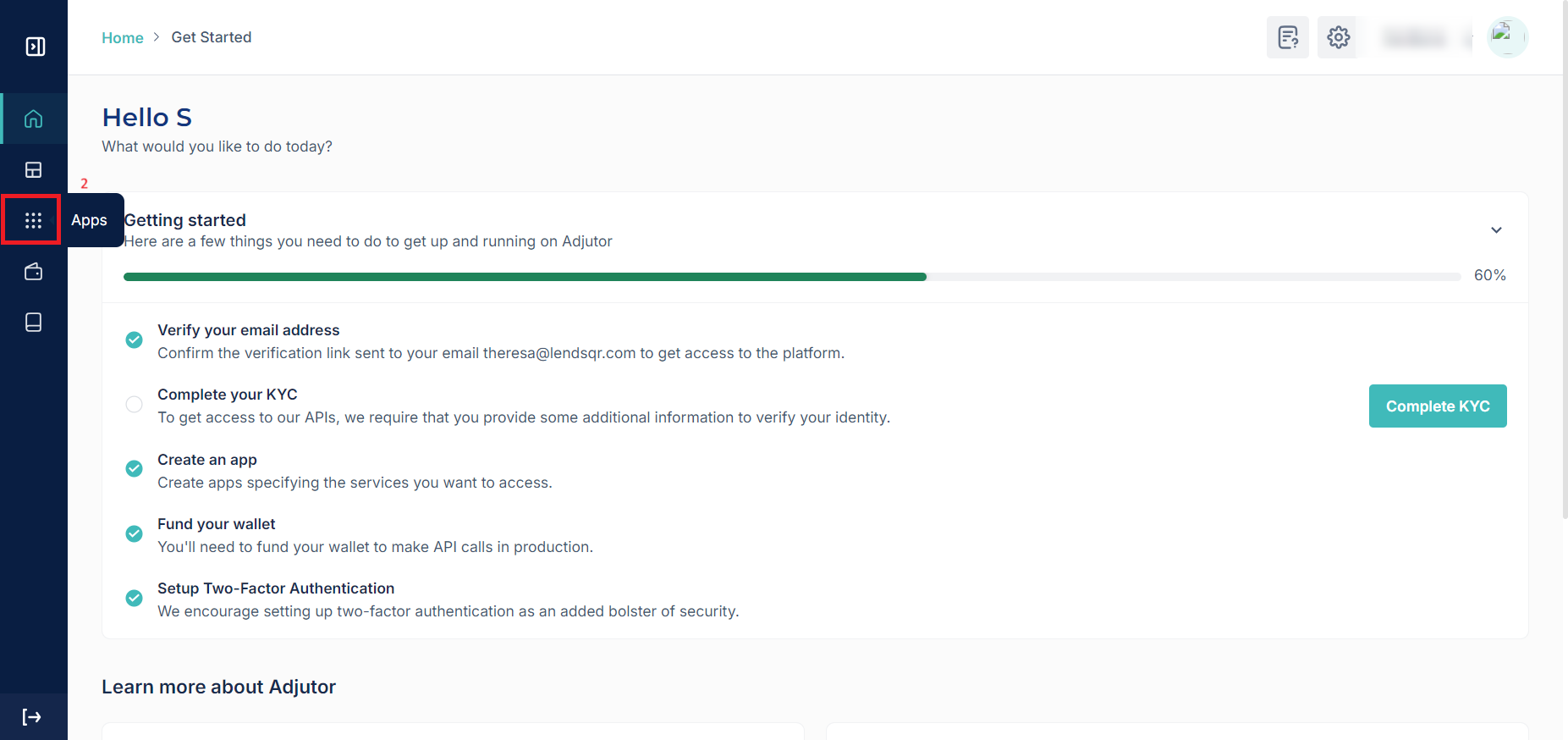
Step 2: Create an app on the Adjutor web application, ticking all the validation scopes. During app creation:
Enable all required validation scopes
Configure the necessary permissions
Save the application settings
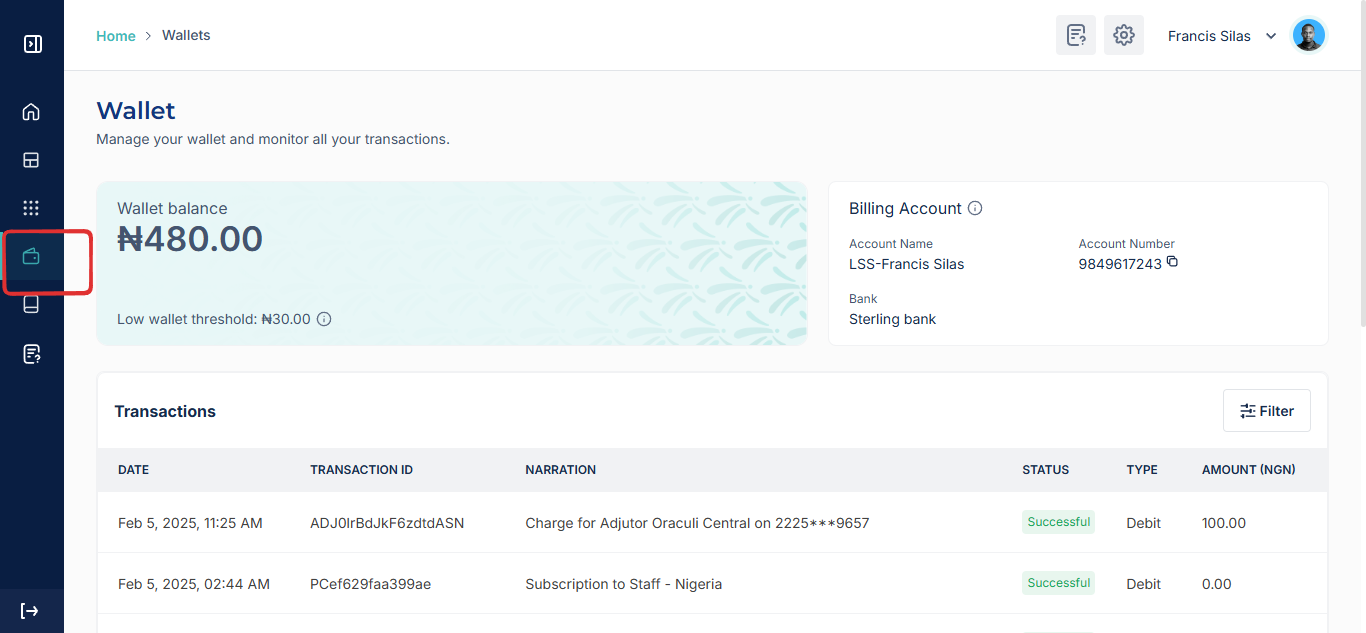
After creating the app successfully, retrieve your API credentials. These credentials are required for authenticating requests to the scoring endpoint.
Step 3: Make a POST request with the user’s details in the request body. Refer to the Adjutor API references for The Oraculi Browser Scoring endpoint.