There are two ways to view customer activity logs on the Lendsqr admin console.
There are:
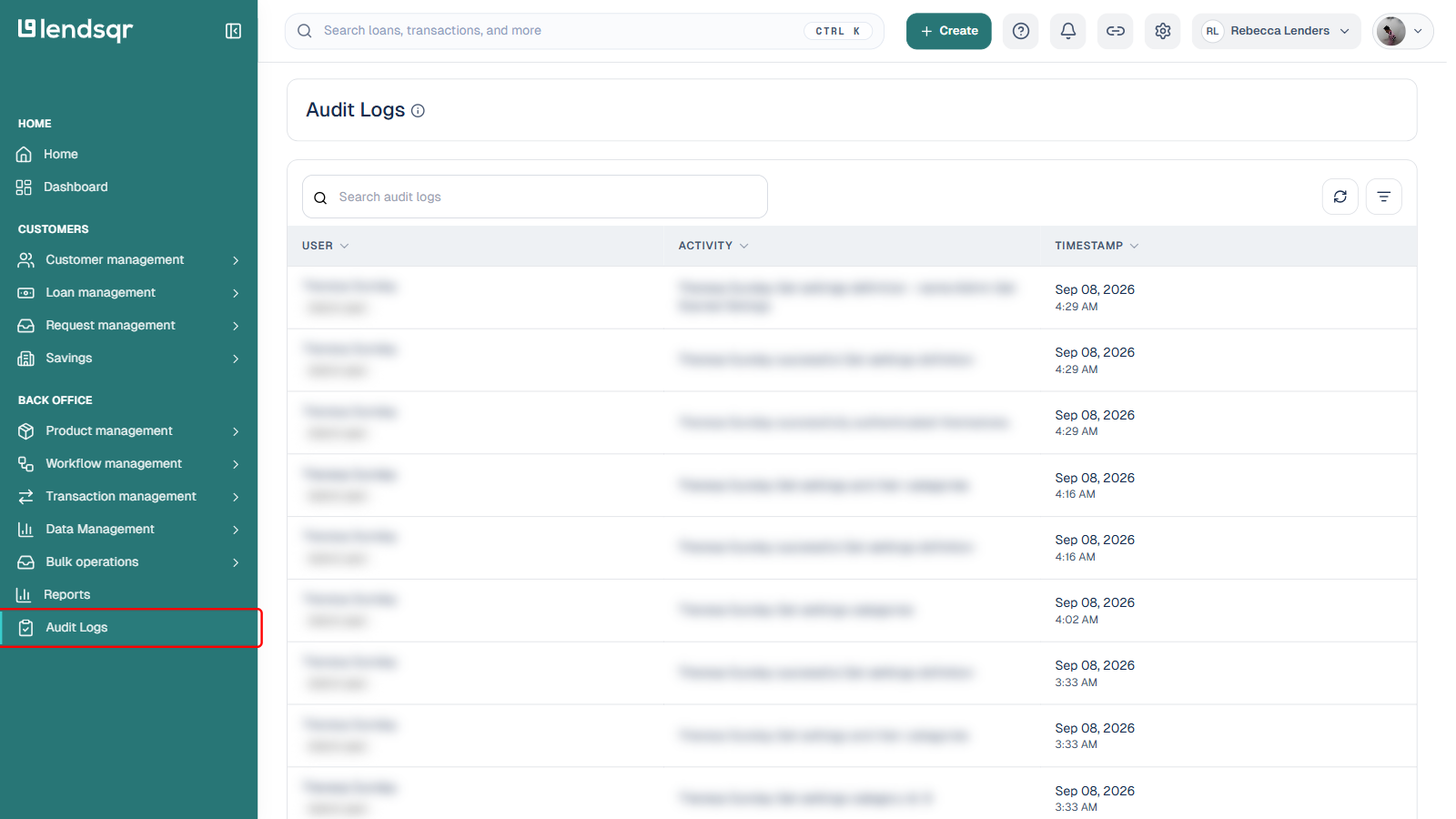
- Audit Logs, a log of all system activities performed by your admin users on the Lendsqr admin console and end-users on the app.
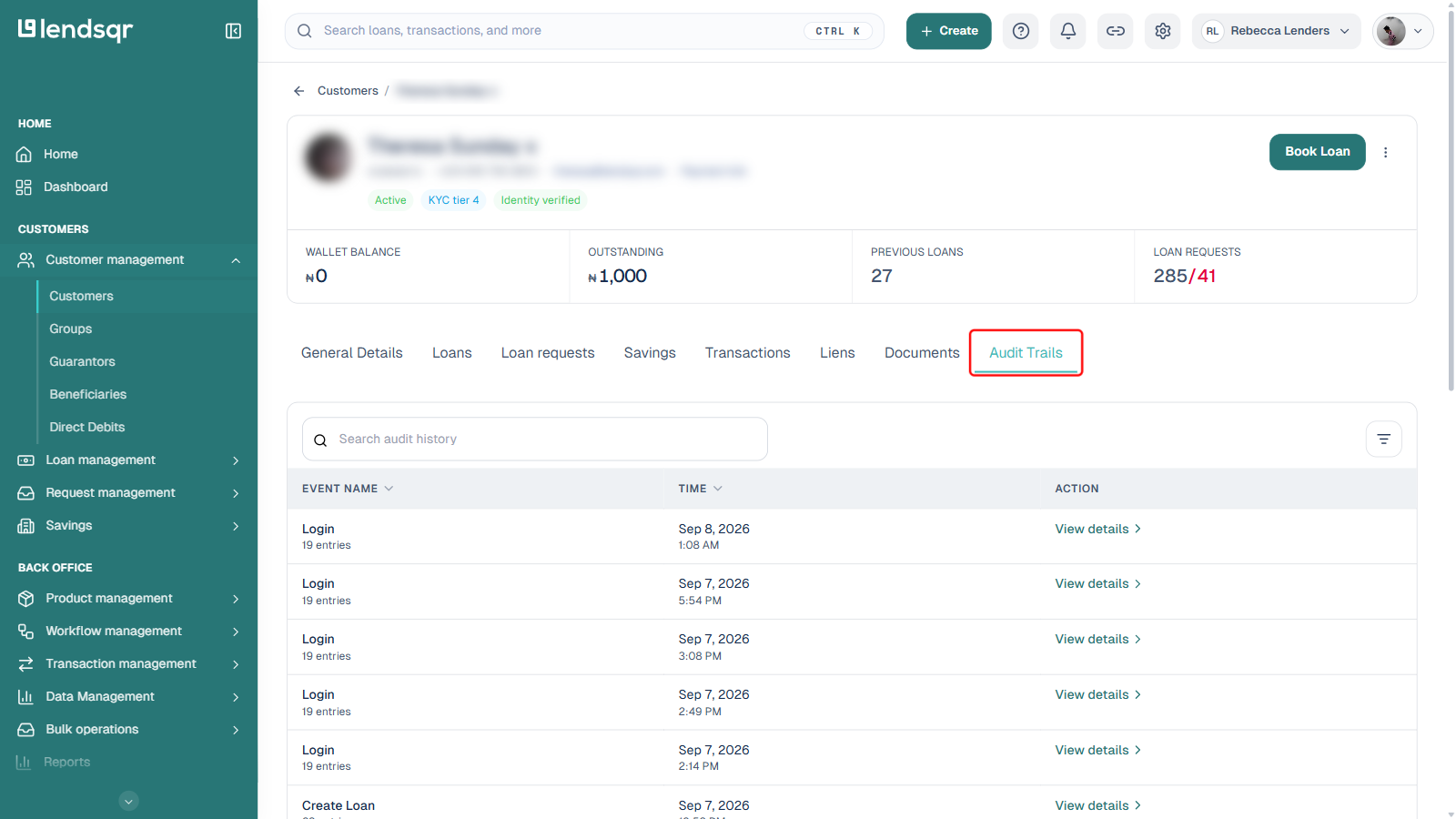
- Audit Trails, a more detailed, per-customer log of actions a specific user performs on your app, grouped by event type.
You can access Audit Logs by doing the following:
- Log into the Lendsqr admin console.
- On the side navigation, scroll to the bottom where you can locate Audit Logs under the Back Office section.
- Use the Filter button to narrow the log by criteria such as user or date.
You can access a specific customer’s Audit Trails by doing the following:
- Log into the Lendsqr admin console.
- From the side navigation, expand Customer management and select Customers.
- Search for the specific user with the Filter button, or by typing into the search box.
- Select the user to open their profile.
- Click the Audit Trails tab, the last tab on the customer profile, to view that user’s activity log.
Read further: How to deactivate a customer
Related Guides: