Access your Back Office at your fingertips.
Download the app now on Google Play Store.
Scan the QR code
You can also scan QR code with your phone to download the app.
Can I use features from a higher subscription tier on a lower plan?
Updated
On this page
How Lendsqr subscription tiers work
Lendsqr offers multiple subscription plans, including a free tier, designed to match lenders at different stages of growth. Each plan gives you access to a defined set of features. As you move up tiers, you unlock more advanced capabilities from basic loan management on a free plan to advanced analytics, integrations, and higher transaction limits on premium plans.
A startup testing the waters can start for free, while a fintech processing thousands of loans a month would subscribe to a higher tier to match their operational needs.
Can you use features from a higher tier on a lower plan?
No. Features are gated by your subscription tier. If a feature requires a higher plan, you will not be able to access or activate it until you upgrade.
When you attempt to use a feature not available on your current plan, the platform will display a prompt indicating that the feature requires an upgrade. This is by design. The tiered structure ensures lenders pay for the capabilities they actually use.
🔒 What this means in practice
You may see a list or description of features available in higher plans (e.g., Starter, Pro, Business) while browsing the subscription section of the admin console.
However, these features will remain locked on your current, lower-tier plan until you upgrade.
Attempting to use or configure a feature that belongs to a higher tier will not work and will typically prompt you to upgrade.
How to check your current subscription plan
Log in to your Lendsqr admin console.
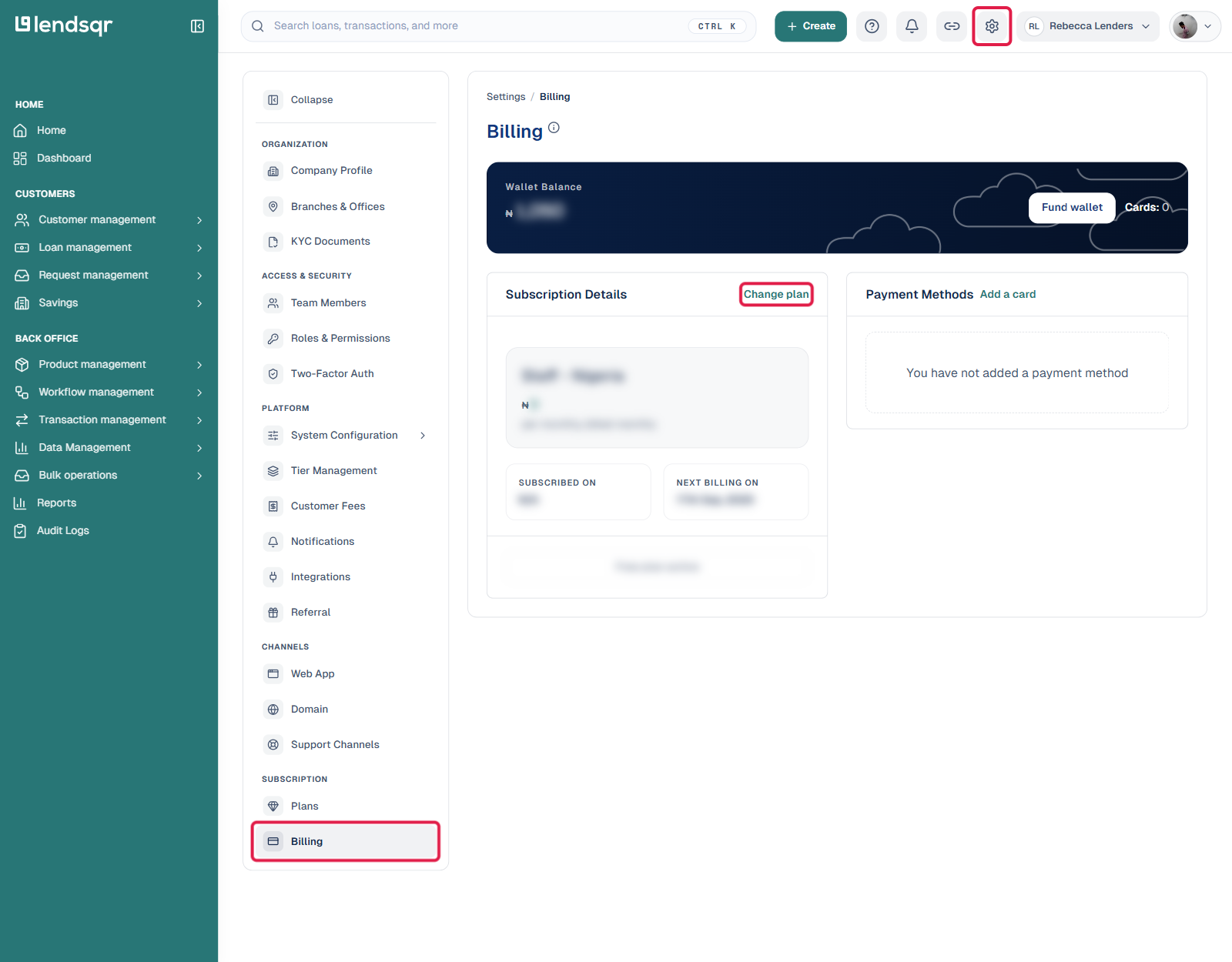
Click on the Settings icon.
Navigate to Billings in the Account Settings menu.
Your current plan, and billing cycle are displayed on this page.
Note: If you are unsure which plan you are on or whether a specific feature is available, check this page first before contacting support.
What features are tier-gated on Lendsqr?
The exact features available at each tier are subject to change as Lendsqr introduces new capabilities. Generally, lower tiers include:
Basic loan product creation and management.
Standard customer onboarding and KYC.
Manual loan booking and admin console access.
Higher tiers typically add:
Advanced credit risk rules and custom credit scoring.
Bulk disbursement and collection features.
Extended API access and integration capabilities.
Priority support and dedicated account management.
For the most up-to-date breakdown of what each plan includes, visit the Lendsqr pricing page or contact your account manager.
How to upgrade your subscription
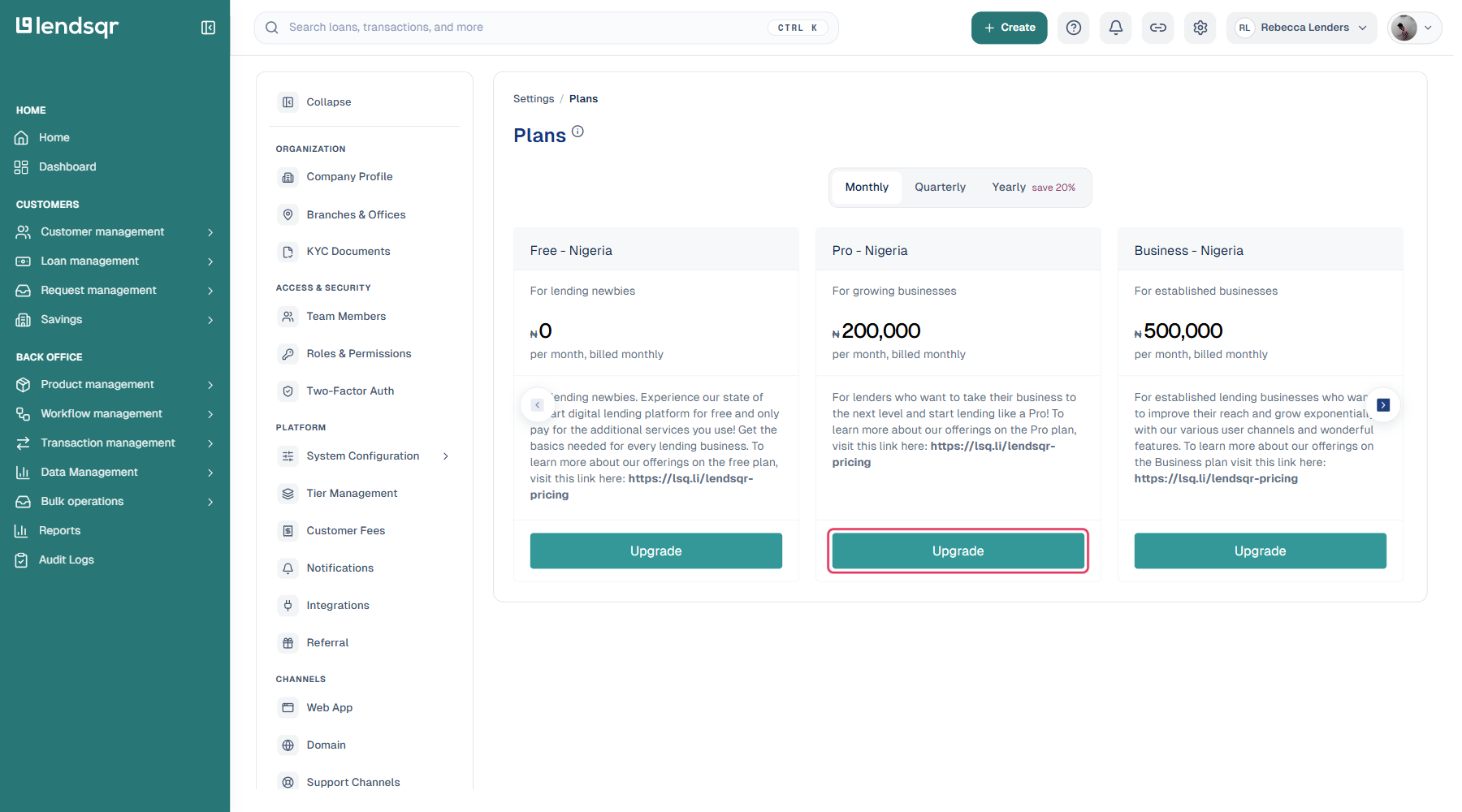
If you need a feature that is only available on a higher tier, upgrading is the straightforward solution. To upgrade, go to Plans and Billing in your admin console, review the available plans, and select the one that includes the features you need. Charges are applied immediately.
Frequently asked questions
What happens if I downgrade to a lower plan?
If you downgrade, you will lose access to features that are exclusive to your current tier. Any data associated with those features (such as advanced credit risk rules or custom reports) is retained but becomes inaccessible until you upgrade again. Read more.
Is there a free trial for higher-tier features?
Lendsqr may offer promotional access to higher-tier features for new or growing lenders. Contact the Lendsqr sales team or your account manager to ask about trial options for your specific needs.
Can I pay for a single higher-tier feature without upgrading my whole plan?
Currently, Lendsqr’s pricing is plan-based rather than feature-by-feature. To access a specific premium feature, you would need to upgrade to the plan that includes it. Reach out to the Lendsqr team if you have specific requirements they may be able to accommodate custom arrangements.