Access your Back Office at your fingertips.
Download the app now on Google Play Store.
Scan the QR code
You can also scan QR code with your phone to download the app.
Configuring subscription on your loan product
Updated
On this page
Most lenders charge for their services in one of two ways: a disbursement fee or a cost baked into the interest rate. Some products benefit from a third approach: a small recurring fee collected alongside each repayment throughout the tenure.
Lendsqr’s subscription fee feature lets you configure exactly this. Instead of a large upfront deduction, you spread the cost as a weekly or monthly charge. This guide covers when recurring fees work well, how they fit different lending models, and how to configure them.
Why do some lenders use recurring fees?
The choice between upfront and recurring fees affects borrower experience, your revenue model, and how your product competes.
Upfront fees suit situations where the cost to process a loan is front-loaded. These costs happen before disbursement, so recovering them upfront makes operational sense. Recurring fees suit products where the lender provides ongoing value across the loan tenure. Here are the situations where lenders typically use them:
SME and working capital loans with active support: A lender who actively monitors borrower cash flows and provides ongoing account support has clear justification for a recurring fee. The borrower pays for an ongoing service, not just a disbursement event. The borrower pays for an ongoing service, not just a one-time disbursement event.
Salary advance or payroll products: Lenders offering short-term salary products to employees often use a small monthly subscription fee rather than a visible interest rate. This keeps the product simple: a fixed repayment plus a small recurring service charge, clearly stated on the offer letter.
Membership-based lending: Some lending models work as credit clubs where borrowers pay a monthly fee to maintain access to a credit line. A subscription fee on the loan product reflects this structure directly.
Reducing upfront cost friction: If your origination fee causes some borrowers to decline, spreading it across monthly payments can improve conversion. The total fee earned over the loan period stays the same, but the per-repayment amount feels smaller.
How a subscription fee appears to borrowers
When you add a subscription fee to a loan product, it becomes part of the borrower’s regular payment obligation. A borrower with a ₦30,000 monthly repayment and a ₦1,000 monthly subscription fee owes ₦31,000 per period.
Show this total clearly on the offer letter so borrowers know their full obligation before accepting. A borrower who expects ₦30,000 and sees ₦31,000 deducted each month without explanation will generate support queries and disputes. Showing the fee as a named line item on the offer prevents this.
If a borrower repays their loan ahead of schedule and the loan closes before the next fee cycle, the subscription fee should not apply to that remaining period. Most lenders configure the subscription fee to stop accruing once the outstanding balance reaches zero.
Check your fee configuration after setting it up by reviewing a test loan and confirming the fee collection schedule matches the repayment schedule. If a borrower receives a shorter tenure due to early repayment, and you continue charging the fee, it can generate legitimate disputes. Setting expectations clearly in the offer letter and configuring the fee correctly from the start avoids this.
Steps to configure a subscription on your loan product
Follow the steps below to configure a subscription on your loan product:
Log in to the admin console.
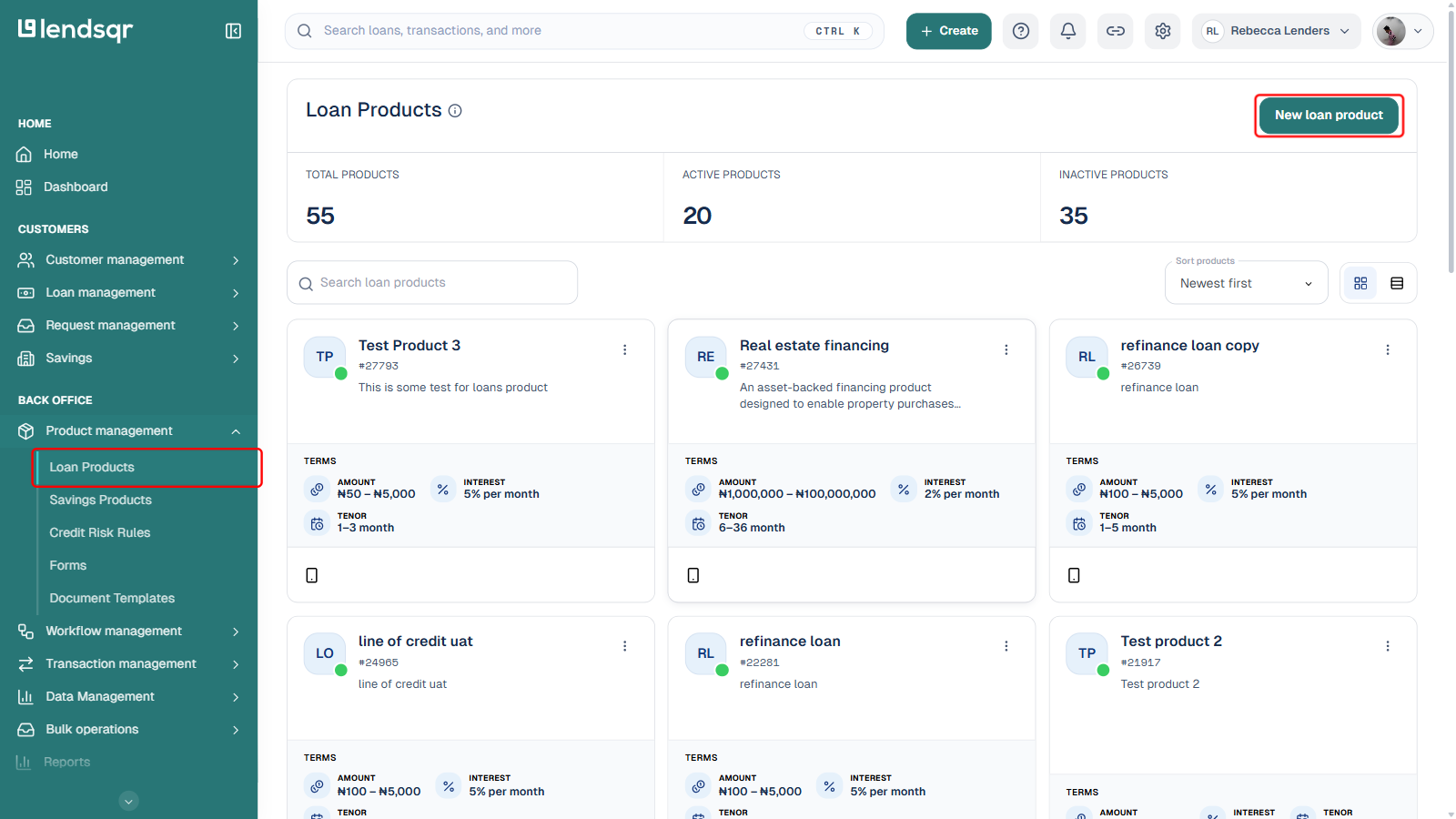
Navigate to Loan Products under Product Management in the Back Office section of the side navigation.
Create a new loan product with New loan product, or open an existing one from the list and select Edit from its actions menu.
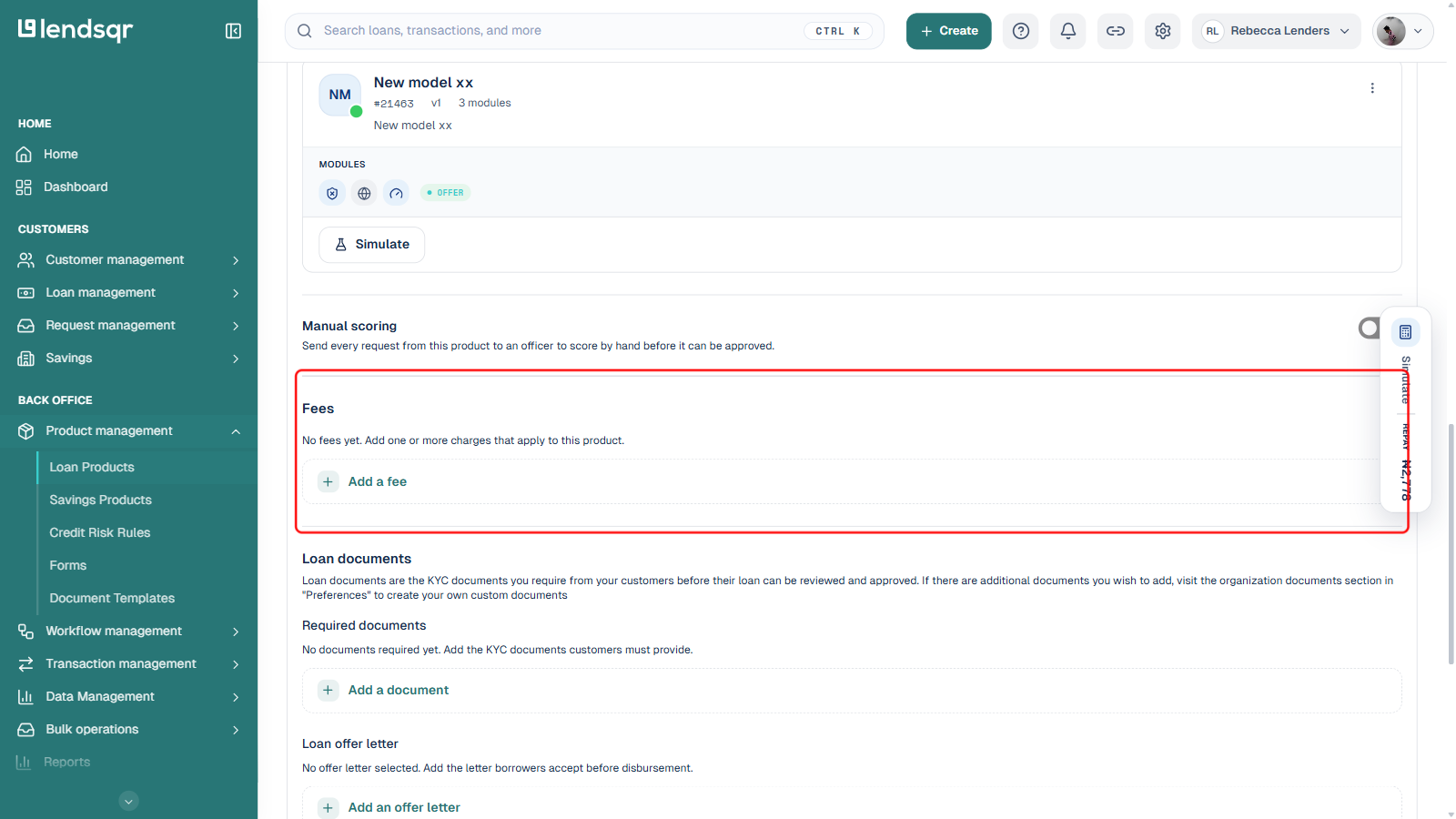
On the product form, scroll down to the Fees section.
Click Add a fee. A picker opens showing existing fee templates you can search and reuse; click Create a new fee at the top of that picker to define a new one instead.
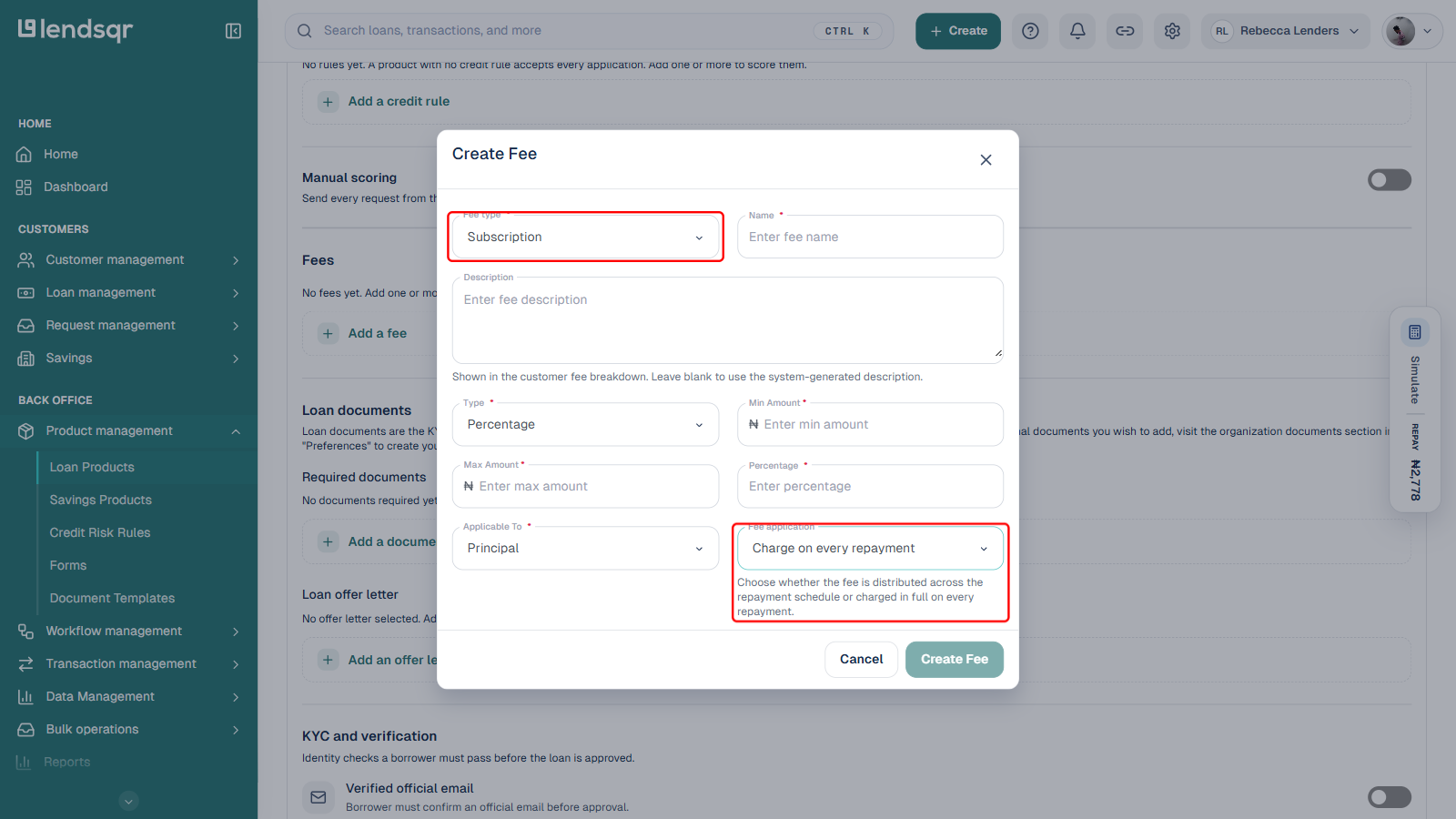
In the Create Fee dialog, set Fee type to Subscription, then fill in the name, description, amount type (percentage or fixed), min and max amount, and what the fee applies to.
Set Fee application to Charge on every repayment so the fee is added to each repayment instalment, matching the recurring-charge behaviour this guide describes. The alternative, Distribute across repayments, spreads a single total fee amount evenly across the schedule instead of charging it repeatedly.
Click Create Fee to save it to the product.
Scroll to the bottom of the loan product form and click Save to apply the fee to the product.
If you want to explore other types of fees you can add to your loan product, click here.
Combining subscription fees with other fee types
A loan product on Lendsqr can carry multiple fee types at the same time. You can configure an origination fee, a subscription fee, and a penalty fee on the same product. Each runs on its own schedule and calculation method.
If you use both fee types, show each charge as a named line item on the offer letter. Borrowers should see both charges stated separately before accepting the loan. Transparency about fees reduces disputes and builds trust in your product over time.