Access your Back Office at your fingertips.
Download the app now on Google Play Store.
Scan the QR code
You can also scan QR code with your phone to download the app.
How to assign a tier to your users
Updated
On this page
When a new borrower joins your platform, they start at a default access level. They can apply for loans within the limits your lowest tier allows. But not every borrower should stay at that level forever. Some complete additional KYC, demonstrate a strong repayment history, or qualify for a higher-value product. Others may need their access reduced.
Tier management on Lendsqr gives you a structured way to control what each borrower can do on your platform based on criteria you define. This guide explains how borrower tiers work operationally, when lenders change them, and how to assign or update a tier from the admin console.
Why borrower tiers matter in lending
Tiers are not just a categorization tool. They are a risk management and compliance mechanism that lets you match each borrower’s access level to their verified identity and repayment track record. Here are some possible use cases:
KYC progression: Many lenders use tiers to implement a graduated KYC process. A borrower who signs up with a phone number and a basic identity check (such as BVN for a Nigerian lender) starts at Tier 1 and can access small, short-term loans. When they submit a government ID and selfie, they move to Tier 2 with higher loan limits. When they complete address verification and upload a utility bill, they reach Tier 3. The tiers help to group access to progressively more valuable products and ensure borrowers at higher tiers have provided more identity evidence.
Transaction and loan limits: Each tier you configure on Lendsqr carries its own deposit and loan limits, shown directly on the tier itself. These limits keep your exposure proportional to the level of verification you have completed on each borrower.
Compliance with regulatory requirements: Regulatory frameworks in many markets require lenders to apply different KYC standards based on transaction value. A tiered system maps directly onto these requirements. Borrowers who want access to larger loan products must meet higher verification standards before they qualify.
Downgrade for risk control: Tiers can also move in the other direction. If a borrower defaults, misrepresents their information, or triggers a risk flag, your team can downgrade their tier to restrict their access to new loans while you investigate or manage the situation.
A practical example: tier progression for a micro-lender
A micro-lender onboards borrowers in three tiers. Every borrower starts at Tier 1 with a maximum loan of ₦20,000. When a borrower completes BVN verification and submits a national ID, a lender admin reviews their documents and upgrades them to Tier 2, unlocking loans up to ₦150,000. After two successful repayments at Tier 2, the borrower requests a larger loan. The admin reviews the repayment history, confirms the track record, and moves them to Tier 3, granting access to the higher-value product.
This progression ensures that borrowers earn access to larger loans by demonstrating identity and repayment behavior, rather than receiving them by default. For a broader explanation of what tier management is and how it fits into your customer onboarding flow, see what is tier management?
When to upgrade or downgrade a user’s tier
Upgrade a tier when the borrower has completed additional KYC requirements, submitted documents you have reviewed and approved, demonstrated consistent repayment behavior, or requested access to a product that requires a higher tier.
Downgrade a tier when a borrower misses multiple repayments without explanation, a fraud concern is raised on the account, additional verification fails or reveals a mismatch, or you want to restrict access while an investigation is ongoing.
A tier change takes effect as soon as you select the new tier. The borrower’s available loan products and limits update accordingly.
How to assign or change a borrower’s tier in Lendsqr
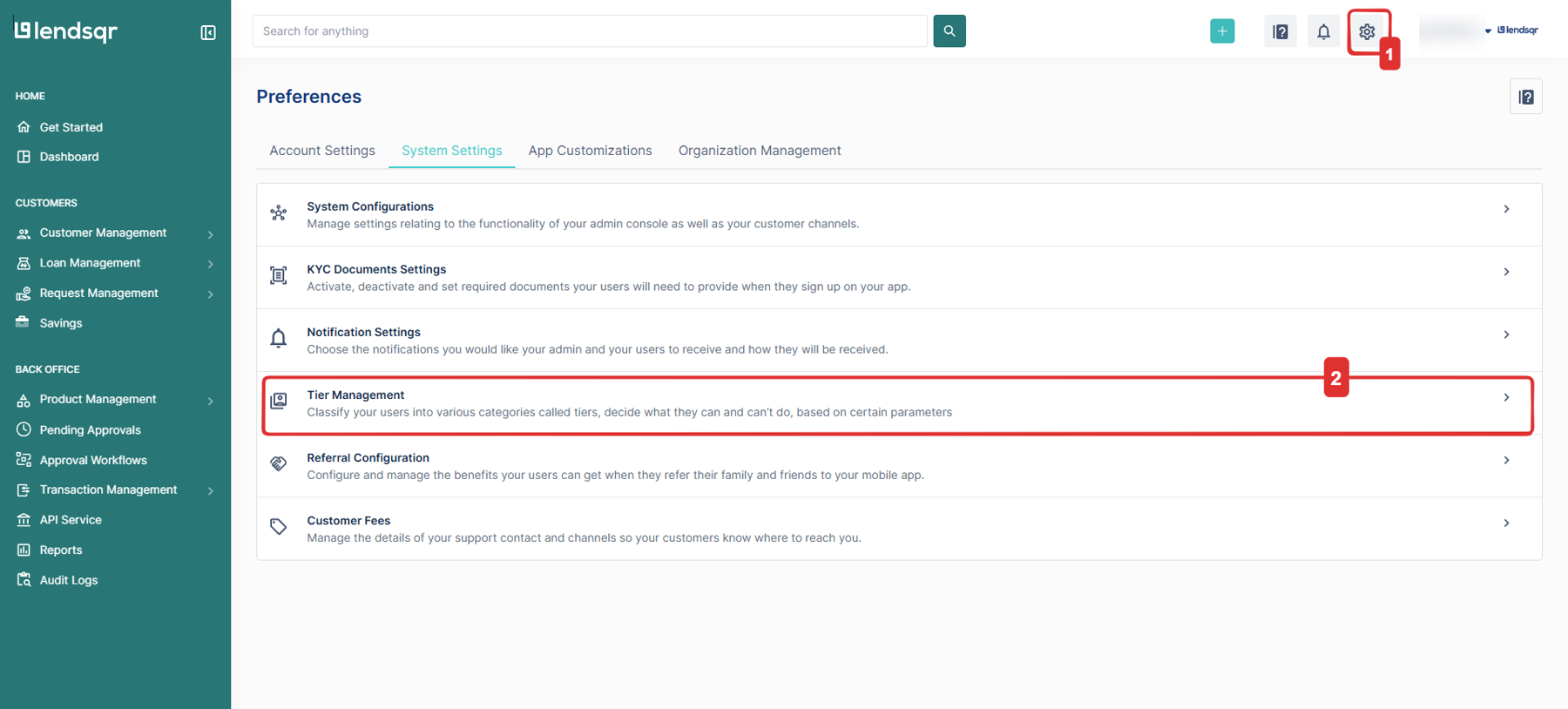
After a tier is created on the Lendsqr admin console, you can assign that tier to a specific user based on your discretion. If you are not yet familiar with finding a specific customer on the admin console, see Locating users’ profile page first. To assign or change a tier, follow the steps outlined below:
On the side navigation, go to Customer management under Customers, then select Customers.
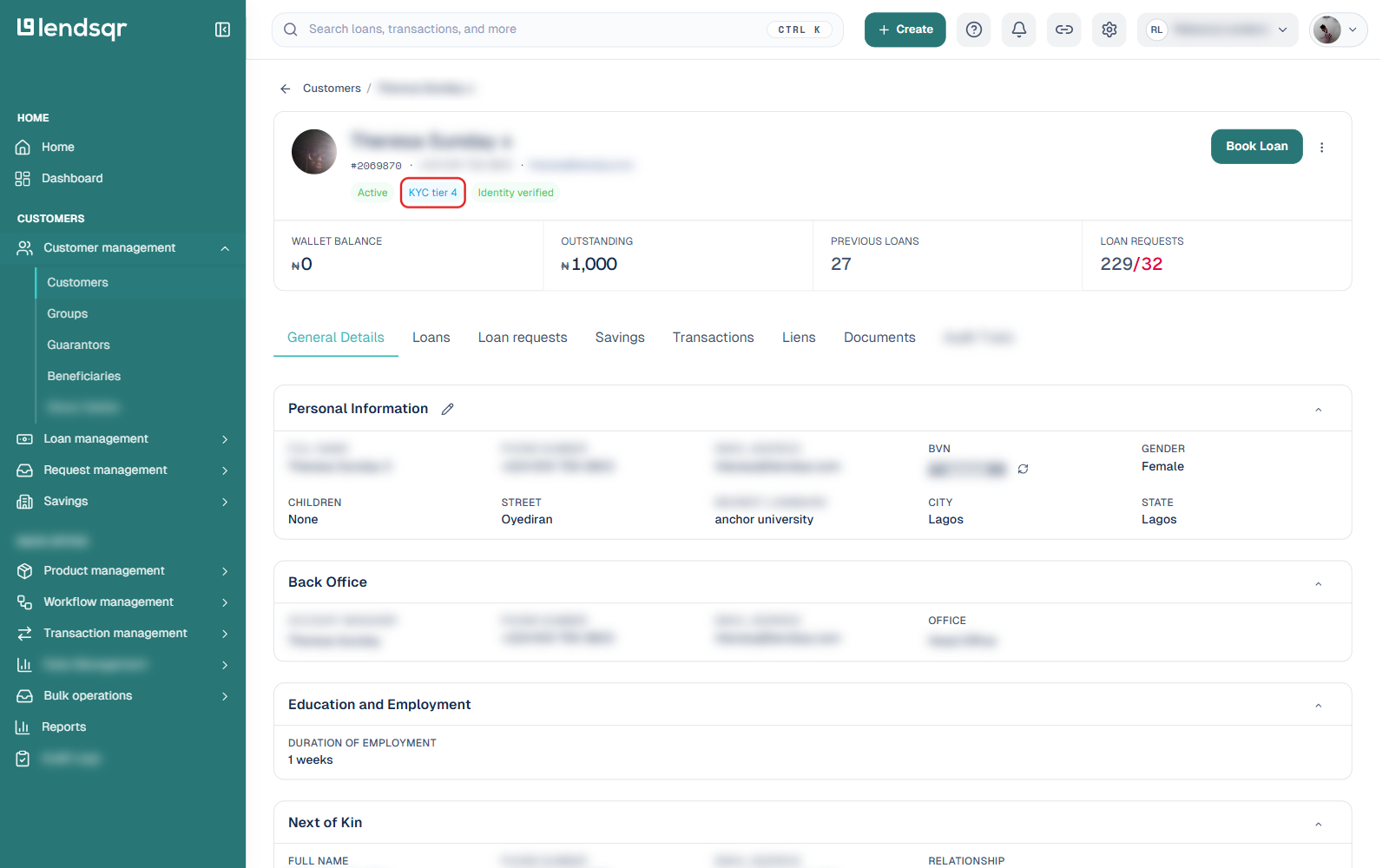
Filter or search for the customer you need, then click on their row to open their profile. The customer’s current tier appears as a badge, such as “KYC tier 4”, next to their status near the top of the page.
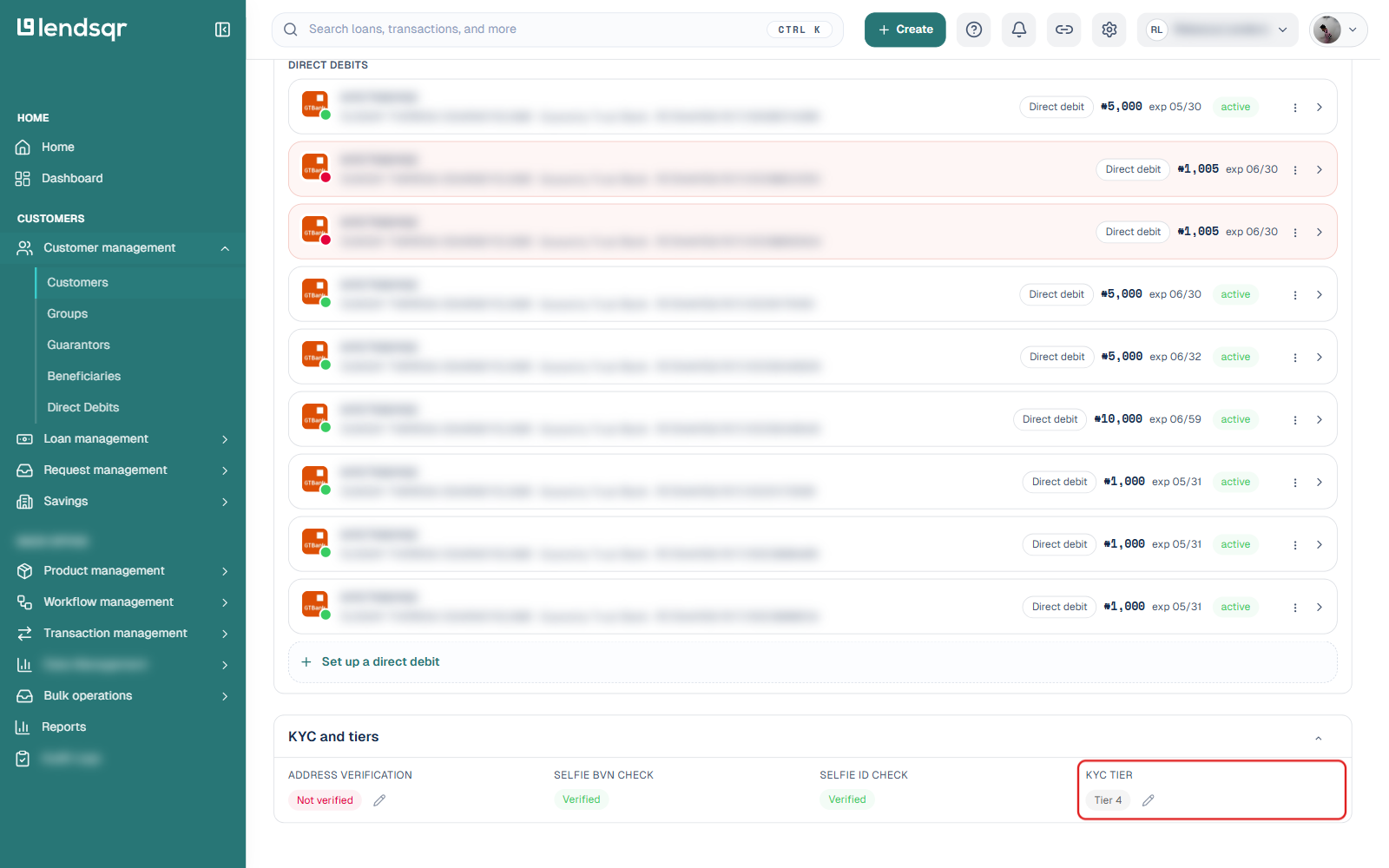
On the General Details tab, open the KYC and tiers section.
Next to KYC tier, you will see the customer’s current tier and a small pencil Edit status icon beside it.
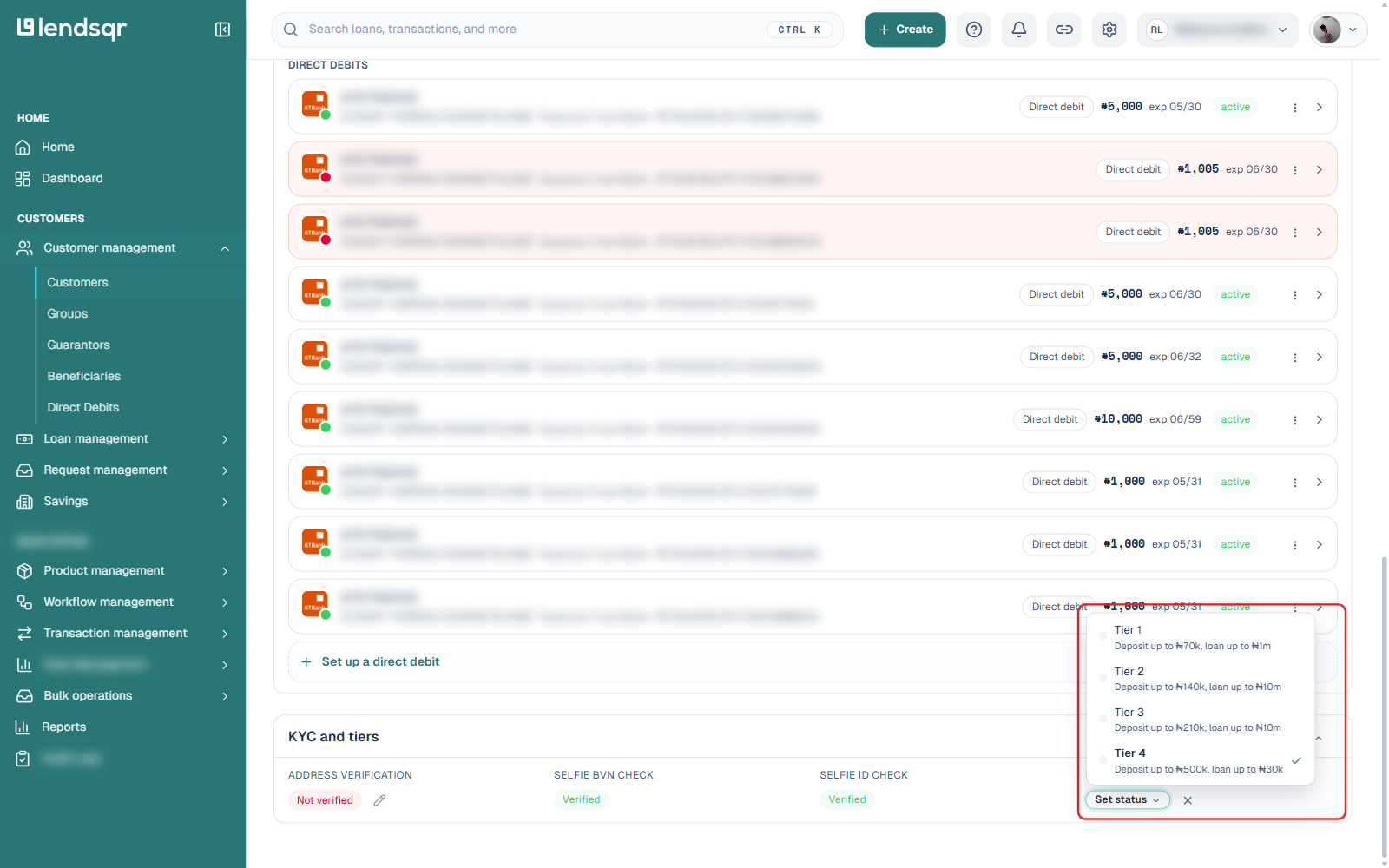
Click the pencil icon. This opens a dropdown listing every tier configured for your organization, with each option showing that tier’s deposit and loan limits.
Click the tier you want to assign. The change is applied as soon as you select it, no separate save step is needed.
How tiers display on the platform
Once assigned, a borrower’s tier appears as a text badge, such as “KYC tier 4”, near the top of their profile alongside their active/inactive status and identity verification status. The same tier is also shown as “Tier 4” text next to the KYC tier field inside the KYC and tiers section. This lets your team quickly identify a borrower’s access level without digging into their full profile.