Access your Back Office at your fingertips.
Download the app now on Google Play Store.
Scan the QR code
You can also scan QR code with your phone to download the app.
Settlement and Reconciliation Process
Updated
On this page
When money lands in your bank account as a settlement, your finance team needs to verify that the amount matches what was collected. Without a clear method for matching payouts to individual transactions, discrepancies go undetected, reports become unreliable, and audits become painful.
Lendsqr’s settlement process gives every transaction a unique reference that travels through the entire payment journey. As a result, you can trace any settlement back to the original transactions that made it up and confirm that the amounts match. This guide explains how the settlement process works, how to use the available reports to reconcile payouts, and what to do when amounts do not match.
Quick summary: how settlement and reconciliation work in one minute
Here is the process at a glance:
Every transaction in Lendsqr has a unique transaction reference
At the close of each business day, Lendsqr aggregates all funds from active services into one pool
Processing fees are deducted, and the net amount is sent to your registered bank account as a single transfer
Each settlement transfer carries a label in the format SC YYYYMMDD, where SC is your organization’s short code, and YYYYMMDD is the transaction date
To reconcile, you match the settlement transfer in your bank statement against your Daily Settlement Report and Transaction Report in the Lendsqr admin console
If the amounts match, reconciliation is complete. If not, the transaction references help you identify and investigate specific discrepancies
How the settlement process works
At the close of each business day, Lendsqr pools all funds collected through your active payment services. This includes card payments, direct debit collections, and any other active payment method on your platform. Processing fees are then deducted from the total, and the resulting net amount is sent to your registered bank account as a single bulk transfer.
Settlements happen only on business days. On days that follow a public holiday, Lendsqr may combine multiple days into a single settlement to catch up. In that case, you will still receive one transfer, but it will cover the combined transactions across the days in question.
Settlement transfers typically arrive between 3 PM and 6 PM. Because Lendsqr depends on integrated payment providers to process these transfers, timing can occasionally vary.
The two reports you need for reconciliation
Lendsqr provides two downloadable reports that work together to give you everything needed for reconciliation:
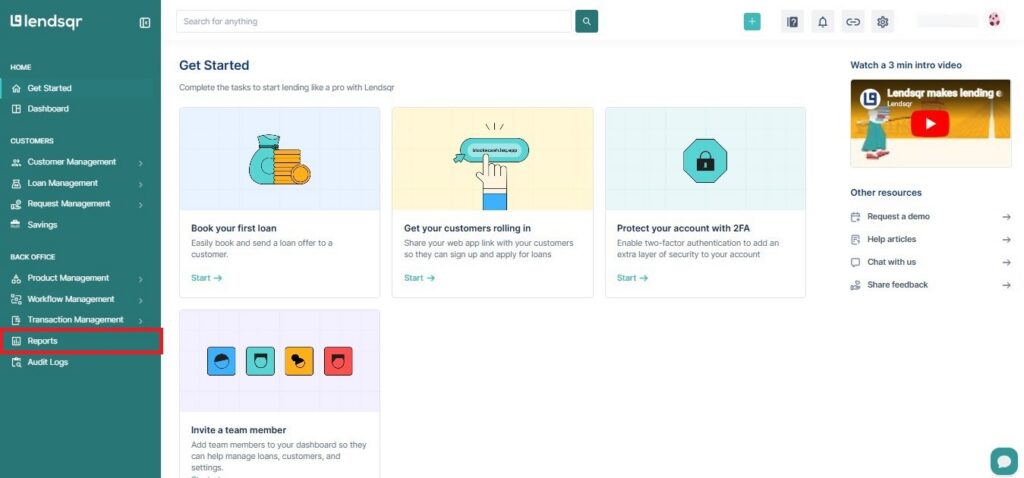
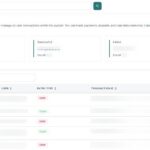
Settlement data: You can view and download the transaction data of your settlement from the Lendsqr Admin console using the Reports Menu and selecting the Daily Settlement report. You can filter your data by start and end dates.
Transaction data: You can view and download your transaction data from the Lendsqr Admin console using the Reports Menu and selecting the Transaction report. You can filter your data by start and end dates, and also by transaction status.
To reconcile a settlement, download both reports for the same date range, then match the net settlement amount in your Daily Settlement Report against your bank statement. For any discrepancy, use the Transaction Report to review individual transaction references and identify which transactions are unaccounted for.
Step-by-step reconciliation process
Follow these steps to reconcile transactions that arrive in your bank account.
Note the settlement amount and the date label from your bank statement.
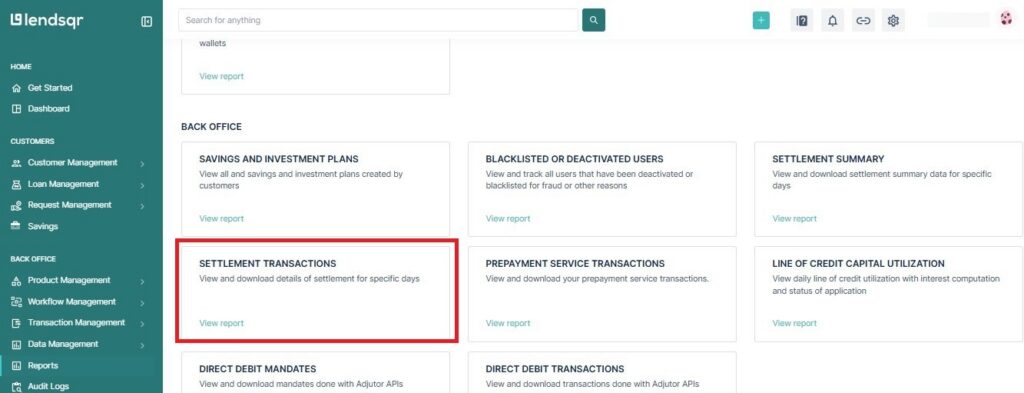
Download the Settlement Transactions Report for the date being reviewed. Confirm that the net amount in the report matches the transfer in your bank statement.
If the amounts match, your reconciliation for that date is complete.
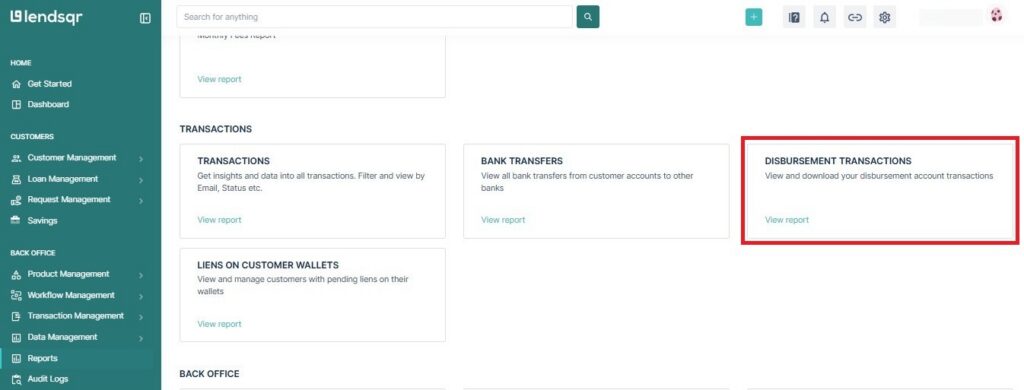
If the amounts do not match, download the Disbursement Transactions Report for the same date range. Review each transaction reference to identify which entries are missing or mismatched between the two reports.
For any specific transaction that needs investigation, use the unique transaction reference to trace it back in both Lendsqr and the payment processor’s records.
Troubleshooting common settlement and reconciliation issues
Settlement amount is lower than expected
This is the most common reconciliation issue. In most cases, the difference is explained by one of the following:
Processing fees were higher than anticipated: Lendsqr deducts fees before settling. Check the fee breakdown in your Settlement Transactions Report to confirm the deductions applied.
Some transactions failed or were reversed: Failed or reversed transactions are excluded from settlements. Review your Disbursement Transactions Report for entries with a failed or reversed status on that date.
A collection came in after the settlement cutoff: Transactions received after the daily cutoff are rolled into the next business day’s settlement. Check the following day’s report for the missing amount.
Settlement is delayed or has not arrived
If your settlement has not arrived by 6 PM on a business day, consider the following before raising a concern:
Confirm it is not a public holiday or a day following one. Settlements do not process on holidays, and catch-up settlements may arrive slightly later than usual.
Check your email for a notification from Lendsqr’s operations team. Delays caused by payment provider issues are communicated via email.
If no notification was received and the delay extends beyond the expected window, contact Lendsqr support with your organization short code and the date in question.
Settlement arrived but the reference label is unfamiliar
If you see a transfer in your bank account that does not follow the SC YYYYMMDD format, it may not be a Lendsqr settlement. Confirm the source with your bank before marking it as reconciled. For transfers that do follow the format but belong to an unexpected date, check whether a public holiday caused multiple days to be combined into a single transfer.
Transaction reference appears in the settlement report but not in the transaction report
This can occasionally happen when the payment provider processes a transaction, but the status in Lendsqr has not yet been updated. In that case, allow a few hours for the system to sync, then run the transaction report again. If the mismatch persists, use the transaction reference to raise a query with Lendsqr support.
Reconciliation checklist for finance teams
Use this checklist at the end of each business day to maintain accurate and up-to-date records.
Confirm the settlement transfer received in the bank account
Note the settlement date label from the transfer reference
Download the Settlement Transaction Report for the matching date
Confirm the net amount in the report matches the bank transfer
Download the Disbursement Transaction Report for the same date range
Cross-check for any failed, reversed, or missing transactions
Investigate any discrepancies using individual transaction references
File both reports with the settlement date for record-keeping