Access your Back Office at your fingertips.
Download the app now on Google Play Store.
Scan the QR code
You can also scan QR code with your phone to download the app.
What is a whitelist on Lendsqr?
Sometimes a lender already knows which customers qualify for a special offer before those customers even apply. It could be employees of a partner company, repeat borrowers with strong repayment history, or customers selected for a retention campaign.
Instead of exposing that offer to every borrower, lenders often restrict access to a selected group. That is where a whitelist becomes useful.
On Lendsqr, a whitelist allows you to create loan access rules for specific users or user groups using identifiers such as BVN, phone number, or email. Only customers linked to that whitelist can view or apply for the assigned loan product.
This helps lenders run targeted campaigns, speed up approvals for trusted users, and control who sees certain products without changing the full loan catalogue.
What a whitelist means in lending
In lending operations, a whitelist is a pre-approved list of customers who meet defined eligibility criteria before application. They are, as a result, also referred to as ‘Prequalified borrowers’, even on the Admin Console.
Instead of evaluating every borrower from scratch, a lender can identify trusted segments in advance and offer them controlled access to credit.
This is commonly used for:
Existing borrowers with perfect repayment records
Employees of verified companies
Members of cooperatives or associations
Returning customers in loyalty campaigns
For example, a lender may partner with a company that has 500 employees. Rather than reviewing each employee one by one, the lender can whitelist eligible staff and offer a payroll-backed loan product with pre-agreed terms.
How whitelists work on Lendsqr
Lendsqr’s whitelist feature sits inside the admin console and allows lenders to create either single entries or bulk entries, depending on the campaign size.
A lender typically follows this flow:
Select the customers to be included
Match them using BVN, phone number, or email
Assign a dedicated loan product or offer terms
Set limits, tenors, or expiry dates where needed
Publish access only to the approved group
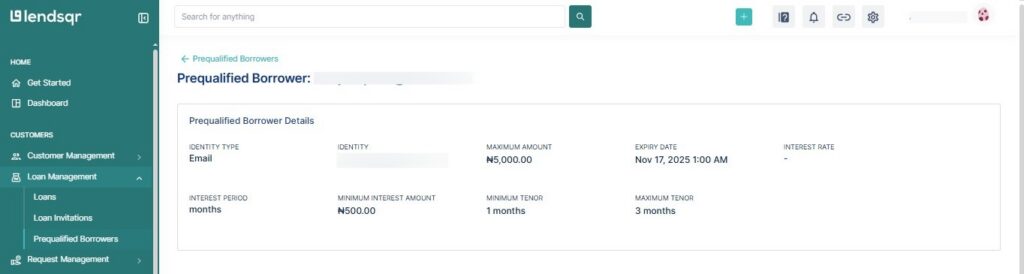
Here is an example of a whitelisted customer and their offer details as viewed on the Admin Console:
This means public borrowers do not see the offer, while selected customers can access it directly through the customer app.
Common business use cases for whitelist campaigns
Here are some common business use cases where the ability to whitelist customers on the admin console can come in handy:
Corporate lending partnerships
A lender signs an agreement with a manufacturing company to provide staff loans. Approved employees could be whitelisted and receive access to lower interest rates since repayments would come through payroll deduction.
Retention offers for repeat borrowers
Customers who have completed three previous loans without delay can be whitelisted for a new product that has faster approval and higher limits.
Controlled pilot launches
A lender that wants to test a new loan product before rolling it out to everyone can use the whitelist feature for a controlled pilot launch of the product. They could whitelist 200 existing customers first, monitor repayment behaviour, and then expand later.
Why lenders use whitelists instead of public offers
Whitelist campaigns give lenders more control than open-market offers.
Benefits include:
Better risk selection
Faster approvals for trusted borrowers
Lower manual review workload
Stronger customer retention
Ability to test pricing or product ideas privately
Cleaner marketing spend through targeted campaigns
Because the audience is pre-selected, lenders often achieve better approval quality than broad acquisition campaigns.
How to create a whitelist on Lendsqr
Lendsqr supports both single-entry and bulk-entry whitelist creation. This allows lenders to onboard one vetted borrower or thousands of campaign users at once. Whitelists are also referred to as ‘Prequalified borrowers’ on the Admin Console.
Here are the steps for creating one:
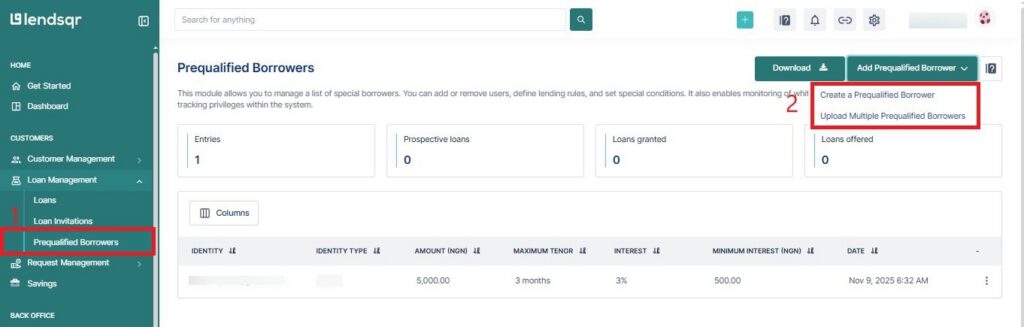
Open the Prequalified Borrowers section in the admin console
Click Add Prequalified Borrower
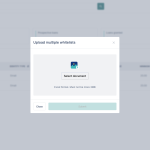
Choose Create a Prequalified Borrower or Upload Multiple Prequalified Borrowers
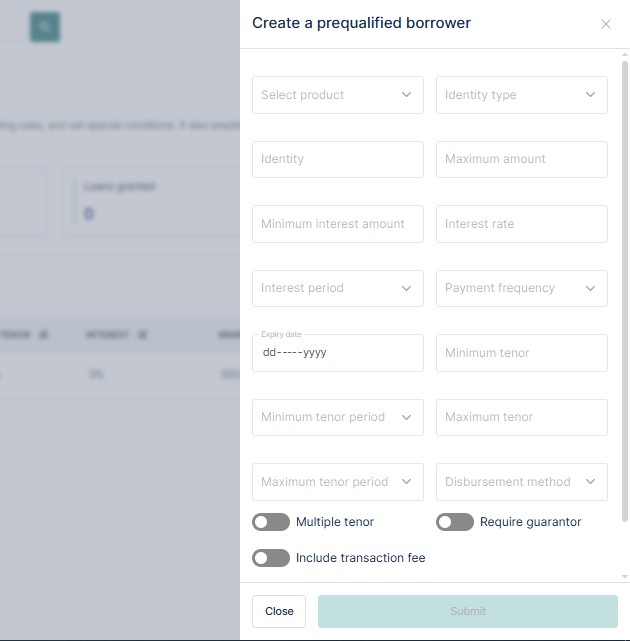
Enter customer identifiers
Configure loan terms or limits
Click Submit
Risks of poor whitelist management and how to minimise them
Whitelist campaigns work best when records stay accurate. Poor maintenance can create avoidable issues.
Common risks include:
Former employees still having access to staff offers
Customers with recent defaults remaining eligible
Duplicate records across multiple campaigns
Wrong phone numbers or emails blocking access
Expired campaigns still being visible longer than intended
For example, if a company employee leaves payroll but remains on the whitelist, they may access terms designed only for active staff.
To keep whitelist campaigns effective and minimise these risks listed above, do the following:
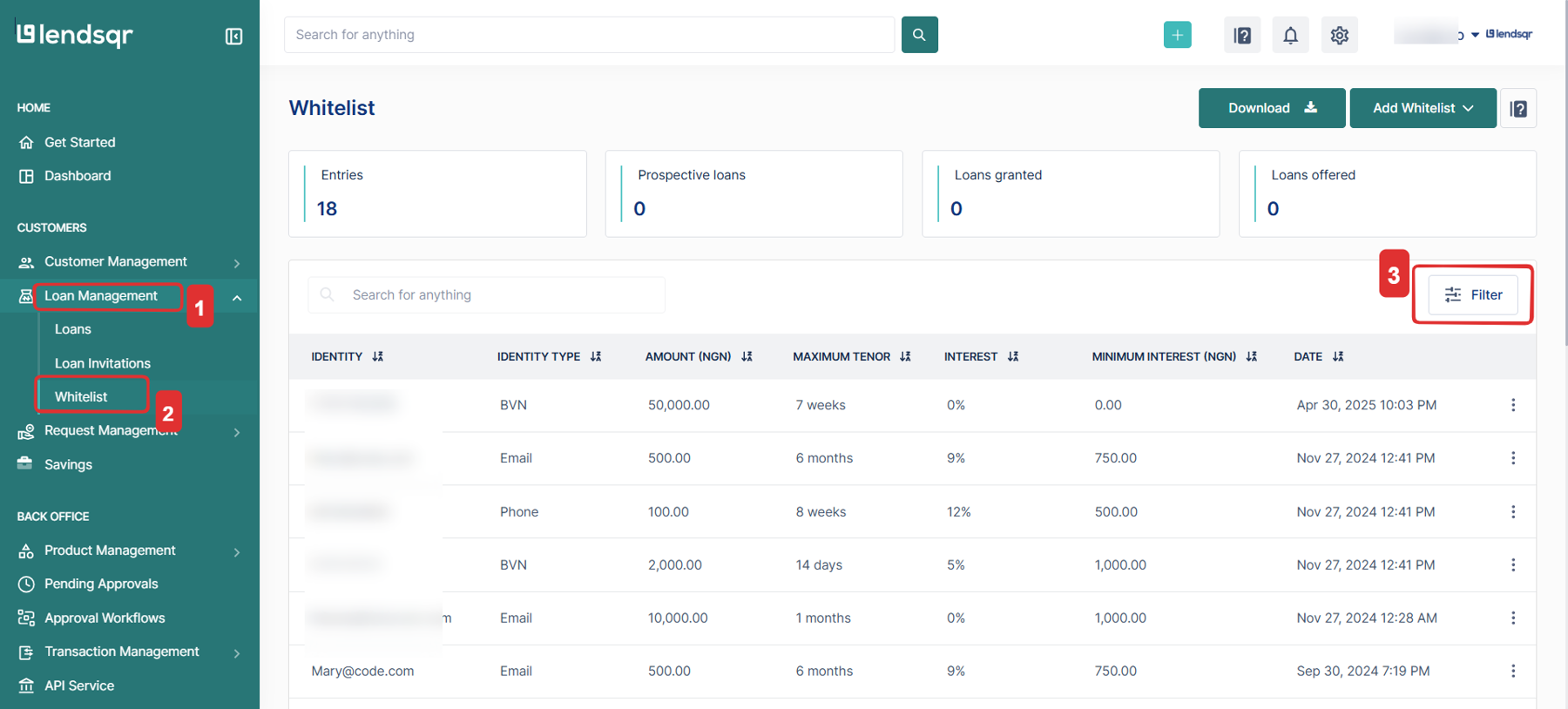
Review active records of prequalified borrowers on a schedule
Remove customers who no longer qualify
Update contact details where needed
Add expiry dates to temporary campaigns
Use BVN where possible for stronger identity matching
Separate campaigns by purpose instead of mixing all users into one list
BVN is often more reliable than phone numbers or email because contact details can change over time.
How to measure whitelist performance
Whitelist campaigns should be monitored like any lending channel.
Useful metrics for doing so include:
Application rate from invited users
Approval rate
Disbursement rate
Repeat borrower retention
Average loan size
Repayment performance
Delinquency compared with public borrowers
A whitelist helps lenders offer credit to the right customers faster and with more control. It is especially useful for trusted borrower groups, payroll partnerships, retention campaigns, and private product launches.
With Lendsqr, you can create whitelist campaigns for individuals or in bulk, then tie them to specific lending offers within your normal workflow.