Access your Back Office at your fingertips.
Download the app now on Google Play Store.
Scan the QR code
You can also scan QR code with your phone to download the app.
How to edit your profile details
Updated
On this page
As a lender using the Lendsqr admin console, it’s important to keep your profile information up to date for effective communication and security. For instance, if your contact number changes or you want to personalize your account with a photo, you can easily make those updates yourself. This ensures that your team members, borrowers, and system notifications always reference the right details.
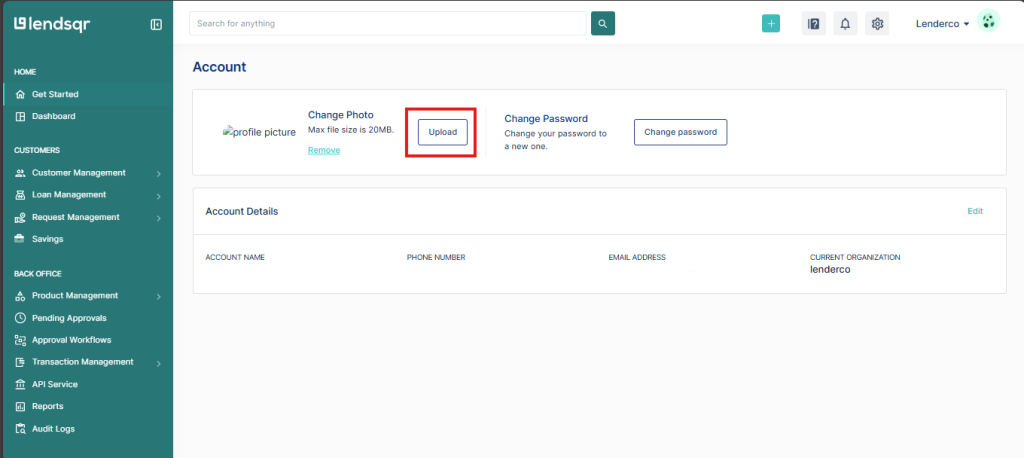
On your profile page, you can:
View your details
Upload a picture
Edit your display name
Change your phone number
How to manage your personal profile
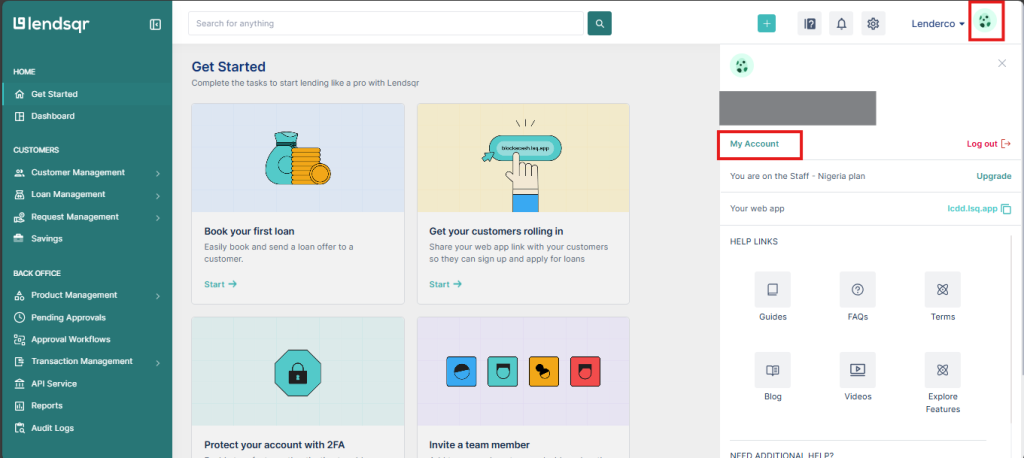
Navigate to the Logo at the top right corner of your admin console dashboard.
Select “My Account’
3. You can either upload a picture, edit your details, and/or change your password