Access your Back Office at your fingertips.
Download the app now on Google Play Store.
Scan the QR code
You can also scan QR code with your phone to download the app.
What is team management on Lendsqr?
Running a lending operation takes more than one person. As your business grows, you will need loan officers, customer support agents, and finance staff. You will also need compliance managers. Each of these roles requires a different level of access to your systems. Without a clear structure, you risk exposing sensitive borrower data, financial records, or critical loan actions to the wrong people.
Team Management on the Lendsqr admin console lets lenders control who helps run their lending operations. You can invite team members (also called admins) to manage users, loans, and transactions directly from the console.
What does team management mean on Lendsqr?
Team management refers to the set of tools in the Lendsqr admin console that lets you control who has access to your lending workspace and what they are allowed to do within it.
When you set up your organization on Lendsqr, you start as the primary administrator, called the Super Admin. From there, you can invite other people to join your workspace as team members with various roles. These team members are also sometimes referred to as admins. This is because they access and operate the same admin console you do, but with whatever level of access you choose to grant them.
When does team management become necessary?
A solo lender just starting out can manage everything alone. But the moment a second person joins, you need a clear structure. Who can see what? Who can take which actions?
Team management becomes especially important when:
Your team spans multiple roles and support agents, loan officers, and finance staff all need different access levels
You operate across multiple branches or locations
You need to stay compliant with data privacy requirements around who can access borrower information
Staff leave or change roles and their access needs updating right away
Consider a microfinance lender with field officers spread across multiple cities. Those agents need to view and process loan applications. But they should not access settlement reports or delete customer records. Team management gives each agent exactly the access their role needs, and nothing beyond that.
This kind of structure is not just about security. It also makes your team more efficient. When each person only sees what is relevant to their job, there is less confusion, fewer mistakes, and a cleaner audit trail if anything ever needs reviewing.
Key features of team management
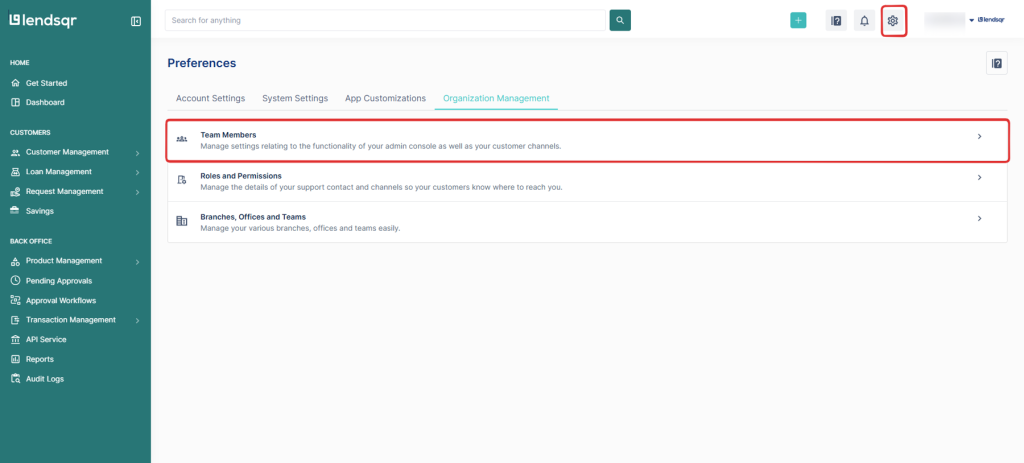
Team management features are found in the Settings section of your Lendsqr admin console. Navigate to Settings from the left-hand menu, then look for the Organization Management tab. As a lender, you have full control over how your team operates within the admin console through this tab. You can:
View your current team: When you open Organization Management, you will see a list of all active team members, their roles, and status. This gives you a quick overview of who currently has access to your workspace. Simply click on Team members.
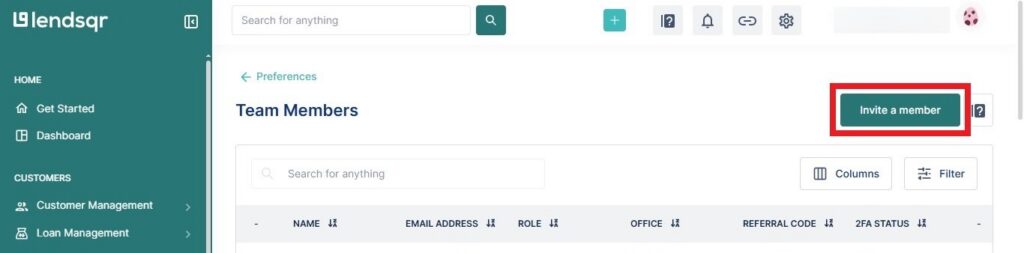
Invite a new team member: Under Team members, you can select Invite team member to add new members to your team. For more information on how to invite a team member, kindly click here.
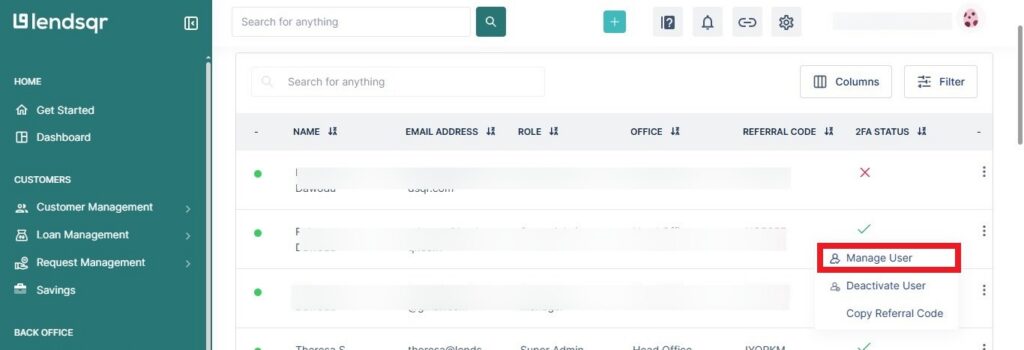
Assign or update a role: This is useful when a team member needs a different level of access. You can update their role from their profile in the team list. Simply select Manage User as shown below.
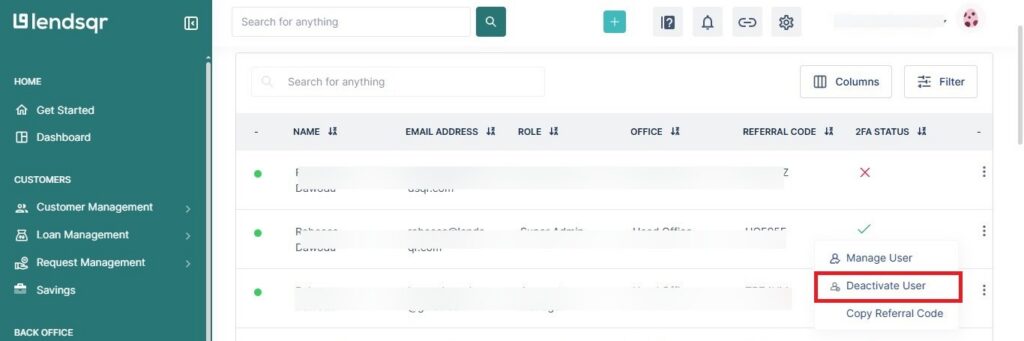
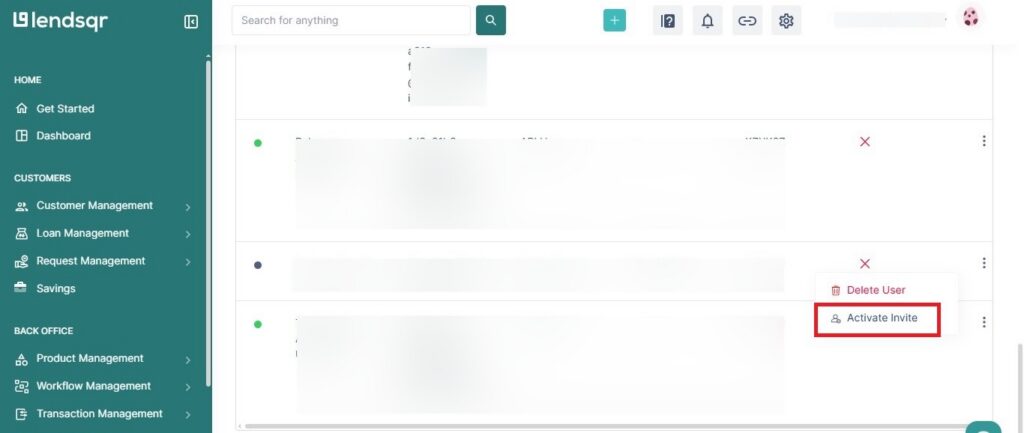
Activate or deactivate access: If a team member is temporarily away, you can deactivate their access without deleting their account as shown below.
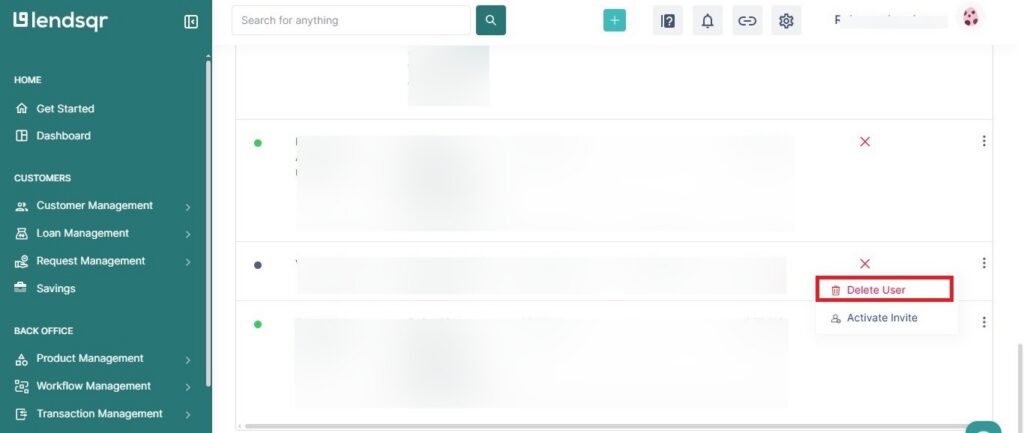
Remove a team member: When a team member is leaving the organization, they can be deleted from the platform entirely. See How to delete team members for a full guide on this process.
This keeps sensitive data and actions in the right hands, strengthening security and accountability across your lending operation.
Role-Based Access Control
Each team member you invite gets a specific role. That role controls which parts of the console they can see and what actions they can take. You can use this to:
Limit access to financial data
Allow only certain users to approve loans
Restrict user or transaction management to specific roles
Here is a practical example. A loan officer can approve or decline loan requests but cannot view disbursement balances. A support agent can access customer profiles and respond to queries but cannot touch loan approval workflows. This separation keeps your operations clean and your borrower data protected.
Role-based access also makes onboarding new staff faster. Instead of manually deciding what each person can do, you simply assign them the role that fits their job. Everything else follows automatically.
Custom roles and permissions
Lendsqr ships with a set of default roles. But every lending business is structured differently. If your organization has departments or responsibilities that do not fit a default role, you can build custom roles and define exactly which permissions each role carries.
This is particularly useful for lenders who have grown beyond the basics. A large lending operation might need a collections officer role with access to overdue loan records but no ability to approve new loans. Or a compliance officer role with read-only access across all sections of the console. Default roles may not cover these cases, but custom roles can.
This flexibility lets you design your team structure around how your business actually works. Whether you run a small team or a large operation across multiple offices, your access setup can match your reality.