

To add a customer to an already existing group, kindly follow the steps outlined below:
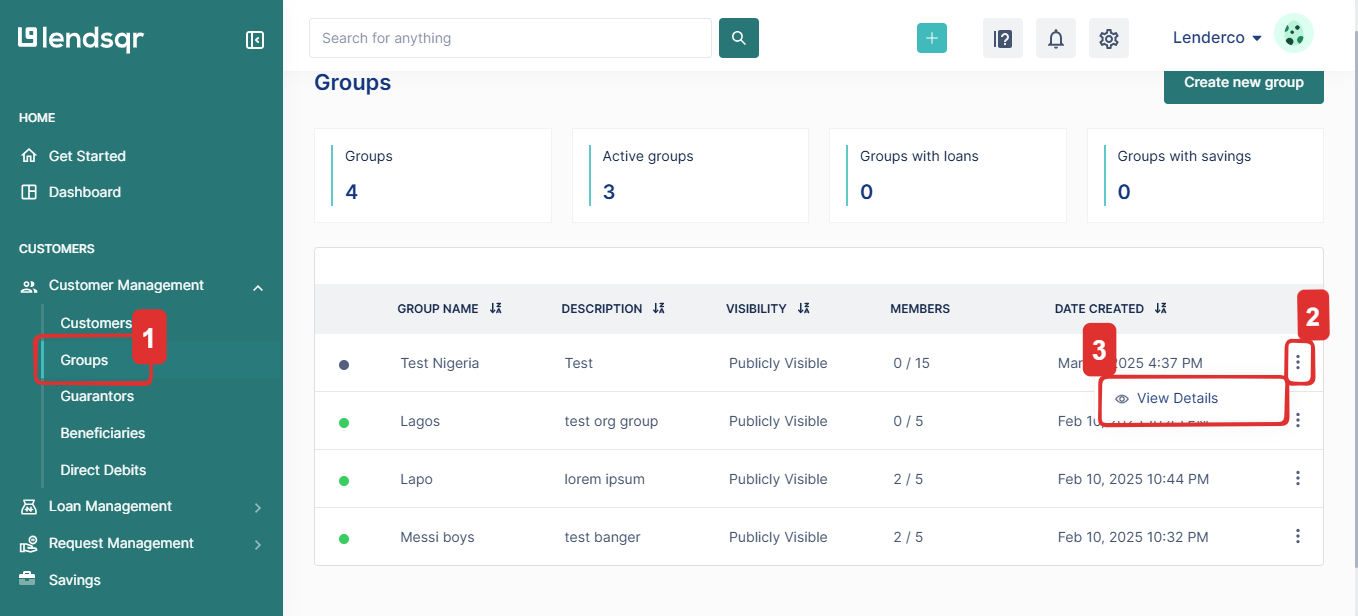
- Go to “Customer Management” and select “Groups”
- From the list of existing groups, click on the more options (:) menu and choose “View Details.”
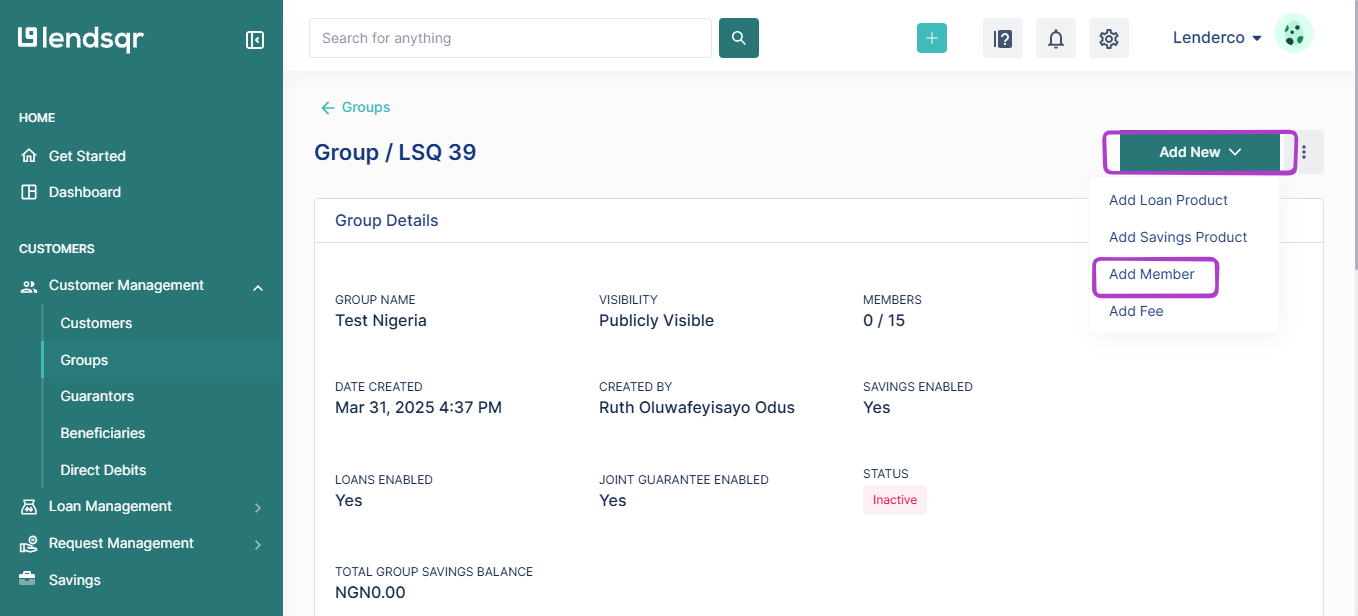
- Click on “Add New”, then select “Add Member” to proceed.
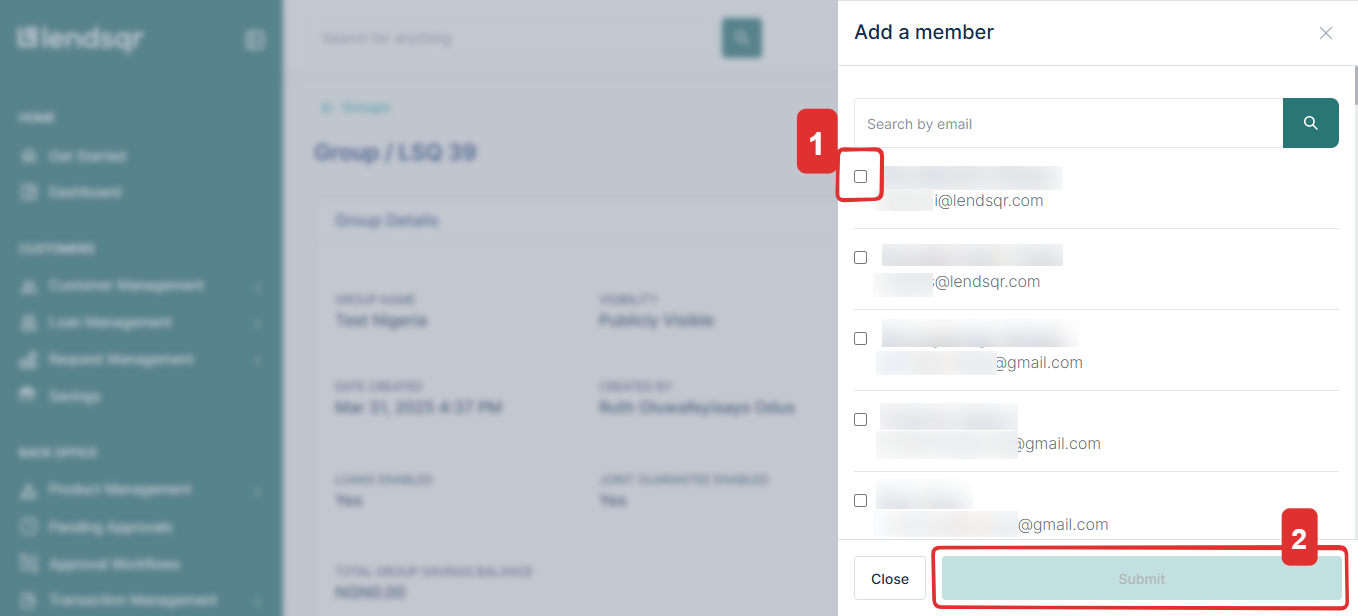
- Select the customer you want to add to the group or search for them by email, then click “Submit.”
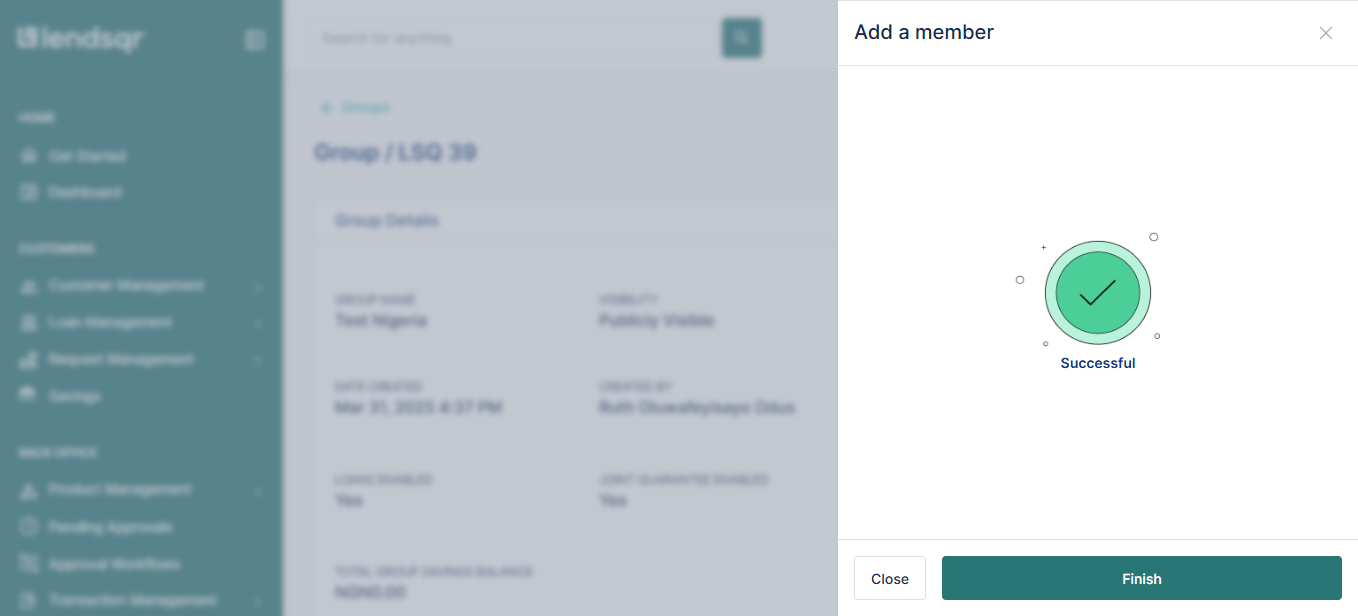
- After submission, a confirmation message will appear, confirming the successful addition of the customer.
Watch the video below to complete the process:
Related Guides:

